

Log in to PayFit
Sign in to the PayFit dashboard with an administrator account. API keys give access to your own company’s data and can only be created by an admin.
Create your PayFit API key
PayFit API keys are created and managed from the Integrations area of your company dashboard.
Open the API access page
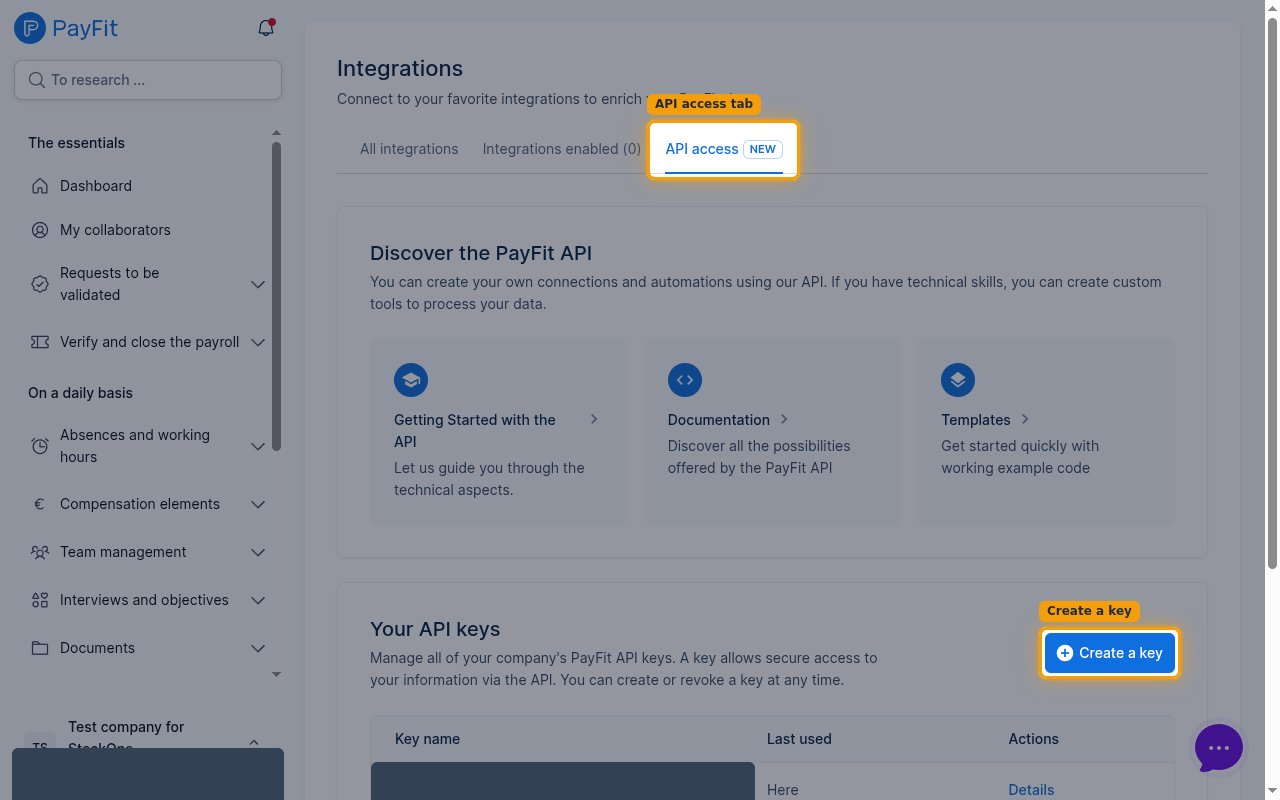
In the left sidebar, under My structure, click Integrations, then open the API access tab. Under Your API keys, click Create a key.
- You can also go straight to the API access page once you are signed in:
https://app.payfit.com/integrations/hub/api— PayFit redirects it to your company-specific URL, so it only works while logged in.
Enter a name and select scopes
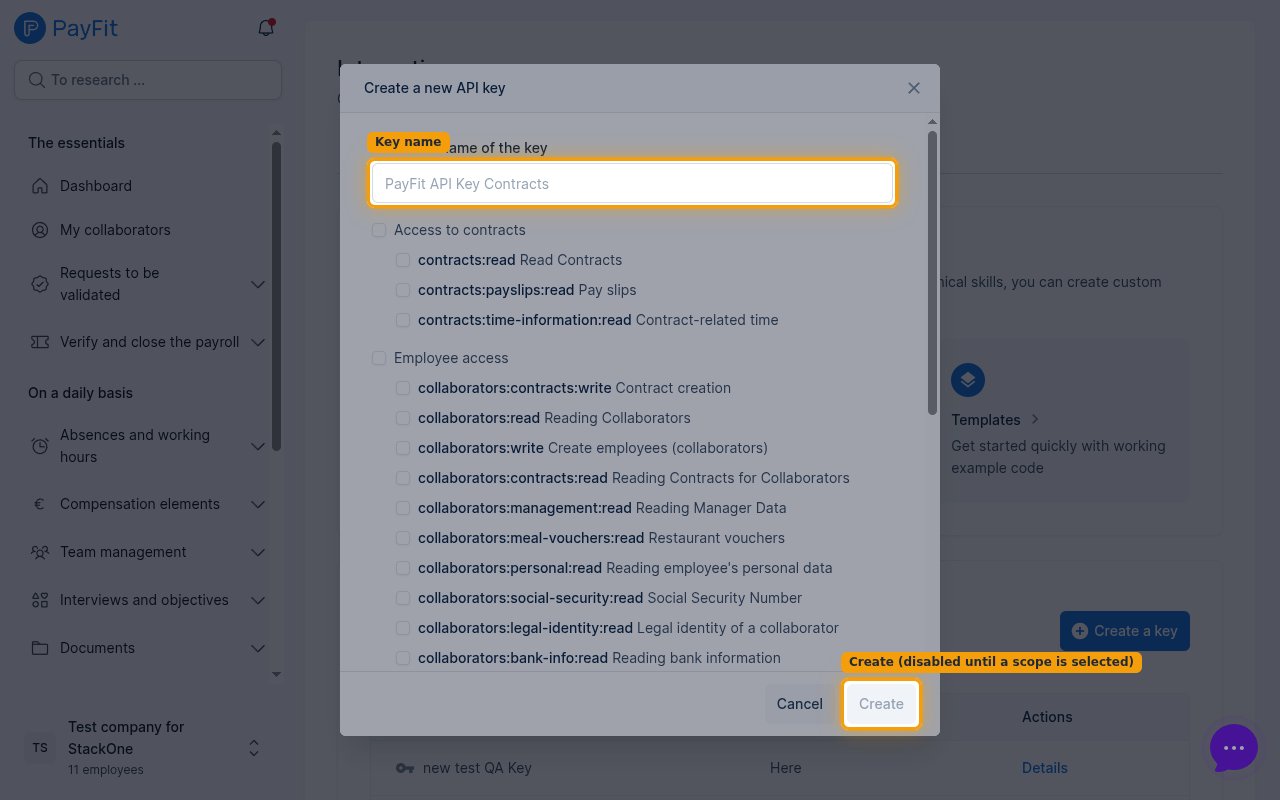
In the Create a new API key dialog, type a name for the key in Name of the key. Then tick the scopes the key should grant. The Create button stays disabled until at least one scope is selected. Selecting the correct scopes is critical — if a required scope is missing, the matching actions return no data or fail with a permission error, so enable every scope the integration needs.
Find each scope in its portal group
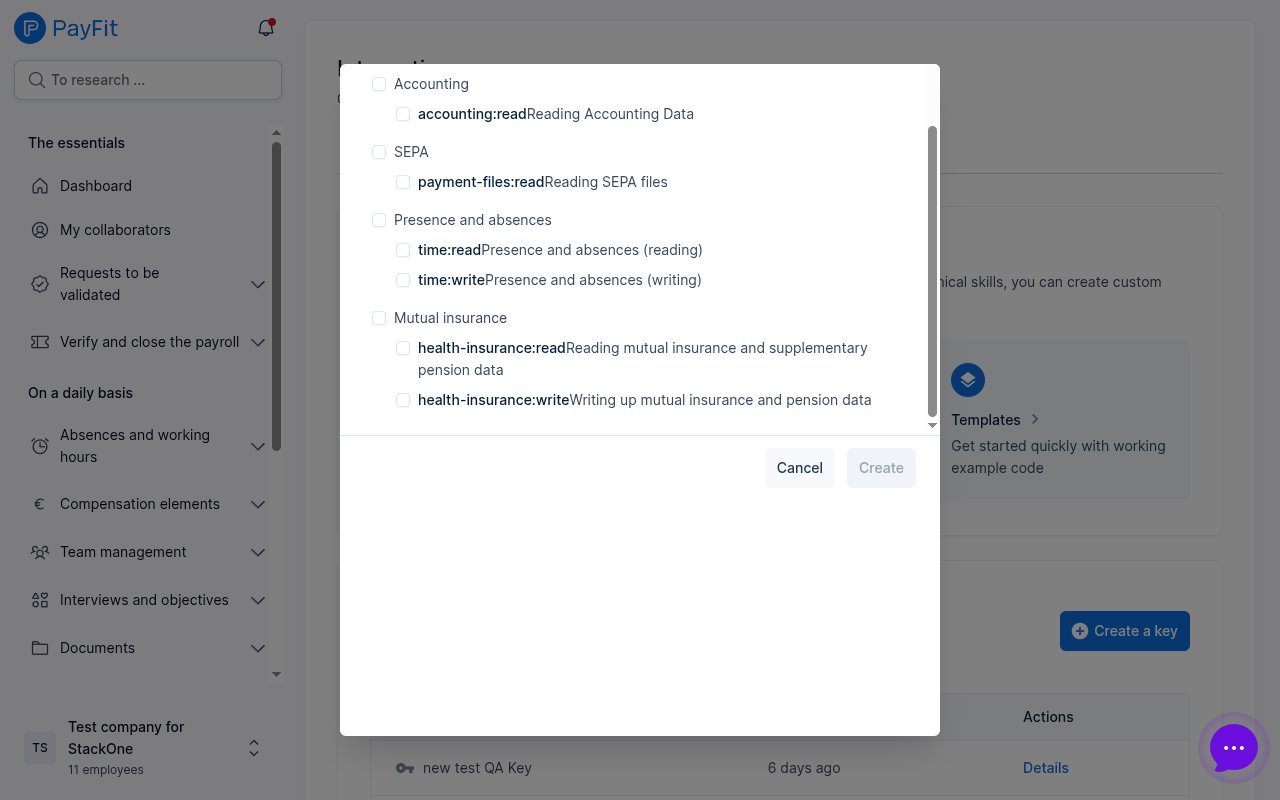
The scope list is grouped by area and is scrollable, so some scopes are further down. Select each scope the integration needs in its group.
- Under Access to contracts, select contracts:read and contracts:payslips:read.
- Under Employee access, select collaborators:read, collaborators:write, collaborators:contracts:write, and collaborators:meal-vouchers:read.
- Under Presence and absences (further down), select time:read, not contracts:time-information:read in the Access to contracts group.
- Under Mutual insurance (further down), select health-insurance:read and health-insurance:write.
- Leave scopes the integration does not use unticked, such as contracts:time-information:read, time:write, pension:read, accounting:read, and payment-files:read.
Copy your API key
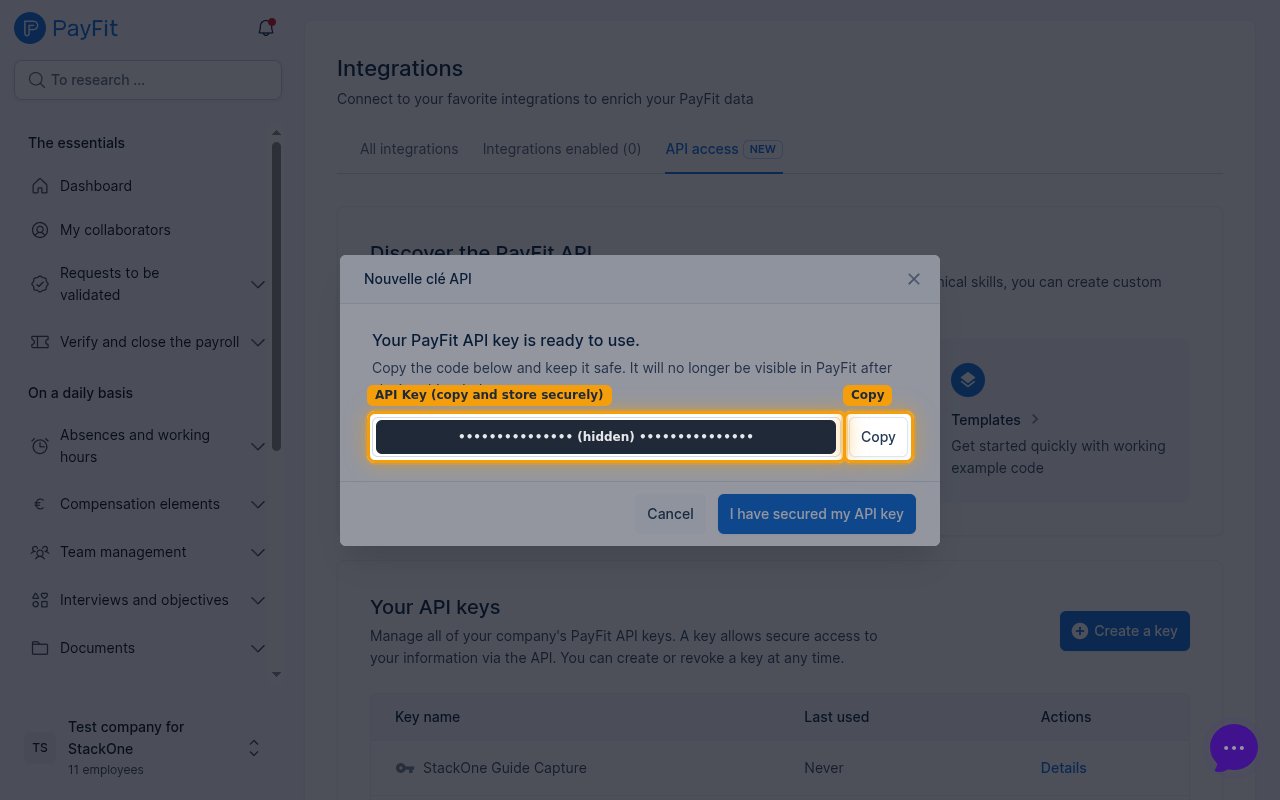
After clicking Create, PayFit shows Your PayFit API key is ready to use. Click Copy to copy the key, then click I have secured my API key to close the dialog.
- The key is displayed only once and cannot be retrieved later — it will no longer be visible in PayFit after you close this window, so copy and store it securely before closing.
Link the account in StackOne Hub
Connect PayFit to StackOne using the key you just copied.
Paste the key into the API Key field
In StackOne Hub, paste the copied key into the API Key field. This is the only credential PayFit requires — StackOne sends it as a bearer token and automatically resolves your company from the key.
Linking the Account from the Hub
Navigate to the Hub
Fill out the fields
- API Key
Connect
- Click Connect
- If applicable, the provider will redirect you to a sign-in or authorization page. Complete the provider’s authorization flow.
- Once authorization is successful, you will see a confirmation popup
If the account linking is successful, you will see the newly linked account in your Accounts page.