

Prerequisites
The connector should already be set up, with a Connector Profile and a Linked Account. See Getting Started on the Parallel connector page.Webhook setup
This connector uses Manual Webhooks. Parallel has no webhook subscription screen or API — instead, every task run, FindAll run and monitor carries its own webhook URL and event list. Pass the StackOne Native Webhook URL in the webhook object of each request whose events you want delivered to StackOne.
Retrieve StackOne Native Webhook URL
The Native Webhook URL is generated once an account has been linked.
- Open the linked account in StackOne.
- Copy the value from Native Webhook URL.
Add the URL to your Parallel requests
Set webhook.url to the Native Webhook URL and list the events you want in webhook.event_types when calling any of these actions. Parallel only delivers the event types listed in the request.
- Create Task Run and Add Runs to Task Group accept
task_run.status. - Create FindAll Run accepts any of the
findall.candidate.*andfindall.run.*events. - Create Monitor and Update Monitor accept any of
monitor.event.detected,monitor.execution.completedandmonitor.execution.failed.
Find the webhook signing secret
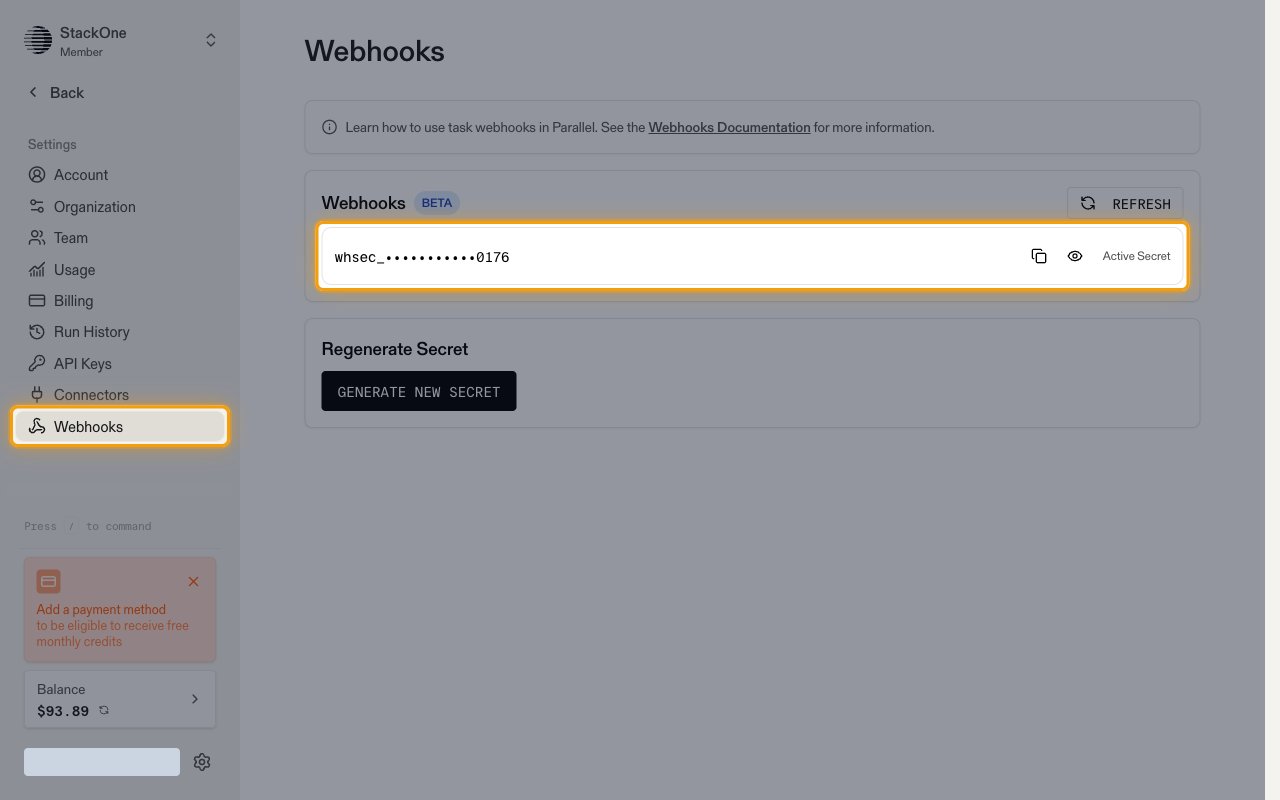
Sign in to the Parallel Platform and open Webhooks under Settings. The Active Secret signs every webhook Parallel sends. StackOne does not need this secret — copy it only if you also verify webhook signatures in your own systems.
- Clicking Generate new secret rotates the secret for every webhook on the account.
Available webhook events
The following Parallel events can be delivered to StackOne. Only events listed in a request’s webhook.event_types are sent for that task run, FindAll run or monitor.
Task run events
Events related to task runs, including runs added to a task group.
- Task Run Status (
task_run.status) — Fired when a task run finishes, whether it completed or failed
FindAll events
Events related to FindAll runs and the candidates they evaluate.
- FindAll Candidate Generated (
findall.candidate.generated) — Fired when a new candidate is generated and queued for evaluation - FindAll Candidate Matched (
findall.candidate.matched) — Fired when a candidate matches all of the run’s match conditions - FindAll Candidate Enriched (
findall.candidate.enriched) — Fired when enrichment data has been extracted for a matched candidate - FindAll Run Completed (
findall.run.completed) — Fired when a FindAll run reaches the completed status - FindAll Run Canceled (
findall.run.cancelled) — Fired when a FindAll run is canceled - FindAll Run Failed (
findall.run.failed) — Fired when a FindAll run fails due to an error
Monitor events
Events related to scheduled monitor runs.
- Monitor Event Detected (
monitor.event.detected) — Fired when a monitor run detects one or more material changes - Monitor Execution Completed (
monitor.execution.completed) — Fired when a monitor run completes without detecting changes - Monitor Execution Failed (
monitor.execution.failed) — Fired when a monitor run fails due to an error
Delivery format
Details of how Parallel delivers events to StackOne.
- Each request carries a single event as a JSON object with
type,timestampanddata. - The event ID is the ID of the affected resource, so it can be fetched with the matching action — the task run (
run_id), FindAll candidate (candidate_id), FindAll run (findall_id) or monitor event group (event_group_id), or the monitor itself (monitor_id) for completed and failed runs. - Failed deliveries are retried with exponential backoff for up to 48 hours.