

Prerequisites
The connector should already be set up, with a Connector Profile and a Linked Account. See Getting Started on the OpenReplay connector page.Send OpenReplay alerts to StackOne
OpenReplay sends an alert to a webhook when the alert’s condition is met. Add the StackOne Native Webhook URL as a webhook, then select that webhook on each alert that should send events.
Copy the Native Webhook URL
The Native Webhook URL is generated once an account has been linked.
- Open the linked account in StackOne.
- Copy the value from Native Webhook URL.
Add the webhook
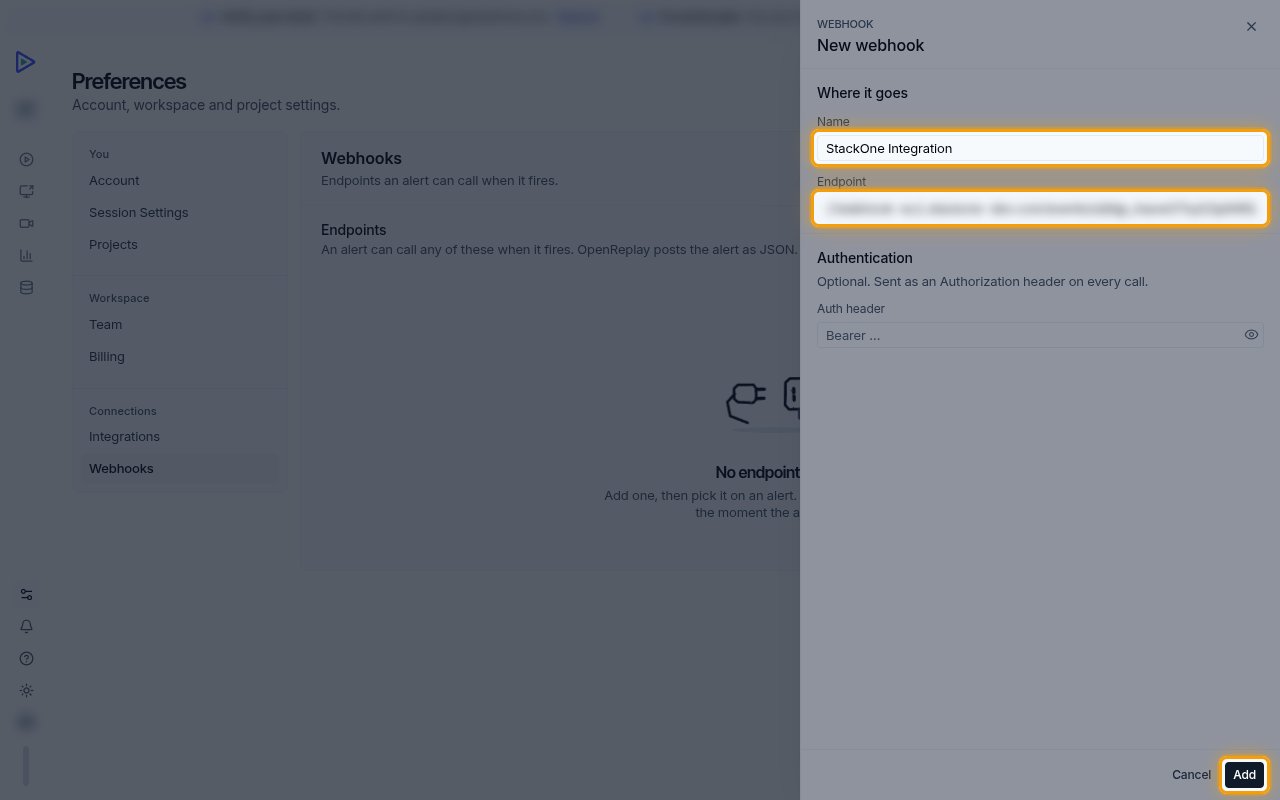
Sign in to OpenReplay, then open Preferences > Webhooks.
- Click Add webhook.
- Name:
StackOne Integration - Endpoint: the Native Webhook URL from the linked account
- Leave Auth header empty. StackOne identifies the account from the Native Webhook URL.
- Click Add.
Open the project's alerts
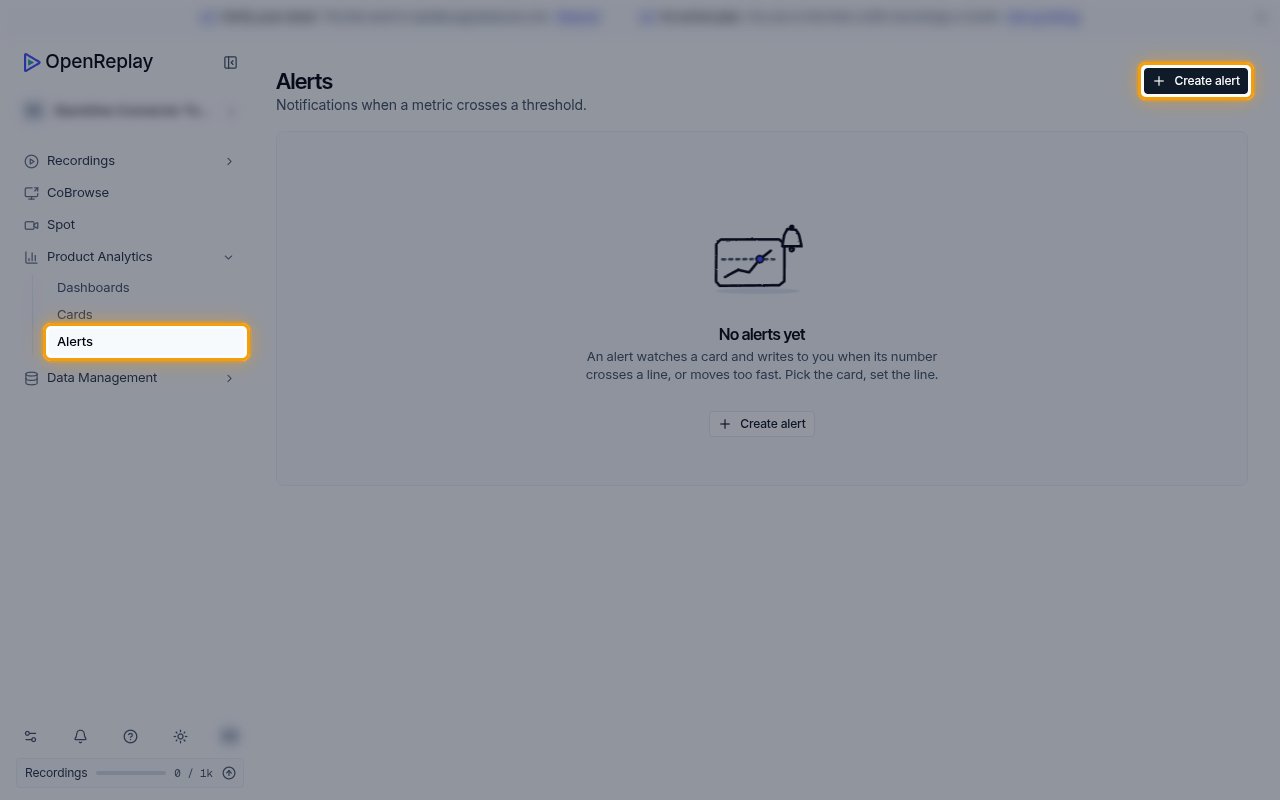
Alerts belong to a project. Select the project in OpenReplay, then open Product Analytics > Alerts.
- Click Create alert, or open an existing alert that should send events.
- Set the alert’s Name and Condition.
Select the webhook
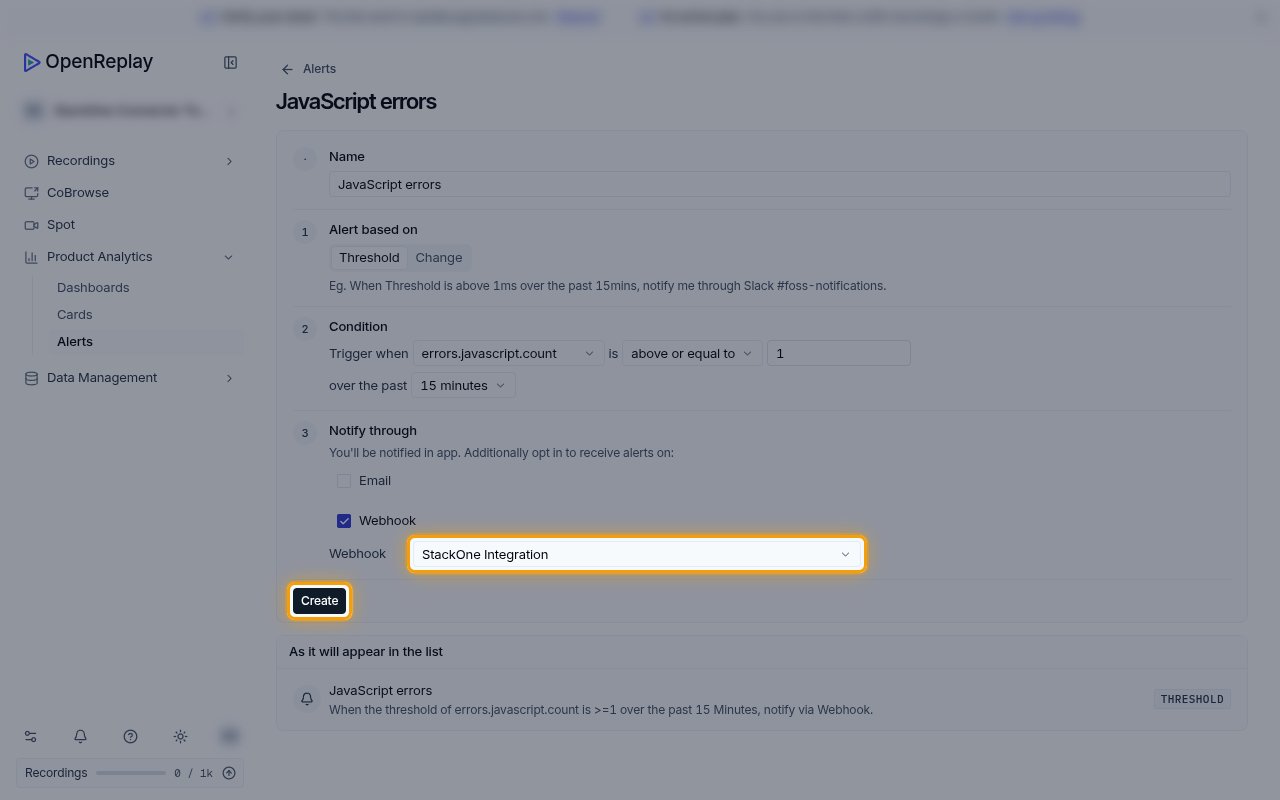
Under Notify through, select Webhook.
- In Webhook, select StackOne Integration.
- Click Create to save the alert.
- Repeat for every alert that should send events to StackOne.
Available webhook events
The following OpenReplay event can be enabled. Only events selected in StackOne are delivered.
Alert events
Events sent when an OpenReplay alert fires.
- Alert Triggered (
alert.triggered) — Fired when an alert that notifies the StackOne Integration webhook meets its condition, with the alert name, metric, threshold and measured value
Delivery format
Details of how OpenReplay delivers events to StackOne.
One alert per request
Each request carries one alert as JSON. OpenReplay sends it again each time the alert fires after its renotify interval, so the same alert can produce several events.