

Prerequisites
The connector should already be set up, with a Connector Profile and a Linked Account. See Getting Started on the OpenAI connector page.Register the StackOne webhook in OpenAI
This connector uses Manual Webhooks. OpenAI does not expose an API to create webhook endpoints, so you register the StackOne callback URL yourself in the OpenAI dashboard and paste the signing secret back into StackOne. OpenAI begins delivering events immediately after the endpoint is created — there is no verification ping.
Copy the Native Webhook URL from StackOne
After connecting your OpenAI account in StackOne, open the connected account and copy the value of the Native Webhook URL field. This is the endpoint OpenAI will deliver events to. It is only available after the account has been connected.
- The Native Webhook URL is read-only and generated by StackOne — copy it exactly.
Open the project Webhooks settings
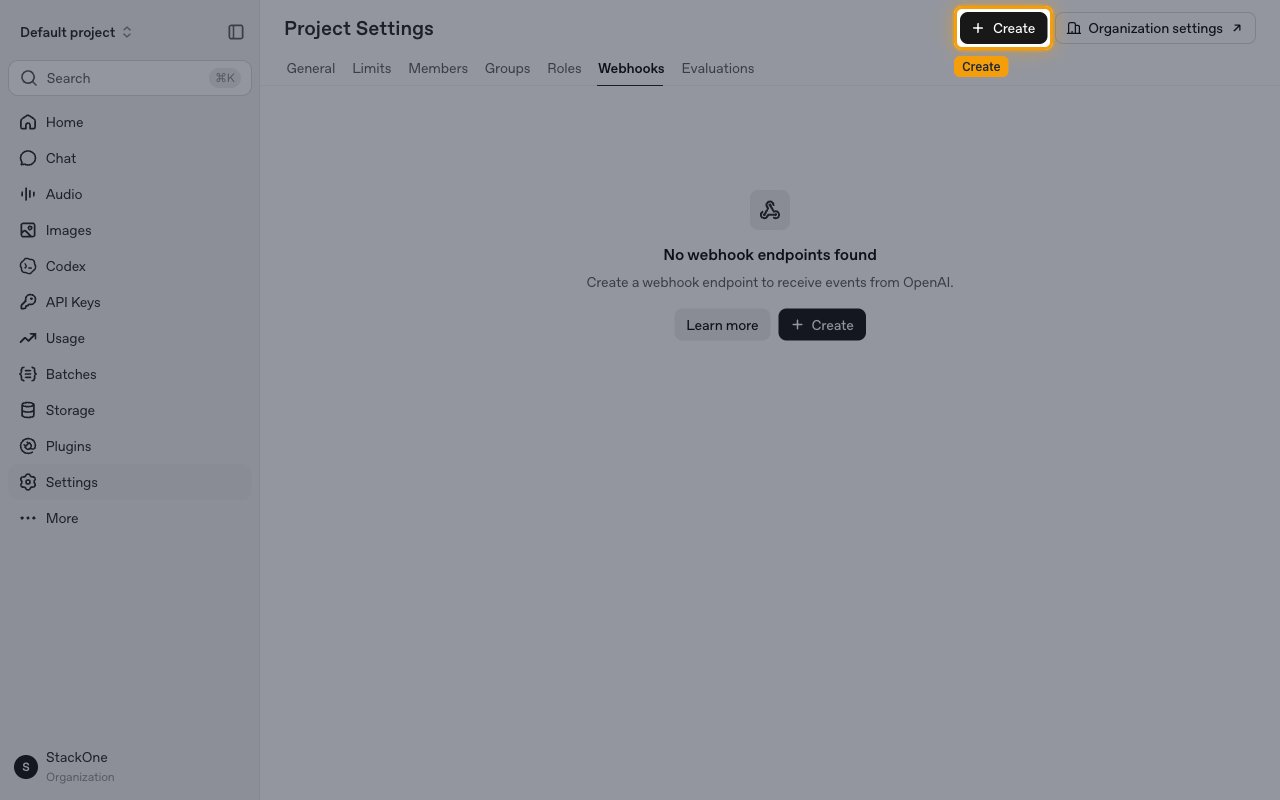
Sign in to the OpenAI dashboard and open the project’s webhook settings. In the left sidebar click Settings, then open the Webhooks tab (or go directly to the project Webhooks page). Click Create to add a new webhook endpoint.
Enter the endpoint URL
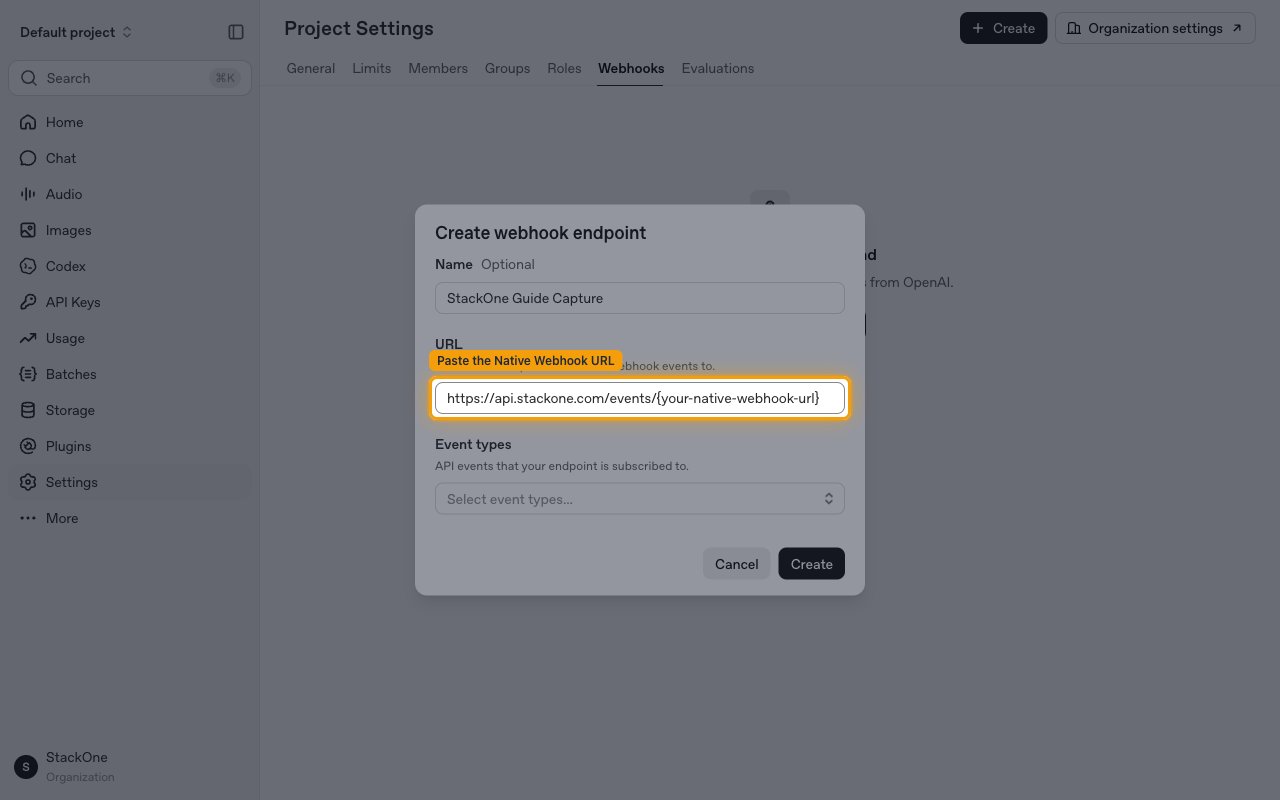
In the Create webhook endpoint dialog, optionally set a Name (this is for your reference only), then paste the StackOne Native Webhook URL into the URL field — labelled The URL that OpenAI will POST webhook events to.
Select the event types to deliver
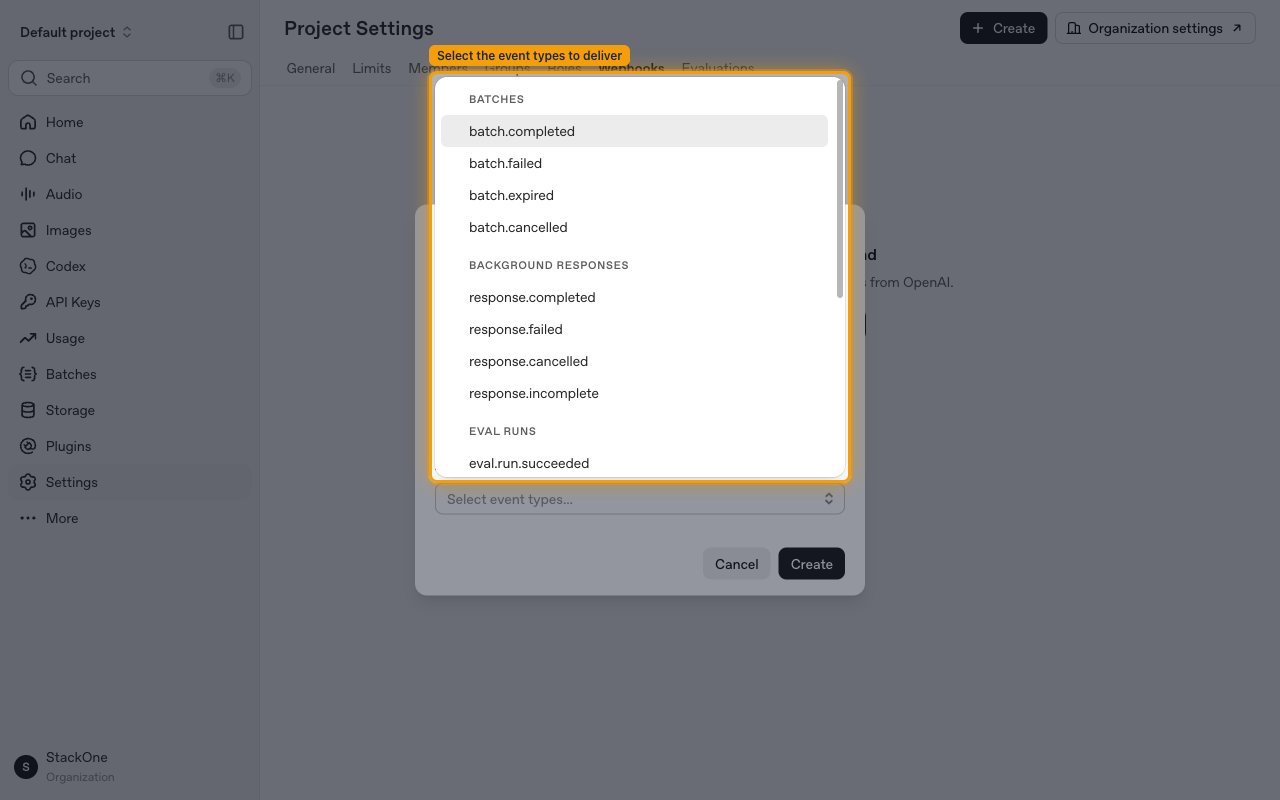
Click Select event types… under Event types and tick every event you want delivered to StackOne. The events are grouped as Batches, Background Responses, Eval Runs, Realtime API, Videos, and Other — see Available webhook events below for the full list. Then click Create.
- Only the event types you select here are delivered — OpenAI does not send events you did not subscribe to.
Save the signing secret
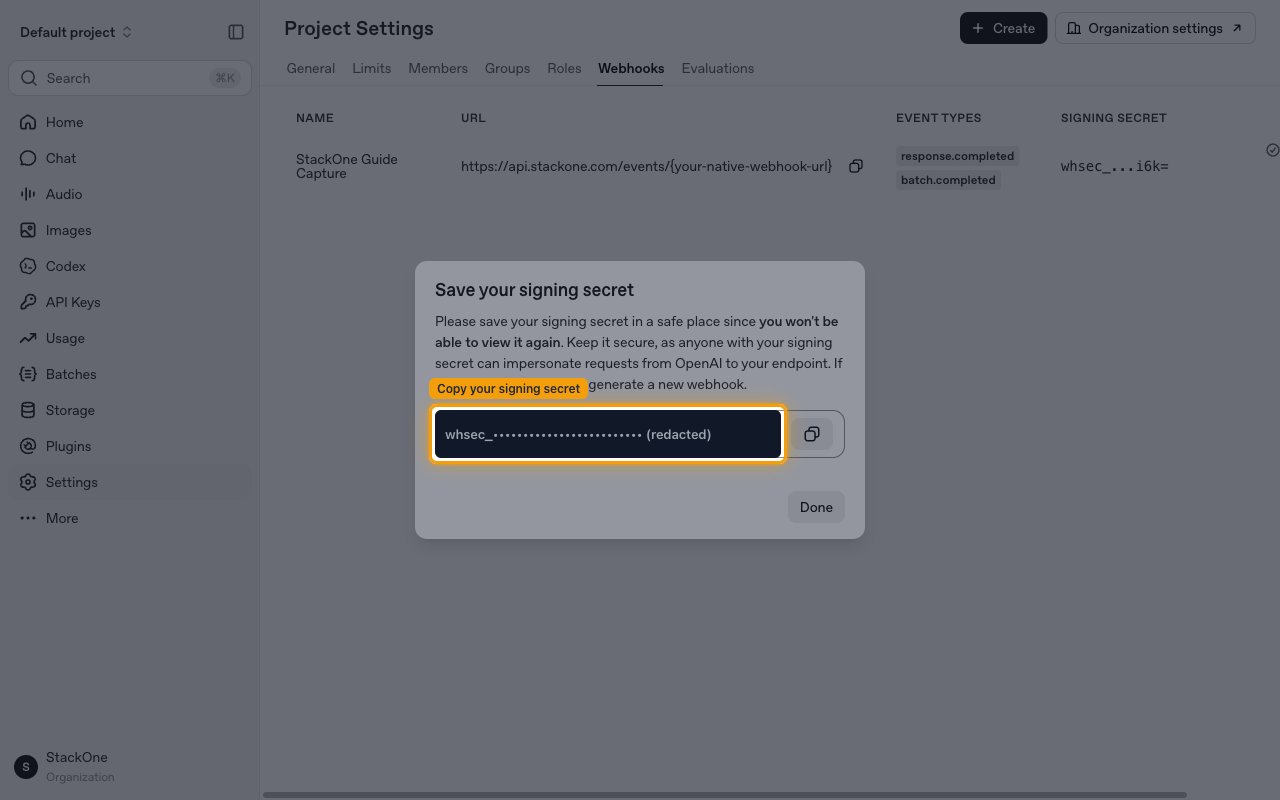
After you click Create, OpenAI shows the Save your signing secret dialog with a whsec_ secret. You won’t be able to view it again, so copy it now and store it securely — anyone with the signing secret can impersonate requests from OpenAI to your endpoint. Then click Done.
- The signing secret is only displayed once and cannot be retrieved later. If you lose it, rotate the secret or recreate the webhook.
- OpenAI signs each delivery using the Standard Webhooks scheme (
webhook-id,webhook-timestamp,webhook-signature) so downstream consumers can verify authenticity with this secret.
Remove the webhook to stop deliveries
To stop deliveries later, open the Webhooks tab in the OpenAI dashboard and use Delete webhook on the endpoint. Disconnecting the account in StackOne does not remove the endpoint from OpenAI, because OpenAI provides no API for StackOne to manage it.
Available webhook events
The following OpenAI events can be enabled when you create the webhook endpoint. Only events you select in the OpenAI dashboard are delivered. Each event’s payload data is a thin reference (usually just an id) — retrieve the resource via its API to get the full result. StackOne routes each delivery by its type and passes the exact type through as the event type.
Batches
Fired when a Batch API job reaches a terminal state. Retrieve the batch via its id to read the output or error file.
- Batch Completed (
batch.completed) — Fired when a batch job completes. - Batch Failed (
batch.failed) — Fired when a batch job fails. - Batch Expired (
batch.expired) — Fired when a batch job expires before finishing its completion window. - Batch Cancelled (
batch.cancelled) — Fired when a batch job is cancelled.
Background Responses
Fired when a background Response (a request created with background: true) reaches a terminal state. Fetch the response by its id to read the generated output.
- Response Completed (
response.completed) — Fired when a background response finishes successfully. - Response Failed (
response.failed) — Fired when a background response fails. - Response Cancelled (
response.cancelled) — Fired when a background response is cancelled. - Response Incomplete (
response.incomplete) — Fired when a background response is interrupted or ends incomplete.
Eval Runs
Fired when an eval run reaches a terminal state.
- Eval Run Succeeded (
eval.run.succeeded) — Fired when an eval run succeeds. - Eval Run Failed (
eval.run.failed) — Fired when an eval run fails. - Eval Run Canceled (
eval.run.canceled) — Fired when an eval run is canceled.
Realtime API
Fired for inbound Realtime API calls.
- Realtime Call Incoming (
realtime.call.incoming) — Fired when an inbound SIP call arrives and is awaiting acceptance via the Realtime API. The payload carries the call id and SIP headers.
Videos
Fired when a video generation job reaches a terminal state.
- Video Completed (
video.completed) — Fired when a video generation job completes. - Video Failed (
video.failed) — Fired when a video generation job fails.
Other
Additional inbound-call events.
- Live Call Incoming (
live.call.incoming) — Fired when an inbound SIP call arrives and is awaiting acceptance via the Live API. The payload carries the call id and SIP headers.
Delivery format
Details of how OpenAI delivers events to StackOne.
JSON payloads, one event per request
OpenAI delivers each event as an HTTP POST with Content-Type: application/json. Events are not batched — there is one webhook call per event. The envelope is { object: "event", id: "evt_…", type, created_at, data: { id } }.
Signatures, retries and ordering
Deliveries follow the Standard Webhooks (Svix) specification.
- Every delivery carries
webhook-id,webhook-timestamp, andwebhook-signature(v1,<base64 HMAC-SHA256>) headers; verify against thewhsec_signing secret with a 5-minute timestamp tolerance. - Delivery is at-least-once with retries (exponential backoff for up to 72 hours) — dedupe on
webhook-id. - Event ordering is not guaranteed — do not assume a
completedevent arrives after earlier lifecycle events.