

Getting Your Okta Credentials
To connect Okta with StackOne using an API Key, you’ll need your Okta domain and an API token.
1
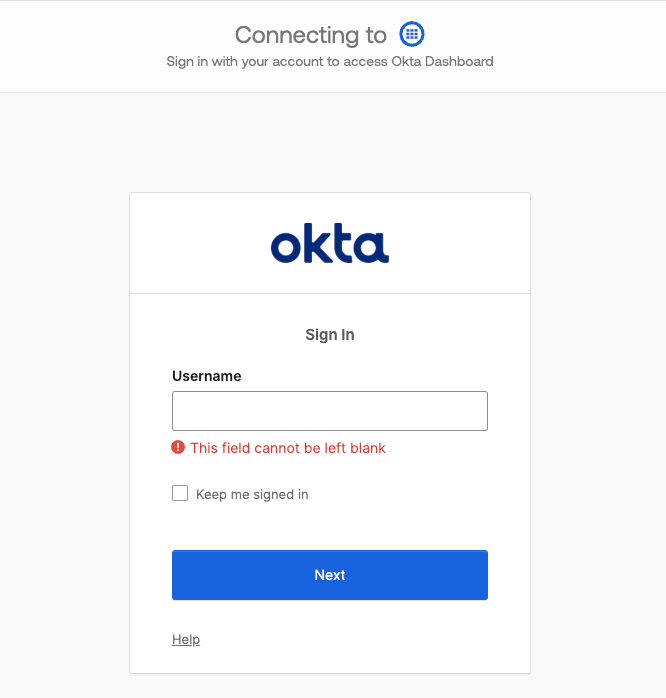
Log in to Okta
Log in to your Okta account at https://login.okta.com/
2
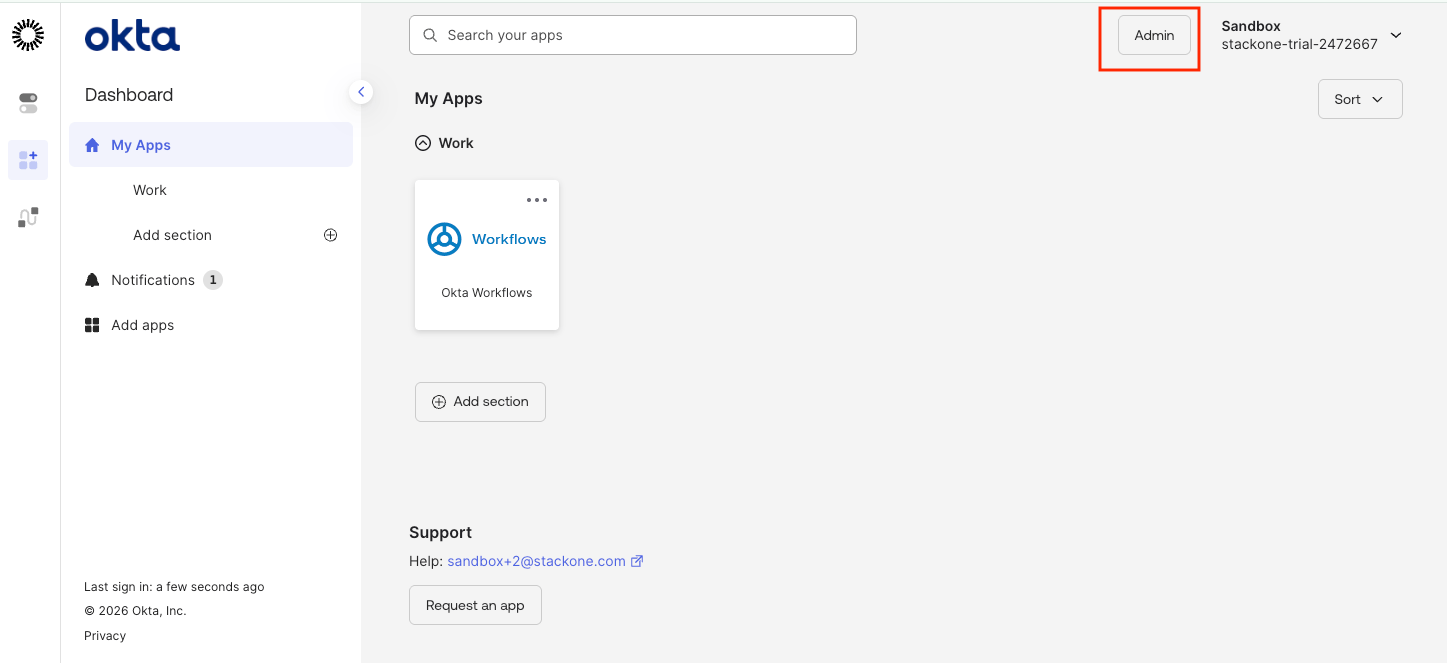
Navigate to Okta Admin Console
From your Okta homepage, click the Admin button in the top right corner.
3
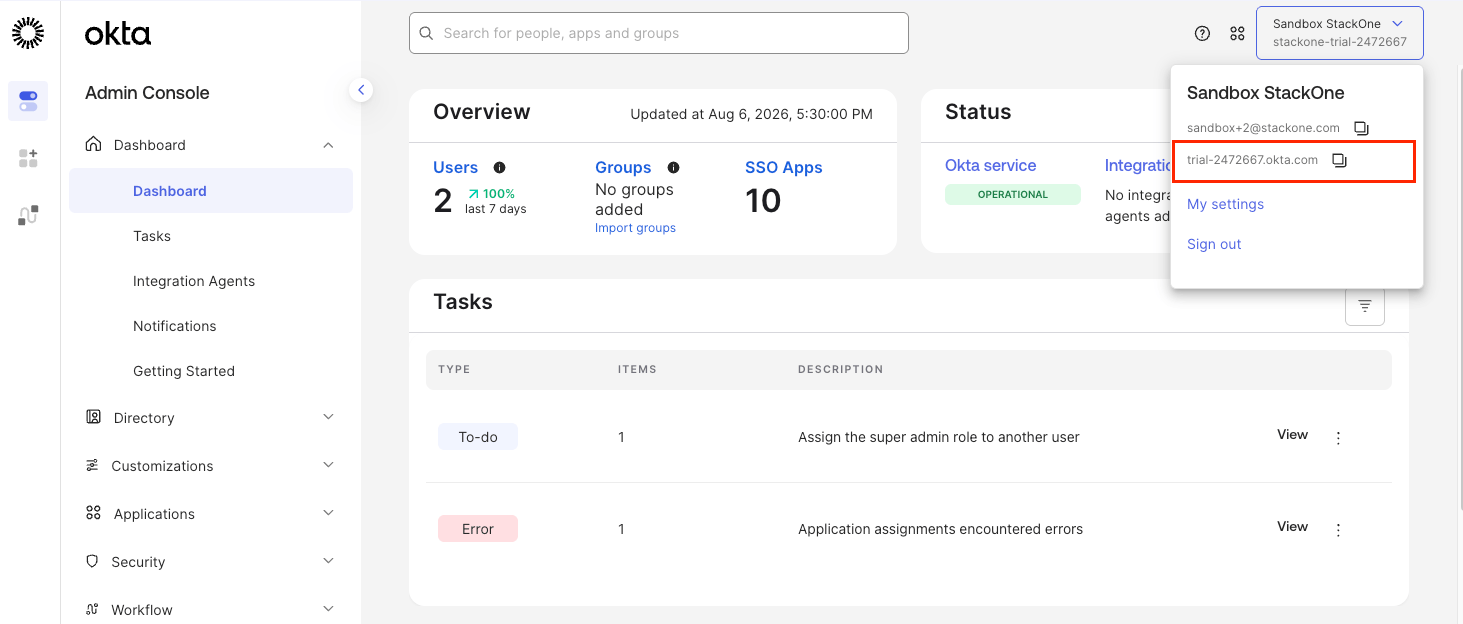
Find Your Okta Domain
Your Okta domain can be found in the URL when logged in to Okta.
- Given the URL
https://your-org.okta.com/app/UserHome, your domain isyour-org.okta.com - For preview environments, the domain may be
your-org.oktapreview.com
4
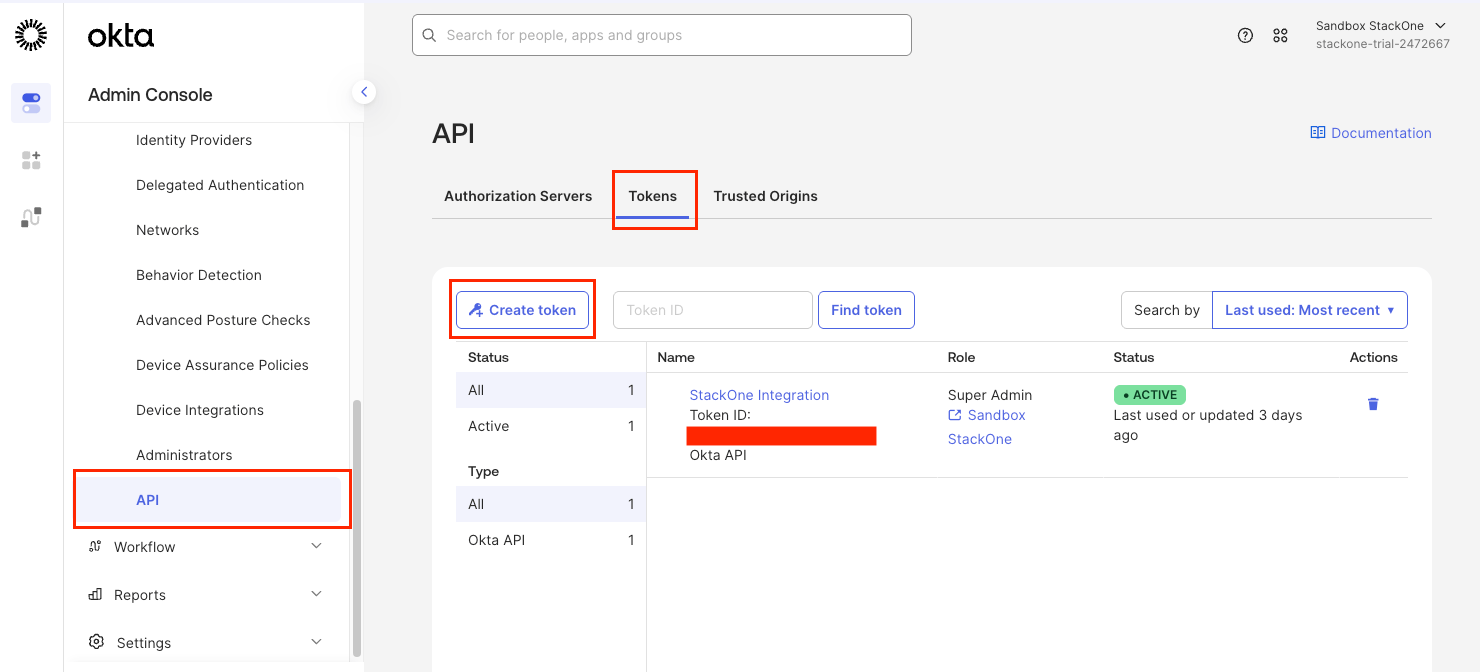
Navigate to API Tokens
Access the API tokens section in the Admin Console.
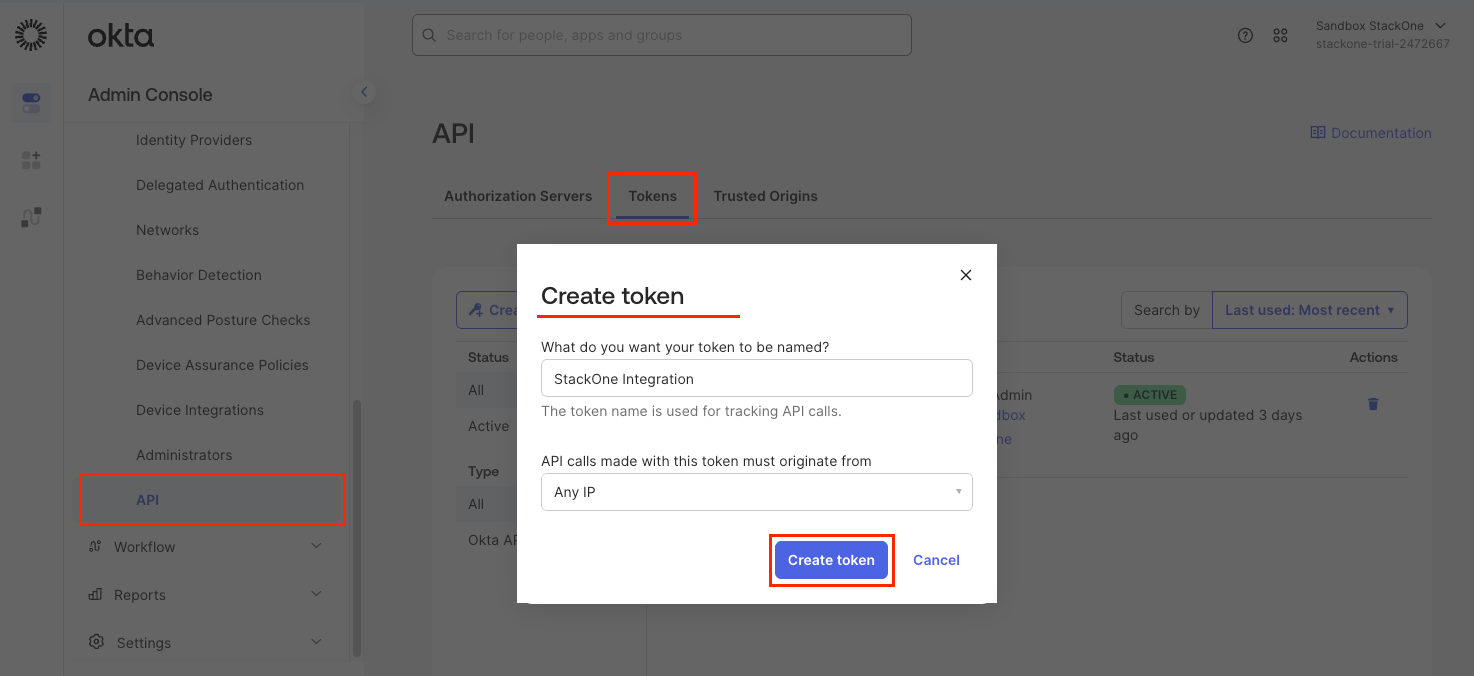
- In the left navigation menu, click Security > API
- Click on the Tokens tab
- Click the Create token button
5
Create a New API Token
Create a new API token for the StackOne integration.
- Enter a name for the token (e.g., StackOne Integration)
- For the dropdown API calls made with this token must originate from, select Any IP unless your organization requires specific network zones
- Click Create token
6
Copy Your API Token
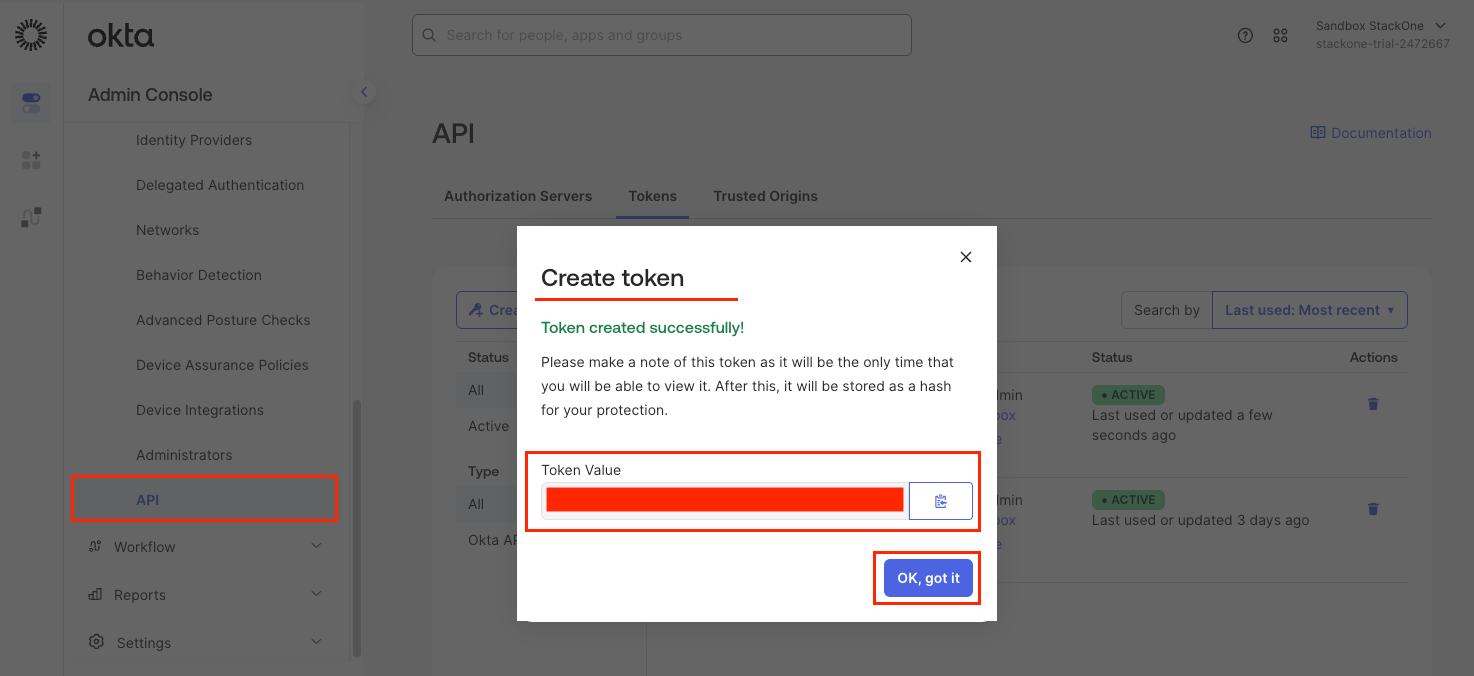
Copy and securely store your API token.
- Copy the API Token value displayed
- Store it securely as it will not be shown again
- API tokens inherit the privilege level of the admin account used to create them
Linking the Account from the Hub
1
Navigate to the Hub
Use one of the three Linking Account Methods to access the Hub.
2
Fill out the fields
Fill out the following fields using details from your provider:
- Okta Domain URL
- API Token
- Event Hook Name (Optional)
3
Connect
- Click Connect
- If applicable, the provider will redirect you to a sign-in or authorization page. Complete the provider’s authorization flow.
- Once authorization is successful, you will see a confirmation popup
If the account linking is successful, you will see the newly linked account in your Accounts page.
Next Steps
Webhooks setup
Configure receiving Events for Okta into StackOne.