

Prerequisites
The connector should already be set up, with a Connector Profile and a Linked Account. See Getting Started on the Nmbrs connector page.Configure the Nmbrs webhook
Nmbrs does not expose a webhook API on the REST platform this connector uses, so the webhook is registered by hand in Nmbrs. Paste the StackOne Native Webhook URL into a new webhook setting and enable the event you want.
Copy the Native Webhook URL
Open the linked account in StackOne Hub and copy the Native Webhook URL field.
- The field is read-only and is only available after the integration has been created.
- The URL is unique to this connected account — it is how StackOne attributes inbound events, so do not reuse it on another account.
Open Webhook Settings
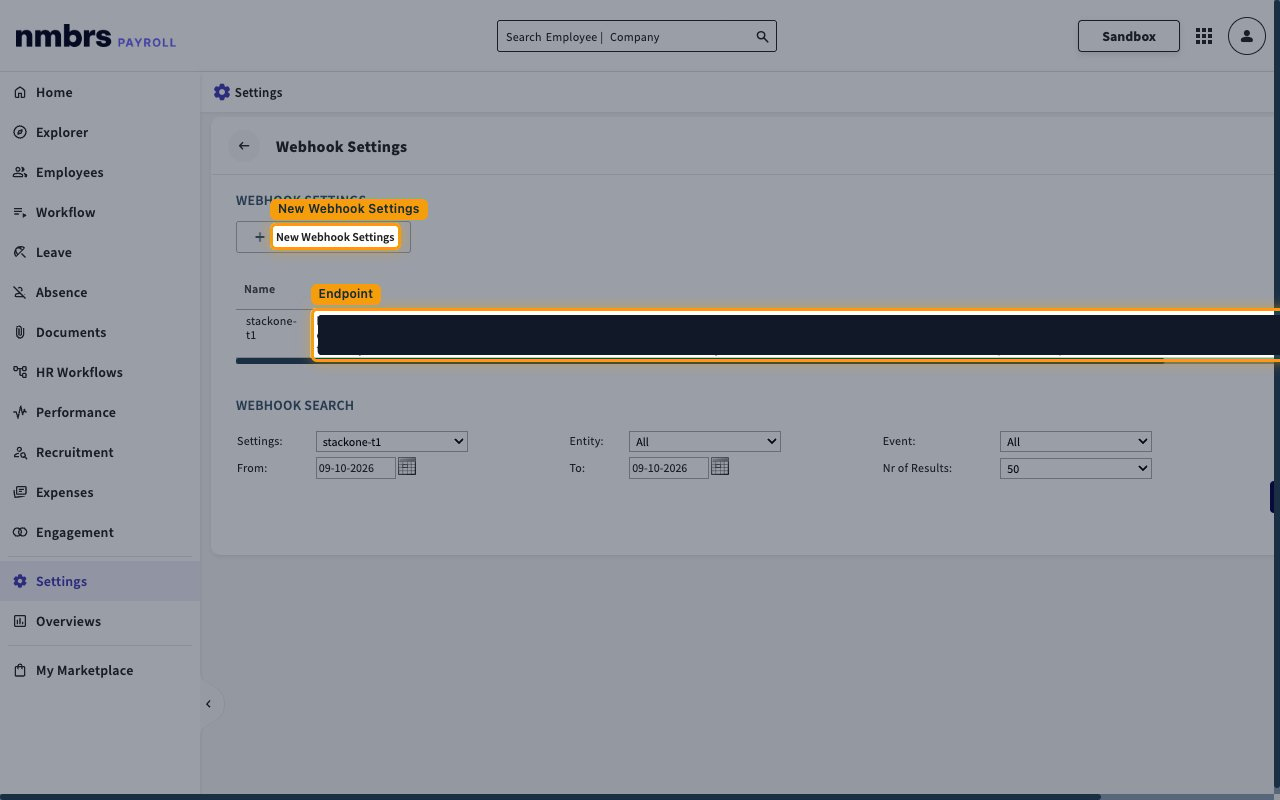
In Nmbrs, go to Settings → Integration → Webhook Settings, then select New Webhook Settings.
- Existing webhook settings are listed with their Name and Endpoint.
Create the webhook setting
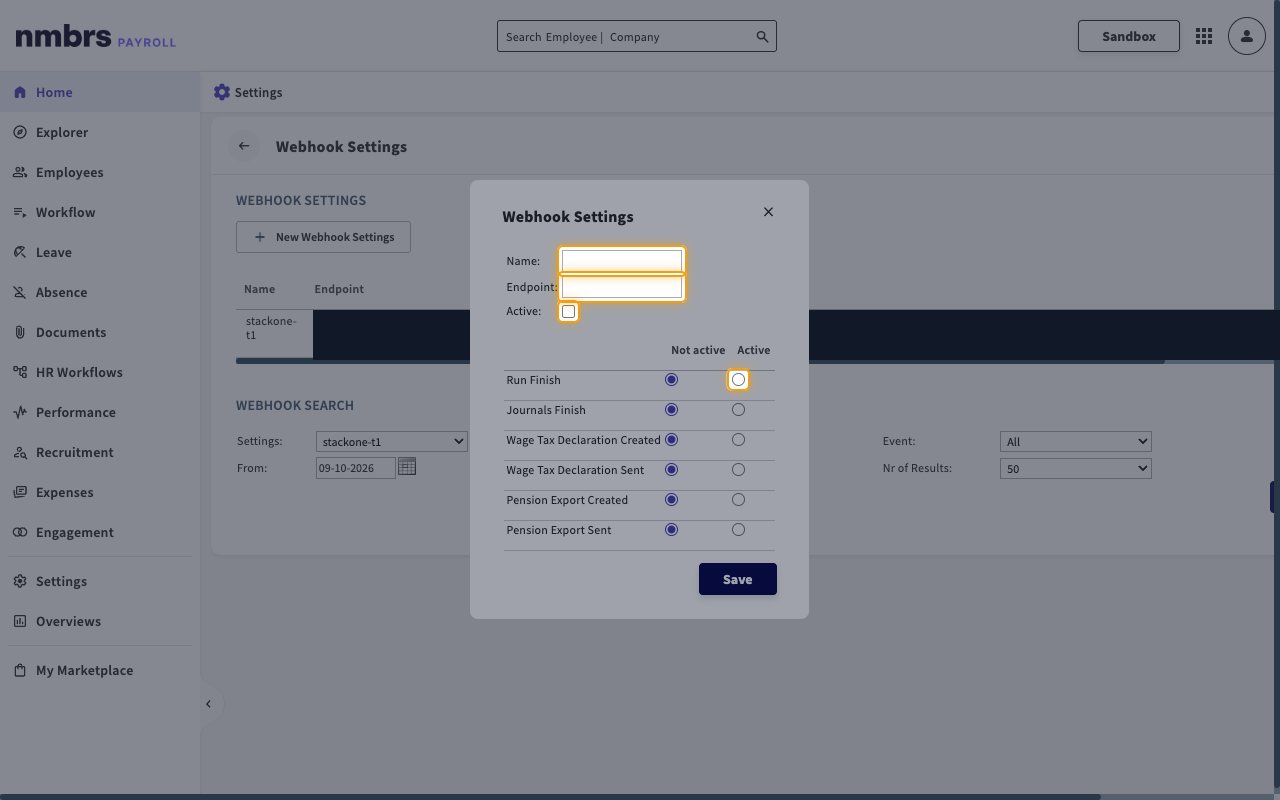
Complete the Webhook Settings dialog, then select Save.
- Name: — a name to identify the setting, for example
StackOne. - Endpoint: — paste the Native Webhook URL you copied from StackOne Hub.
- Active: — select this checkbox to turn the webhook on.
- Set Run Finish to Active.
- Leave every other event set to Not active — StackOne only handles Run Finish, and other events are rejected.
Available webhook events
Nmbrs offers six webhook events. Only the event selected below is handled by StackOne — enabling the others causes Nmbrs to deliver events that are rejected, which shows as failed deliveries on the Nmbrs side.
Payroll run events
Events raised when payroll processing completes for a company.
- Run Finish (
run.finish) — Fired when a payroll run is finished. It applies to all run types, including normal, retro-active correction and pre-run. Use it to refresh payroll runs, the company’s current period, payslips and payroll documents.
Delivery format
Details of how Nmbrs delivers events to StackOne.
One request per event
Nmbrs sends each event as a separate request. The payload identifies the company and the run, but carries no payroll data — follow the event with a read action to fetch the detail.
- Nmbrs sends no signature, shared secret or verification request. The per-account Native Webhook URL is the only credential, so treat it as a secret.
- Finishing a payroll run also raises Journals Finish a few seconds earlier. StackOne does not handle it, so leave it set to Not active.