

Generate a User API key
New Relic authenticates this integration with a personal User API key. Create one from the
API Keys page of your New Relic account.
Open the API keys page
Sign in to New Relic and open the API keys page (Administration → API Keys) for the
region your account is hosted in:
- US — New Relic US API keys page
- EU — New Relic EU API keys page
- The page is the same in both regions — only the host differs.
Create a new key
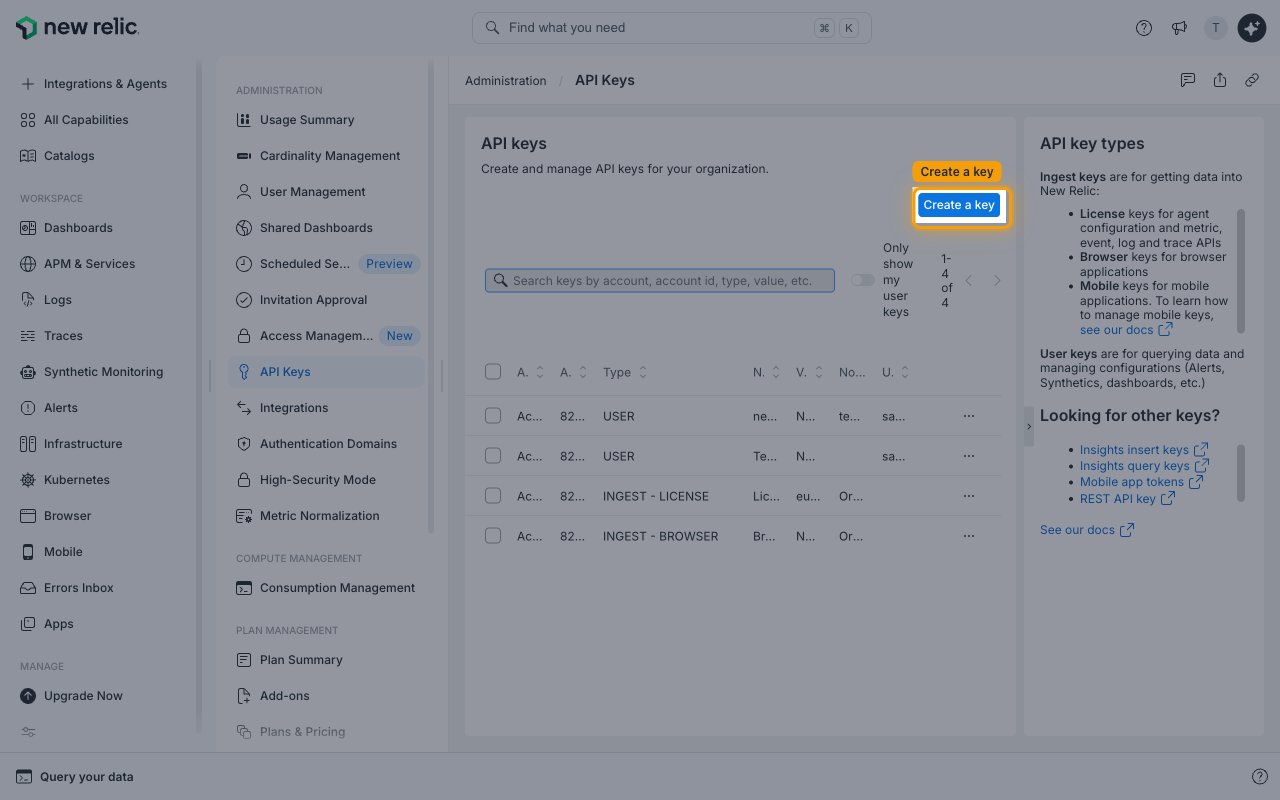
On the API keys page, click Create a key.
Set the key type to User
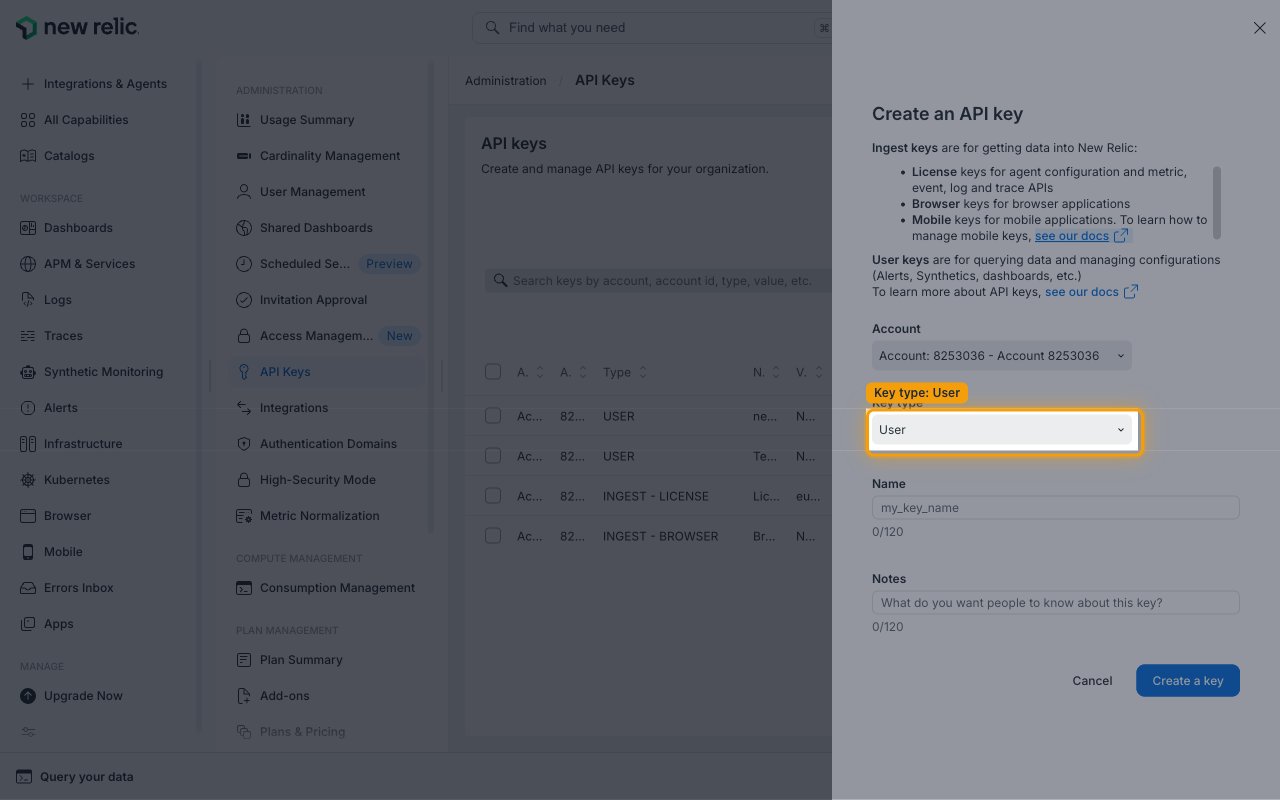
In the Create an API key panel, pick the account the key should belong to in the
Account dropdown, and make sure Key type is set to User (the default selection).
As the panel explains, User keys are for querying data and managing configurations
(Alerts, Synthetics, dashboards, etc.).
Enter a name and create the key
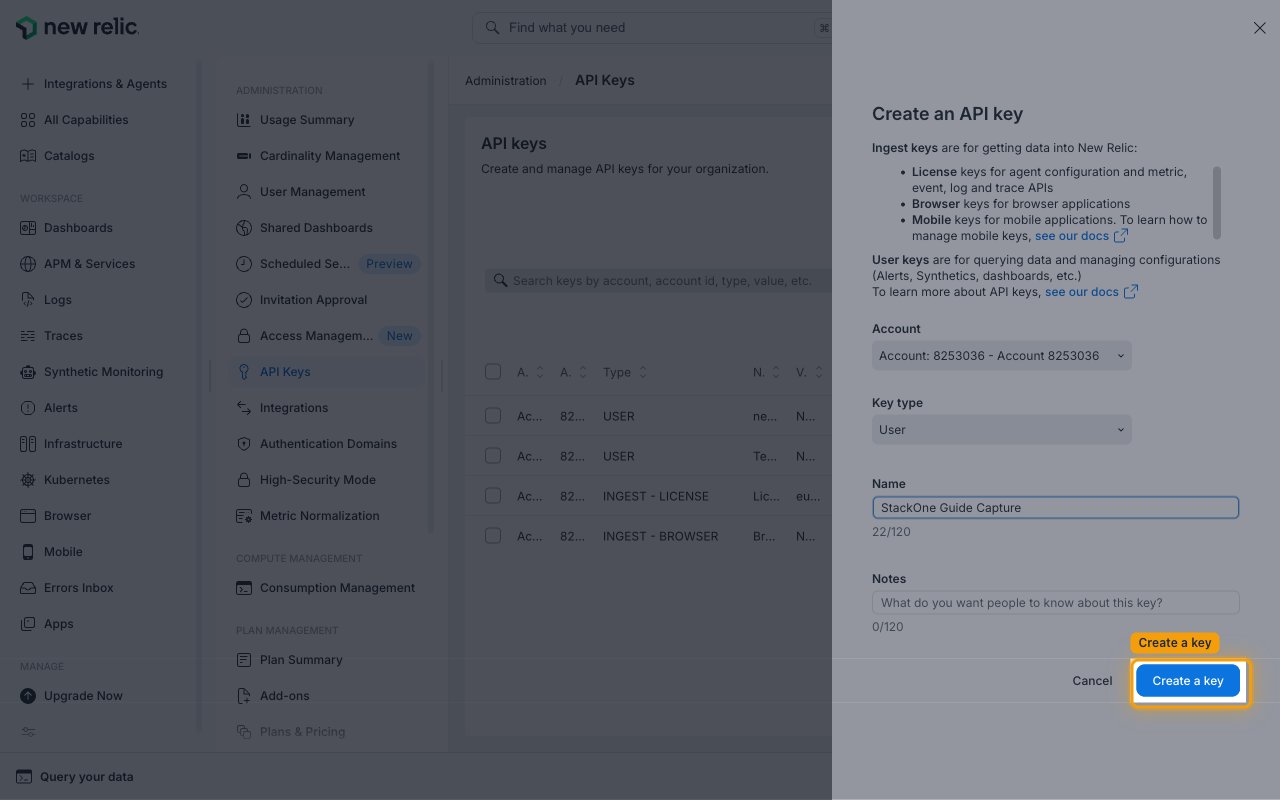
Enter a descriptive Name (for example StackOne Integration), optionally add Notes,
and click Create a key.
Copy the User API key
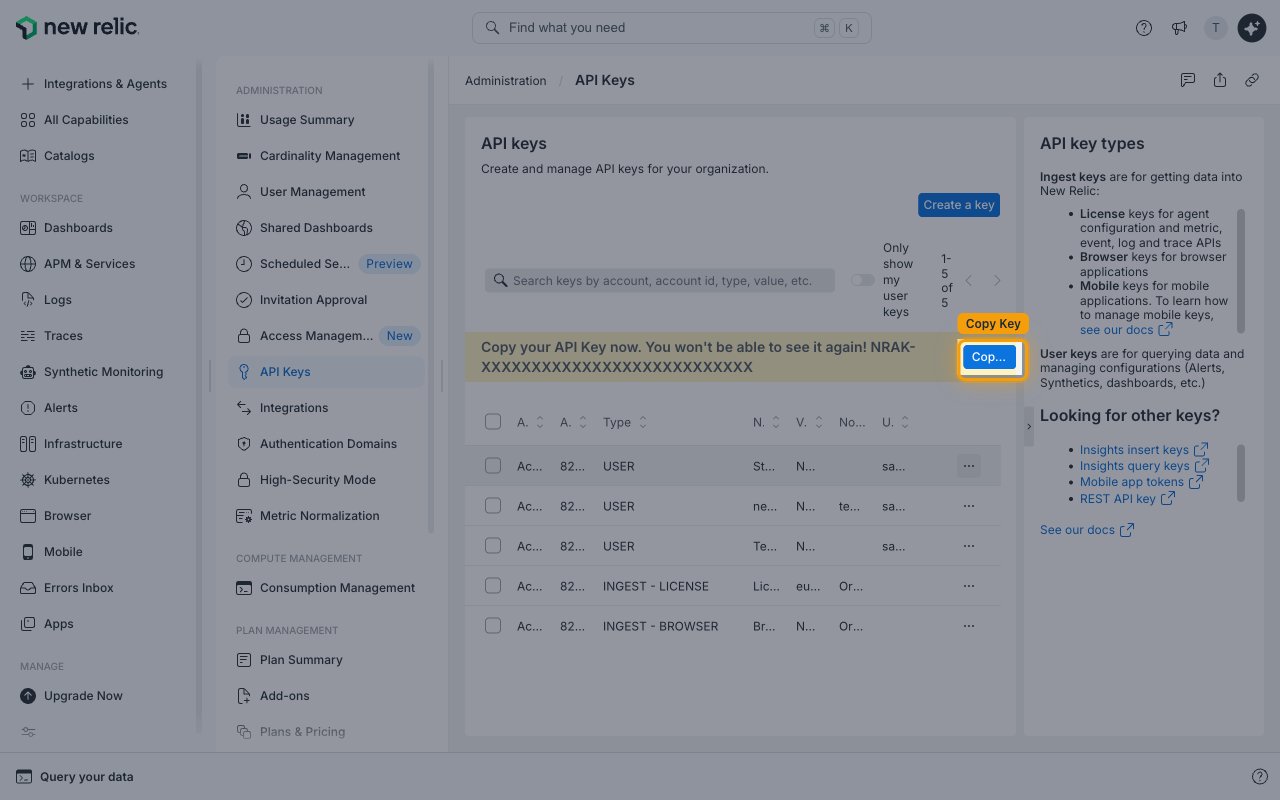
A banner appears above the key list reading Copy your API Key now. You won’t be able to see it again!
Click Copy Key and paste the value into the User API Key field in StackOne Hub.
- The key is only displayed once and cannot be retrieved later. If you lose it, create a new key.
- Format:
NRAK-followed by an alphanumeric string - Example:
NRAK-XXXXXXXXXXXXXXXXXXXXXXXXXXX
Find your Account ID and region
StackOne Hub also needs the New Relic account the key belongs to and the data-center region it
is hosted in.
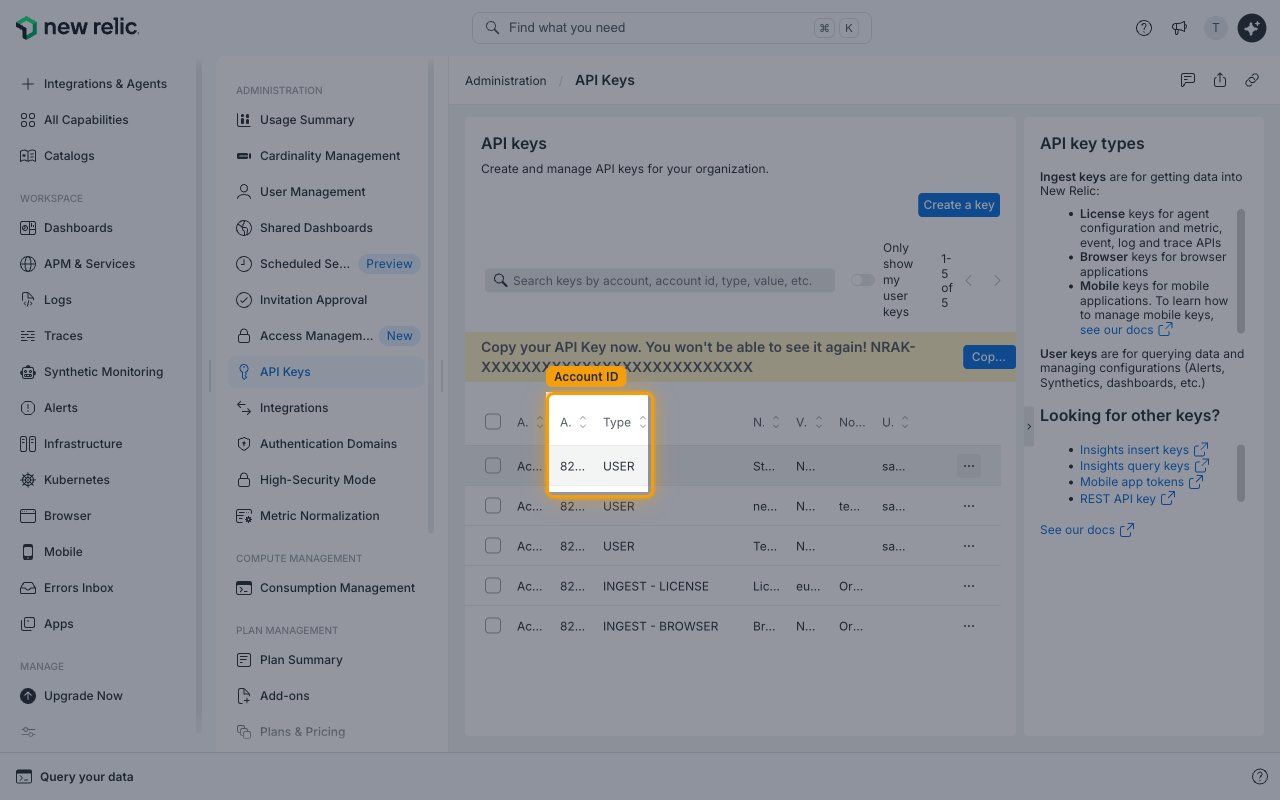
Locate your Account ID
Still on the API keys page, read the number in the Account ID column of your key’s
row, and paste it into the Account ID field in StackOne Hub.
- It also appears as the
accountparameter in the page URL when you are logged in, e.g.one.newrelic.com/admin-portal/api-keys/home?account=1234567. - Format: a numeric ID
- Example:
1234567
Choose your API Region
In StackOne Hub, set the API Region field to the data center your account is hosted in.
- Pick US (api.newrelic.com) if you sign in at
one.newrelic.com. - Pick EU (api.eu.newrelic.com) if you sign in at
one.eu.newrelic.com.
Linking the Account from the Hub
Navigate to the Hub
Fill out the fields
- User API Key
- Account ID
- API Region
Connect
- Click Connect
- If applicable, the provider will redirect you to a sign-in or authorization page. Complete the provider’s authorization flow.
- Once authorization is successful, you will see a confirmation popup
If the account linking is successful, you will see the newly linked account in your Accounts page.
Next Steps
Webhooks setup
Configure receiving Events for New Relic into StackOne.