

Prerequisites
The connector should already be set up, with a Connector Profile and a Linked Account. See Getting Started on the NetBird connector page.Programmatic Webhooks
This connector uses Programmatic Webhooks. StackOne creates the NetBird webhook when you connect the account and deletes it when you disconnect. You do not set anything up in NetBird.
1
Select the events in StackOne
Open the NetBird connector profile in StackOne and enable the events you want. See Available webhook events below.
2
Check the webhook in NetBird
In NetBird, open Settings -> Notifications -> Webhook. It shows the StackOne callback URL and the enabled events. Do not delete it, or events stop arriving.
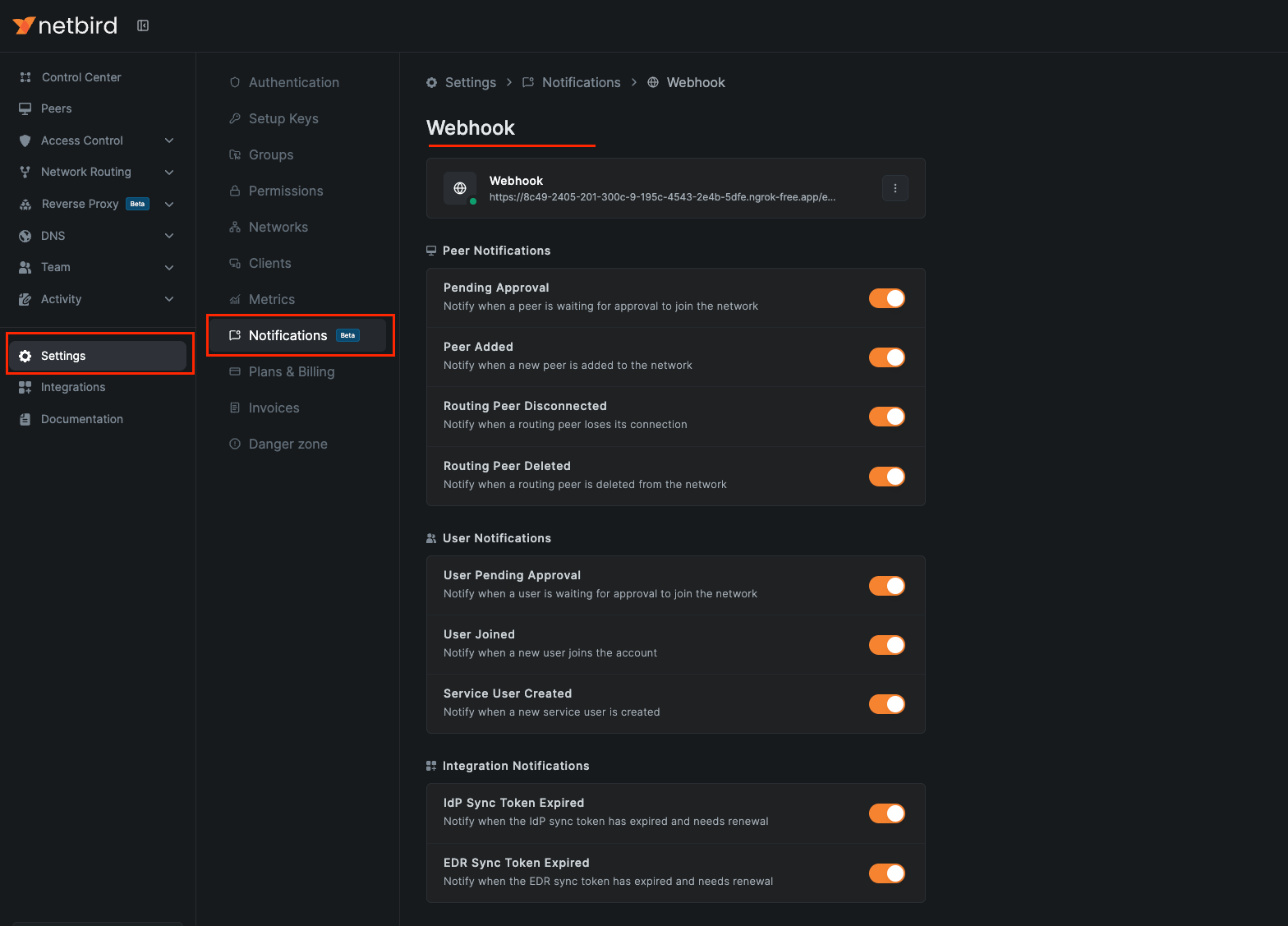
Available webhook events
Only the events you enable in StackOne are delivered.
1
Peer events
Events about devices (peers) on your network.
- Peer Added (
peer.add) — Fired when a new peer is added to the network - Peer Pending Approval (
peer.pending.approval) — Fired when a peer is waiting for approval to join the network - Routing Peer Disconnected (
routing.peer.disconnect) — Fired when a routing peer loses its connection - Routing Peer Deleted (
routing.peer.delete) — Fired when a routing peer is deleted from the network
2
User events
Events about people and service users.
- User Joined (
user.join) — Fired when a new user joins the account - User Pending Approval (
user.pending.approval) — Fired when a user is waiting for approval to join the network - Service User Created (
service.user.create) — Fired when a new service user is created
3
Integration events
Events about identity provider and EDR sync integrations.
- IdP Sync Token Expired (
idp.sync.token.expire) — Fired when the identity provider sync token expires and needs renewal - EDR Sync Token Expired (
edr.sync.token.expire) — Fired when the EDR sync token expires and needs renewal