

Find Your Tenant ID
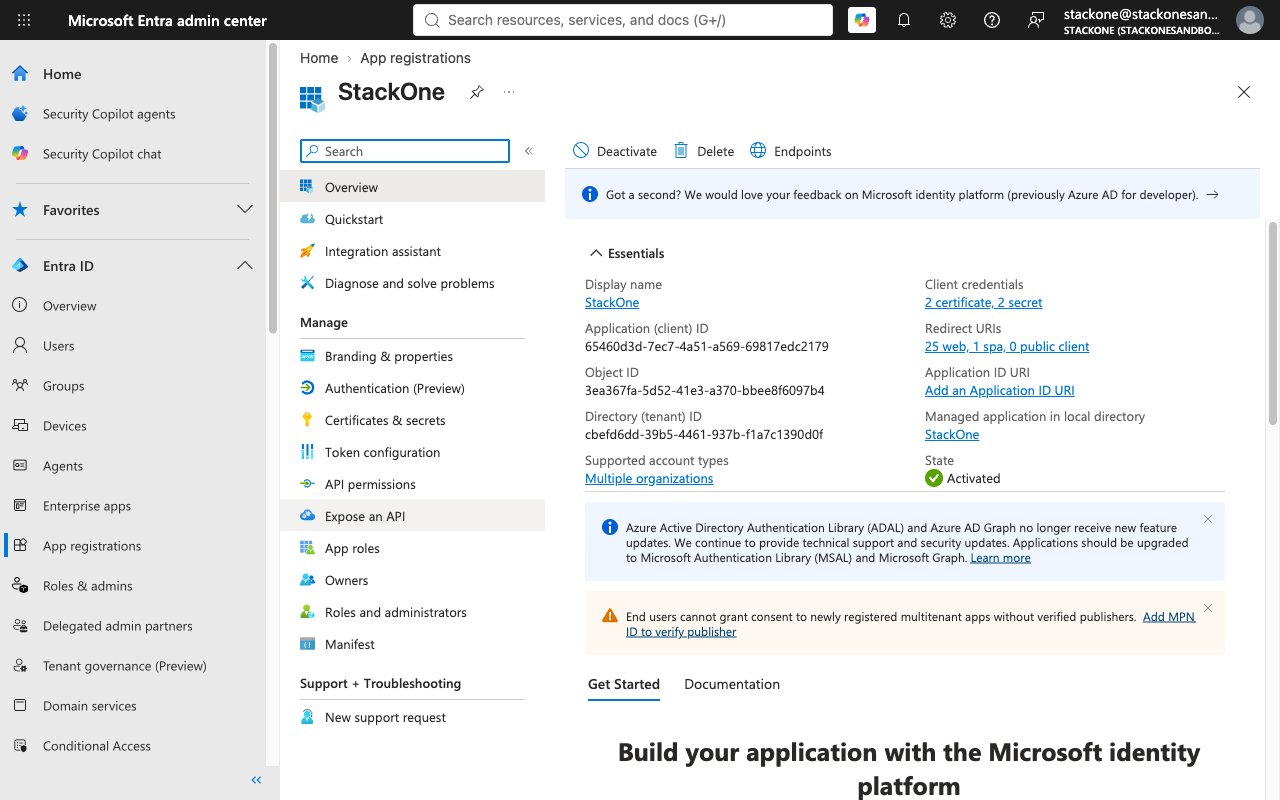
Your Microsoft Entra tenant ID is required to establish the connection to Microsoft Intune.
1
Locate the Tenant ID
In the Microsoft Entra admin center, open your app registration’s Overview page and copy the Directory (tenant) ID from the Essentials section. Paste the value into the Tenant ID field when connecting your account.
Linking the Account from the Hub
1
Navigate to the Hub
Use one of the three Linking Account Methods to access the Hub.
2
Fill out the fields
Fill out the following fields using details from your provider:
- Tenant ID
3
Connect
- Click Connect
- If applicable, the provider will redirect you to a sign-in or authorization page. Complete the provider’s authorization flow.
- Once authorization is successful, you will see a confirmation popup
If the account linking is successful, you will see the newly linked account on your Accounts page.