

Find your Metabase URL
Your Metabase URL is the address you open Metabase at, without a trailing slash or the /api path.
- Format:
https://{your-metabase-host} - Example: if you open Metabase at
https://acme.metabaseapp.com/dashboard/1, your Metabase URL ishttps://acme.metabaseapp.com
Create a user for StackOne
A dedicated user keeps the connection independent of any person’s account. Actions run with this user’s permissions.
1
Invite the user
Sign in to your Metabase as an admin.
- Click the Settings menu in the top right and select Admin.
- Open People.
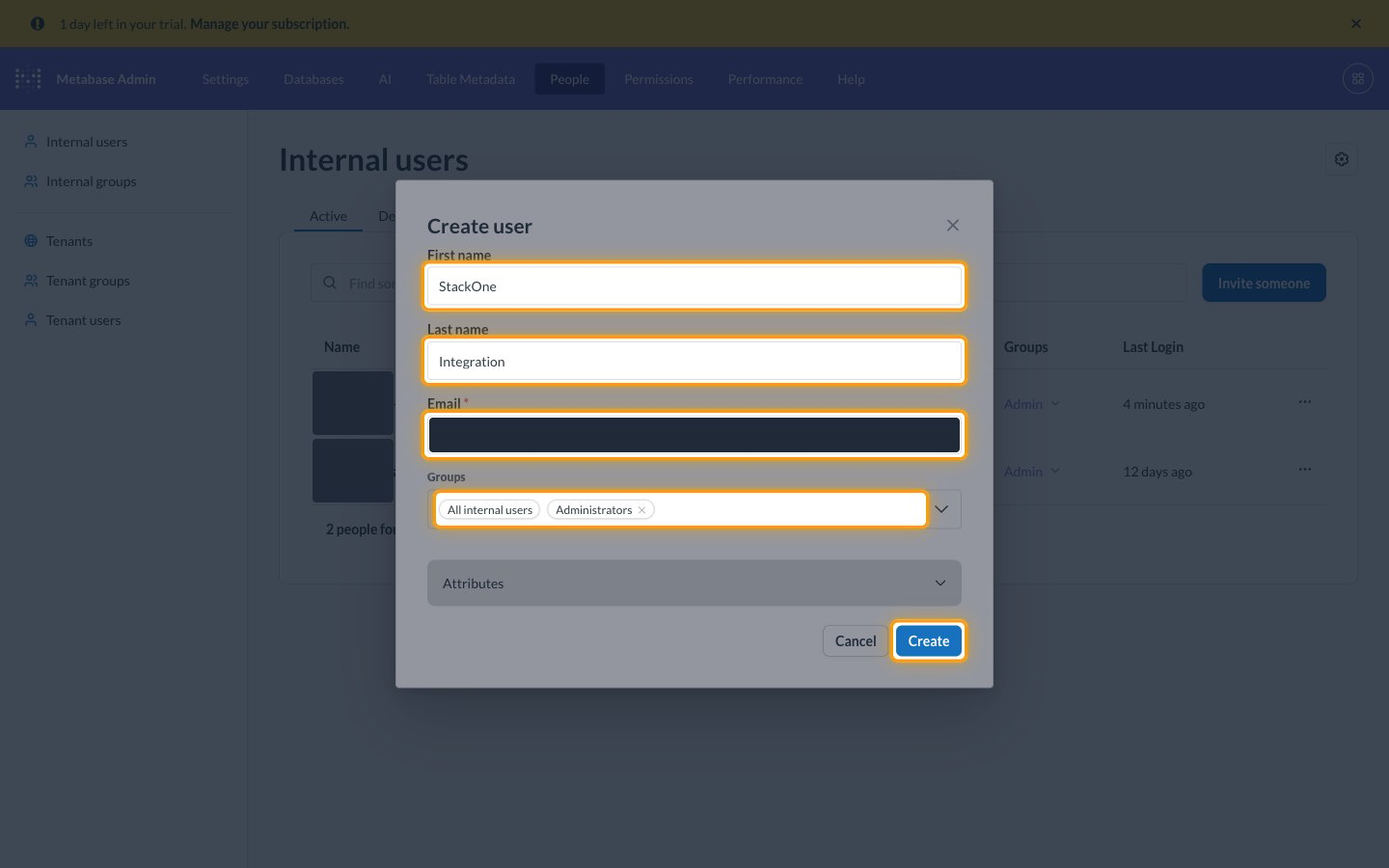
- Click Invite someone.
- First name:
StackOne - Last name:
Integration - Email: an email address you can receive mail at
- Groups: Administrators
- Click Create.
2
Set the user's password
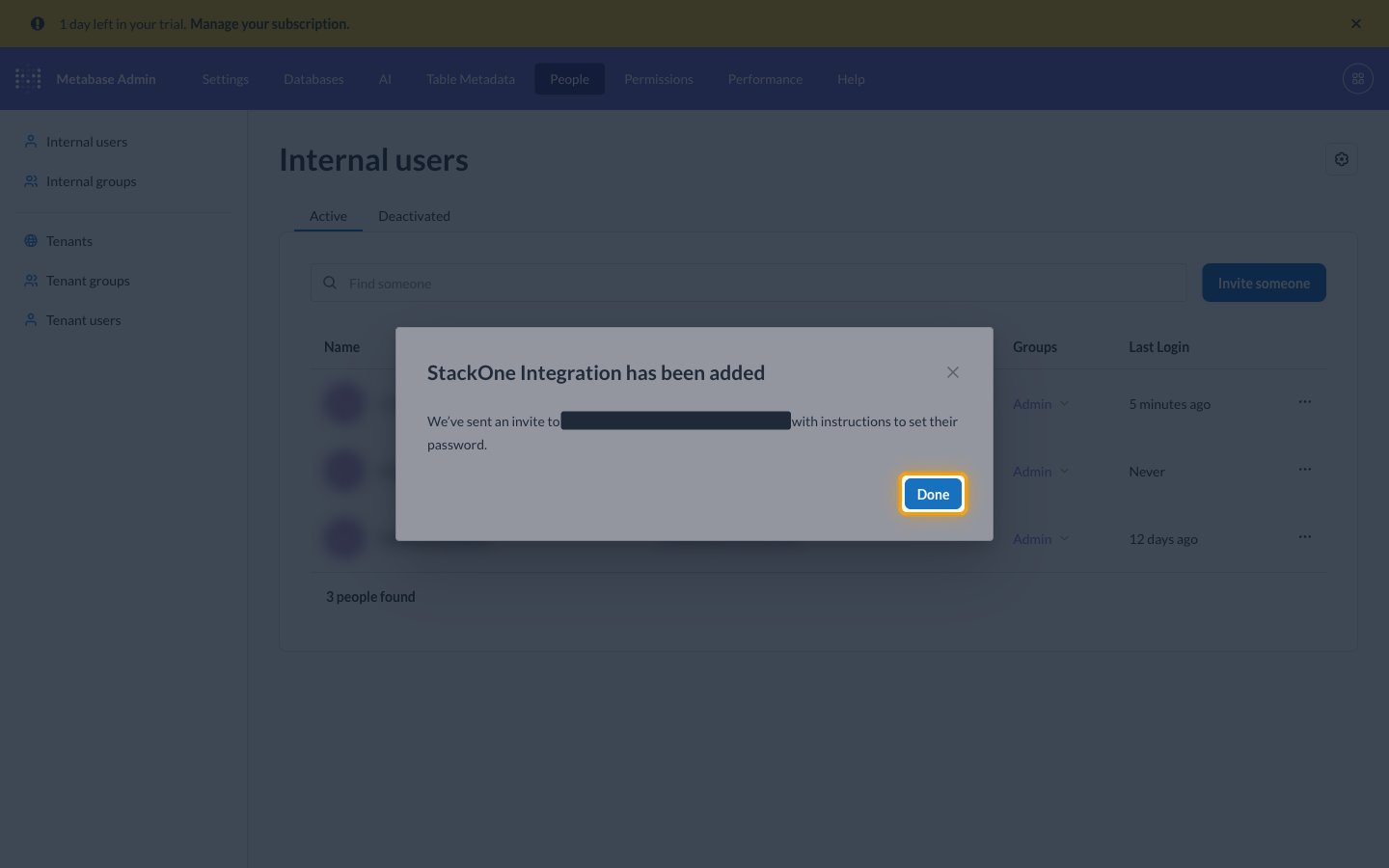
Metabase either emails the user an invite or shows a generated password, depending on whether email is set up in Metabase.
- Invite email sent: click Done, then open the email and set the password.
- Generated password shown: copy the password Metabase shows, then click Done.
- The Email is the address you invited, and the Password is the one you set or copied.
Link the Account
1
Connect
- Click Connect.
- If applicable, the provider will redirect you to a sign-in or authorization page. Complete the provider’s authorization flow.
- Once authorization is successful, you will see a confirmation popup.
2
Use Actions
Connect an AI platform to the linked account’s actions. See AI Platforms.Other ways to call actions are listed in Protocols & SDKs.
Next Steps
Webhooks setup
Configure receiving Events for Metabase into StackOne.