

Generating a personal access token
MeisterTask personal access tokens are generated on the shared MindMeister API page.
1
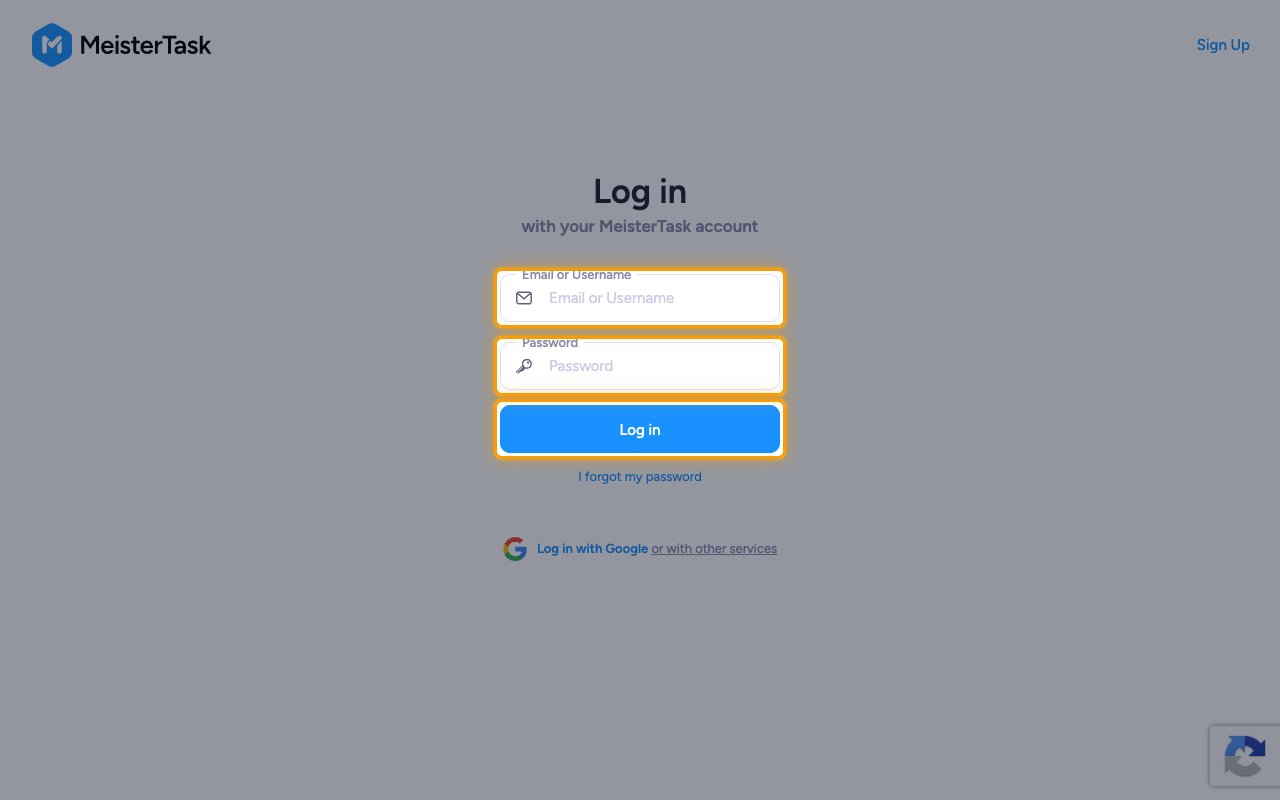
Sign in to MeisterTask
2
Open the MindMeister API page
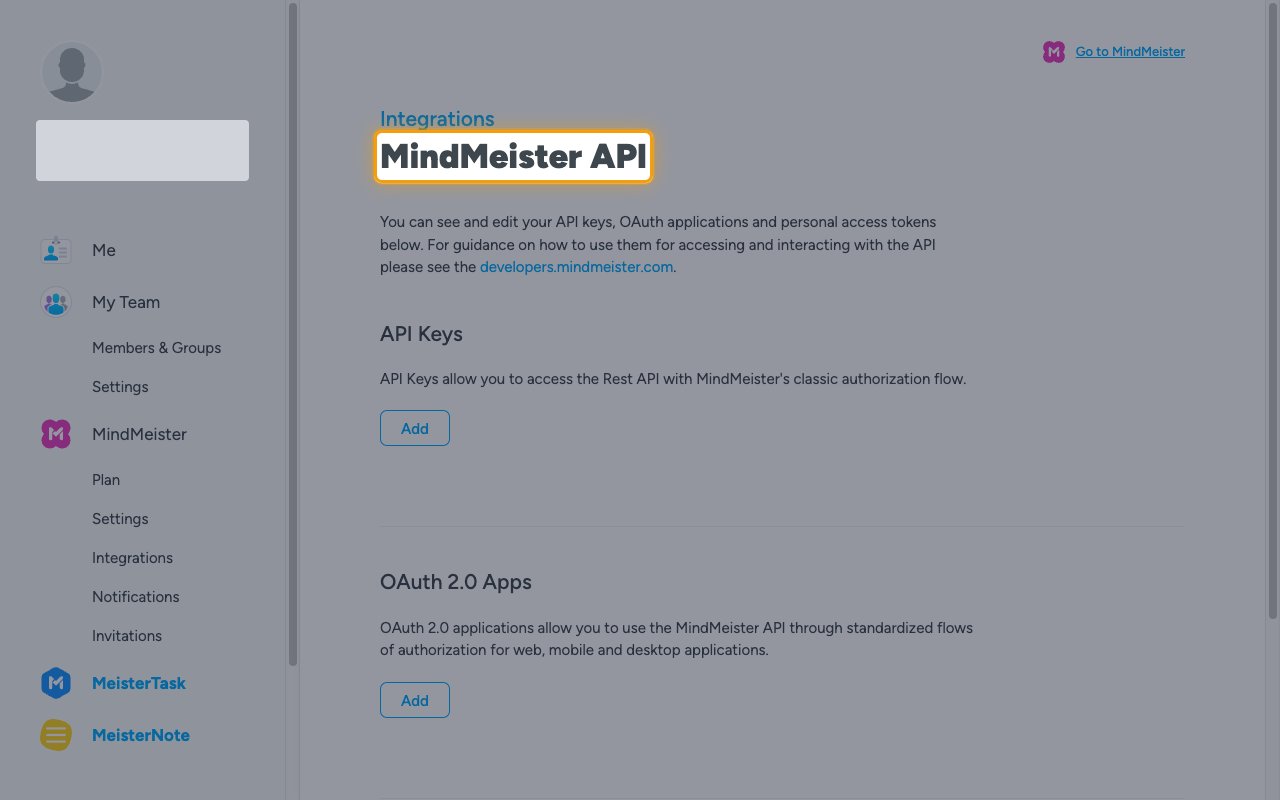
In the same browser, open the MindMeister API page.
- The page lists API Keys, OAuth 2.0 Apps and Personal access tokens.
3
Add a personal access token
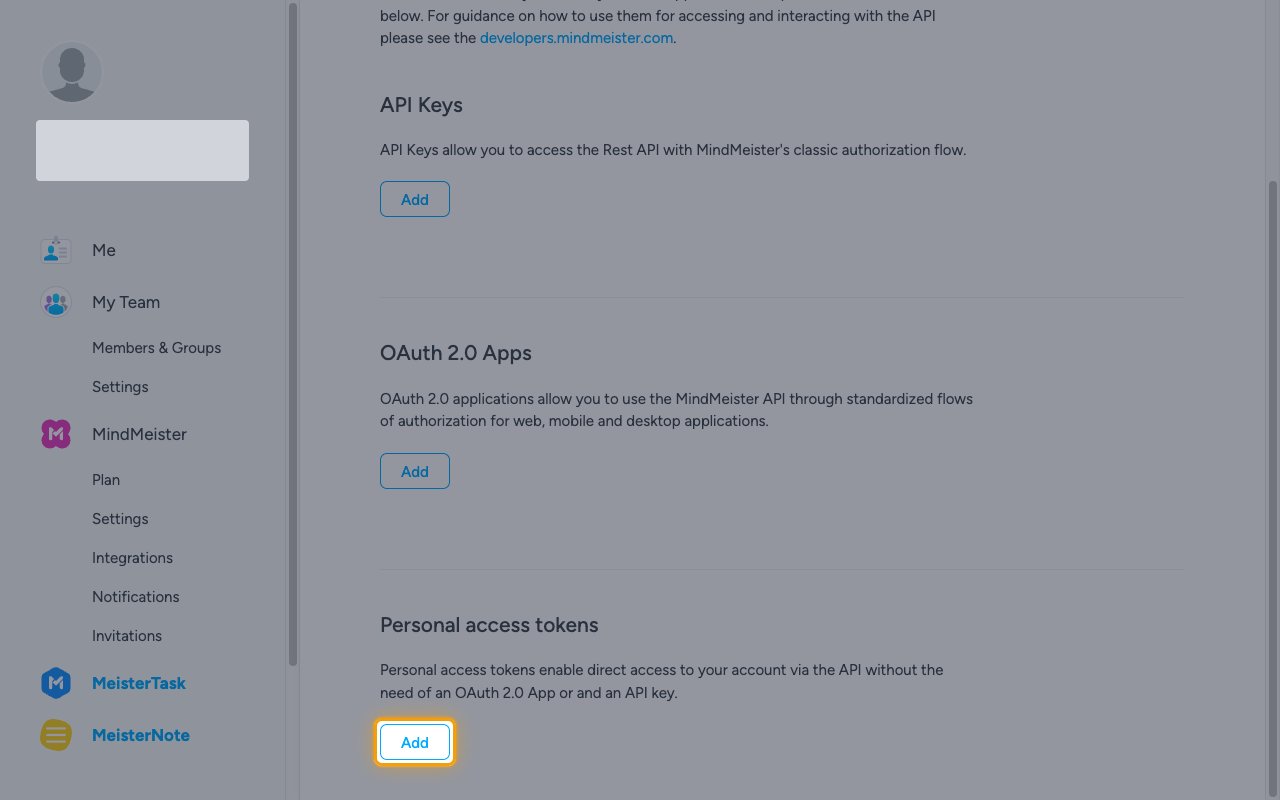
Under Personal access tokens, click Add.
4
Review the pre-selected scopes
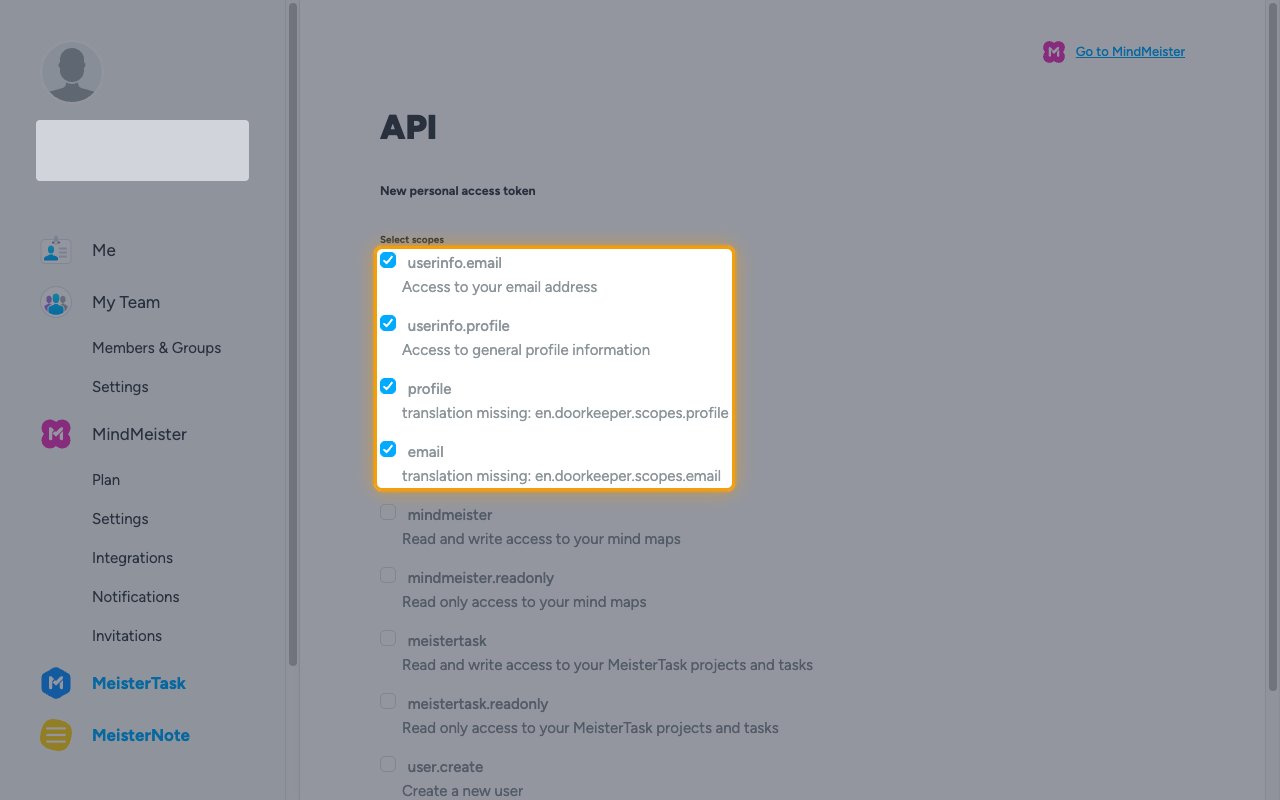
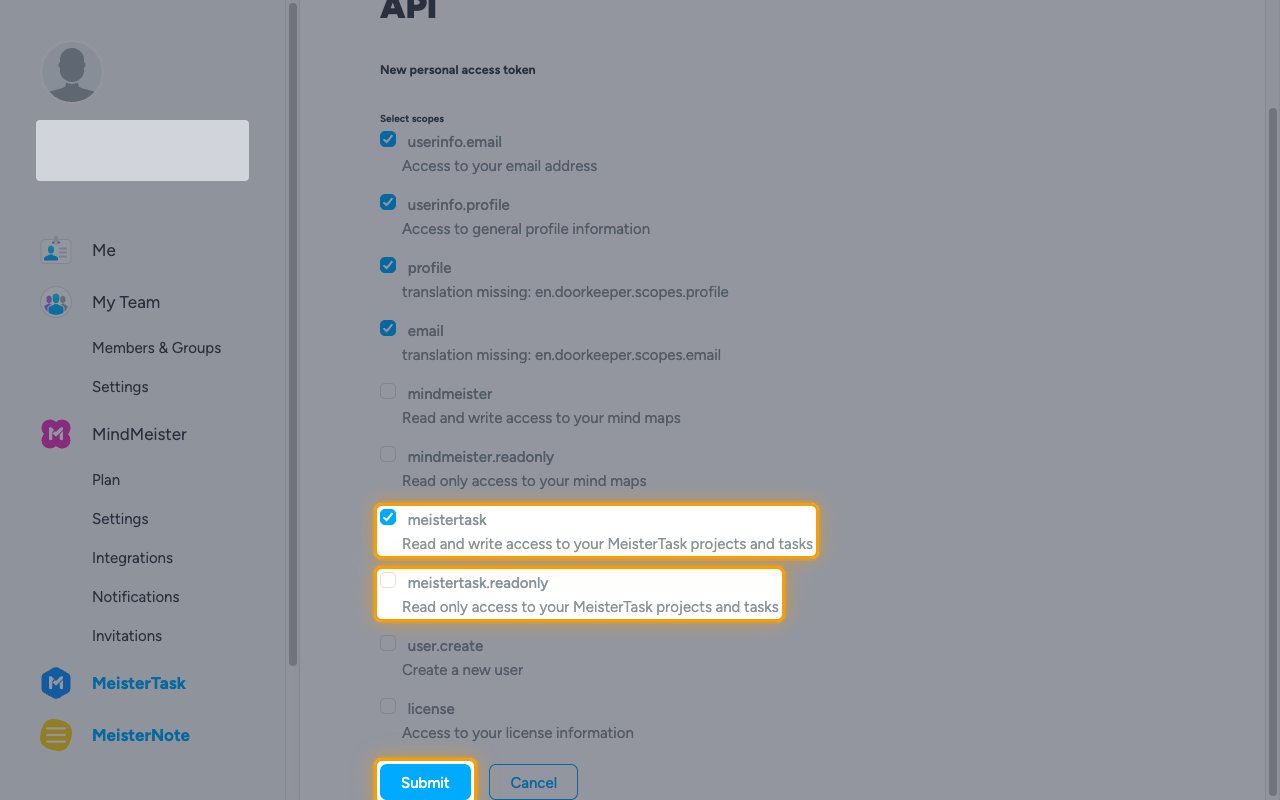
On the New personal access token page, Select scopes already has four scopes ticked. Leave them ticked.
- userinfo.email — access to your email address
- userinfo.profile — access to general profile information
- profile and email — default profile scopes
5
Select the MeisterTask scope
Enables actions: Attach Label To Task, Create Attachment, Create Checklist Item, Create Comment, Create Custom Field, Create Custom Field Type, Create Dropdown Item, Create Label, Create Project, Create Project Checklist, Create Section, Create Subtask, Create Task, Create Task Checklist, Delete Attachment, Delete Checklist, Delete Checklist Item, Delete Comment, Delete Custom Field, Delete Label, Detach Label From Task, Duplicate Project, Get Attachment, Get Checklist, Get Checklist Item, Get Comment, Get Current Person, Get Custom Field, Get Label, Get Person, Get Project, Get Section, Get Task, Get Task Label, List Checklist Items, List Custom Field Types, List Custom Fields, List Dropdown Items, List Persons, List Project Checklists, List Project Labels, List Project Members, List Project Persons, List Project Tasks, List Projects, List Section Tasks, List Sections, List Task Attachments, List Task Checklists, List Task Comments, List Task Label Assignments, List Task Subtasks, List Tasks, Update Checklist, Update Checklist Item, Update Custom Field, Update Label, Update Project, Update Section, Update Task
Tick meistertask for read and write access to your MeisterTask projects and tasks. Tick meistertask.readonly instead for read-only access. Then click Submit.
6
Copy the token
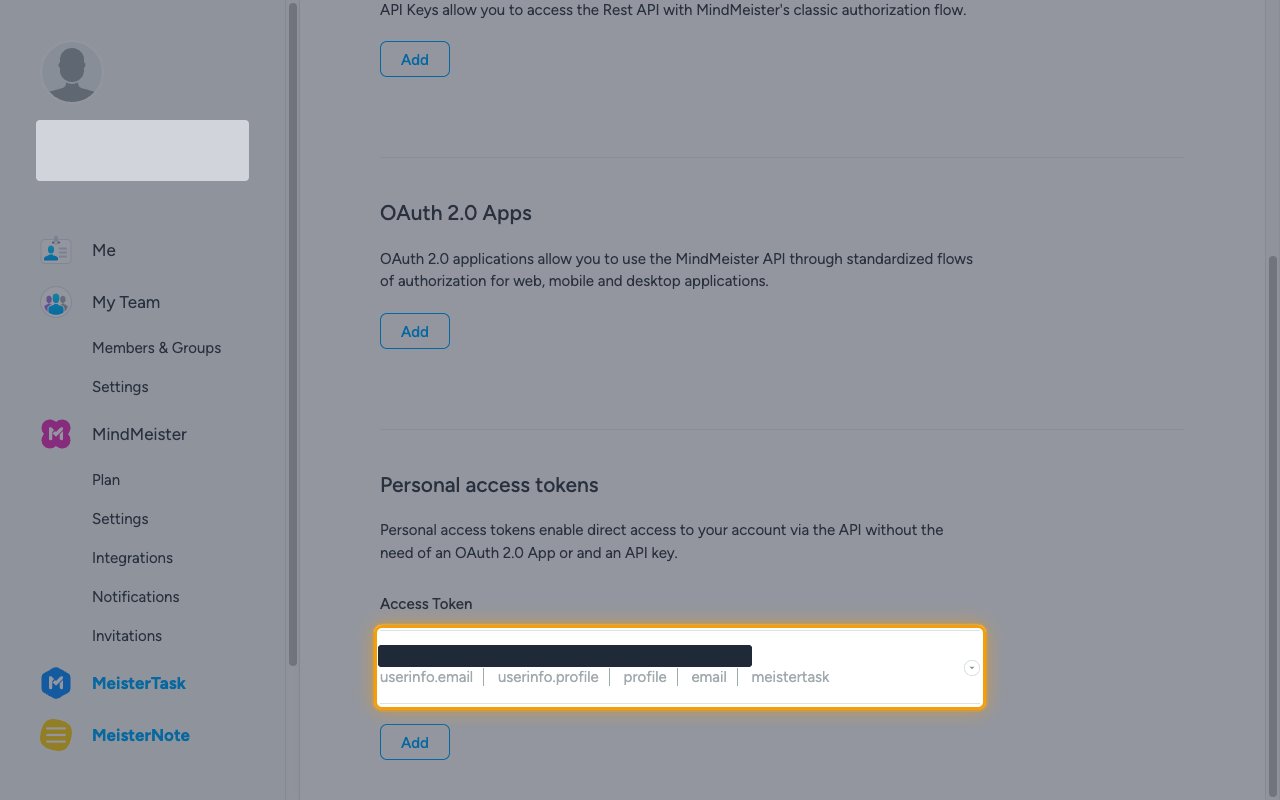
MindMeister shows Personal access token created and lists the new token under Access Token, followed by its scopes.
- Copy the token value and paste it into the Personal Access Token field in StackOne Hub.
- To change the scopes later, open the token’s row menu, click Edit, and update Select scopes.
- Store the token securely for use later.
Link the Account
1
Connect
- Click Connect.
- If applicable, the provider will redirect you to a sign-in or authorization page. Complete the provider’s authorization flow.
- Once authorization is successful, you will see a confirmation popup.
2
Use Actions
Connect an AI platform to the linked account’s actions. See AI Platforms.Other ways to call actions are listed in Protocols & SDKs.
References
MeisterTask API reference
Full REST API reference for MeisterTask.
MeisterTask authentication
Bearer token and OAuth 2.0 details.
Register a MindMeister OAuth application
How to register an OAuth client for MeisterTask (shared Meister SSO).
MindMeister personal access tokens
How to generate a personal access token.