

Create your Matillion API credential
Matillion (Maia) API credentials are created from your account’s API credentials page.
Log in to Matillion
Log in to your Matillion account.
Open Profile & Account
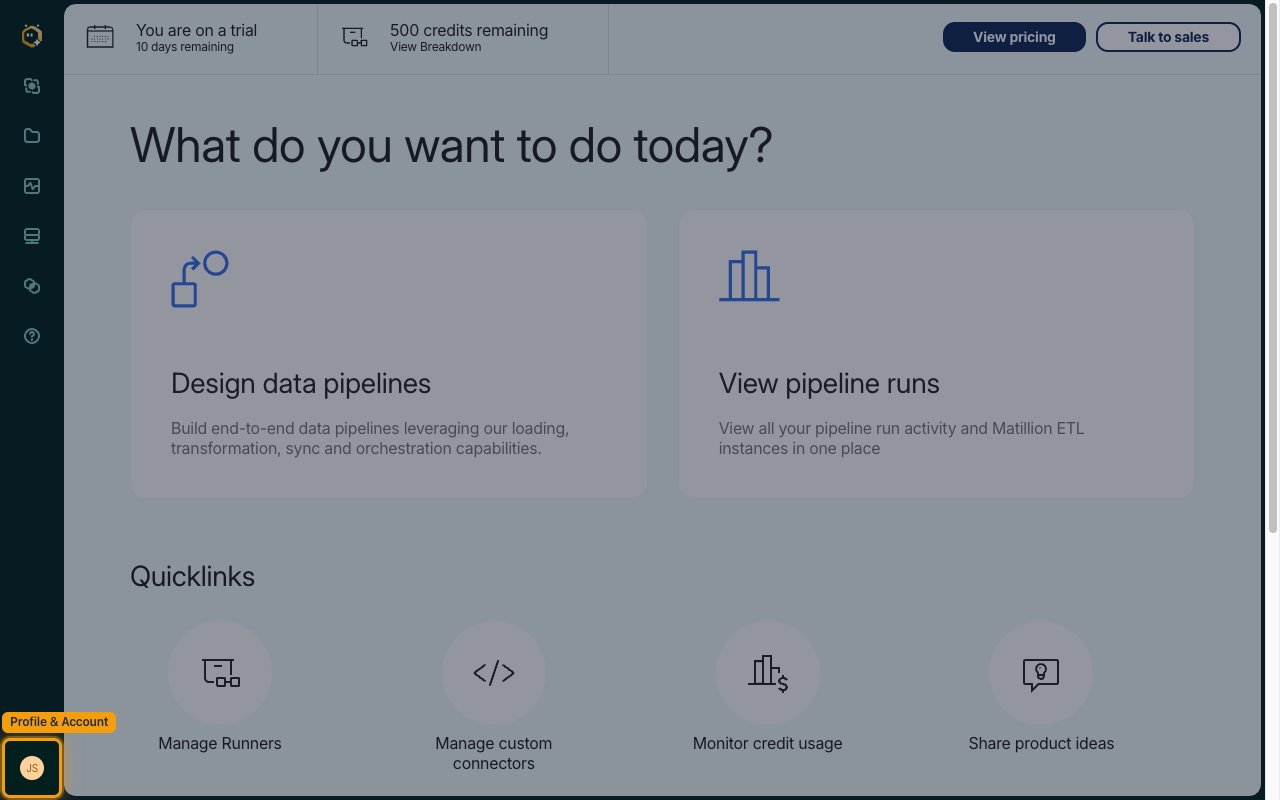
Click Profile & Account (your avatar) at the bottom of the left navigation bar.
Open API credentials
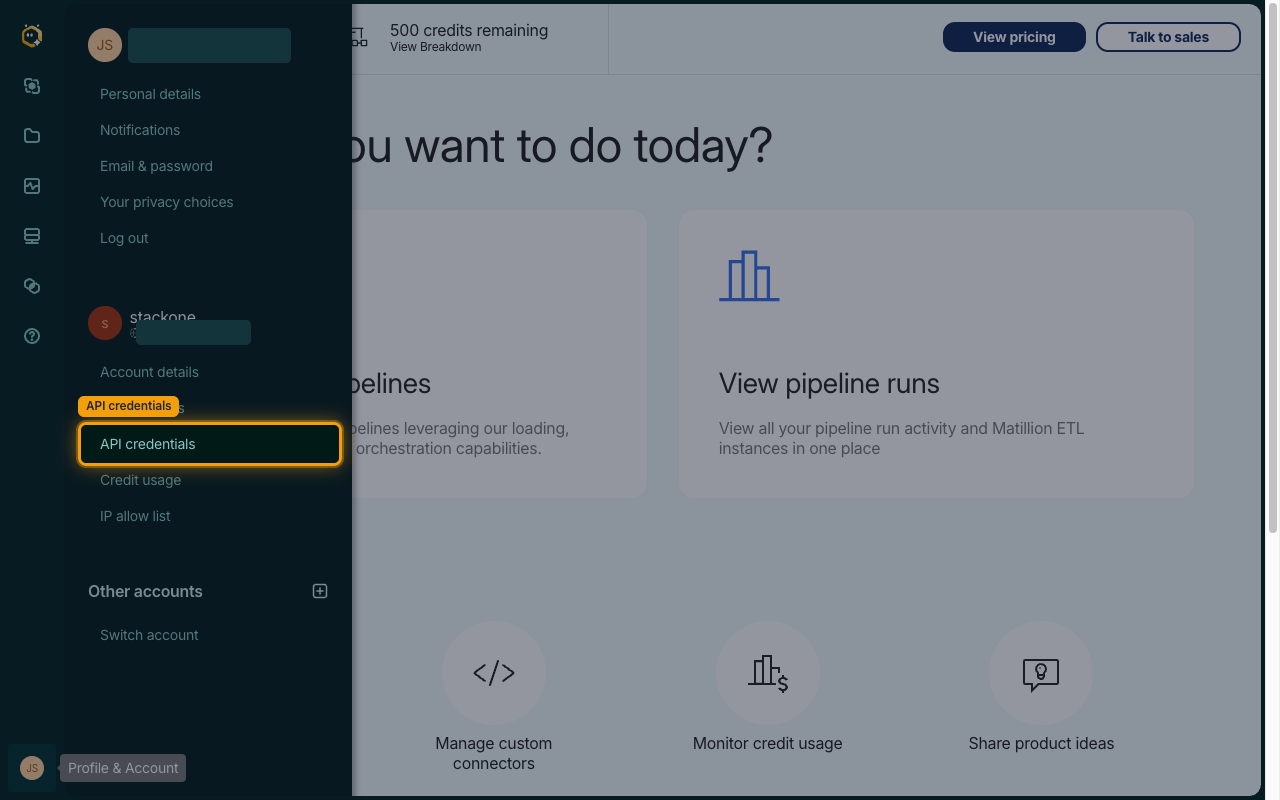
In the menu that opens, click API credentials in your account section.
Add a new credential
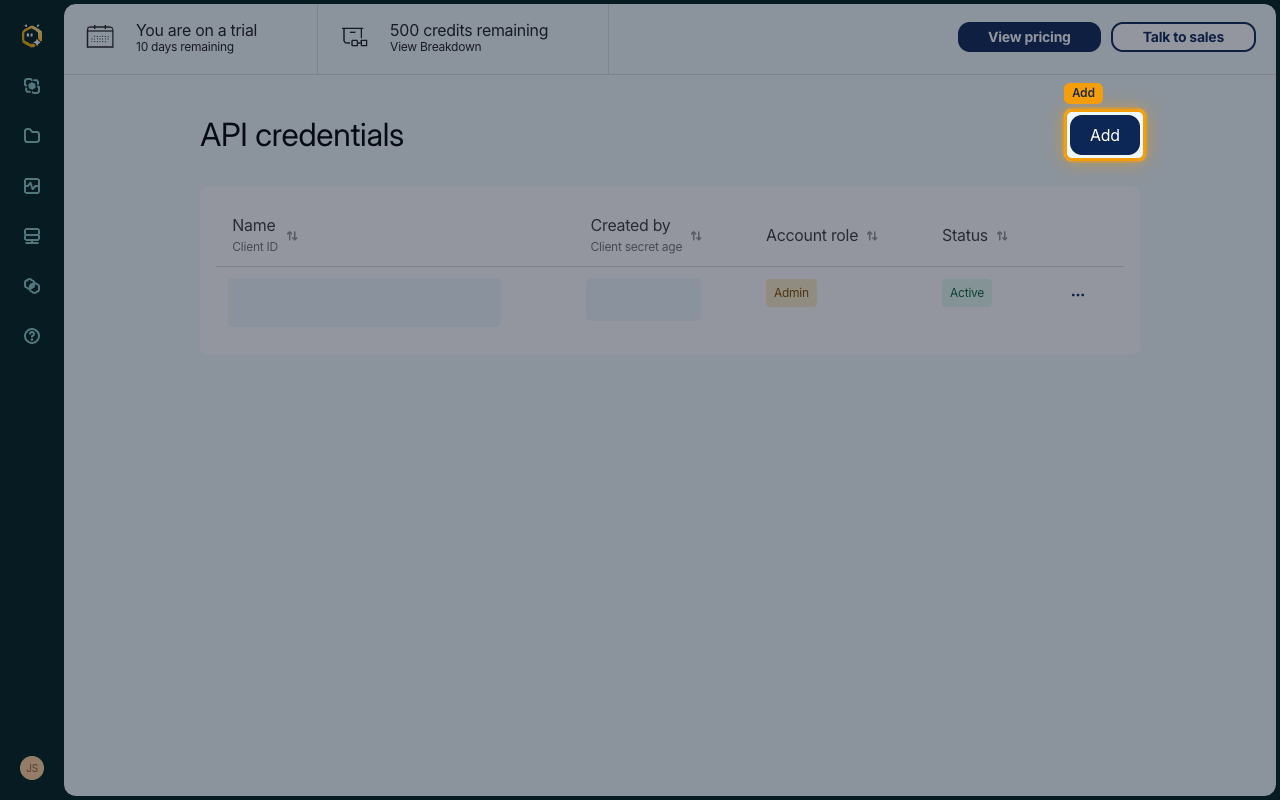
On the API credentials page, click Add.
Enter a Name and select a Role
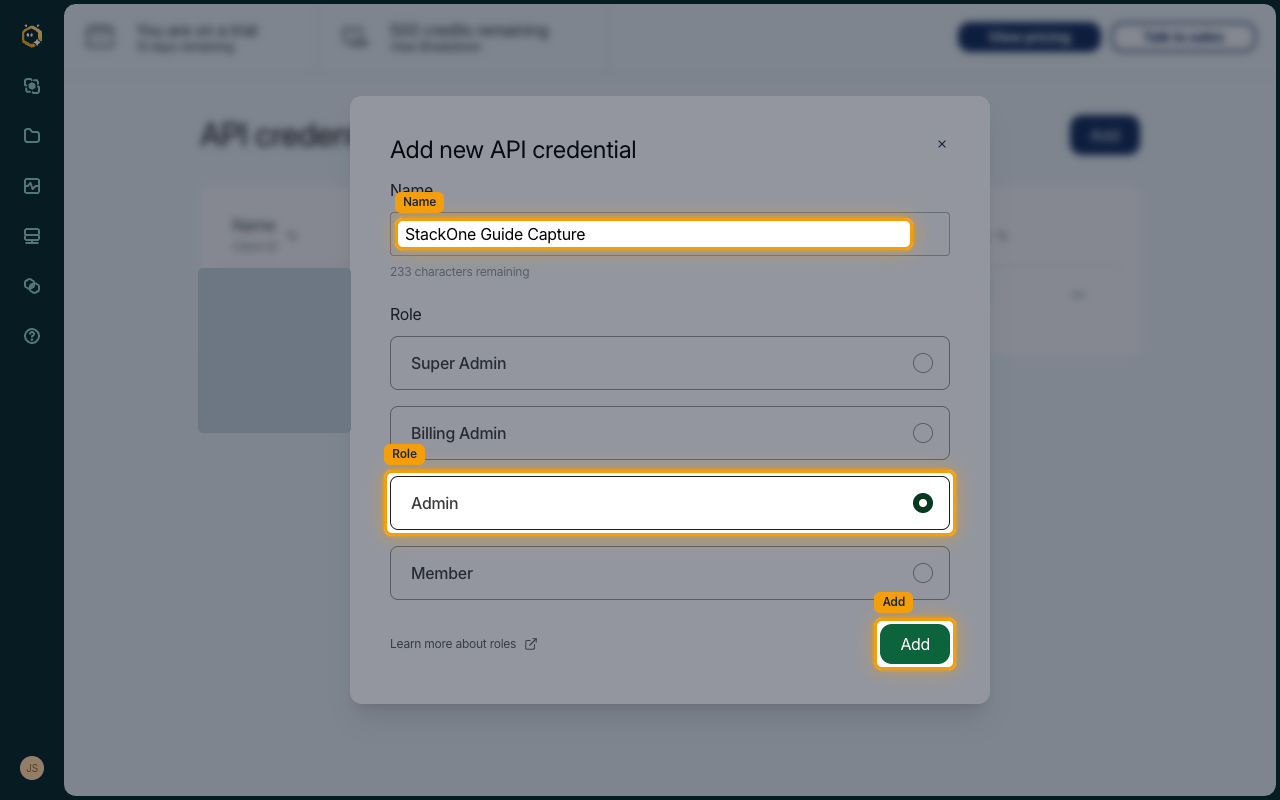
In the Add new API credential dialog, enter a descriptive Name, select a Role, and click Add.
- Admin (or Super Admin) is recommended so the credential has sufficient permissions to manage projects, pipelines, and schedules — Member may not be sufficient for all actions
- Click Learn more about roles in the dialog for details of each role
Copy the Client Secret
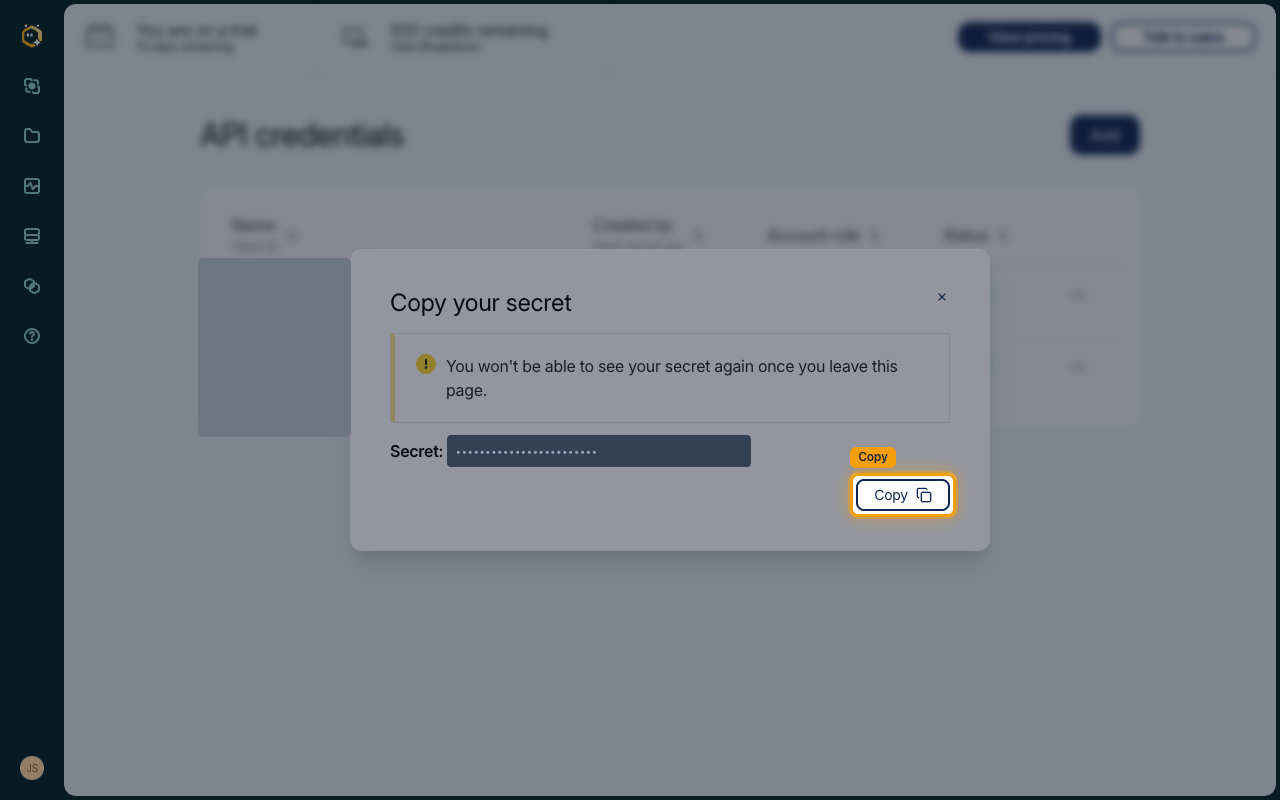
A Copy your secret dialog appears. Click Copy to copy the Secret: value — this is your Client Secret.
- The Client Secret is shown only once and cannot be retrieved later — the dialog warns: You won’t be able to see your secret again once you leave this page.
- The Client ID is not shown in this dialog — copy it in the next step
Copy the Client ID
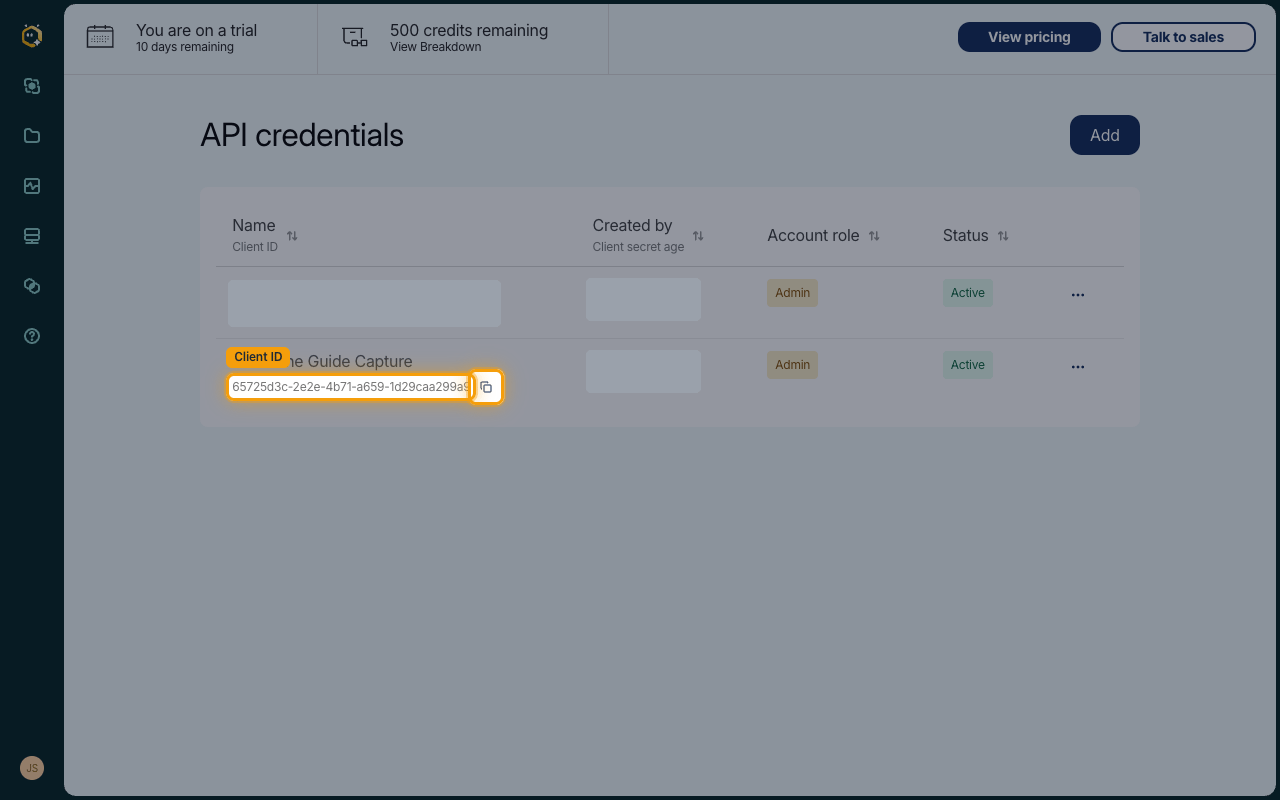
Close the dialog. Your new credential appears in the API credentials list — copy the value shown under its Name (the Client ID column) using the copy button next to it.
Link the account in StackOne Hub
Fill out the following fields in StackOne Hub using the values you copied from Matillion.
Fill in the connection fields
Each field in StackOne Hub maps to a value from your Matillion account:
- Client ID — the identifier of your API credential, copied from the API credentials list
- Client Secret — the secret from the Copy your secret dialog; it is shown only once when the credential is created
- Region — the region your Matillion account is hosted in: select EU or US
- Native Webhook URL — read-only; generated by StackOne after the account is linked and only needed for webhook setup. Leave it empty when connecting
Find your Region
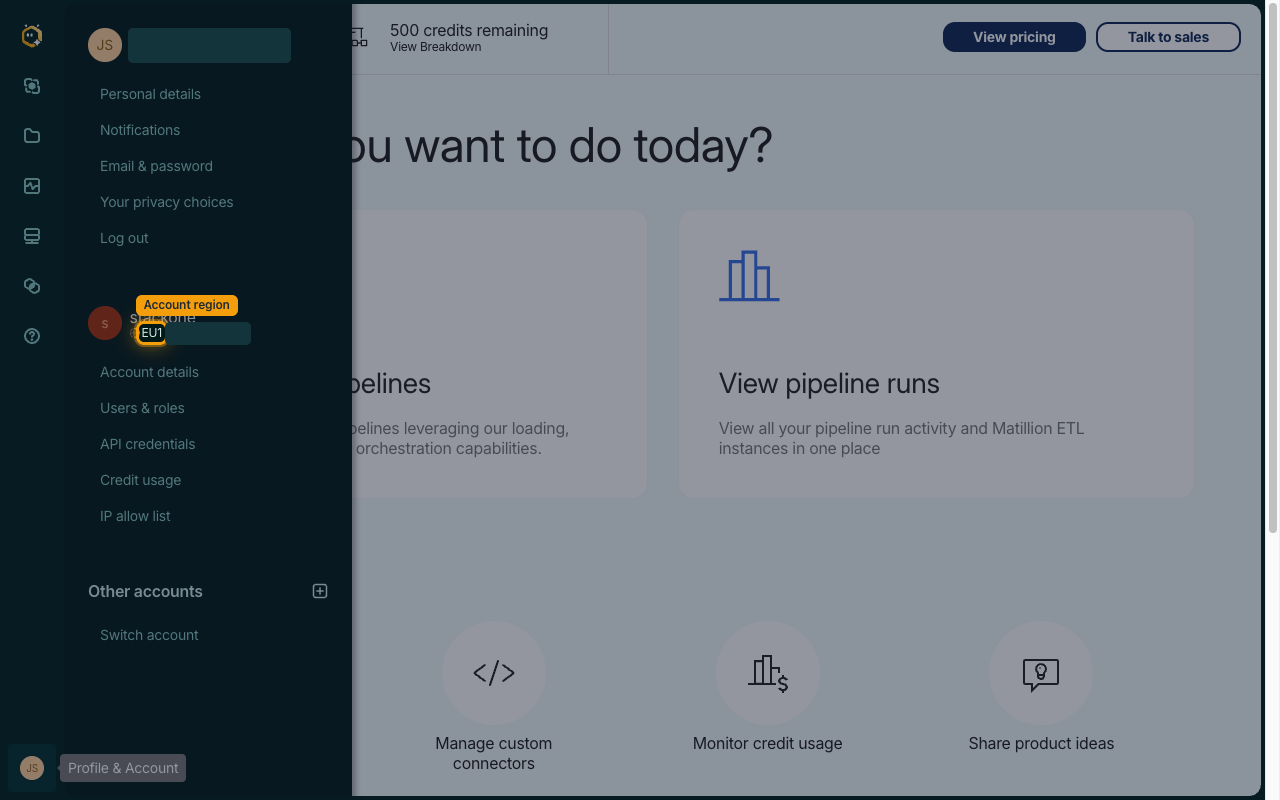
Your account region (for example EU1) is shown in the Profile & Account menu next to your account name. Select the matching Region in StackOne Hub.
- EU1 → select EU
- US regions (for example
us1) → select US
Link the Account
Connect
- Click Connect.
- If applicable, the provider will redirect you to a sign-in or authorization page. Complete the provider’s authorization flow.
- Once authorization is successful, you will see a confirmation popup.
Use Actions
Next Steps
Webhooks setup
Configure receiving Events for Matillion into StackOne.