

Generating an API key
A LunarCrush API key authenticates StackOne’s requests as a Bearer token. You may have up to 10 active access tokens at any time, and all usage across all tokens is associated with your account.
1
Sign in to LunarCrush
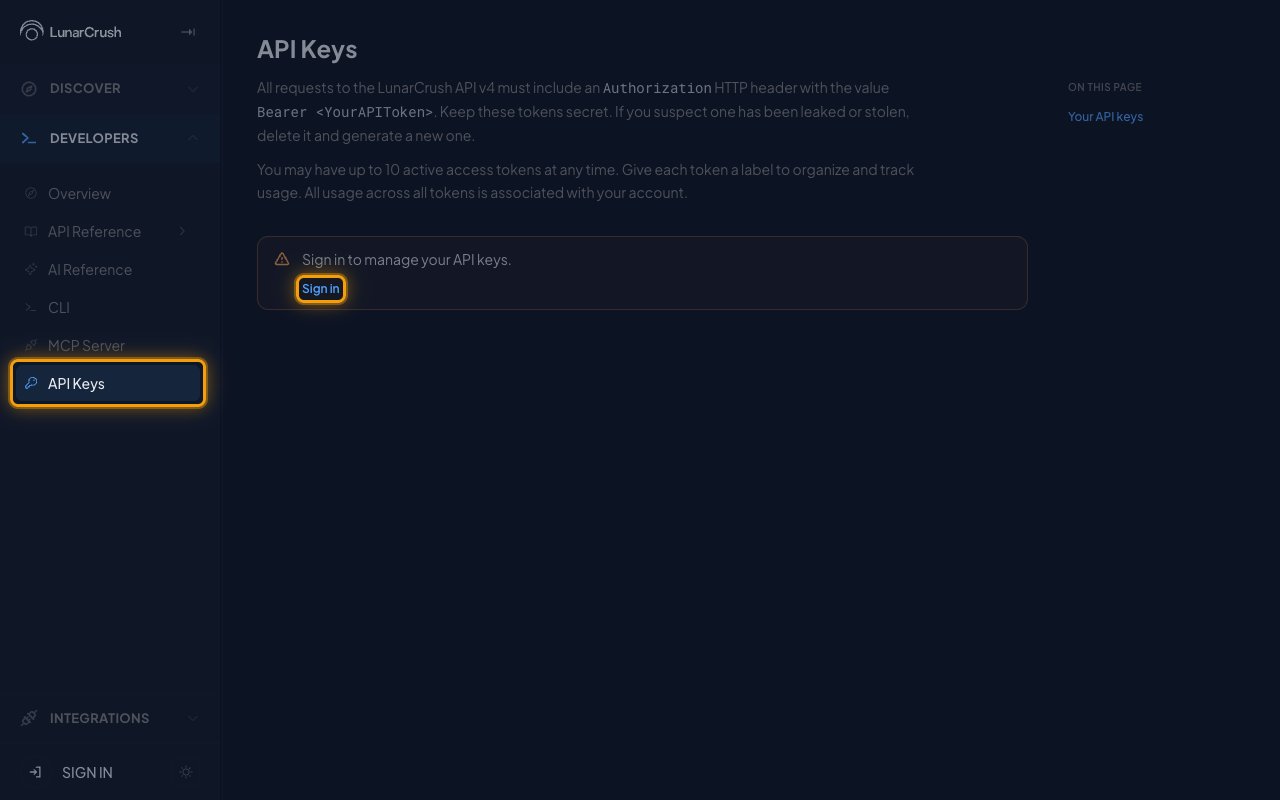
Sign in to your LunarCrush account from the API Keys page.
- Under DEVELOPERS in the sidebar, click API Keys.
- Click Sign in in the Sign in to manage your API keys. notice.
2
Choose a sign-in method
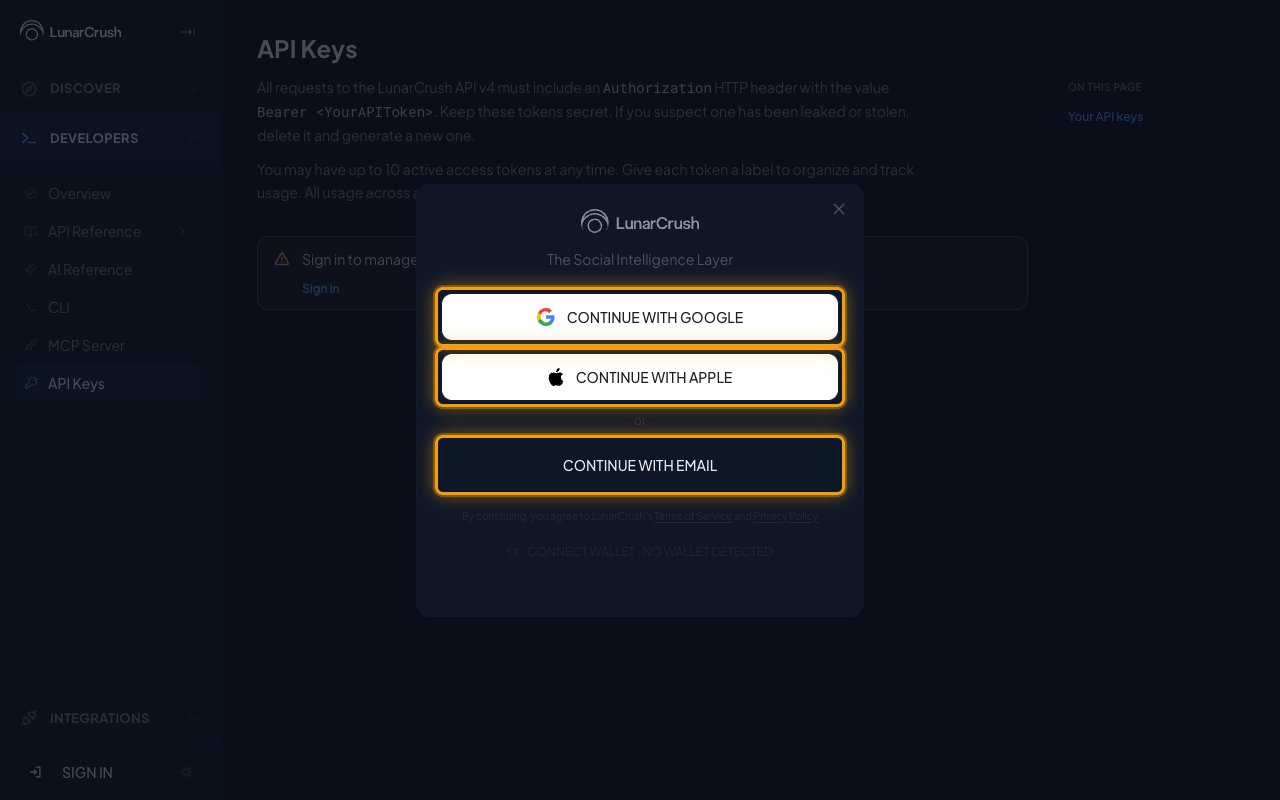
Choose Continue with Google, Continue with Apple, or Continue with Email and complete the sign-in.
3
Generate an API key
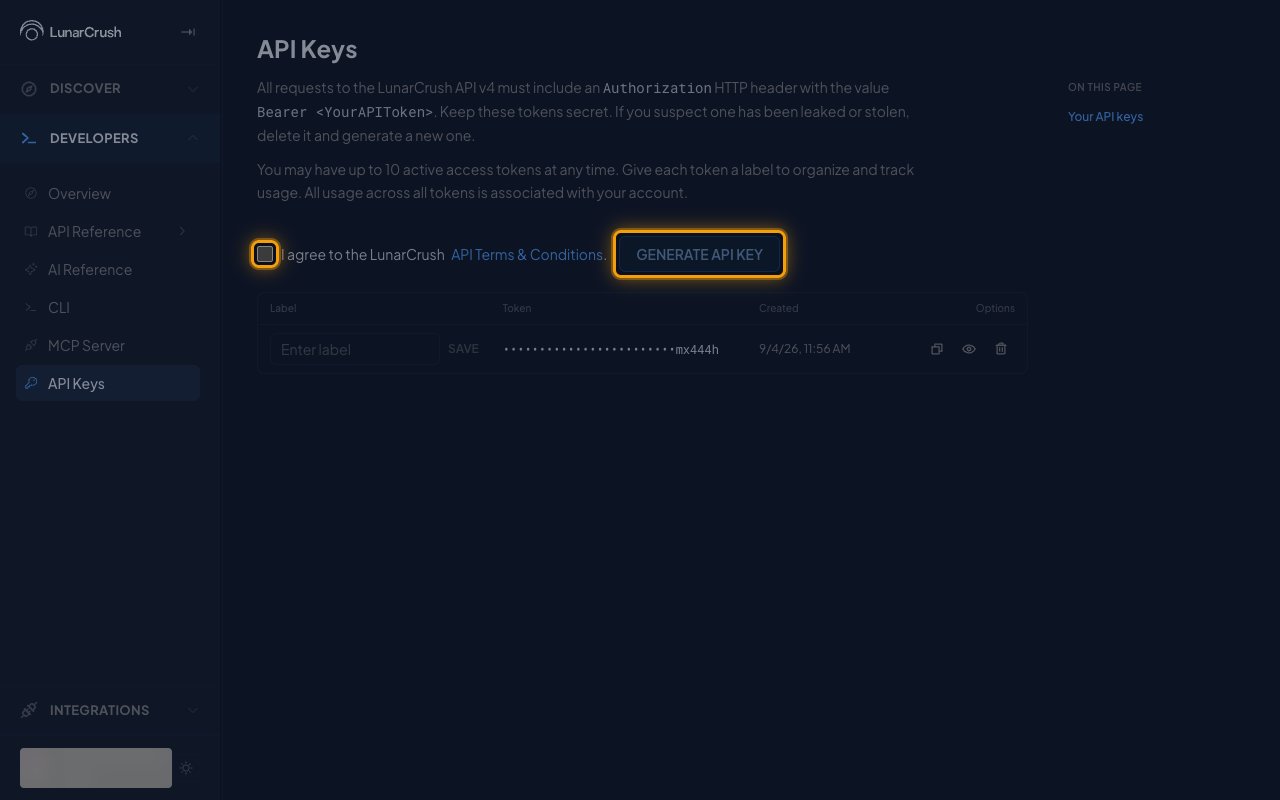
Back on the API Keys page, select I agree to the LunarCrush API Terms & Conditions. and click Generate API key.
- The new key is added as a row to the table below.
- You may have up to 10 active access tokens at any time.
4
Save the label and copy the key
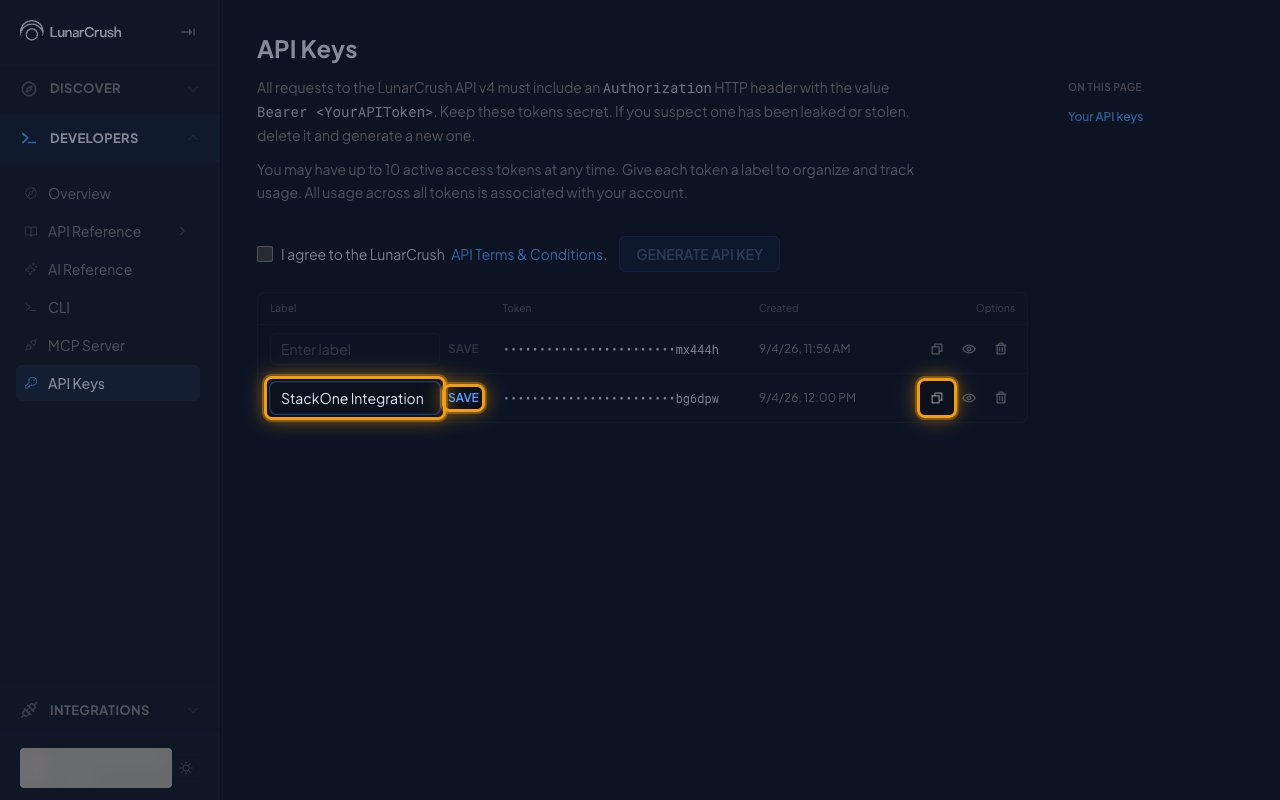
In the new row, type StackOne Integration in Enter label and click Save, then click Copy token to copy the key and store it securely for use later.
- The token is masked in the table. Use Reveal token to view it or Copy token to copy it.
- Keep these tokens secret. If you suspect one has been leaked or stolen, delete it and generate a new one.
- Paste it into the API Key field in StackOne Hub.
Link the Account
1
Connect
- Click Connect.
- If applicable, the provider will redirect you to a sign-in or authorization page. Complete the provider’s authorization flow.
- Once authorization is successful, you will see a confirmation popup.
2
Use Actions
Connect an AI platform to the linked account’s actions. See AI Platforms.Other ways to call actions are listed in Protocols & SDKs.