

Prerequisites
The connector should already be set up, with a Connector Profile and a Linked Account. See Getting Started on the Lumin connector page.Send Lumin events to StackOne
Lumin sends signature request events to a webhook URL you save in its Developer settings. Use the field that matches how the account is connected.
Copy the Native Webhook URL
Once the Lumin account is connected, copy the Native Webhook URL shown on your Linked account in StackOne.
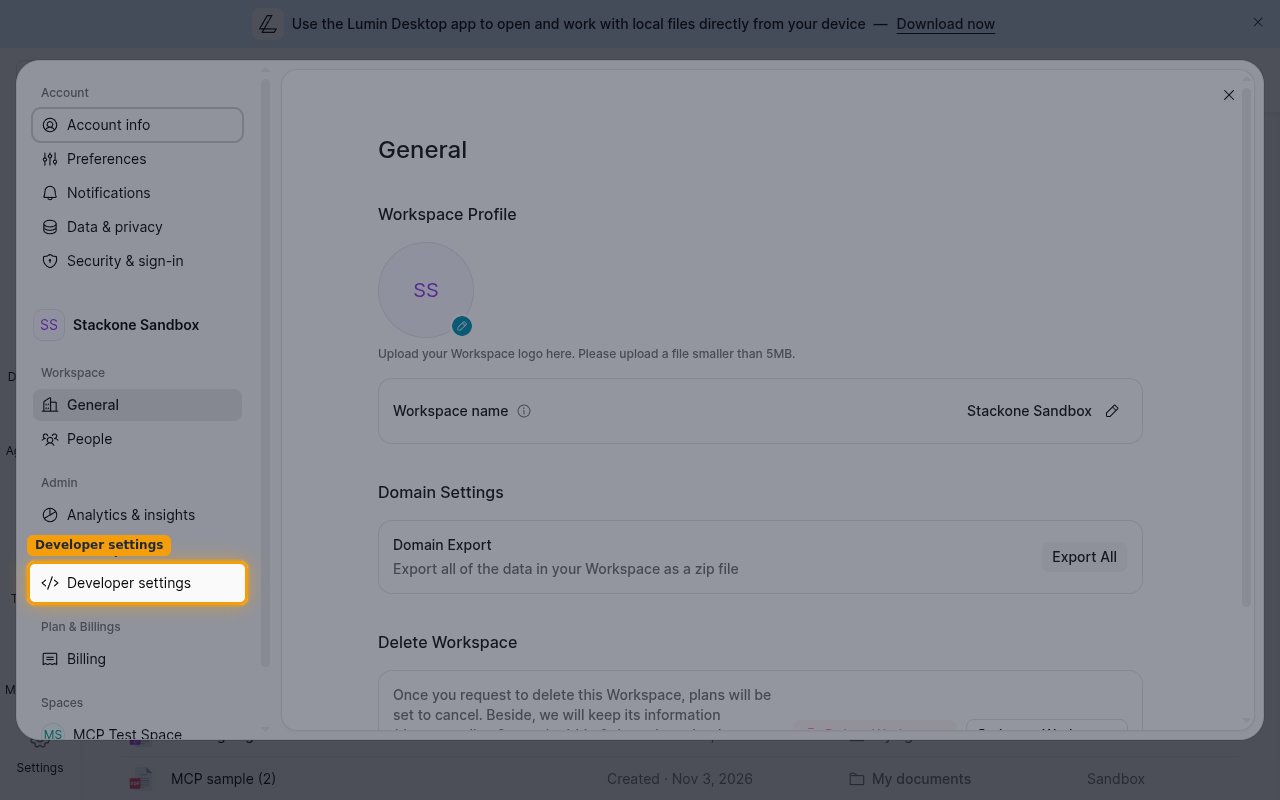
Open Developer settings
Sign in to Lumin, then click Settings > Developer settings.
Find the webhook field
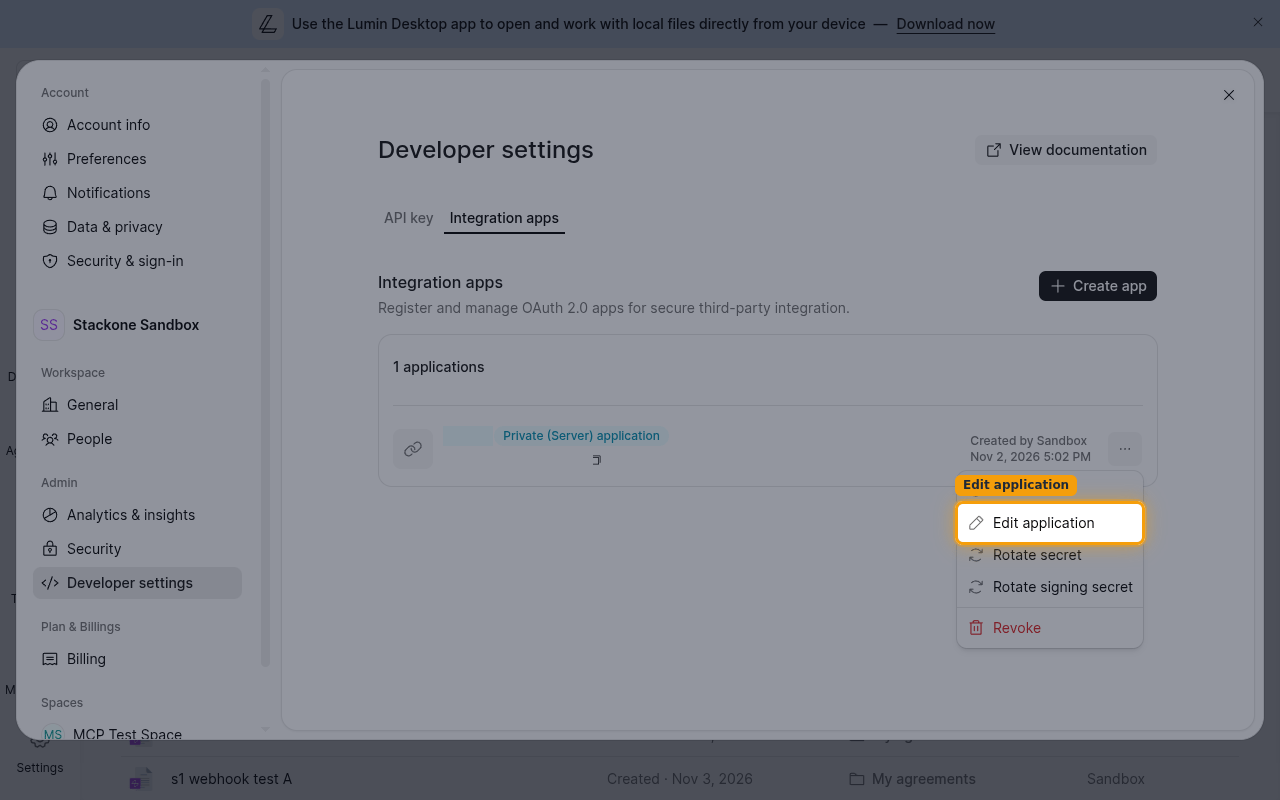
Open the field for your connection type.
- API key connection: On the API key tab, scroll to Account callback.
- OAuth 2.0 connection: On the Integration apps tab, open the menu of the app your Connector Profile uses and click Edit application. Scroll to Receive events on behalf of users.
Save the Native Webhook URL
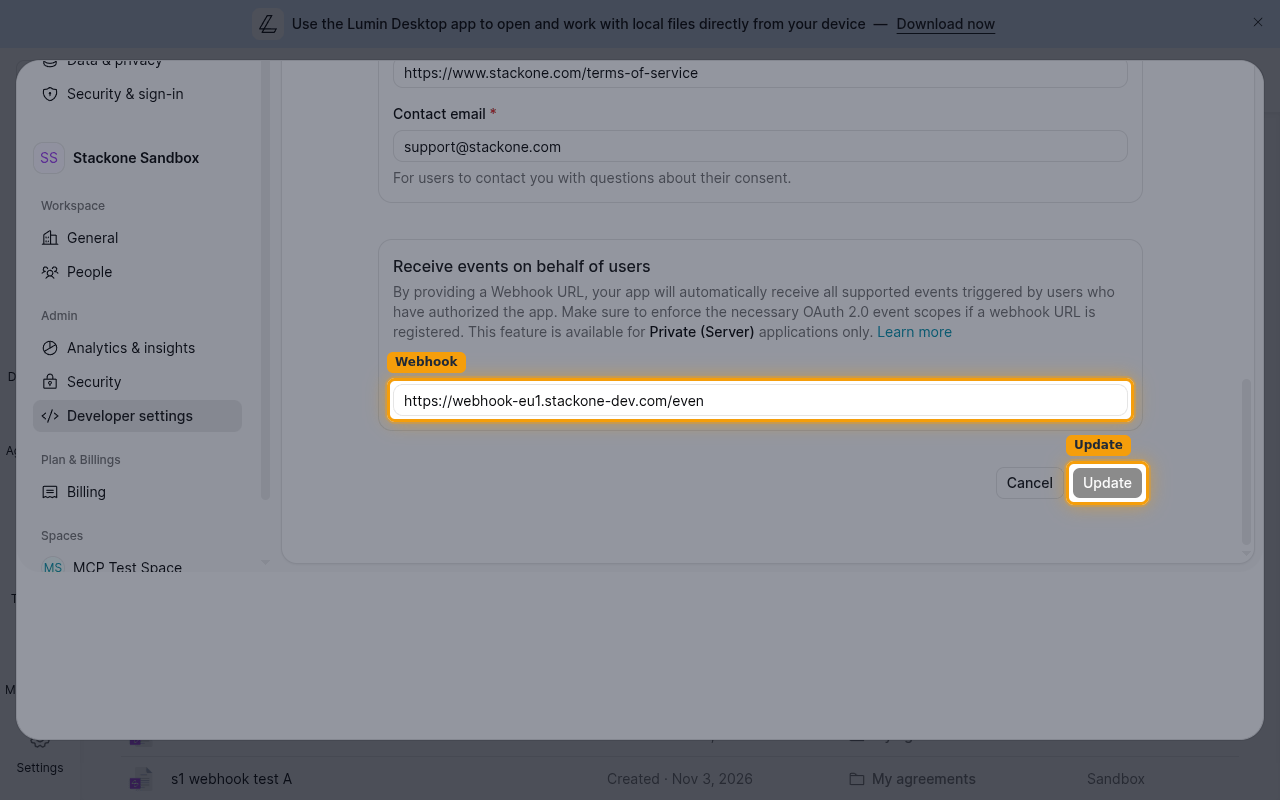
Paste the Native Webhook URL into the field, then save. Lumin starts sending events right away.
- API key connection: Paste it into Account callback and click Save.
- OAuth 2.0 connection: Paste it into Webhook and click Update.
Available webhook events
Lumin sends every event below to the saved URL; there is no filter on the Lumin side. Only events enabled in StackOne are delivered to your webhooks.
Signature request events
Events about signature requests sent from the Workspace.
- Signature Request Created (
signature_request_created) — Fired when a signature request is created - Signature Request Viewed (
signature_request_viewed) — Fired when a signer opens the document - Signature Request Signed (
signature_request_signed) — Fired when a signer signs the document - Signature Request Approved (
signature_request_approved) — Fired when all signers have completed signing - Signature Request Declined (
signature_request_declined) — Fired when a signer declines and the request status changes toREJECTED - Signature Request Downloadable (
signature_request_downloadable) — Fired when the signed document or Certificate of Completion is ready for download - Signature Request Invalid (
signature_request_invalid) — Fired when an error occurs while processing the request, such as invalid text tags - Signature Request Canceled (
signature_request_canceled) — Fired when the signature request is canceled - Signature Request Cancel Failed (
signature_request_cancel_failed) — Fired when a cancellation attempt fails - Signature Request Due Date Updated (
signature_request_due_date_updated) — Fired when the due date of the signature request changes
Delivery format
Details of how Lumin delivers events to StackOne.
One event per request
Lumin sends each event as its own POST request and retries a failed delivery up to six times over about 30 hours, so the same event can arrive more than once. Each request carries an X-Signature header, an HMAC-SHA256 digest of the body signed with the Workspace’s Primary API key (Account callback) or the app’s signing secret (app Webhook).