

Create your API key
Luma authenticates requests with an API key from the Luma API Console. Keys belong to your project, so every key in the same project shares its rate limits and can see its generations.
1
Create the API key
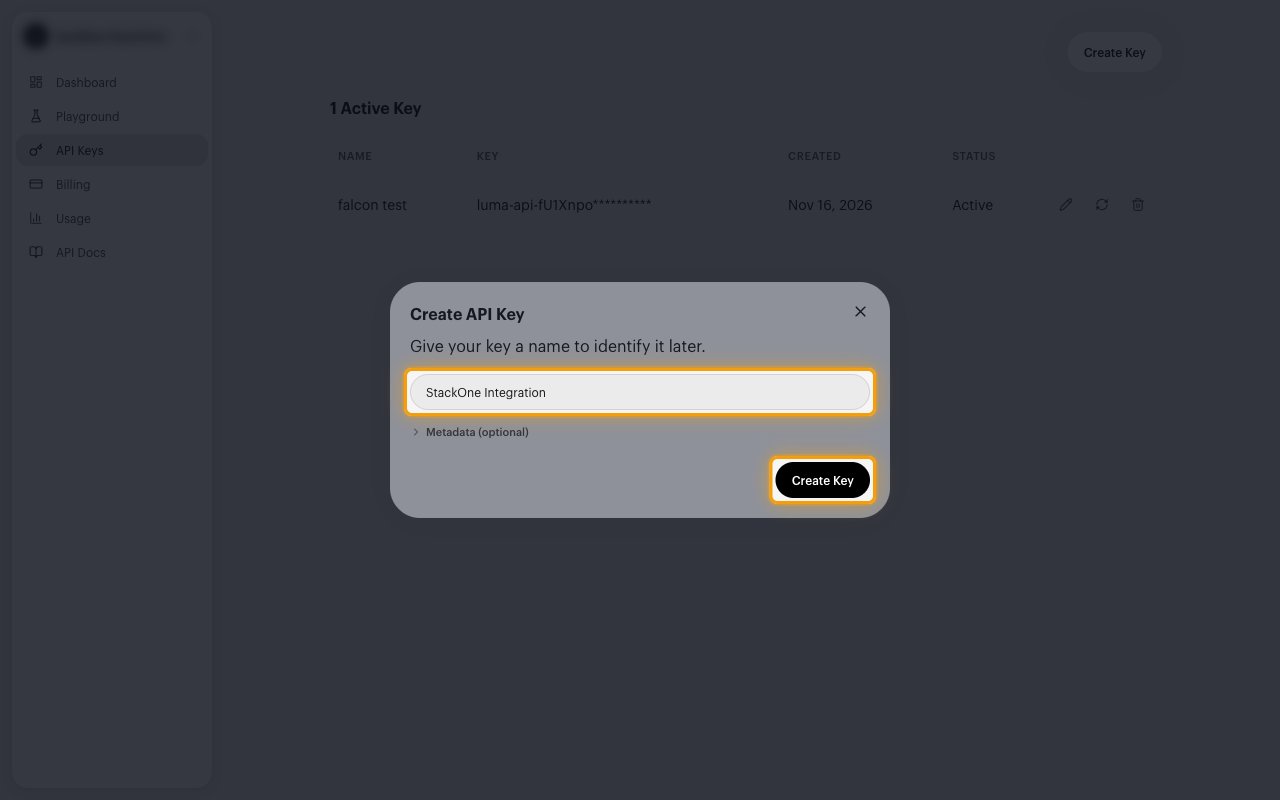
Sign in to your Luma API Console, then create a key for StackOne.
- In the sidebar, select API Keys.
- Click Create Key.
- In the Create API Key dialog, enter a name that identifies this integration, for example
StackOne Integration. - Click Create Key to create it.
2
Copy the API key
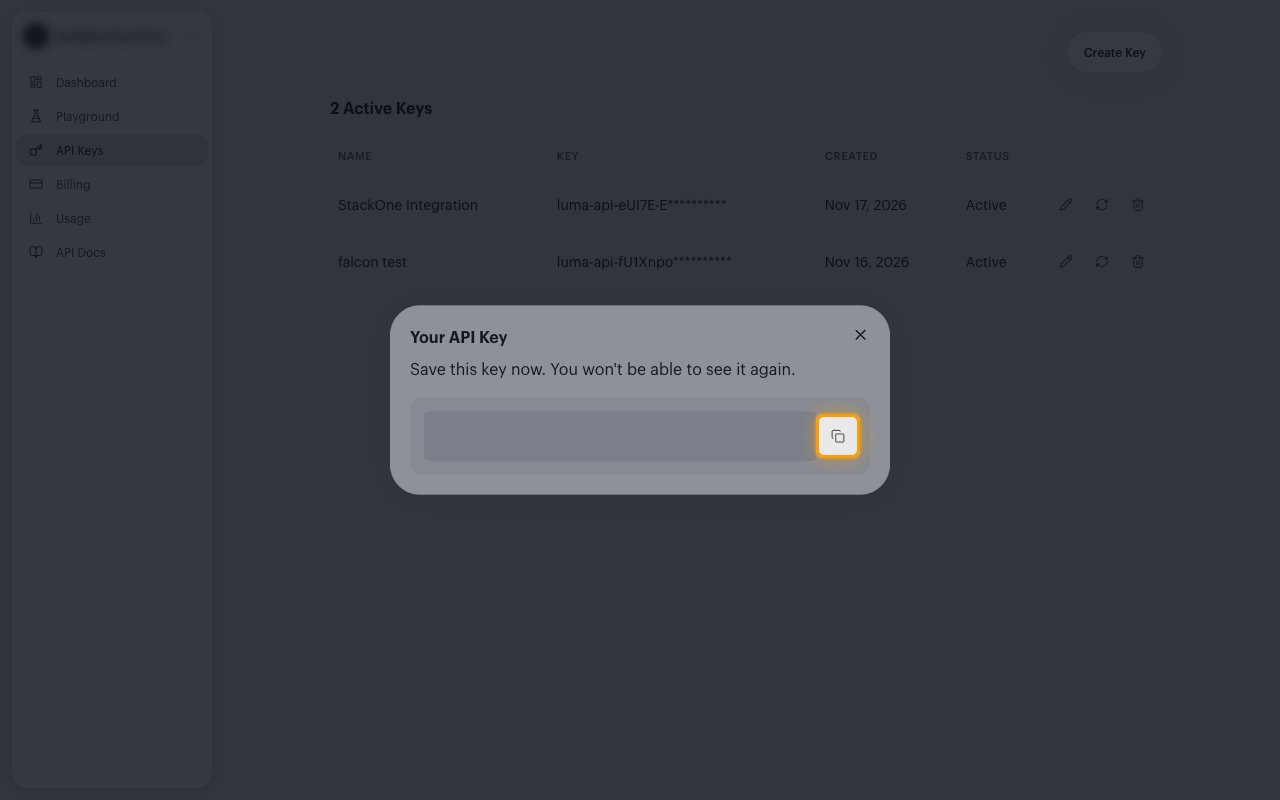
The Your API Key dialog shows the new key.
- Click the copy icon next to the key.
- Copy the API Key across.
- The key starts with
luma-api-. - The key is only displayed once and cannot be retrieved later.
Link the Account
1
Connect
- Click Connect.
- If applicable, the provider will redirect you to a sign-in or authorization page. Complete the provider’s authorization flow.
- Once authorization is successful, you will see a confirmation popup.
2
Use Actions
Connect an AI platform to the linked account’s actions. See AI Platforms.Other ways to call actions are listed in Protocols & SDKs.