

Prerequisites
The connector should already be set up, with a Connector Profile and a Linked Account. See Getting Started on the Lokalise connector page.Connect Lokalise webhooks
Lokalise sends webhooks from the Webhooks app installed in each project. Add the StackOne Native Webhook URL as a handler in every project you want to watch.
Retrieve StackOne Native Webhook URL
The Native Webhook URL is generated once an account has been linked.
- Open the linked account in StackOne.
- Copy the value from Native Webhook URL.
Open the project apps
Sign in to your Lokalise account and open the project you want to receive events from.
- Click Apps in the project navigation bar.
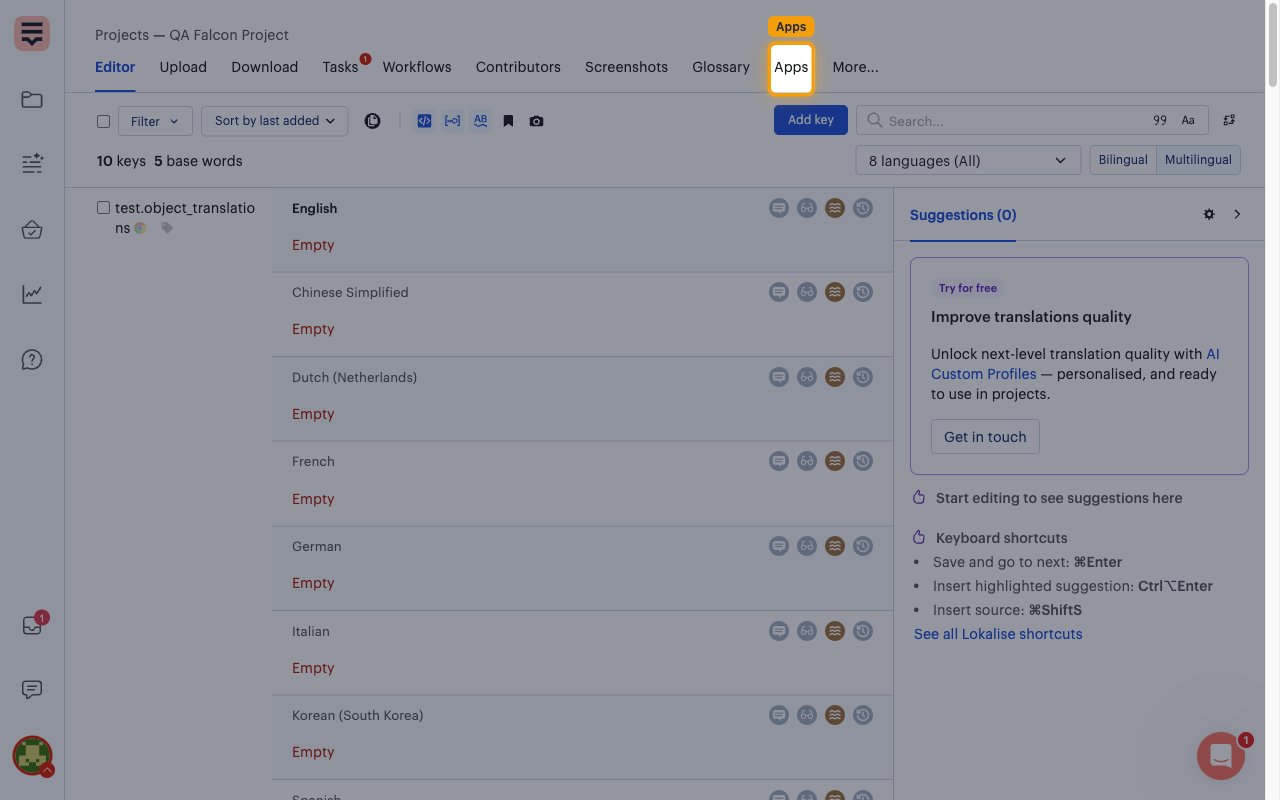
Open the Webhooks app
In the apps list, find the Webhooks app (Custom webhook integration.) and click it.
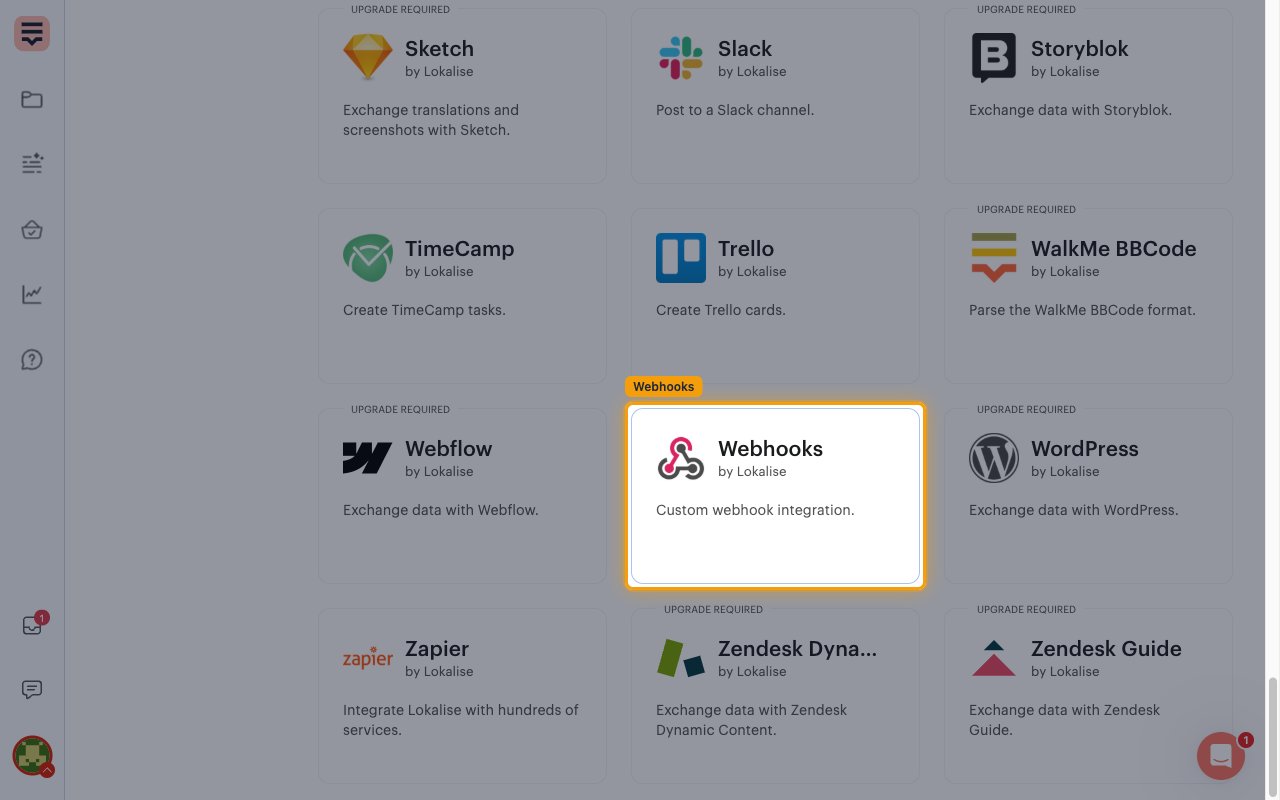
Install the Webhooks app
Click Install to open the webhook configuration. If the app is already installed in this project, the button reads Manage instead.
- The app is marked Unlimited on all plans.
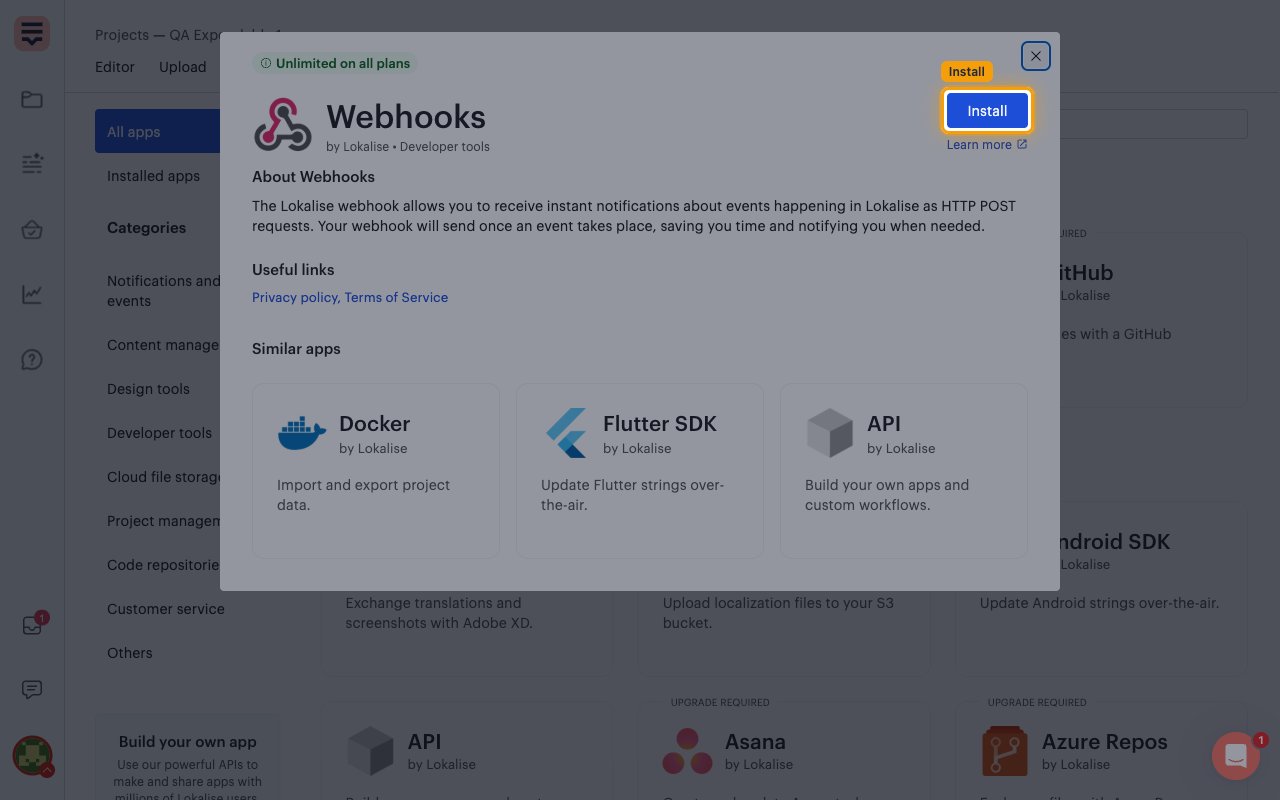
Add a handler for StackOne
If the project already has a webhook handler, click Add another handler so the existing one keeps working. A new, empty Configuration block appears.
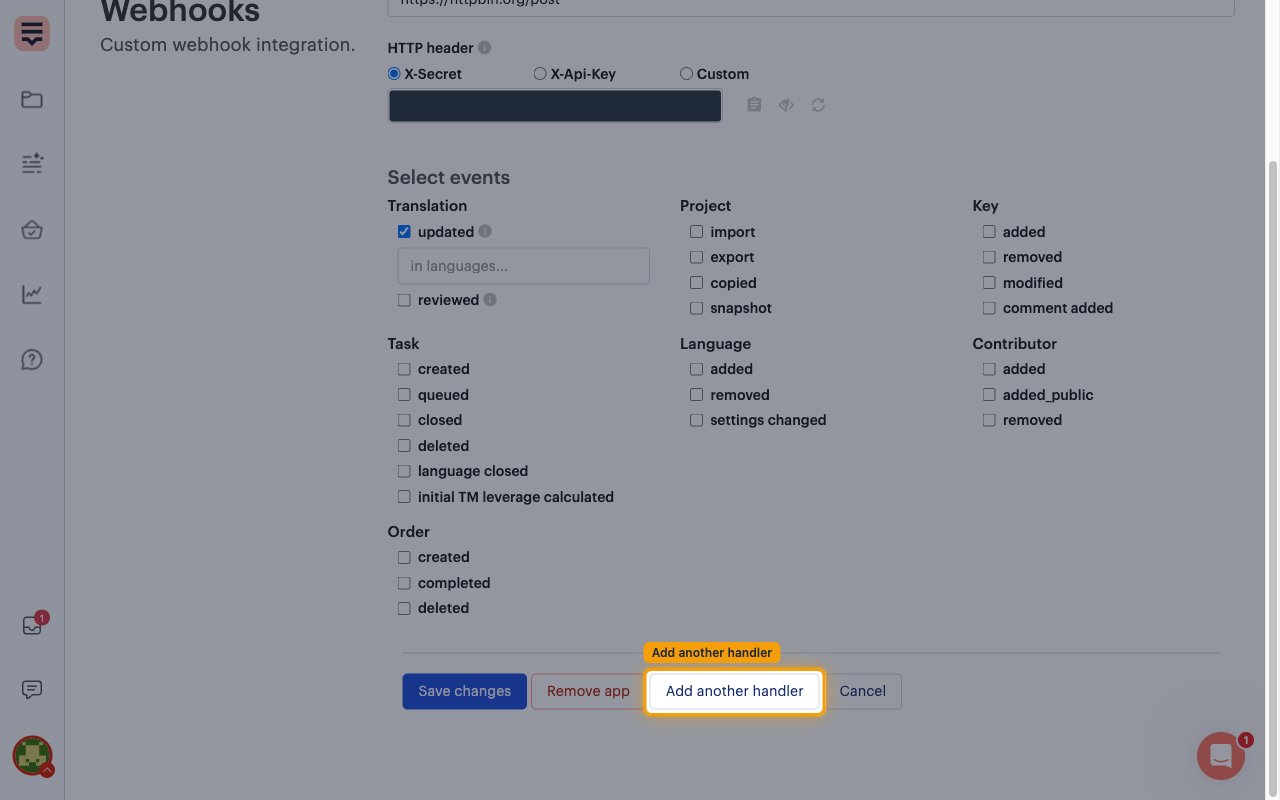
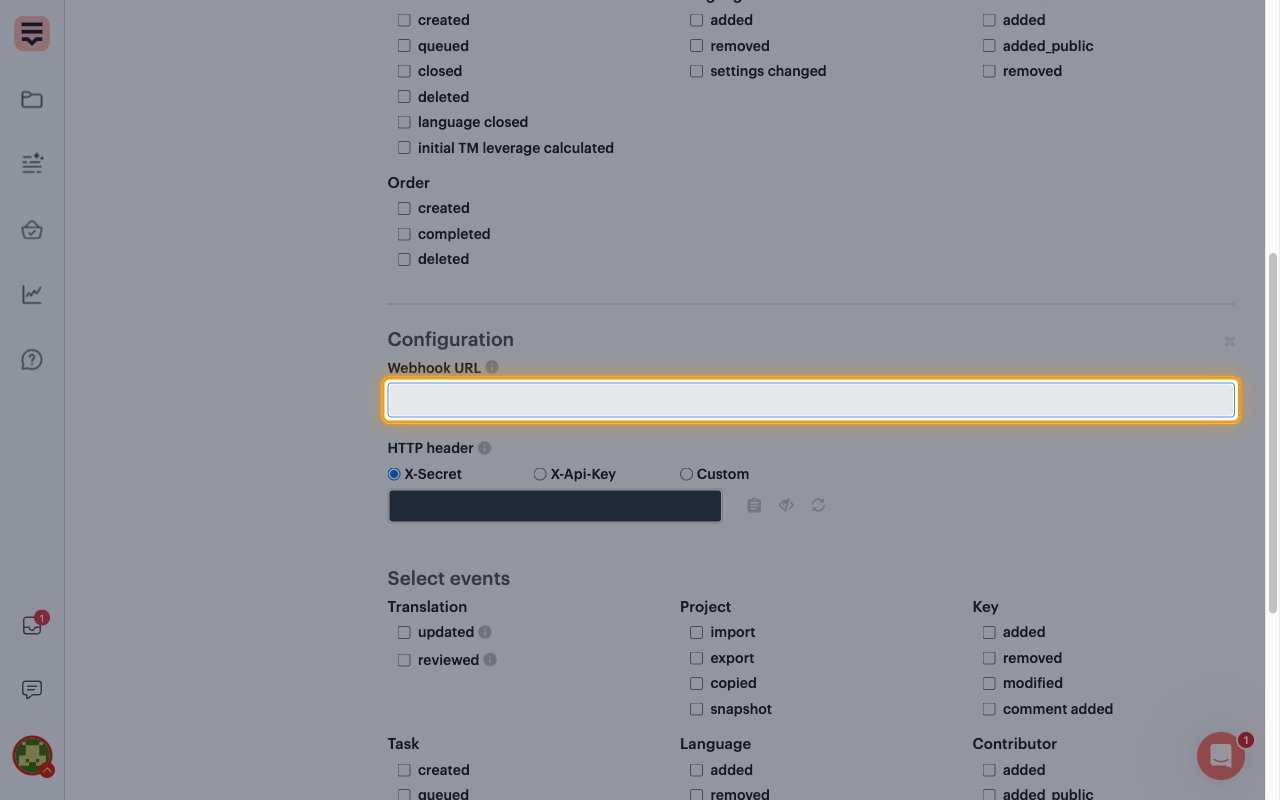
Paste the Native Webhook URL
Paste the StackOne Native Webhook URL into Webhook URL.
- Leave HTTP header set to X-Secret. Lokalise generates the secret for you.
Select the events
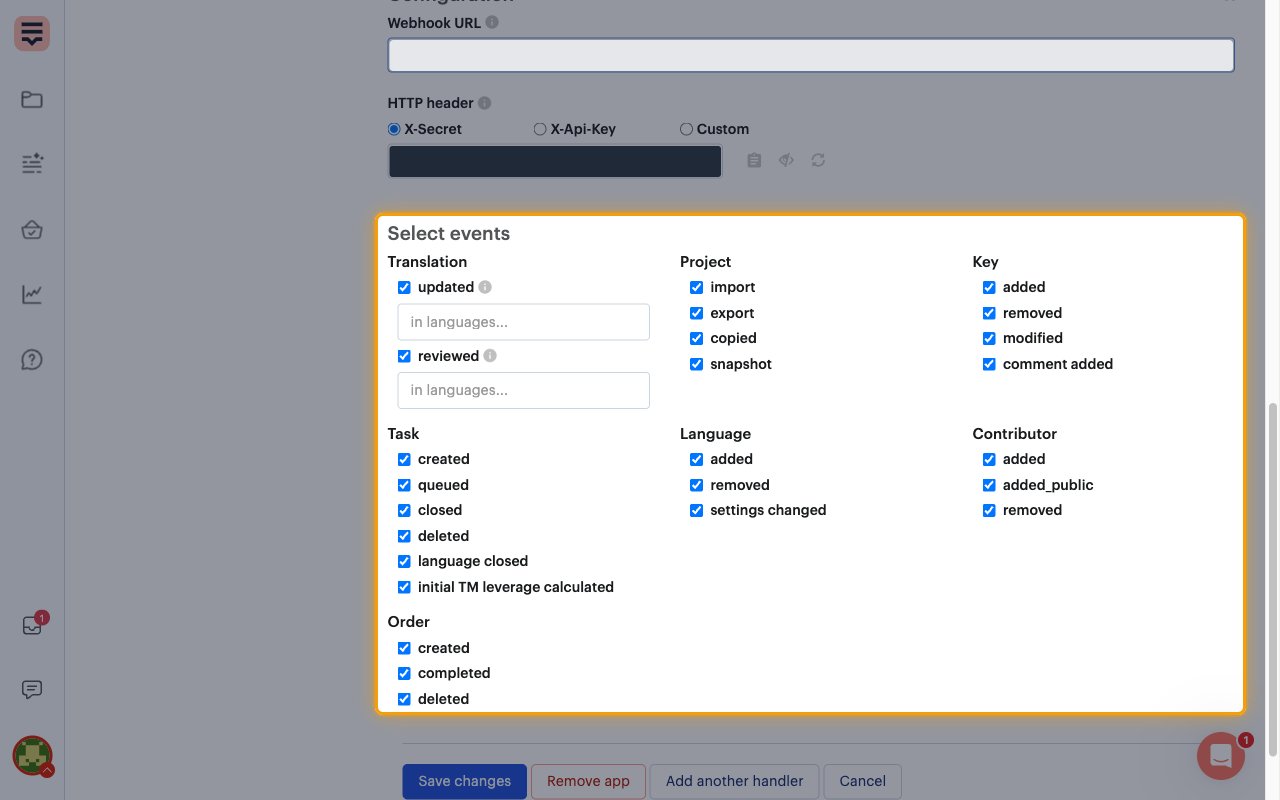
Under Select events, tick every event you want StackOne to receive. The groups are Translation, Project, Key, Task, Language, Contributor and Order. Each checkbox covers both the single and the bulk version of an event, so added under Key delivers single and bulk key additions.
- Optional: restrict Translation > updated or reviewed to specific languages with the in languages… field.
Save the handler
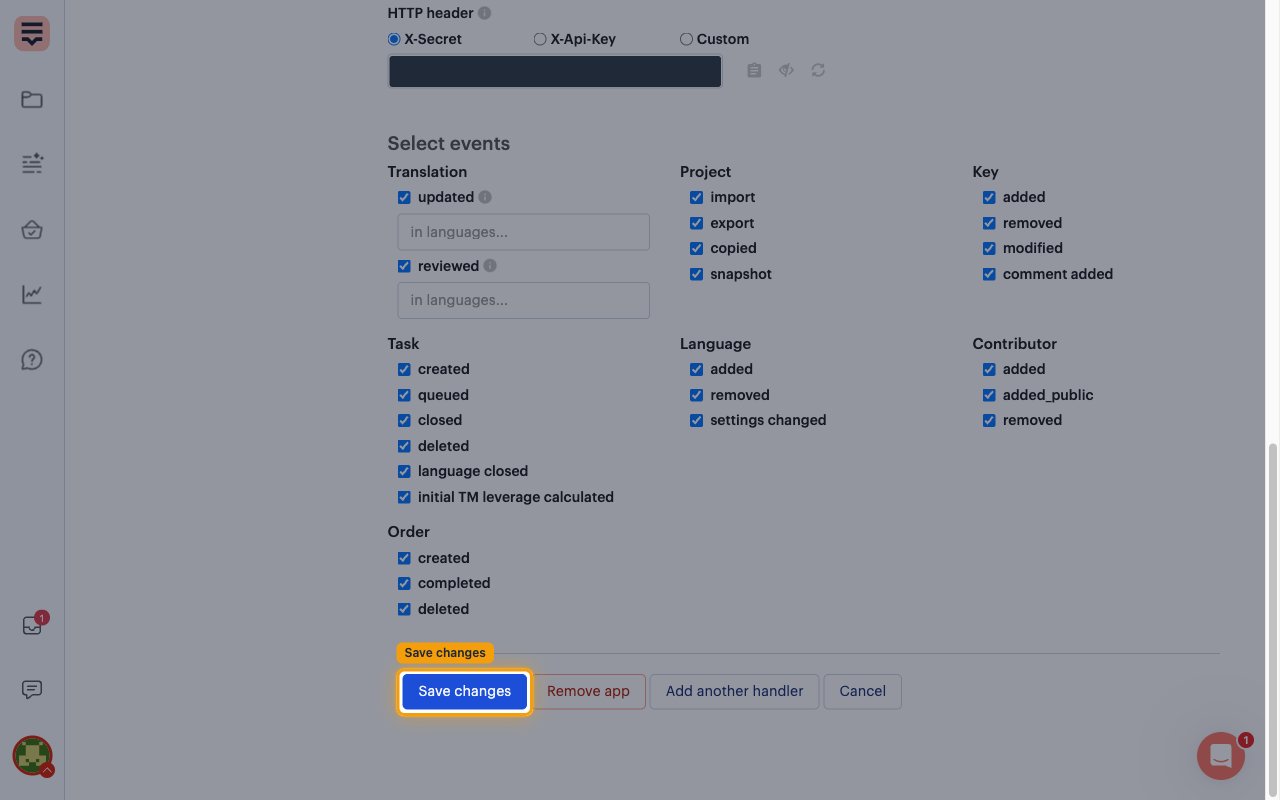
Click Save changes. Lokalise sends a ping to the Native Webhook URL and saves the handler once StackOne answers.
- A green App configuration saved. banner confirms the handler is active.
Available webhook events
The following Lokalise events can be enabled. Only events selected in StackOne are delivered to your application, and Lokalise sends only the events ticked in the project’s handler.
Key events
Events related to translation keys and their comments.
- Key Added (
project.key.added) — Fired when a single key is added to a project - Keys Added (Bulk) (
project.keys.added) — Fired when keys are added in bulk, by file upload, or by copy or move - Key Modified (
project.key.modified) — Fired when a single key is modified - Keys Modified (Bulk) (
project.keys.modified) — Fired when keys are modified by a bulk action, a replace, a file upload or an API call - Keys Deleted (
project.keys.deleted) — Fired when keys are deleted individually, in bulk, by a move or through the API - Key Comment Added (
project.key.comment.added) — Fired when a comment is added to a key
Translation events
Events related to translation values and review status.
- Translation Updated (
project.translation.updated) — Fired when a single translation is modified - Translations Updated (Bulk) (
project.translations.updated) — Fired when translations are modified in bulk, for example by translation memory, machine translation or a file upload - Translation Reviewed (
project.translation.proofread) — Fired when a translation is marked or unmarked as reviewed - Translations Reviewed (Bulk) (
project.translations.proofread) — Fired when several translations are marked or unmarked as reviewed at once
Project and file events
Events related to the project, its files, snapshots and branches.
- Project Imported (
project.imported) — Fired when a translation file is uploaded to a project (one event per file) - Project Exported (
project.exported) — Fired when translation files are downloaded from a project - Project Copied (
project.copied) — Fired when a project is copied - Project Snapshot Created (
project.snapshot) — Fired when a project snapshot is created - Branch Added (
project.branch.added) — Fired when a project branch is created - Branch Deleted (
project.branch.deleted) — Fired when a project branch is deleted - Branch Merged (
project.branch.merged) — Fired when a branch is merged into another branch
Language events
Events related to the languages of a project.
- Languages Added (
project.languages.added) — Fired when one or more languages are added to a project - Language Removed (
project.language.removed) — Fired when a language is removed from a project - Language Settings Changed (
project.language.settings_changed) — Fired when a project language’s settings are changed
Task events
Events related to translation and review tasks.
- Task Created (
project.task.created) — Fired when a translation or review task is created - Task Queued (
project.task.queued) — Fired when a review task is queued behind an unfinished parent task or order - Task Closed (
project.task.closed) — Fired when a task is closed, manually or on completion - Task Deleted (
project.task.deleted) — Fired when a task is deleted - Task Language Closed (
project.task.language.closed) — Fired when one language of a task is closed - Task TM Leverage Calculated (
project.task.initial_tm_leverage.calculated) — Fired when Lokalise finishes calculating the initial translation memory leverage for a task
Contributor events
Events related to project contributors.
- Contributor Added (
project.contributor.added) — Fired when an admin adds a contributor to a project - Contributor Joined via Public Link (
project.contributor.added_public) — Fired when a contributor joins through the public signup link - Contributor Removed (
project.contributor.deleted) — Fired when a contributor is removed from a project
Order events
Events related to professional translation orders.
- Order Created (
team.order.created) — Fired when a translation order is created - Order Completed (
team.order.completed) — Fired when a translation order is marked completed - Order Deleted (
team.order.deleted) — Fired when a translation order is deleted
Delivery format
Details of how Lokalise delivers events to StackOne.
Review bulk and retry behavior
Each request carries one event. Bulk events (Keys Added (Bulk), Keys Modified (Bulk), Keys Deleted, Translations Updated (Bulk), Translations Reviewed (Bulk)) hold up to 300 items; larger actions arrive as several events.
- Lokalise sends no event ID, so StackOne builds one from the event name, project, affected item and event time. It stays the same across retries.
- Unanswered deliveries are retried for up to 24 hours, after which Lokalise disables the handler.