

Generate a Personal API key
A Personal API key authenticates requests to Linear on behalf of your account.
1
Sign in to Linear
Sign in to your Linear account.
- Click your avatar in the top-left corner and select Settings.
2
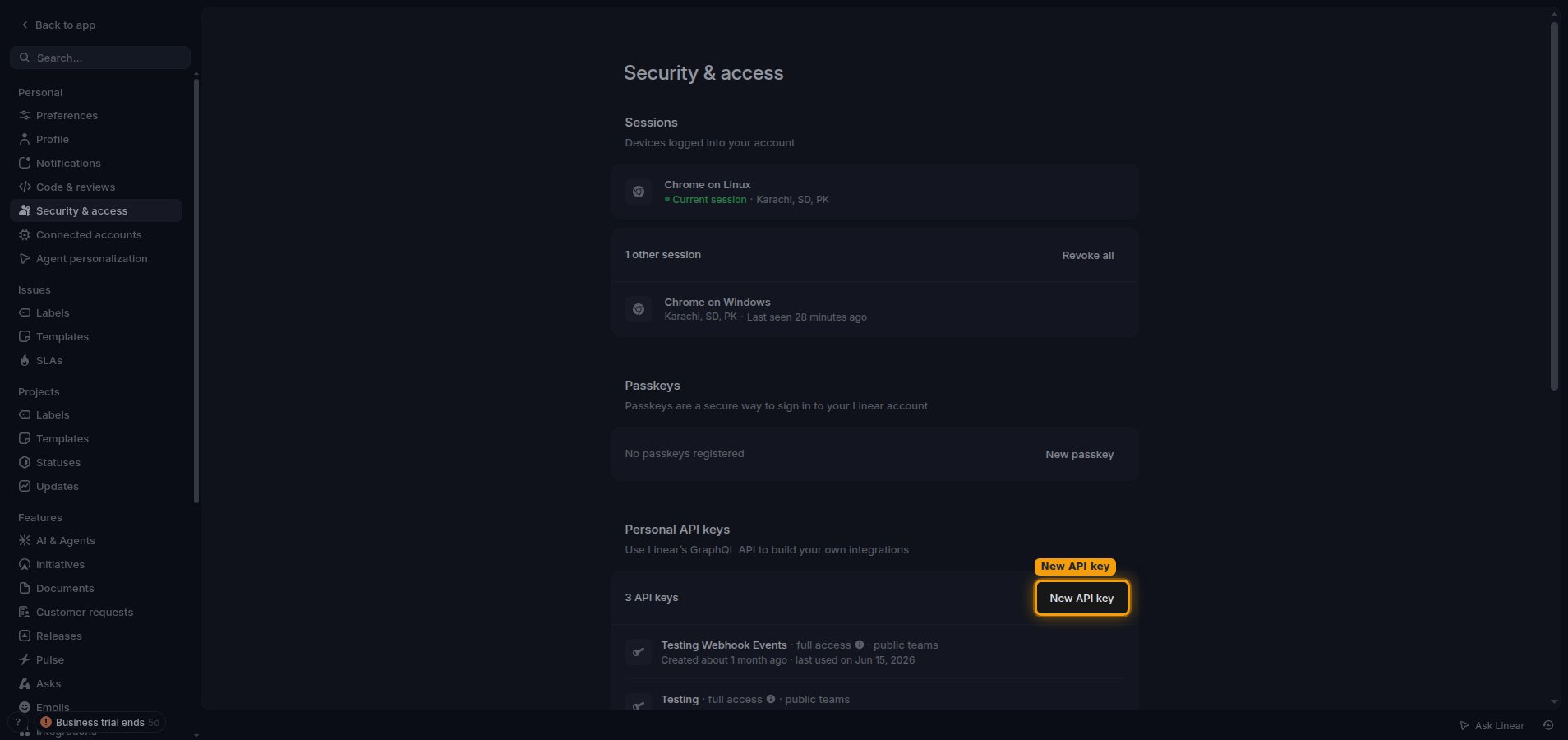
Navigate to Personal API keys
In the left sidebar under your personal settings, click Security & access.
- Scroll to the Personal API keys section.
- Click New API key.
3
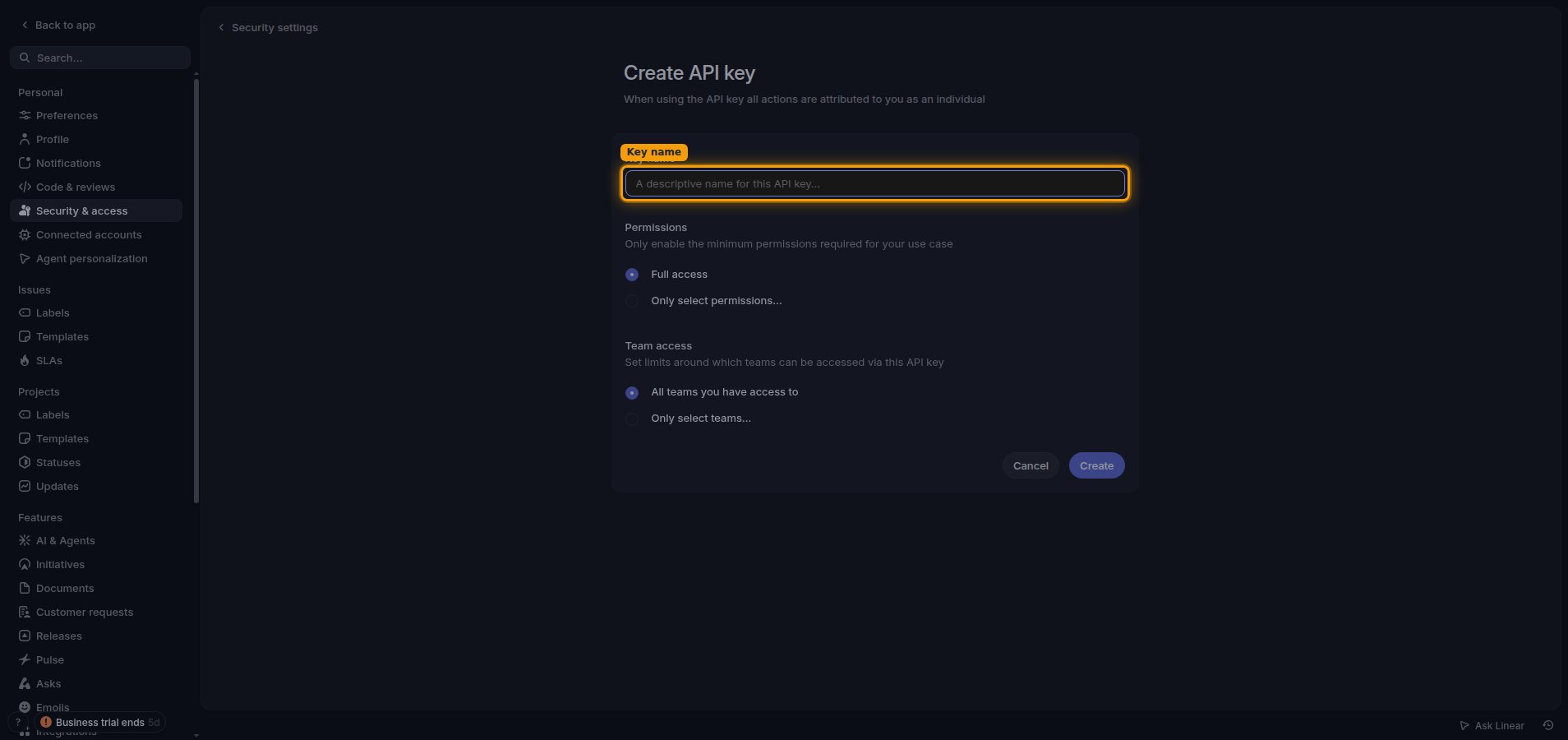
Create the API key
Give the key a name and choose its access settings.
- Enter a Key name, for example
StackOne. - Under Permissions, choose Full access or Only select permissions….
- Under Team access, choose All teams you have access to or Only select teams….
4
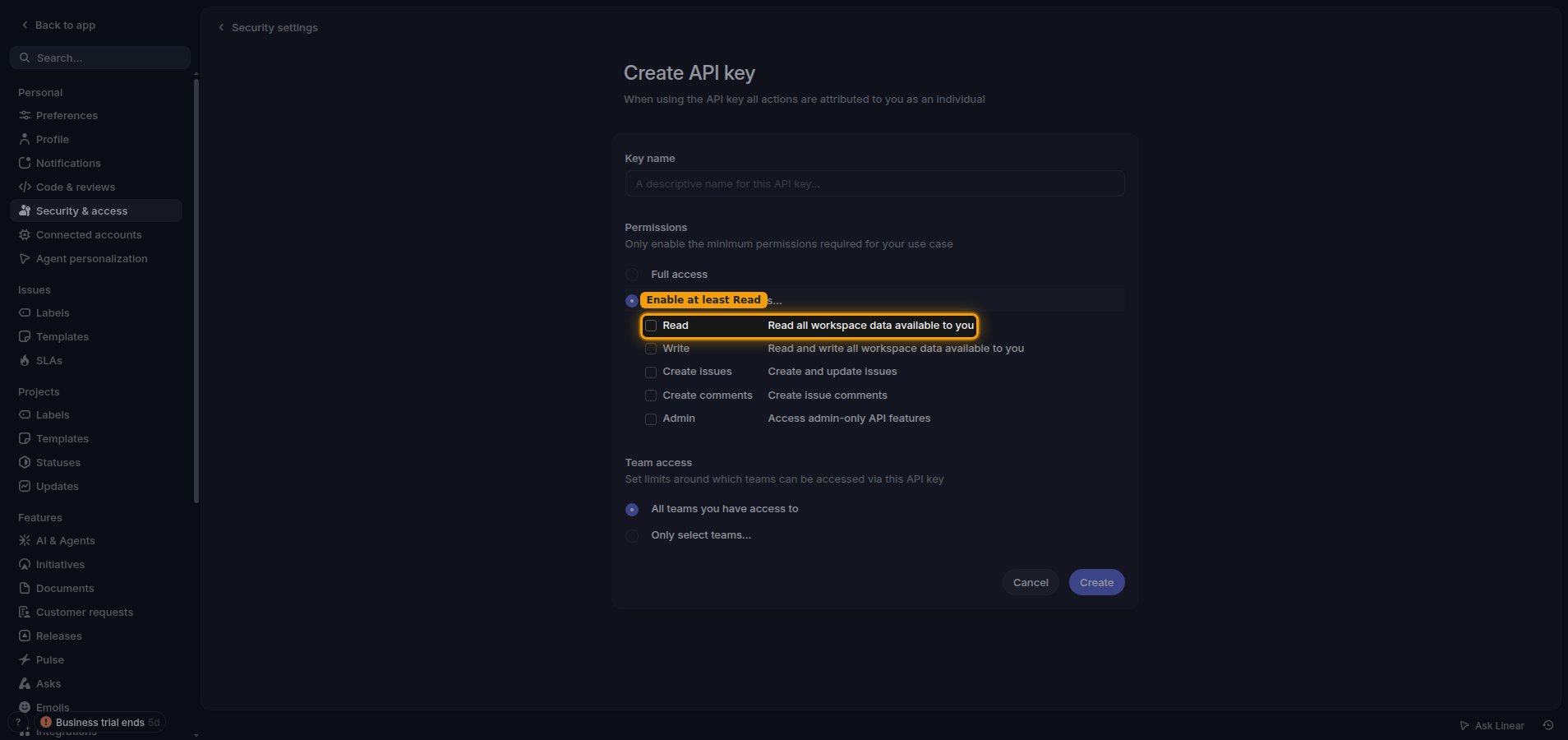
Enable at least Read permission
If you choose Only select permissions…, enable at least Read — the connection test requires read access to succeed.
- Read — Read all workspace data available to you.
- Write — Read and write all workspace data available to you.
- Admin — Access admin-only API features.
5
Create and copy the key
After setting the Key name, Permissions, and Team access, click Create to generate the key.
- Copy the key immediately and store it securely for use later.
- The key starts with
lin_api_and is shown only once.
Linking the Account from the Hub
1
Navigate to the Hub
Use one of the three Linking Account Methods to access the Hub.
2
Fill out the fields
Fill out the following fields using details from your provider:
- API Key
3
Connect
- Click Connect
- If applicable, the provider will redirect you to a sign-in or authorization page. Complete the provider’s authorization flow.
- Once authorization is successful, you will see a confirmation popup
If the account linking is successful, you will see the newly linked account in your Accounts page.