

Generate a lemlist API key
lemlist authenticates StackOne with an API key you generate in your account. Create the key in lemlist, then paste it into StackOne Hub to connect.
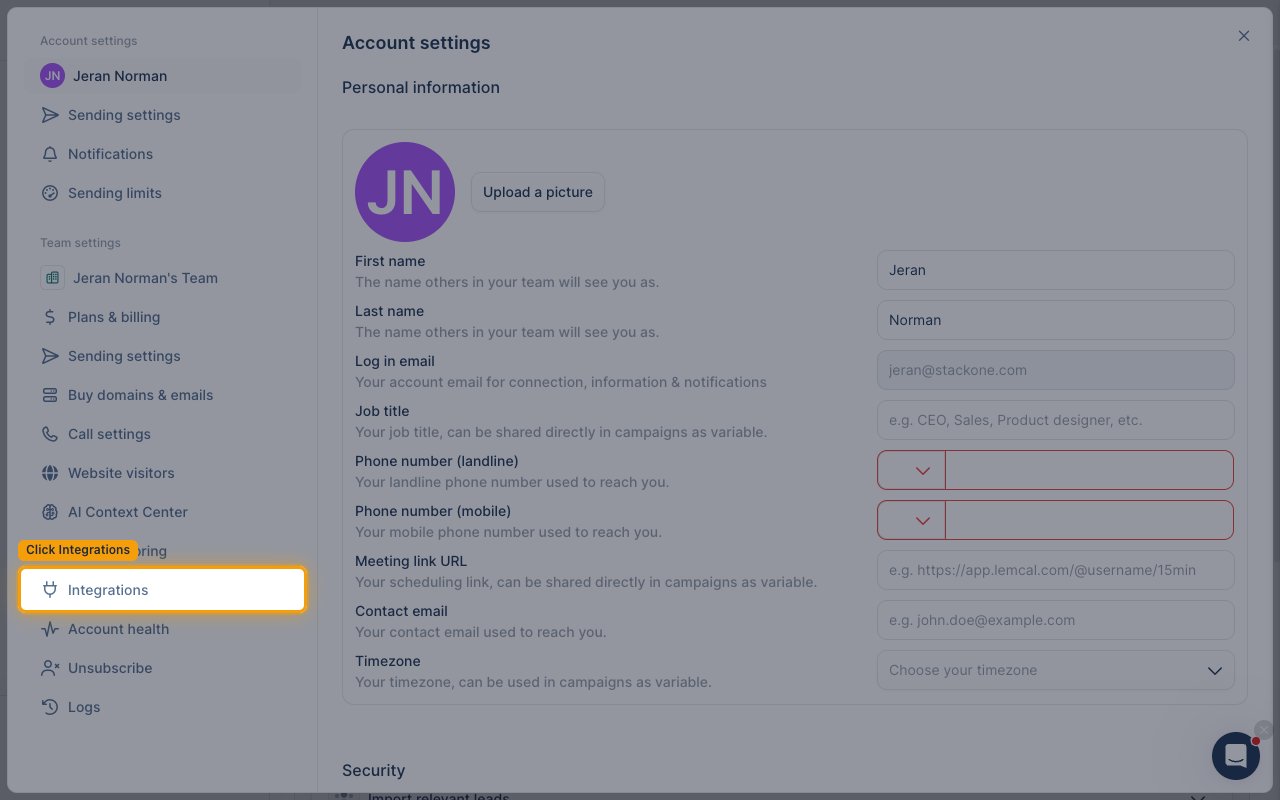
Open your Integrations settings
Sign in to your lemlist account, then open the settings menu.
- Click your profile name in the bottom-left corner, then select Settings.
- In the Team settings section of the left sidebar, click Integrations.
Generate a new API key
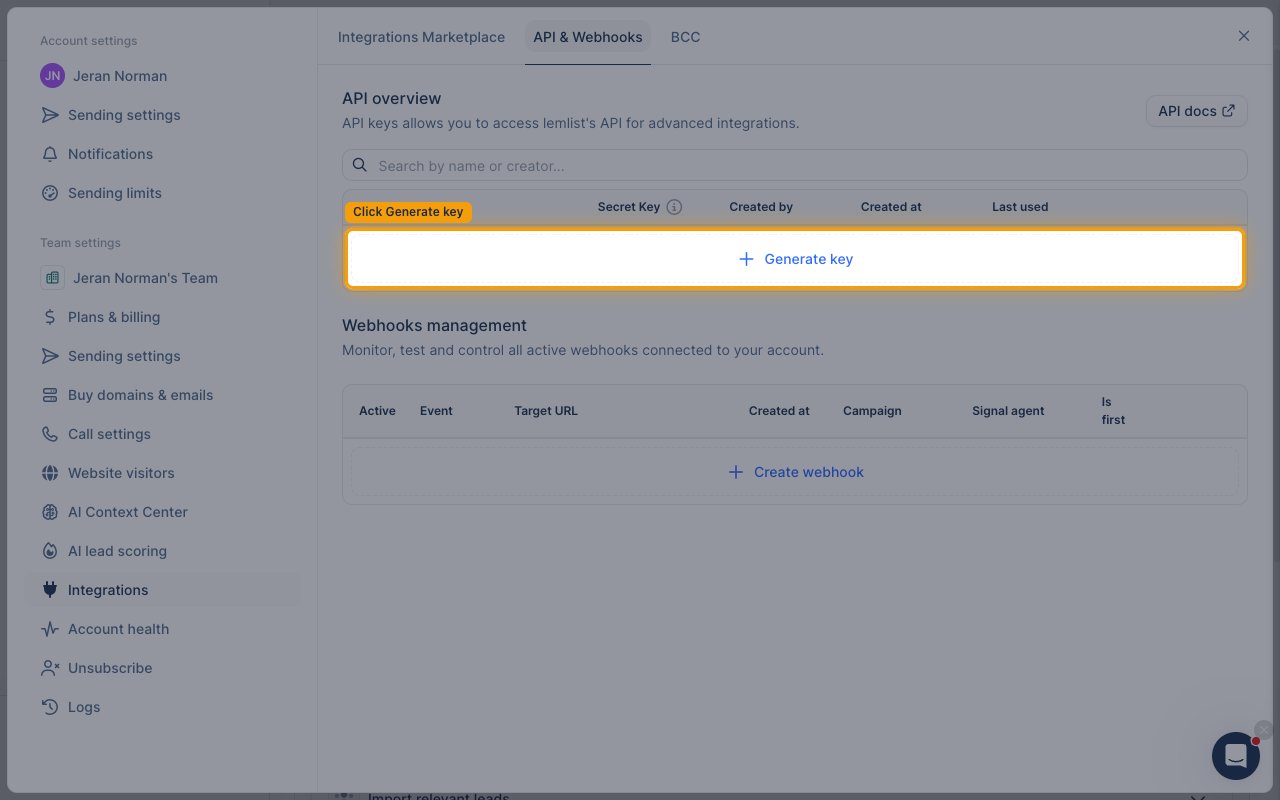
Open the API & Webhooks tab and find the API overview section, then click Generate key.
- In the Generate a new API key dialog, enter a name in the Name (Optional) field (for example,
StackOne Integration). - Click Create Key.
Copy and save the API key
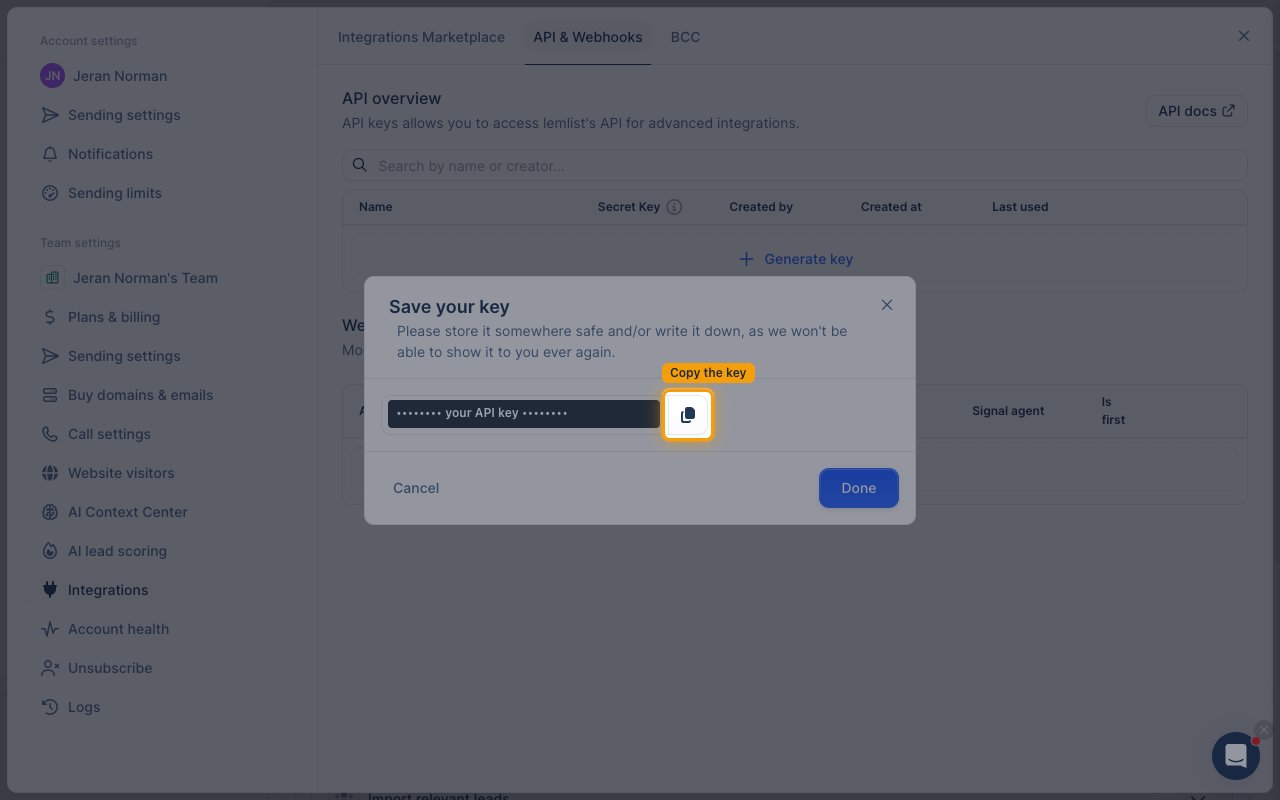
The Save your key dialog shows your key once. Copy it and store it somewhere safe.
- Click the copy icon next to the key, then click Done.
- The key is only displayed once and will not be shown again after you close this dialog. If you lose it, generate a new one.
Connect in StackOne
Paste the key you copied into the API Key field in StackOne Hub to complete the connection.
- The Native Webhook URL field is read-only and filled in automatically by StackOne — you do not need to change it.
Linking the Account from the Hub
Navigate to the Hub
Fill out the fields
- API Key
Connect
- Click Connect
- If applicable, the provider will redirect you to a sign-in or authorization page. Complete the provider’s authorization flow.
- Once authorization is successful, you will see a confirmation popup
If the account linking is successful, you will see the newly linked account in your Accounts page.
Next Steps
Webhooks setup
Configure receiving Events for Lemlist into StackOne.