

Getting your API key
Your API key identifies your La Growth Machine workspace when StackOne calls the La Growth Machine API.
1
Sign in to La Growth Machine
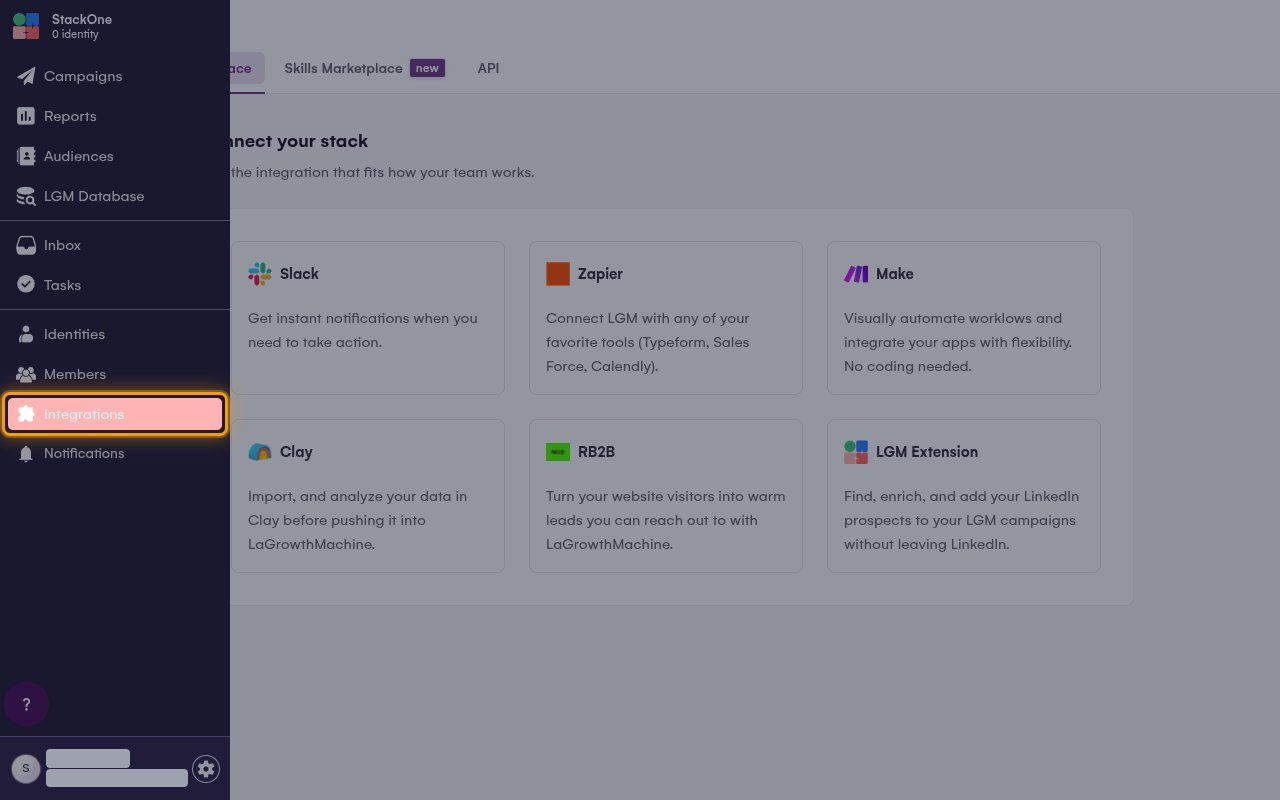
2
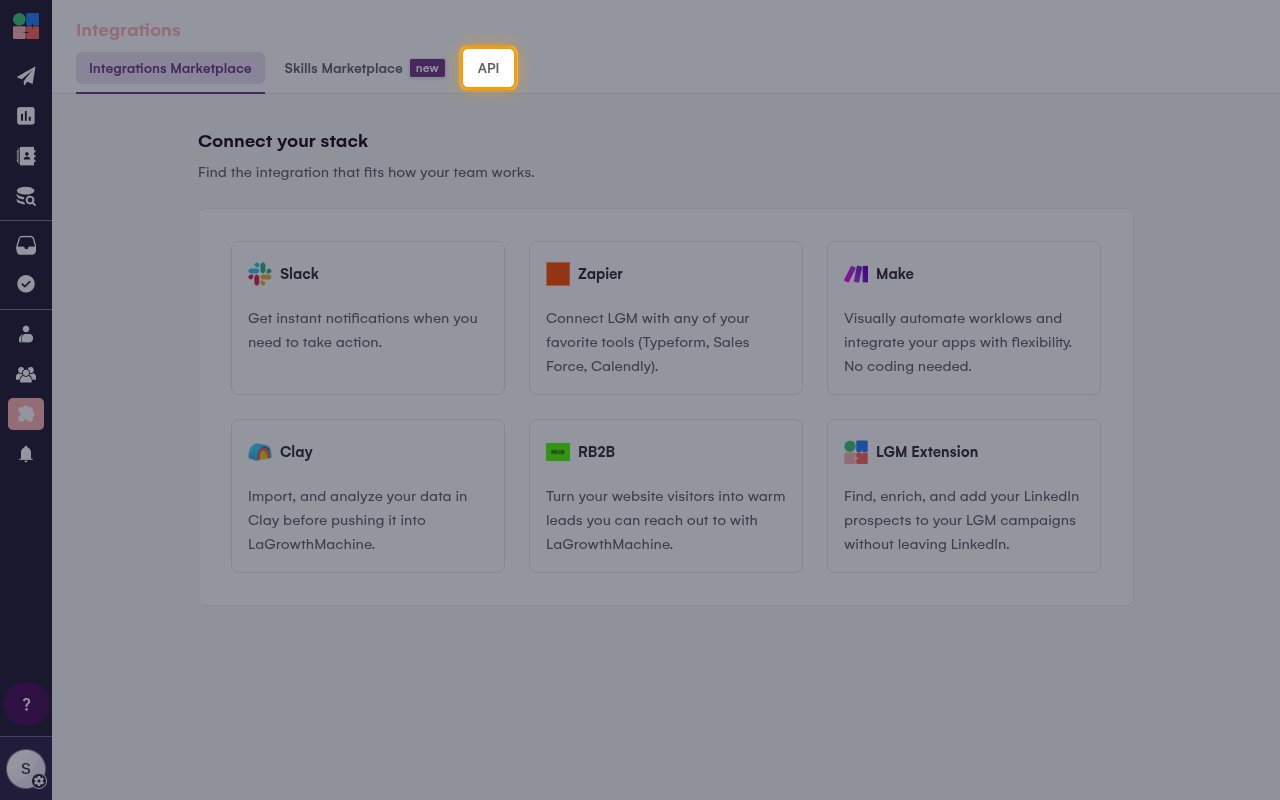
Open the API tab
On the Integrations page, click the API tab.
3
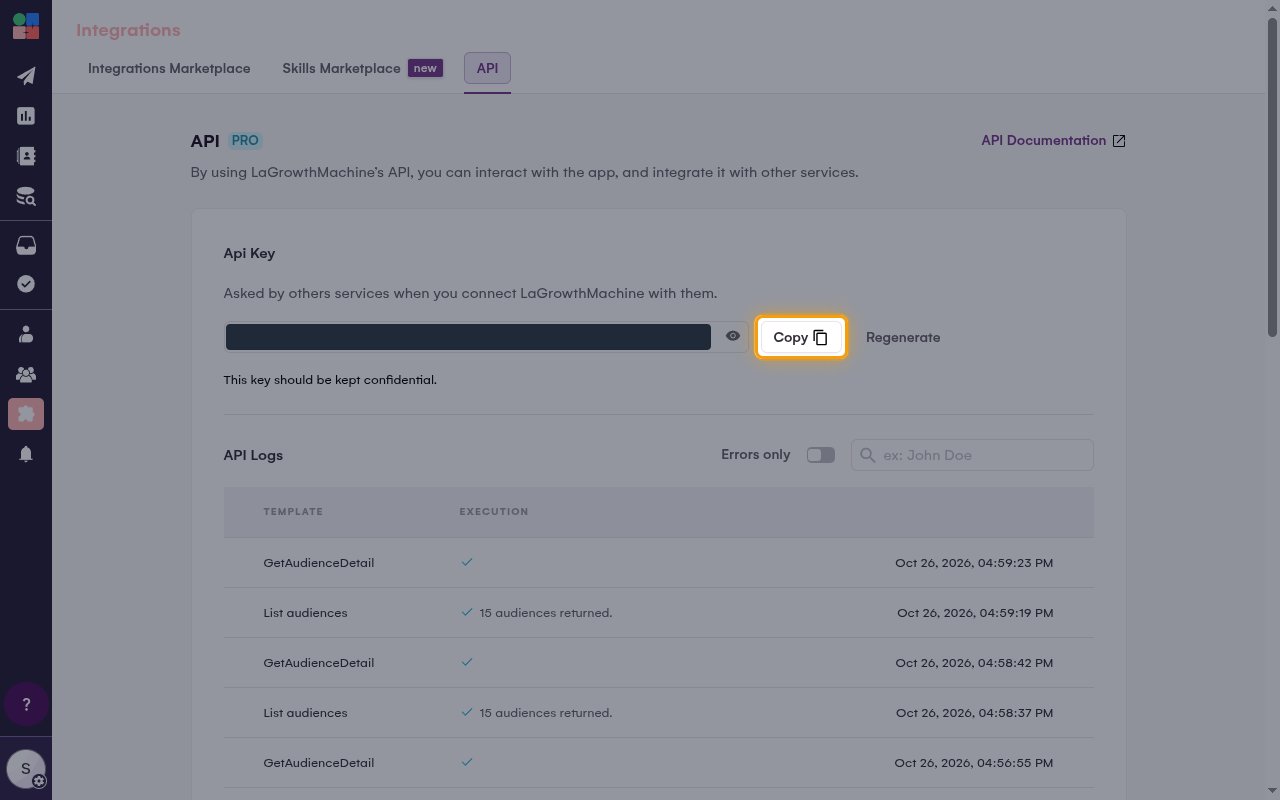
Copy your API key
In the Api Key section, click Copy to copy your key.
- Paste it into the API Key field in StackOne Hub.
- The key stays visible on this page, so you can copy it again later.
- The key gives full access to your workspace data. As the page notes, This key should be kept confidential, so store it securely for use later.
Linking the Account from the Hub
1
Navigate to the Hub
Use one of the three Linking Account Methods to access the Hub.
2
Fill out the fields
Fill out the following fields using details from your provider:
- API Key
3
Connect
- Click Connect
- If applicable, the provider will redirect you to a sign-in or authorization page. Complete the provider’s authorization flow.
- Once authorization is successful, you will see a confirmation popup
If the account linking is successful, you will see the newly linked account on your Accounts page.