

Generate an Admin REST API key
A Keeper Root Administrator generates a scoped Admin REST API key in the Admin Console. Add the API endpoint that matches the actions you plan to use.
1
Sign in to Keeper
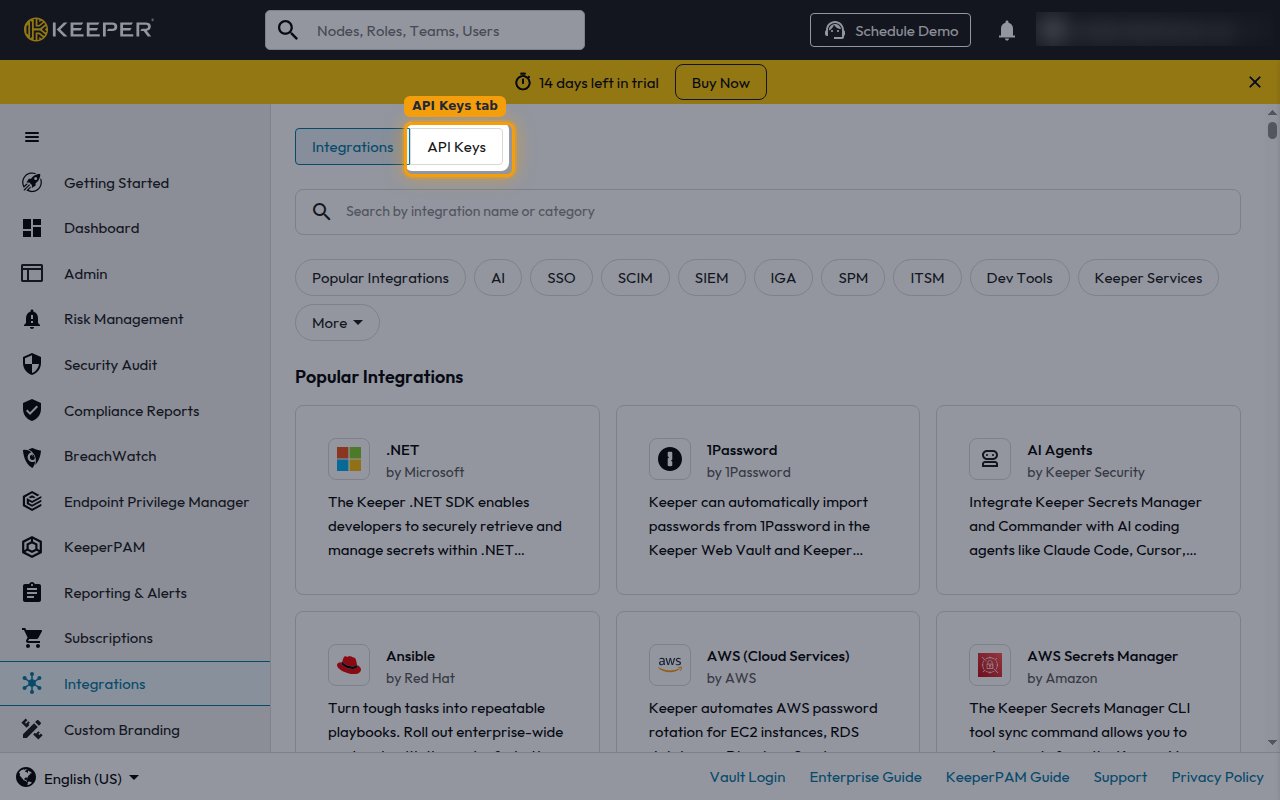
2
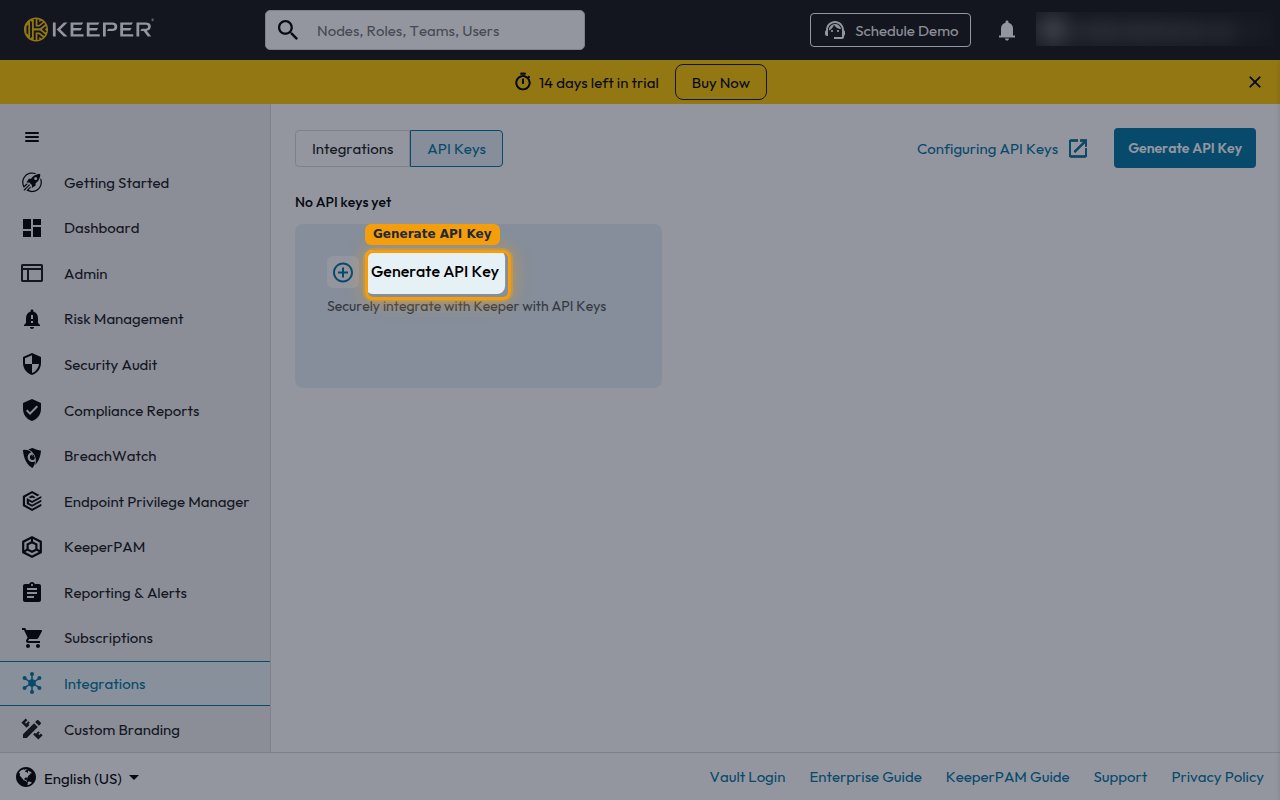
Start a new API key
Click Generate API Key.
3
Name the key and add an endpoint
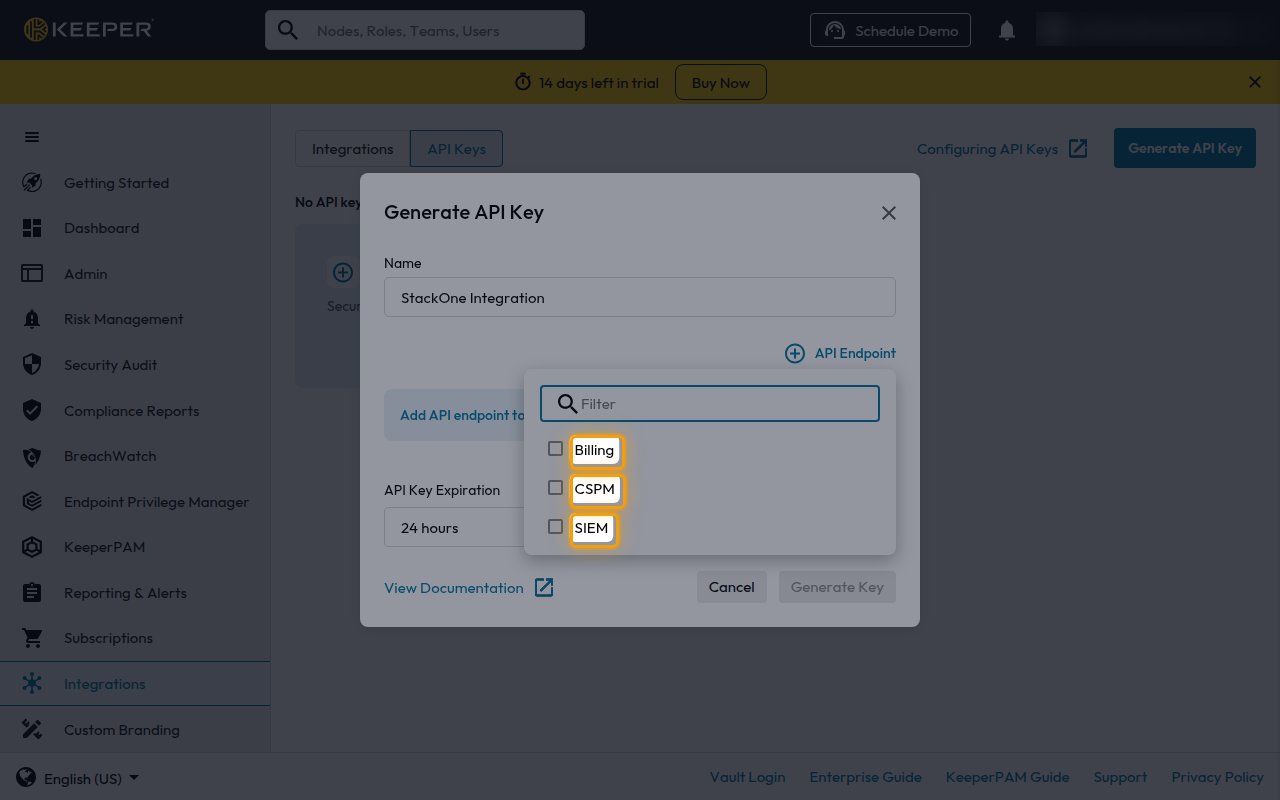
Enter a name in the Name field, then open API Endpoint and select the endpoints you need.
- SIEM — audit events.
- CSPM — security posture.
- Billing — MSP billing (Managed Service Provider accounts only).
- Set each endpoint’s Access Permission to Read Only.
- Choose an API Key Expiration.
4
Copy the API key
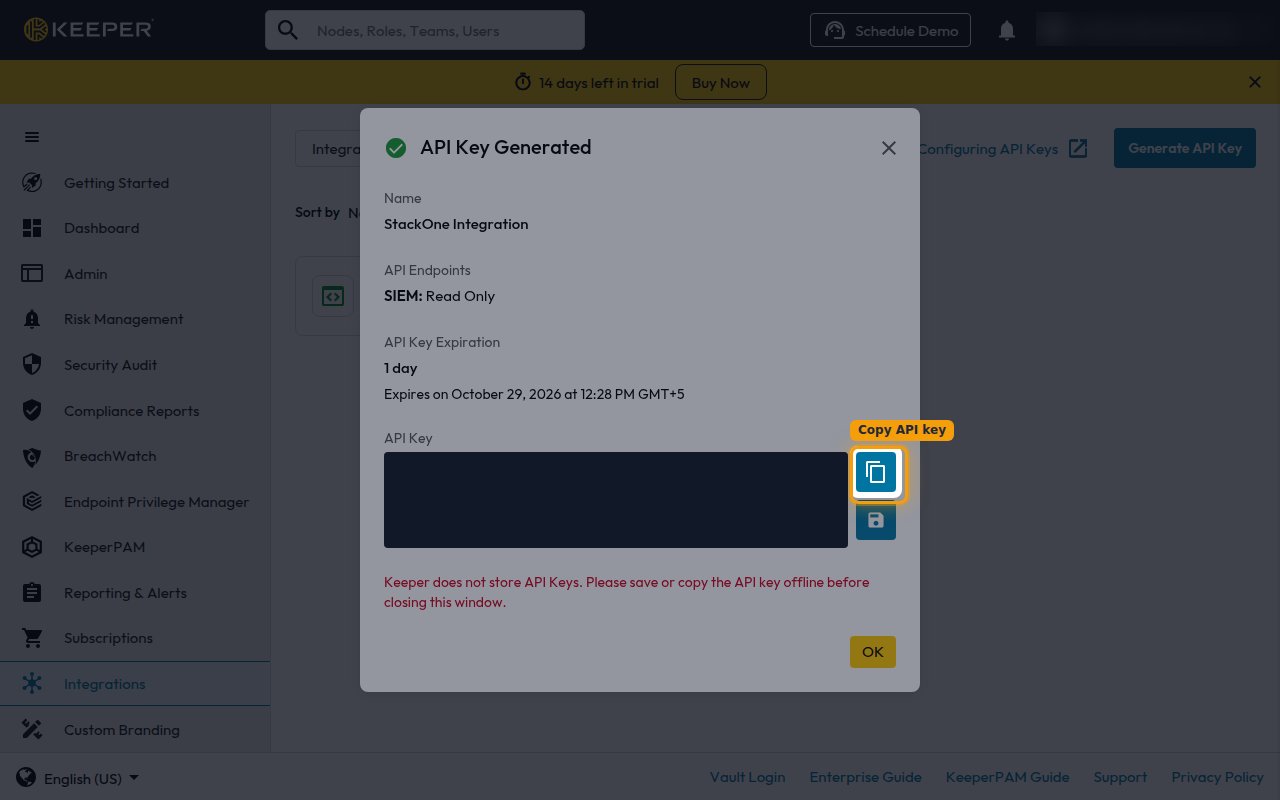
Click Generate Key, then copy the key into the Admin API Key field in StackOne Hub and click OK.
- Keeper does not store API keys, so copy it before closing the window.
- The key cannot be retrieved later, so store it securely.
5
Select the data center
For the Data Center field in StackOne Hub, select the Keeper region of your tenant.
Linking the Account from the Hub
1
Navigate to the Hub
Use one of the three Linking Account Methods to access the Hub.
2
Fill out the fields
Fill out the following fields using details from your provider:
- Admin API Key
- Data Center
3
Connect
- Click Connect
- If applicable, the provider will redirect you to a sign-in or authorization page. Complete the provider’s authorization flow.
- Once authorization is successful, you will see a confirmation popup
If the account linking is successful, you will see the newly linked account on your Accounts page.