

Create an OAuth 2.0 integration
Register a new OAuth 2.0 integration in the Atlassian Developer Console.
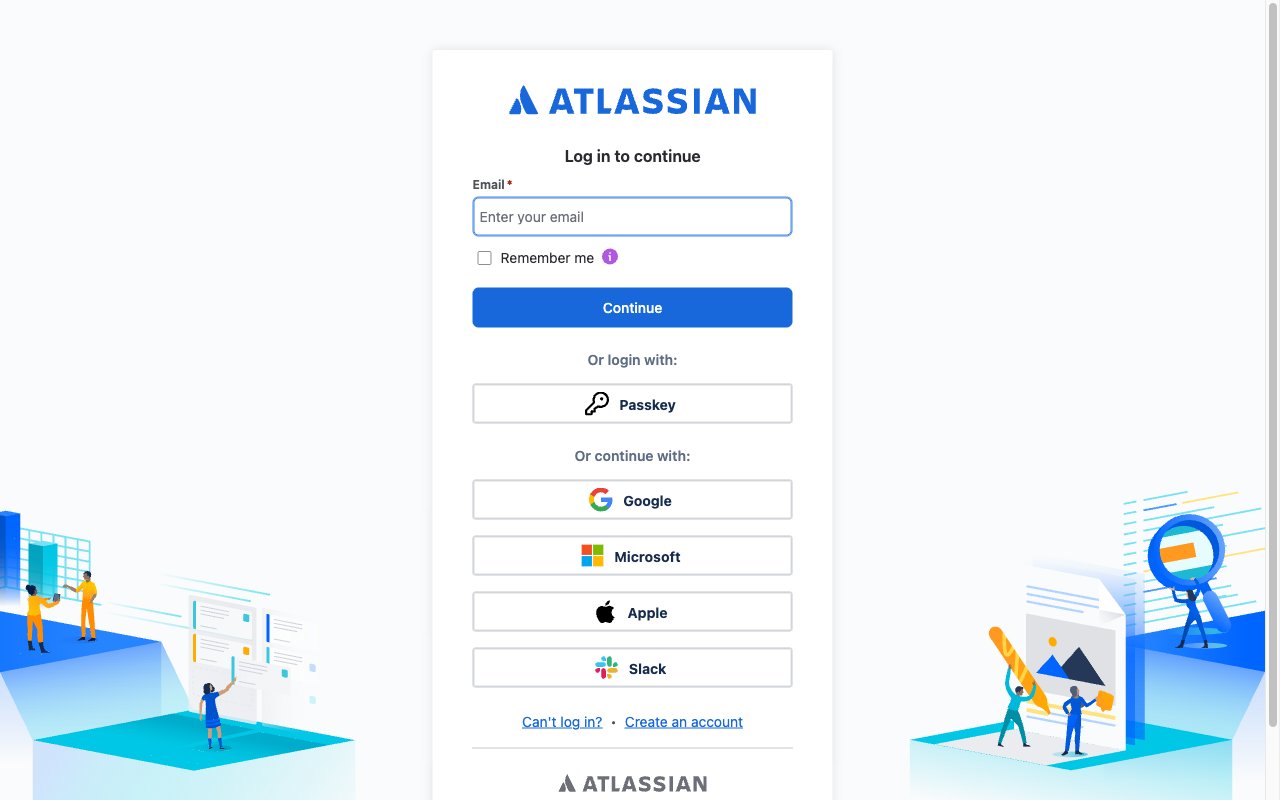
Sign in to Atlassian
Sign in to the Atlassian Developer Console with your Atlassian account.
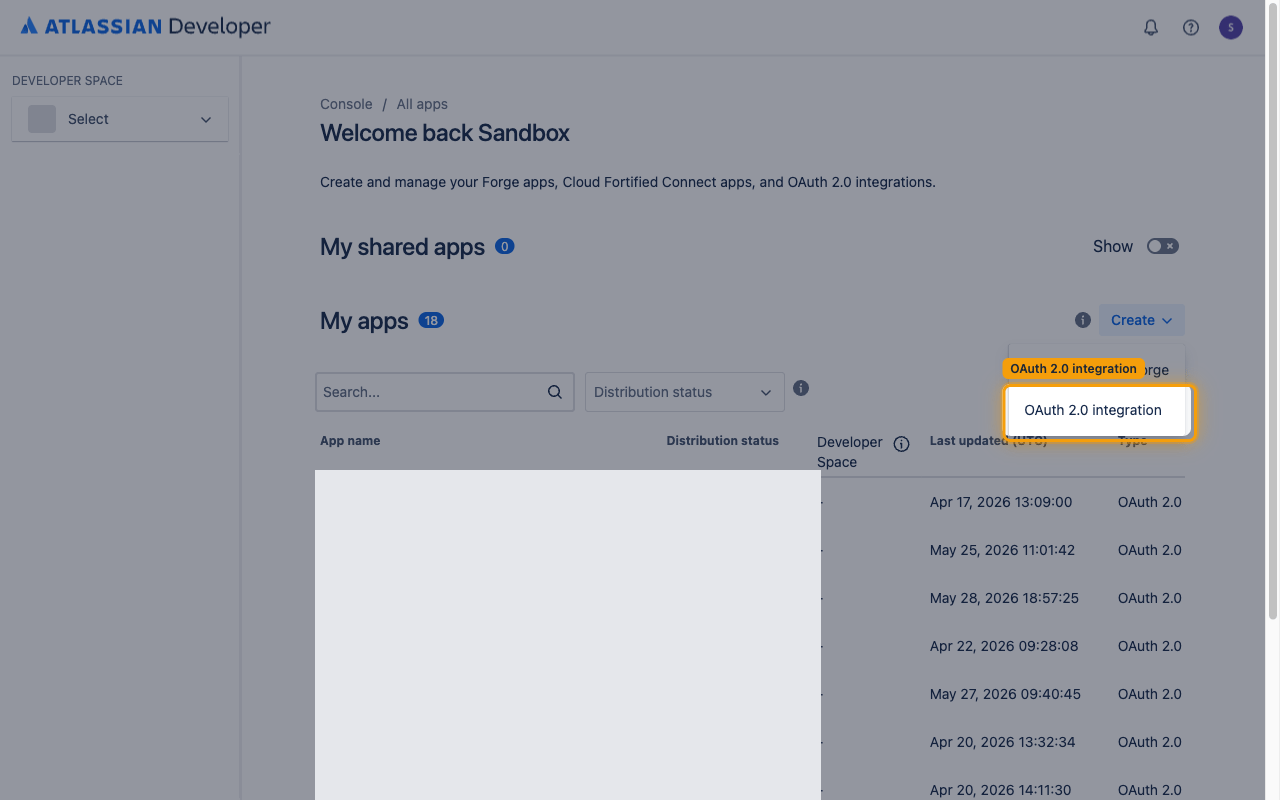
Create a new app
On the My apps page, click Create in the top-right corner and select OAuth 2.0 integration.
Fill in the integration details
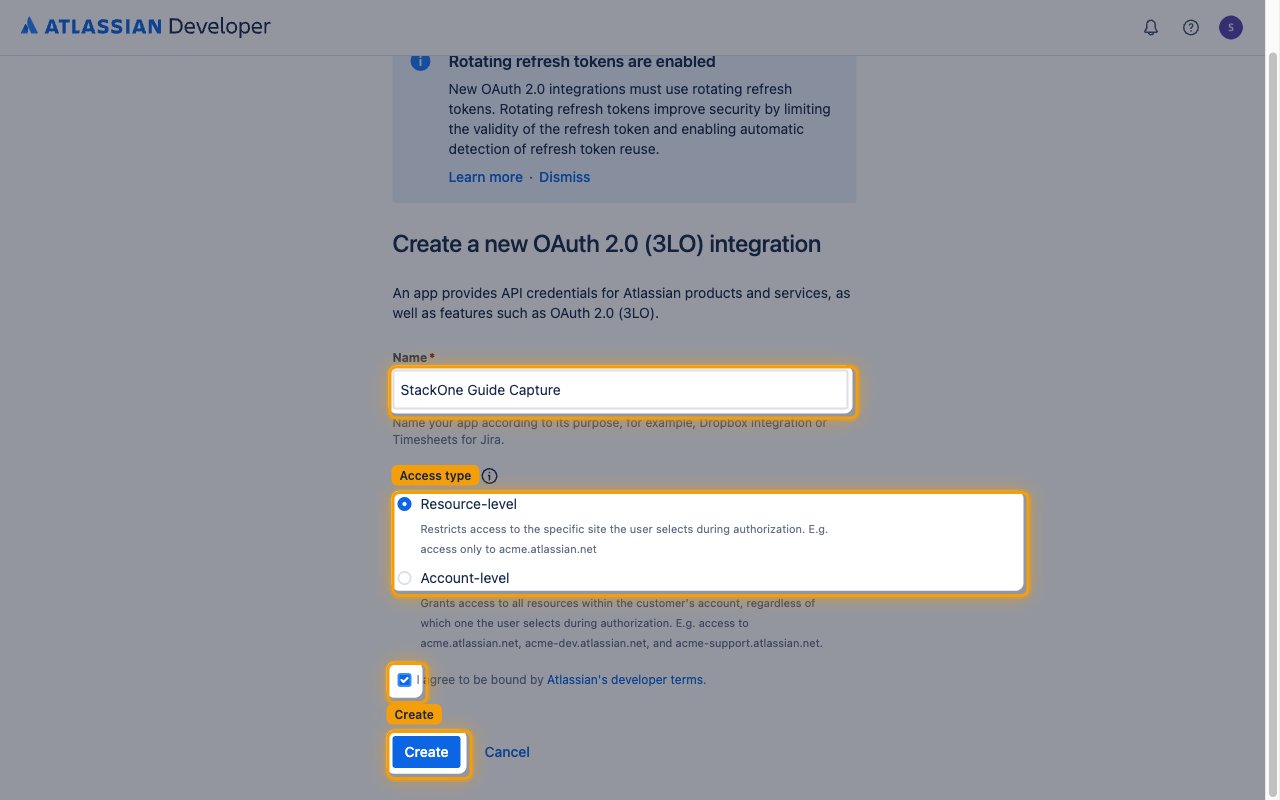
On the Create a new OAuth 2.0 (3LO) integration screen, fill in the required fields.
- Enter a Name (e.g., “StackOne JSM Integration”).
- Select an Access type — Resource-level restricts access to the specific site the user selects during authorization; Account-level grants access to all resources within the customer’s account. Either type works with StackOne.
- Check I agree to be bound by Atlassian’s developer terms.
- Click Create.
Add the callback URL
Register the StackOne callback URL so Atlassian can redirect users back after authorization.
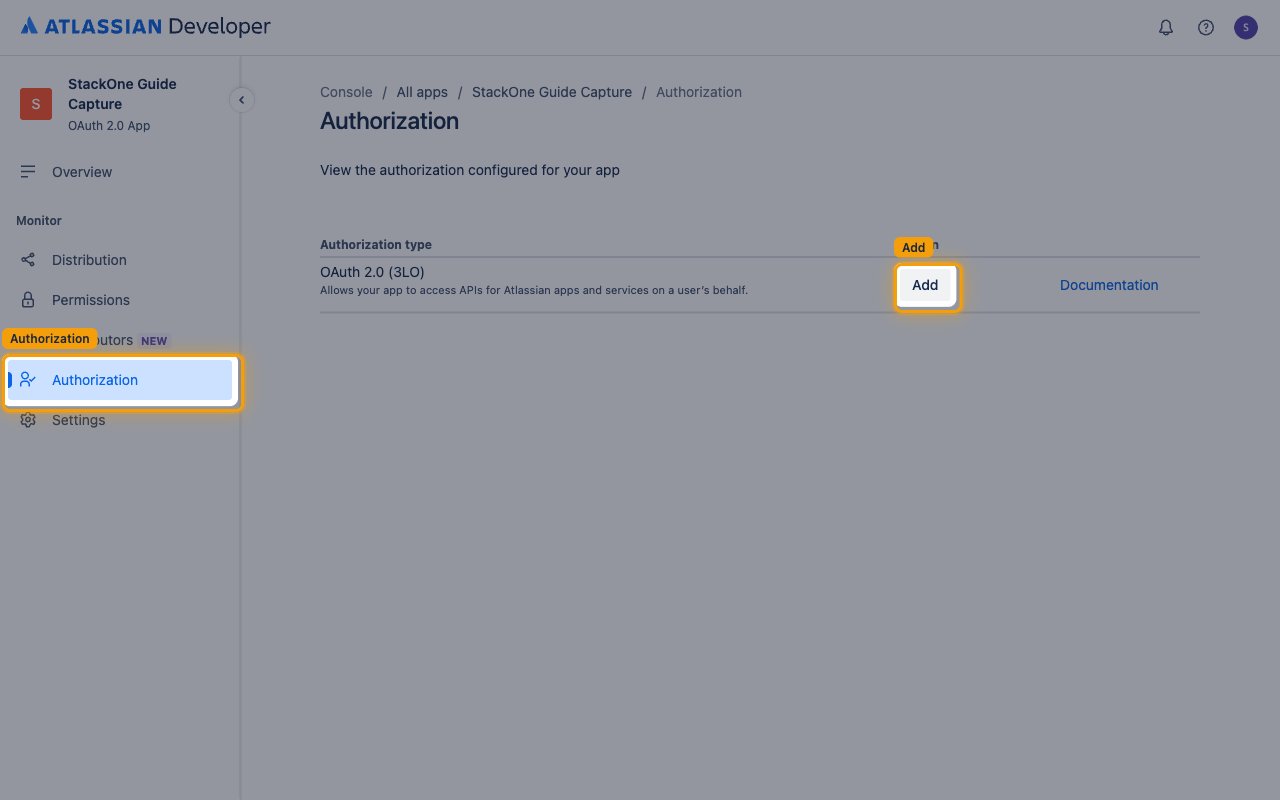
Open Authorization settings
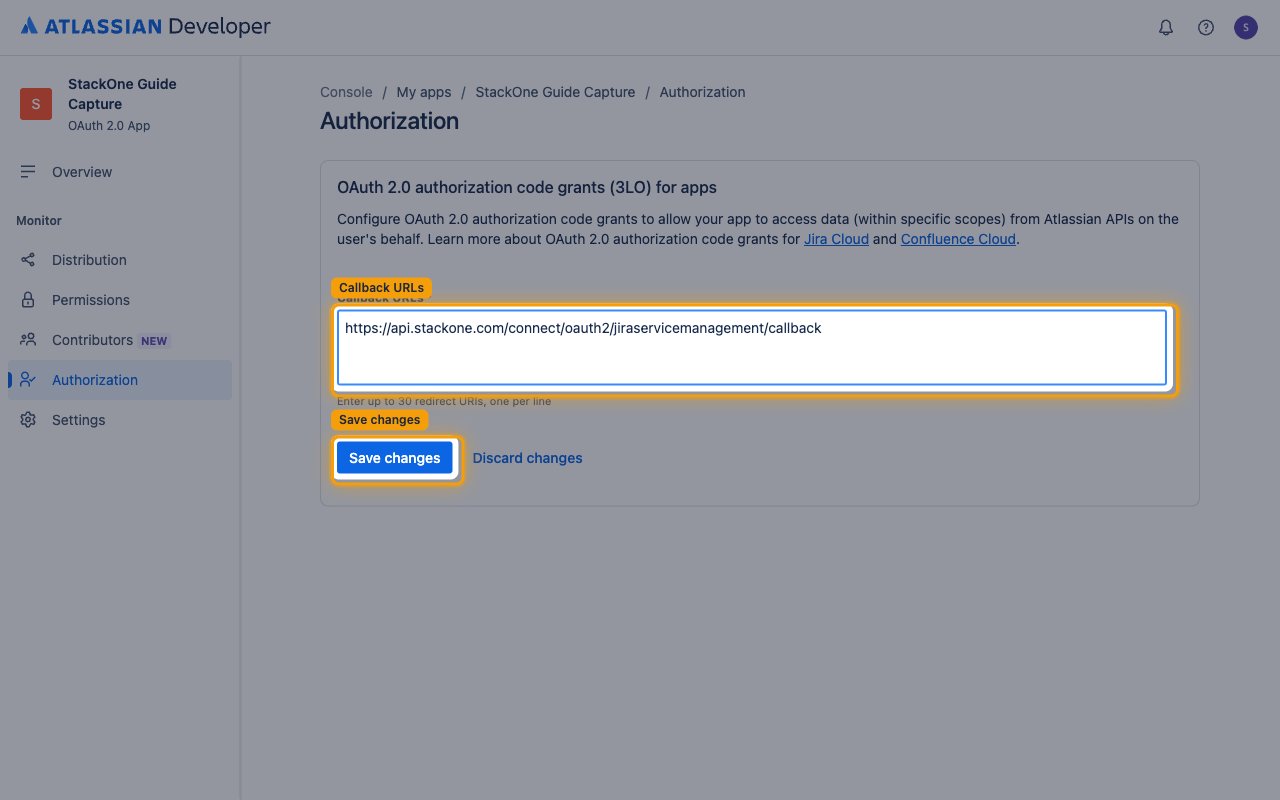
In the left sidebar, click Authorization, then click Add next to OAuth 2.0 (3LO).
Enter the callback URL
In the Callback URLs field, enter the StackOne callback URL, then click Save changes.
- Callback URL to enter:
https://api.stackone.com/connect/oauth2/jiraservicemanagement/callback
Set permissions
Both Jira platform and Jira Service Management scopes are configured under the single Jira API entry on the Permissions page. By default StackOne requests every scope listed below during authorization, so enable them all — Atlassian rejects the connection if any requested scope is missing from the app. If you want to grant fewer scopes, enter the reduced list in the OAuth Scopes field in the StackOne Connector profile so only those are requested.
Add the Jira API
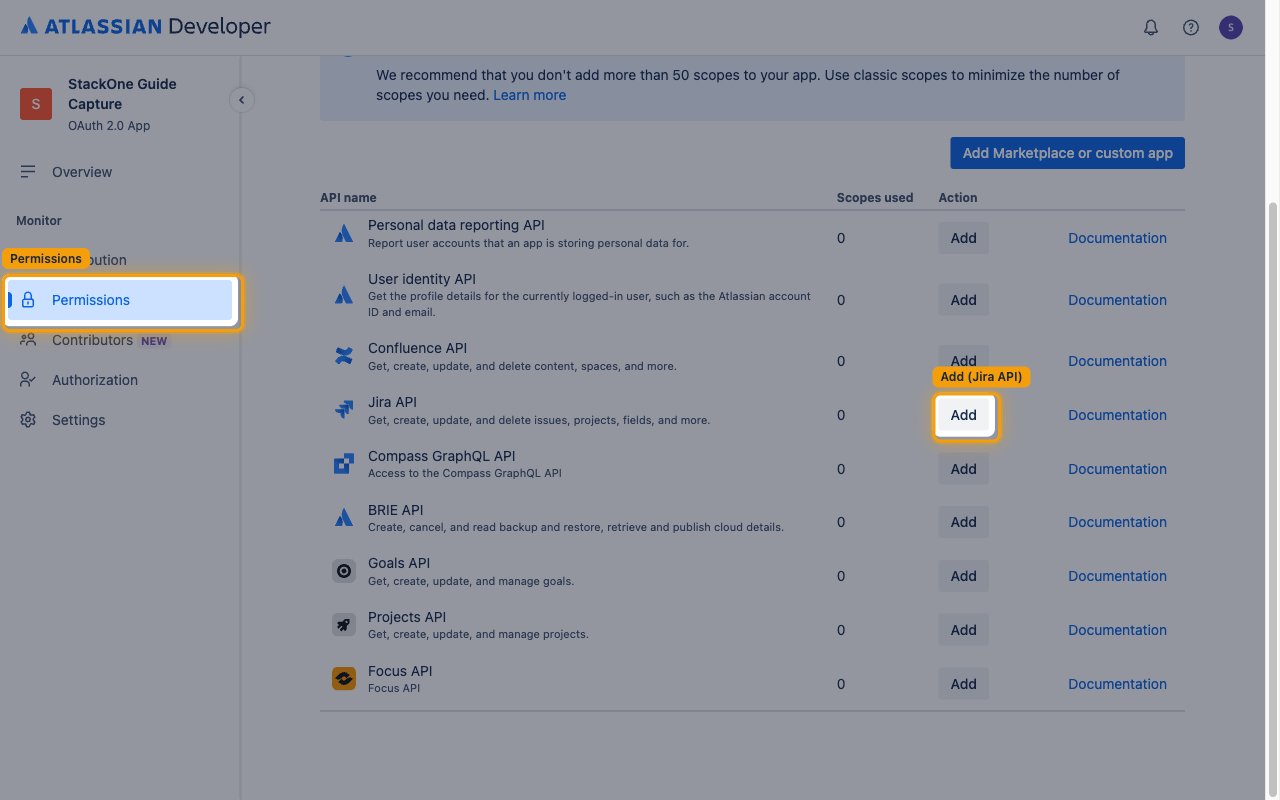
Click Permissions in the left sidebar, then click Add next to Jira API. Once added, the button changes to Configure — click it to open the scope configuration.
Add Jira platform classic scopes
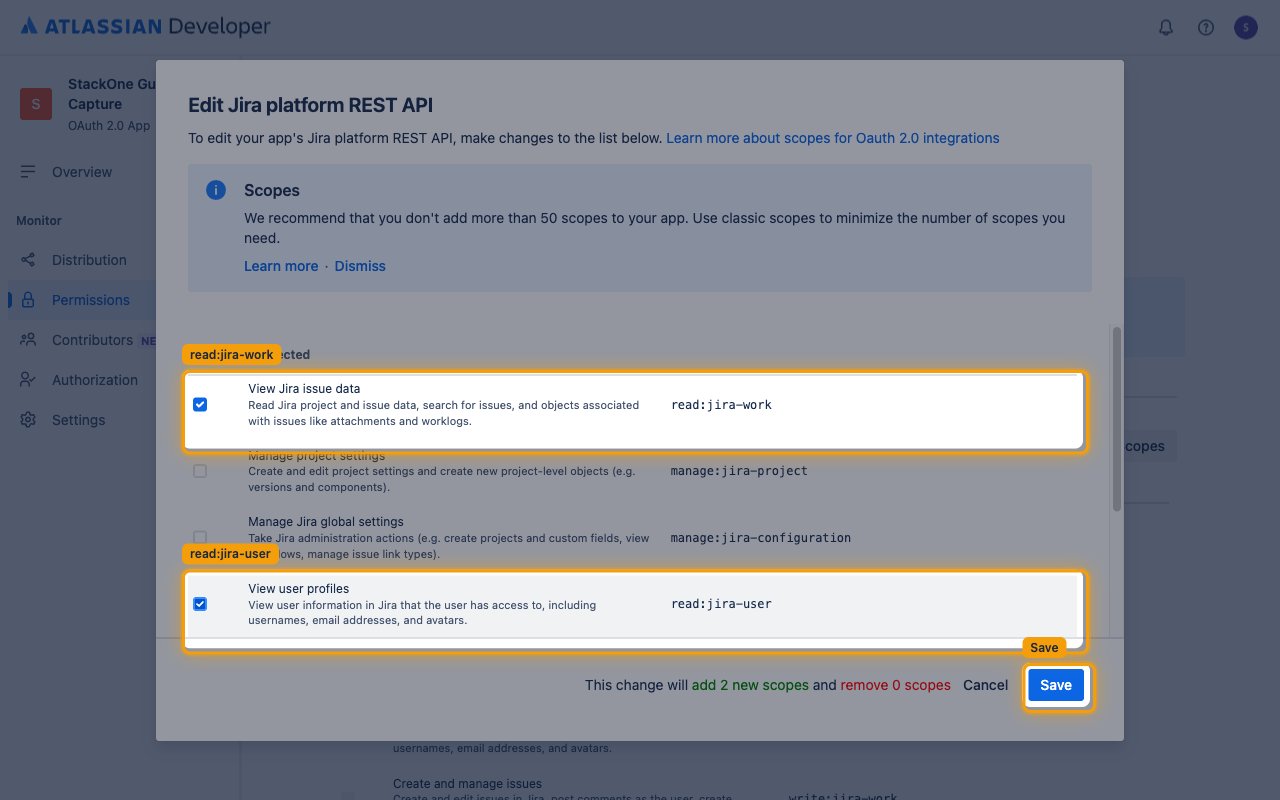
On the Classic scopes tab, click Edit Scopes next to Jira platform REST API, enable the following required scopes, then click Save.
- Required: Select
View Jira issue data(read:jira-work) — needed for queue issues - Required: Select
View user profiles(read:jira-user)
Add Jira Service Management classic scopes
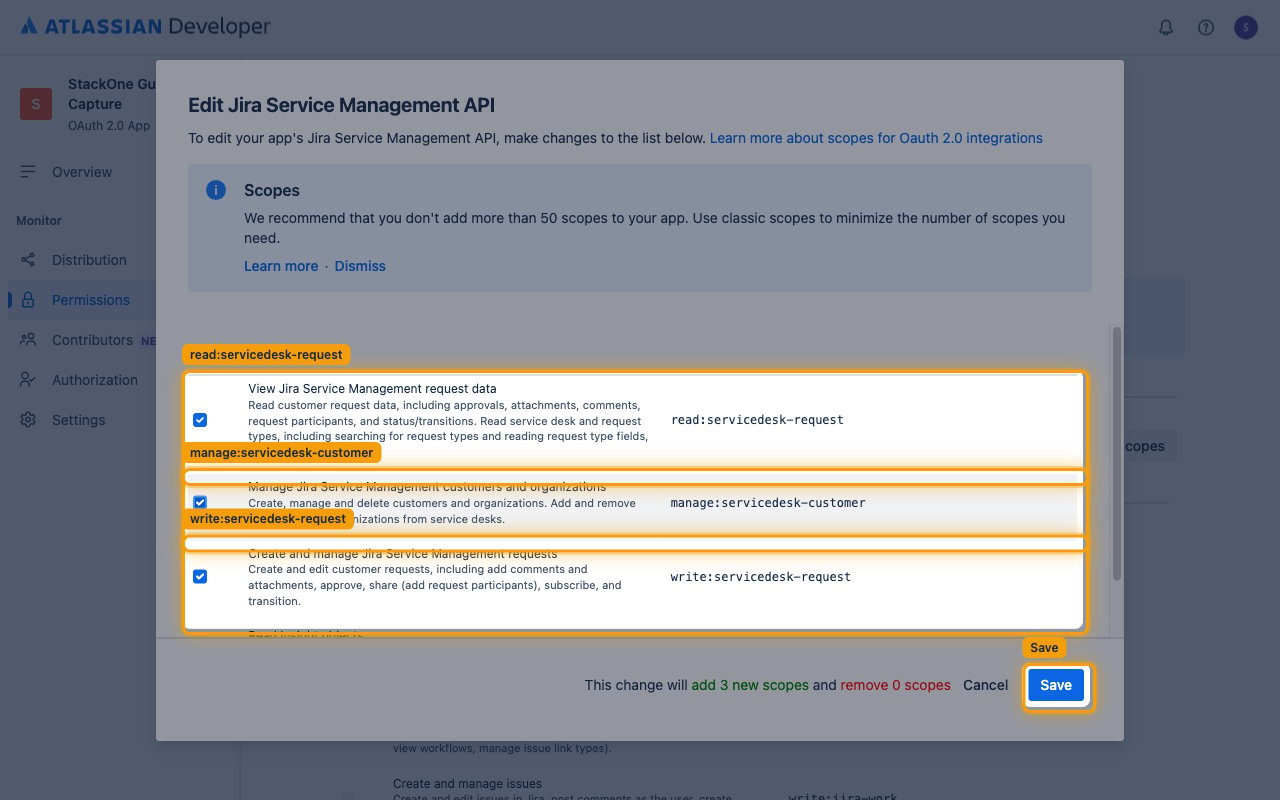
Still on the Classic scopes tab, click Edit Scopes next to Jira Service Management API, enable the following required scopes, then click Save.
- Required: Select
View Jira Service Management request data(read:servicedesk-request) - Required: Select
Create and manage Jira Service Management requests(write:servicedesk-request) - Required: Select
Manage Jira Service Management customers and organizations(manage:servicedesk-customer)
Add Jira Service Management granular scopes
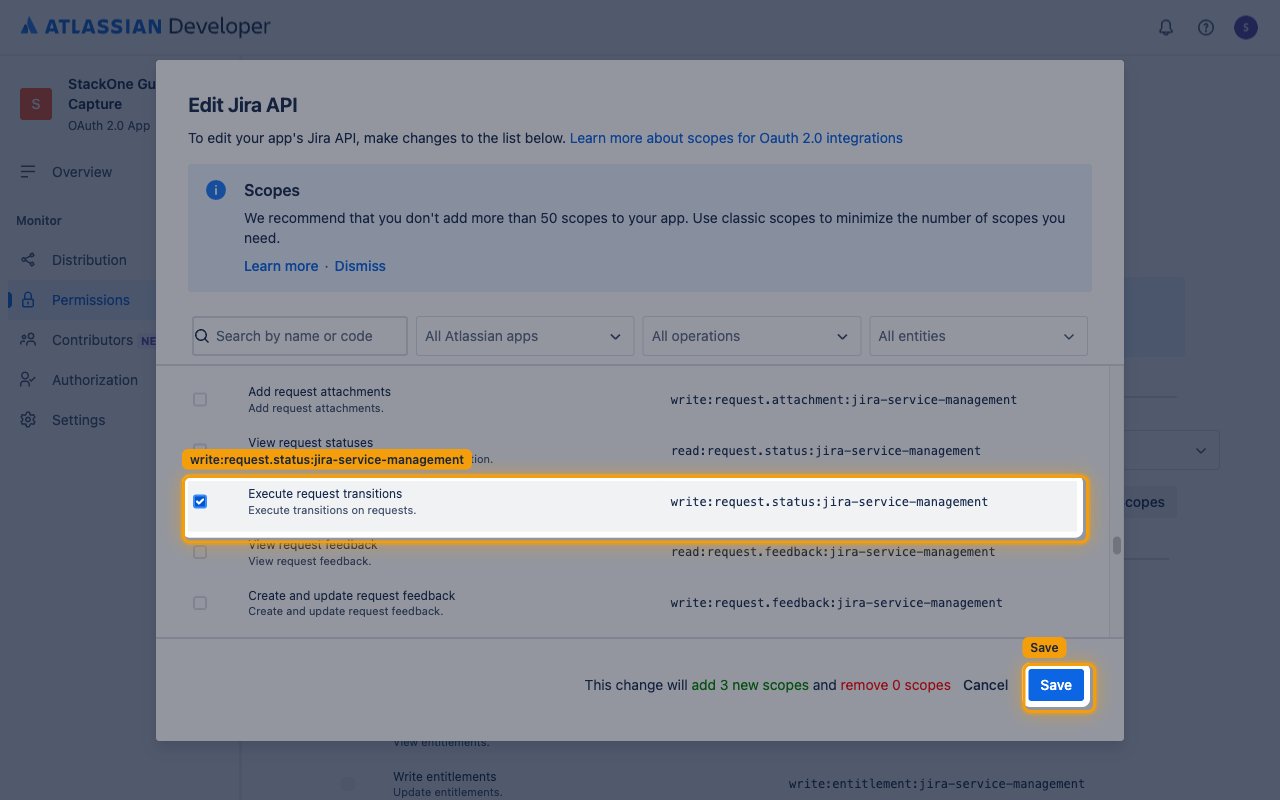
Switch to the Granular scopes tab and click Edit Scopes. Use the Search by name or code box to find each scope, enable the following required scopes, then click Save.
- Required: Select
View queues(read:queue:jira-service-management) - Required: Select
View request SLAs(read:request.sla:jira-service-management) - Required: Select
Execute request transitions(write:request.status:jira-service-management)
Copy client credentials
Copy the credentials StackOne needs to connect.
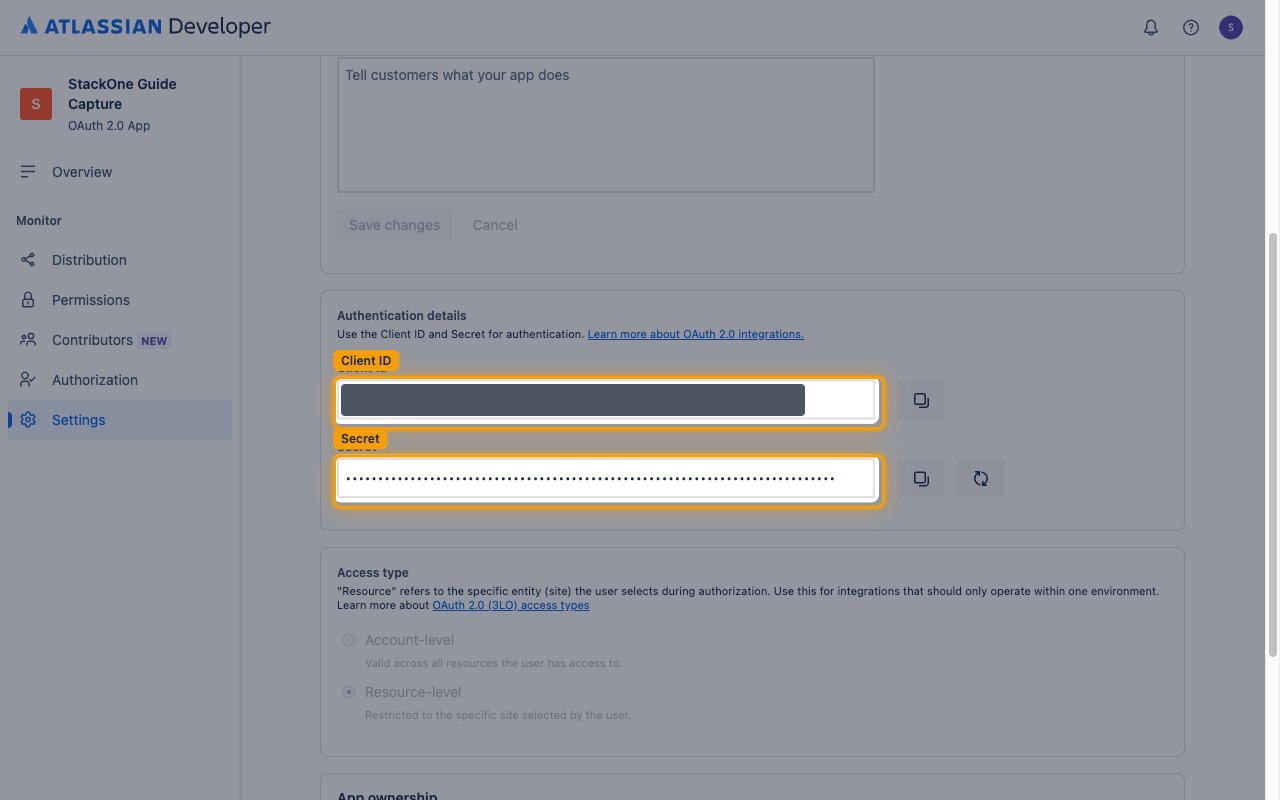
Copy the Client ID and Secret
Click Settings in the left sidebar and scroll to Authentication details.
- Copy the Client ID value and paste it into the Client ID field in the StackOne Connector profile.
- Copy the Secret value and paste it into the Client Secret field in the StackOne Connector profile.
- Treat the Secret like a password — it is shown only in this Settings page and grants access on behalf of your app, so store it securely.
- The OAuth Scopes field in the StackOne Connector profile is optional — leave it empty to use the default scopes listed above, or enter a space-separated subset.
Creating the StackOne Connector Profile
To create the Connector Profile in StackOne for Jira Service Management:Open the connector
Choose actions and events
- Click Add Profile.
- If the connector offers more than one authentication method, set the Auth Method filter to OAuth 2.0.
- Select the actions, and any events, to enable for this Connector Profile.
- Click Continue.
Set up authentication
- Select Authentication Type as OAuth 2.0.
- Fill out the fields using details retrieved from your provider:
- Client ID
- Client Secret
- OAuth Scopes (Optional)
- Click Create Profile.