

Prerequisites
The connector should already be set up, with a Connector Profile and a Linked Account. See Getting Started on the JetBrains YouTrack connector page.Copy your StackOne webhook URL
After connecting the account, StackOne generates a unique Native Webhook URL. This is the address YouTrack will POST every event to — you will paste it into the Webhook Triggers app.
- Open the connected JetBrains YouTrack account in StackOne Hub.
- Copy the value of the Native Webhook URL field and keep it handy.
Add and attach the Webhook Triggers app
The Webhook Triggers app is a Marketplace app. Add it to your YouTrack instance and attach it to the projects you want events from.
Open Administration > Apps
In YouTrack, click Administration in the left sidebar, then open Apps. Switch to the From Marketplace tab and add Webhook Triggers if it is not already installed. Once installed it appears in the apps list with the type Workflow.
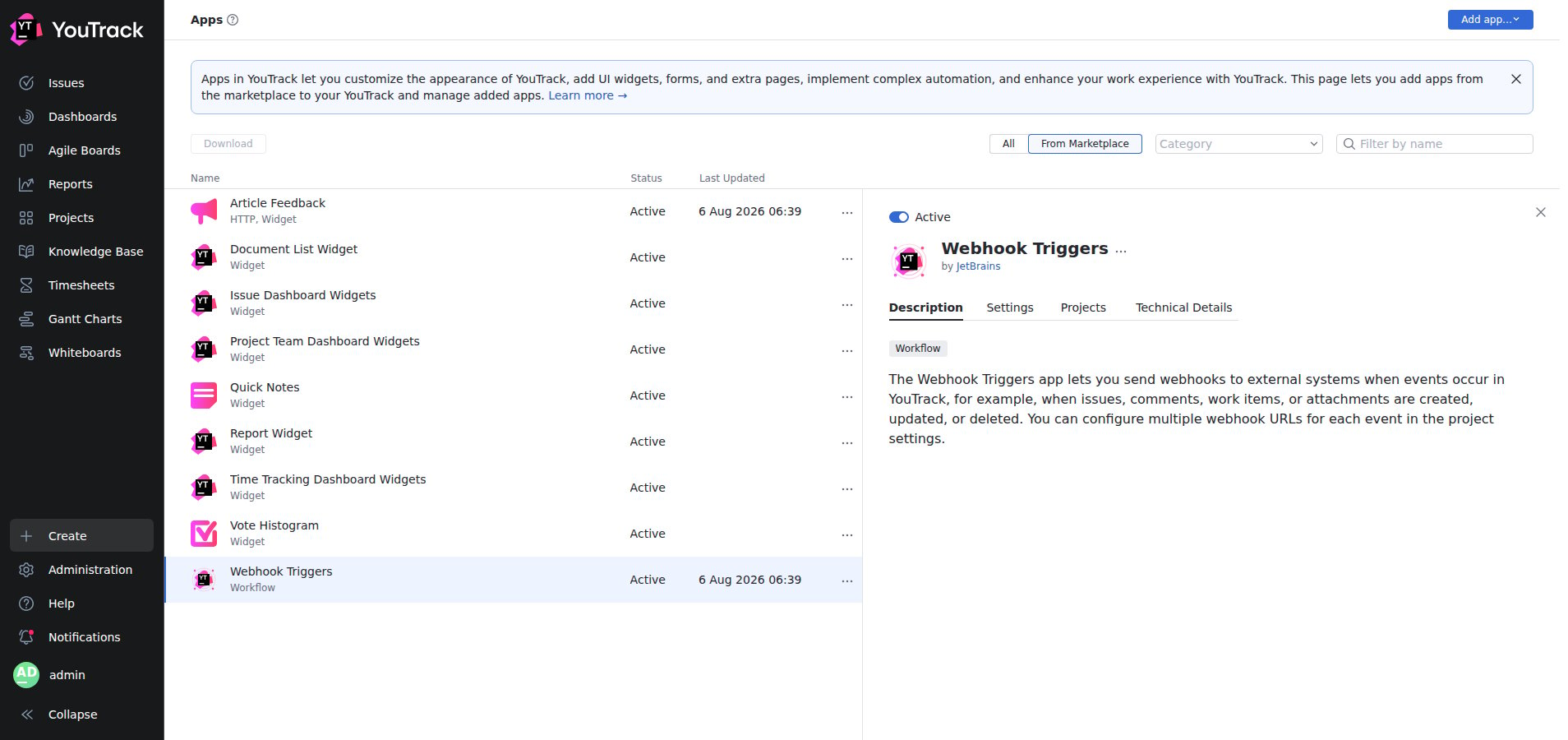
Attach the app to your project
Open the app’s Projects tab and click Manage projects. Select the project(s) you want to receive events from and click Save. (You can instead enable Auto-attach to apply it to every project.)
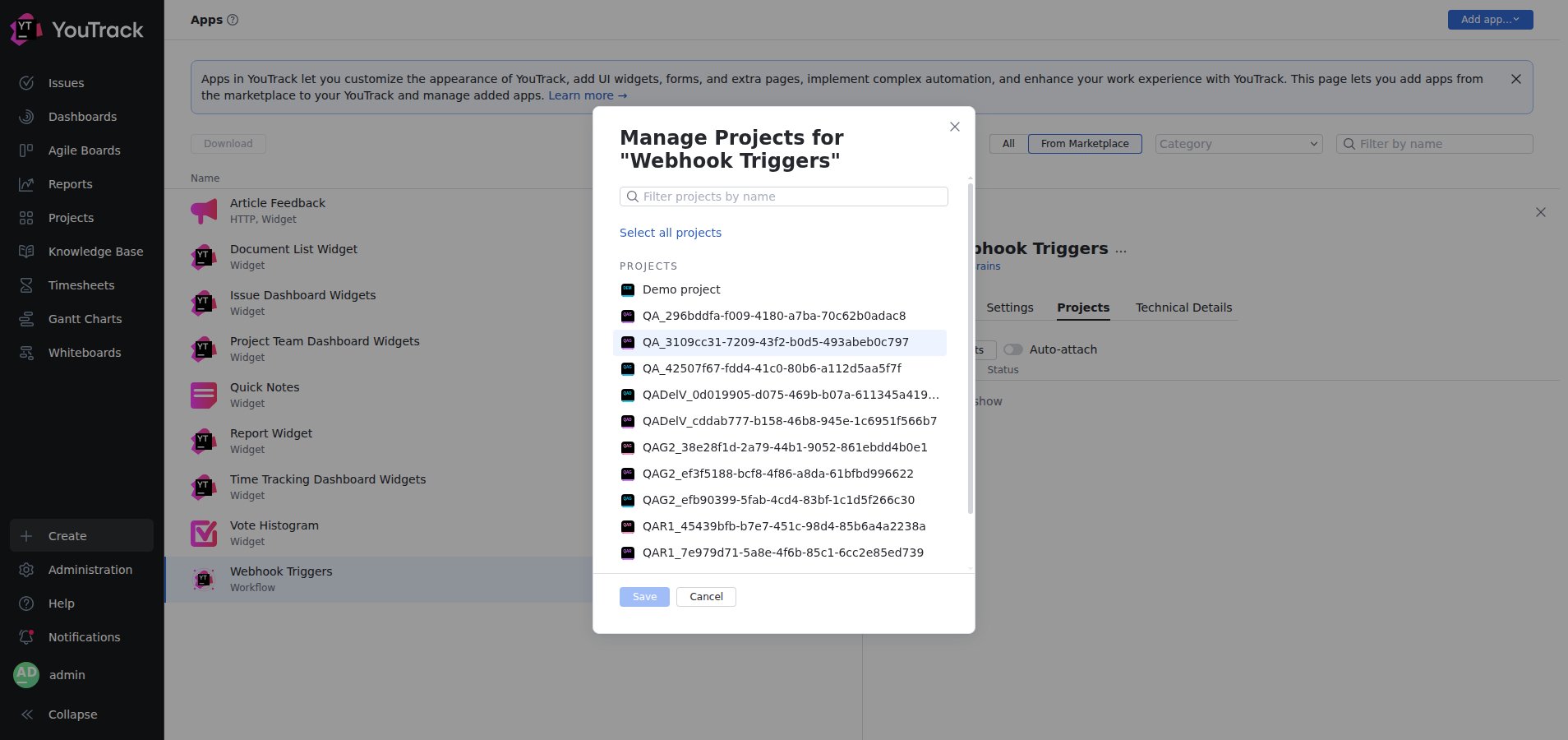
Configure the webhook in your project
The per-event webhook URLs are set in the project’s own app settings.
Open the project's Webhook Triggers settings
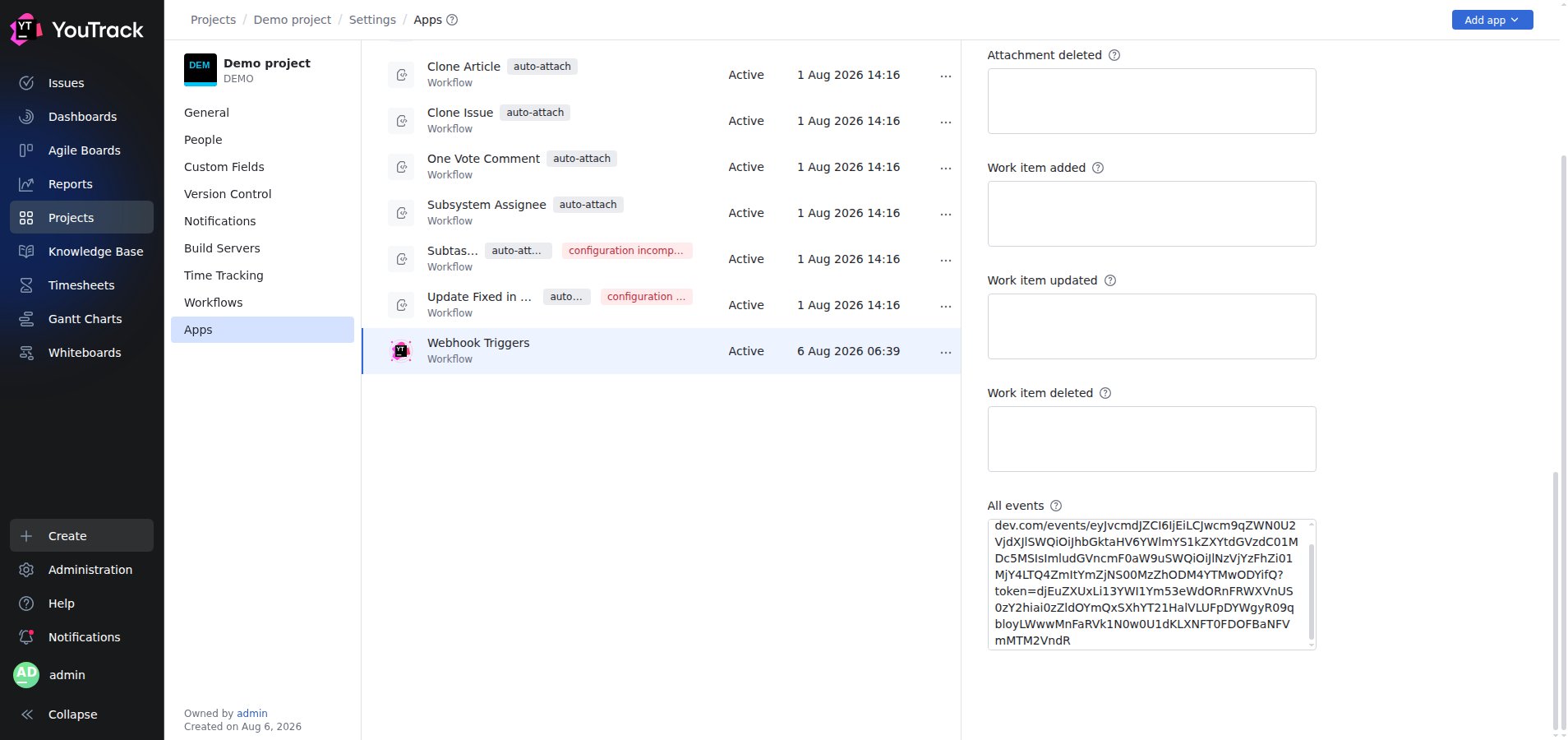
Go to Projects > [your project] > Settings > Apps, select Webhook Triggers, and open its Settings tab. Until it is configured the app shows configuration incomplete and stays inactive.
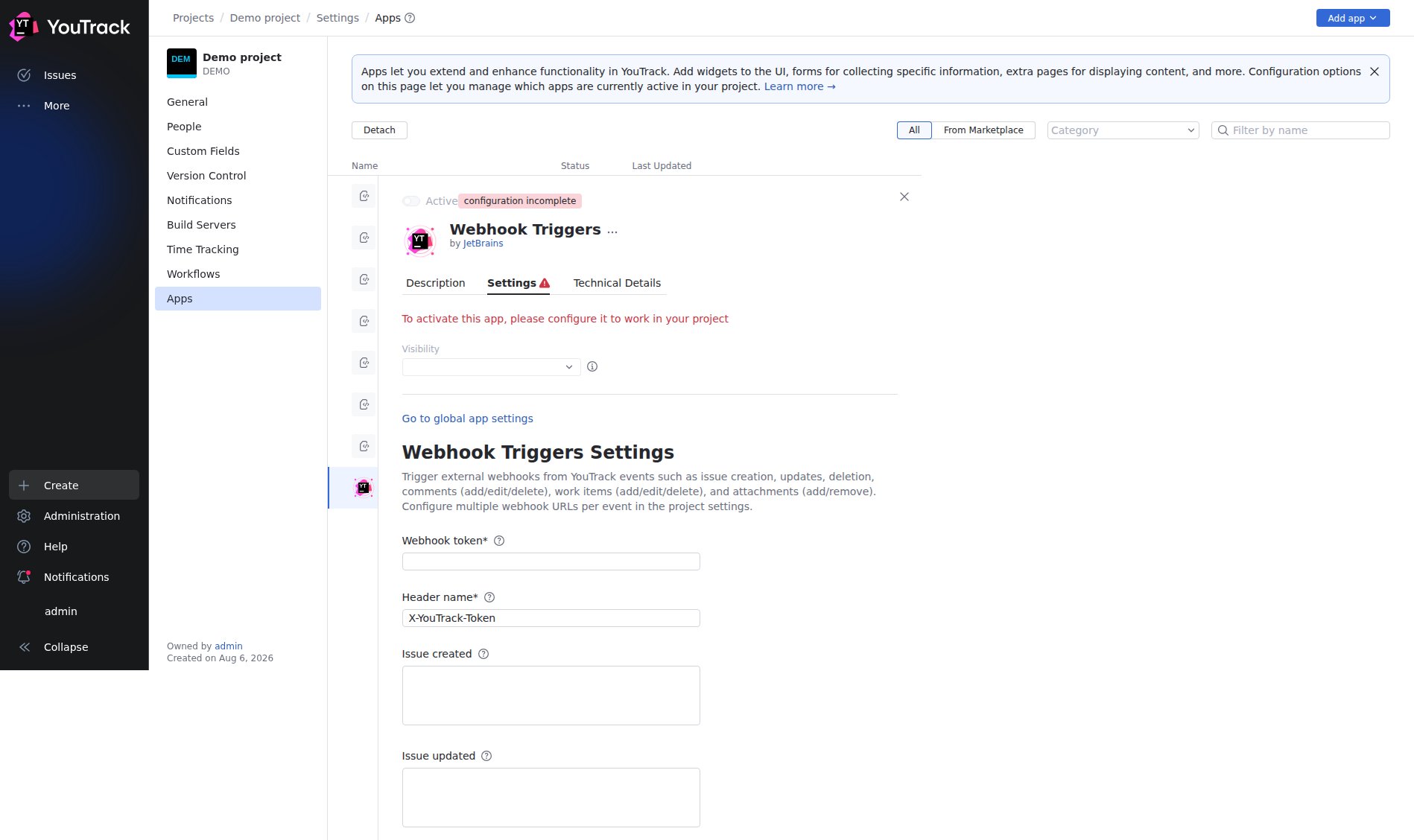
Set the webhook token and header
Enter a Webhook token — a shared secret of at least 32 characters that YouTrack sends with every request. Leave Header name as the default X-YouTrack-Token. StackOne already secures the endpoint with the per-account token embedded in the webhook URL, so this value is not verified by StackOne, but YouTrack requires it to be set.
Paste the StackOne URL for the events you want
Paste your StackOne Native Webhook URL into the field for each event you want to receive, or paste it once into the All events field to receive every event through a single catch-all subscription.
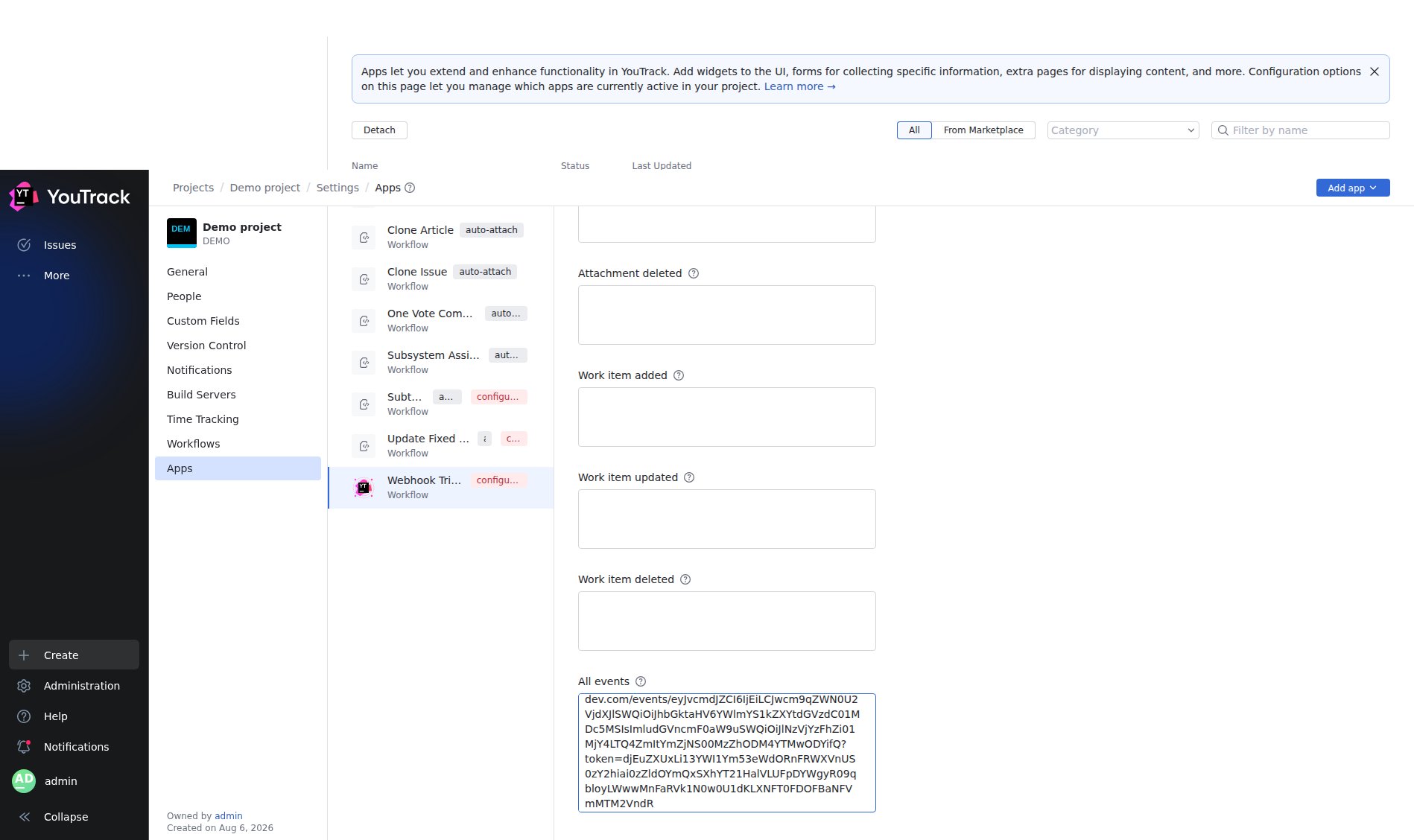
Save
Click Save. The app status changes to Active and YouTrack begins POSTing a JSON payload to StackOne whenever a selected event occurs.
Available webhook events
Only the events you paste a URL for (or all of them, via the All events field) are delivered. YouTrack groups the supported events as follows.
Issue events
Events fired on the lifecycle of an issue.
- Issue Created (
issueCreated) — Fired when a new issue is created - Issue Updated (
issueUpdated) — Fired when an issue is modified - Issue Deleted (
issueDeleted) — Fired when an issue is removed
Comment events
Events fired when comments on an issue change.
- Comment Added (
commentAdded) — Fired when a comment is added to an issue - Comment Updated (
commentUpdated) — Fired when a comment is modified - Comment Deleted (
commentDeleted) — Fired when a comment is removed
Work item events
Events fired when time-tracking work items on an issue change.
- Work Item Added (
workItemAdded) — Fired when time is logged on an issue - Work Item Updated (
workItemUpdated) — Fired when a work item is modified - Work Item Deleted (
workItemDeleted) — Fired when a work item is removed
Attachment events
Events fired when attachments on an issue change.
- Attachment Added (
issueAttachmentAdded) — Fired when an attachment is added to an issue - Attachment Deleted (
issueAttachmentDeleted) — Fired when an attachment is removed
Delivery format
Each delivery is a single JSON object with a top-level event field identifying the trigger type. StackOne routes it to the matching event handler on that field, then forwards the StackOne-normalized event (the provider event type, the resolved issue record_id, and the full YouTrack payload) to your downstream endpoint, signed with the x-stackone-signature header.