

Get a client ID and secret for this account
Each linked account uses its own confidential client on the authorization server your FHIR server trusts. These steps use the OAuth 2.0 server built into IRIS. On an external server, give the client the same grant type, authentication type and scopes.
Create the client
Sign in to your IRIS Management Portal and open System Administration > Security > OAuth 2.0 > Server > Client Descriptions.
- Click Create Client Description.
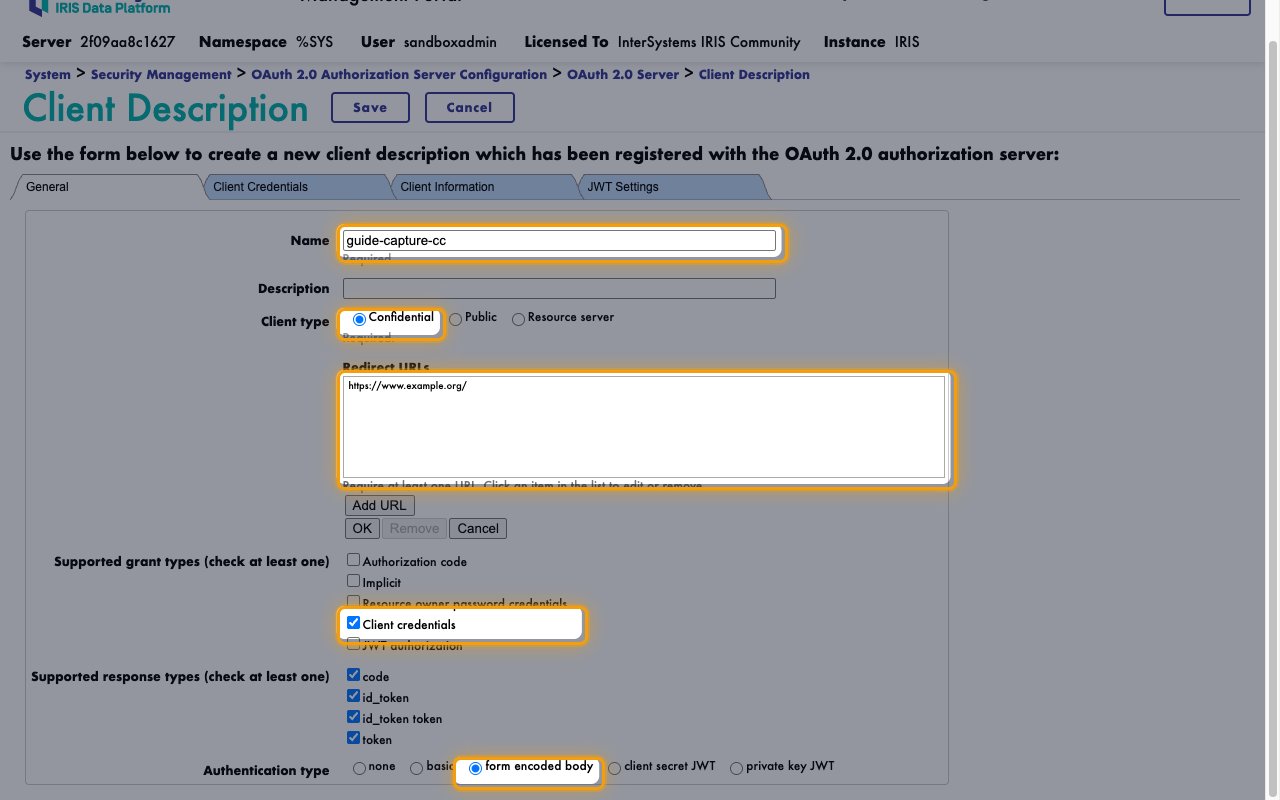
- Name:
StackOne - Client type: Confidential
- Click Add URL.
- Enter URL: any https URL you own, such as your organization’s website. IRIS requires one, and client credentials never uses it.
- Click OK.
Set the grant and authentication types
These settings on the same form decide how the client gets its tokens.
- Supported grant types (check at least one): Client credentials only
- Authentication type: form encoded body
- Click Save.
Copy the client credentials
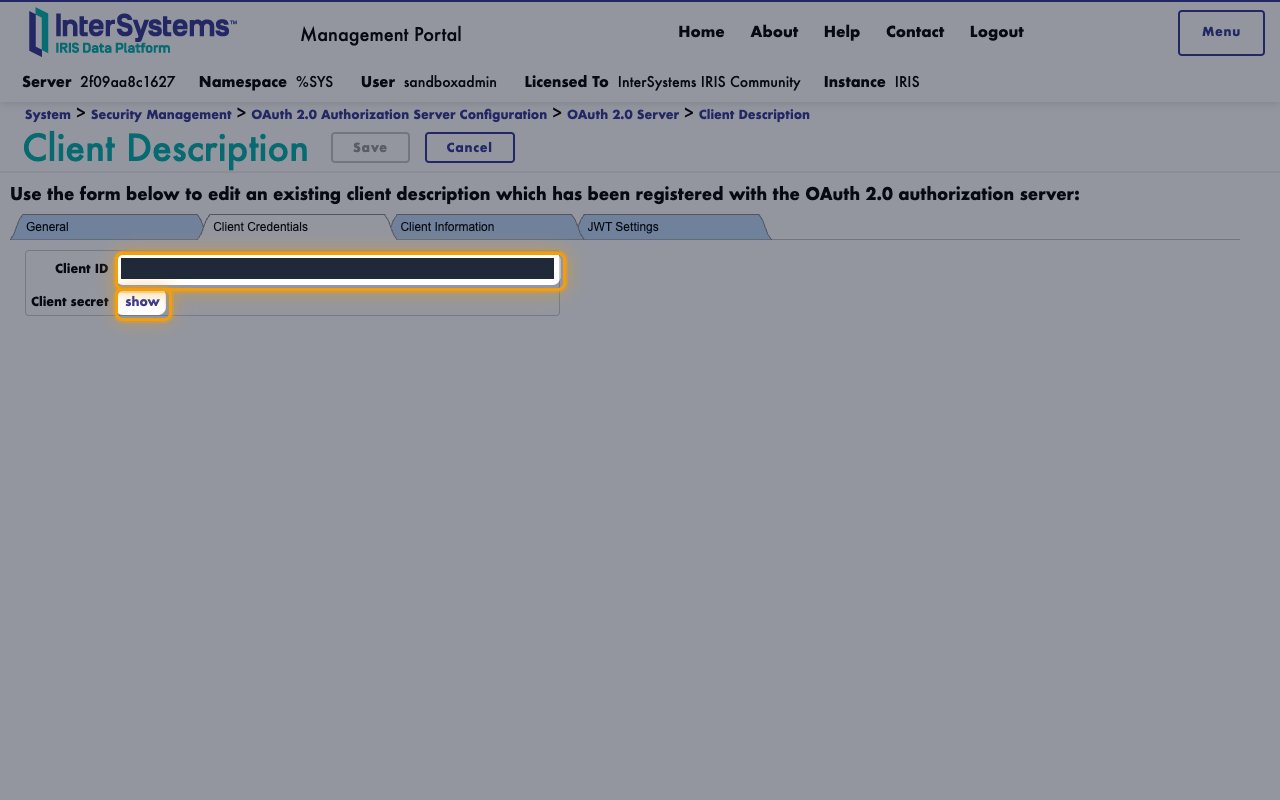
In the OAuth 2.0 Server list, click the new client’s name.
- Open the Client Credentials tab.
- Copy the Client ID across.
- Click show next to Client secret.
- Copy the Client secret across.
Find the server addresses
IRIS accepts tokens only over https, for the exact FHIR address the token was issued for.
Find the FHIR R4 Base URL
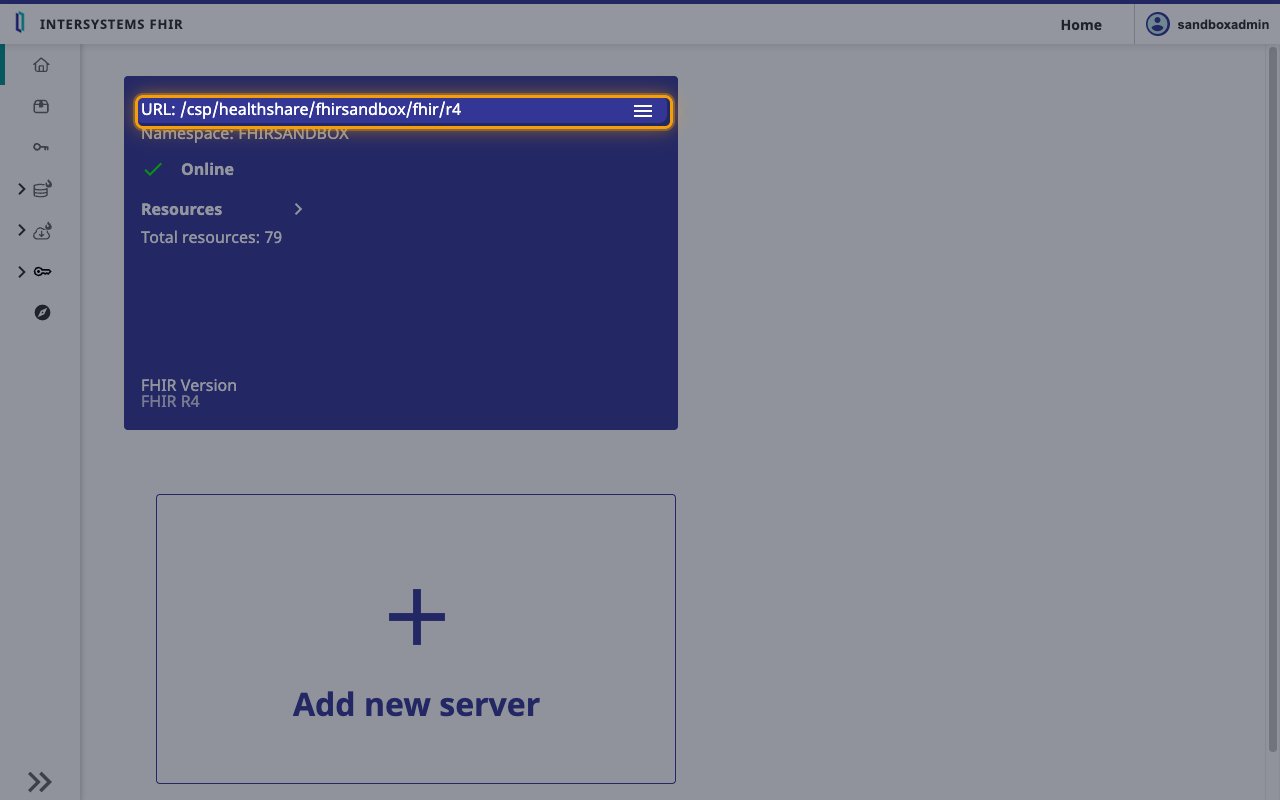
In the Management Portal, open Health > your FHIR namespace > FHIR Server Management. The server card shows the endpoint path after URL:.
- Format:
https://{IRIS web server host}{URL path} - Example: if you reach IRIS at
https://iris.example.organd the card showsURL: /csp/healthshare/fhirserver/fhir/r4, your FHIR R4 Base URL ishttps://iris.example.org/csp/healthshare/fhirserver/fhir/r4 - Check it against the
implementation.urlvalue at{FHIR R4 Base URL}/metadata, and use that value exactly, including any port it shows.
Find the Token URL
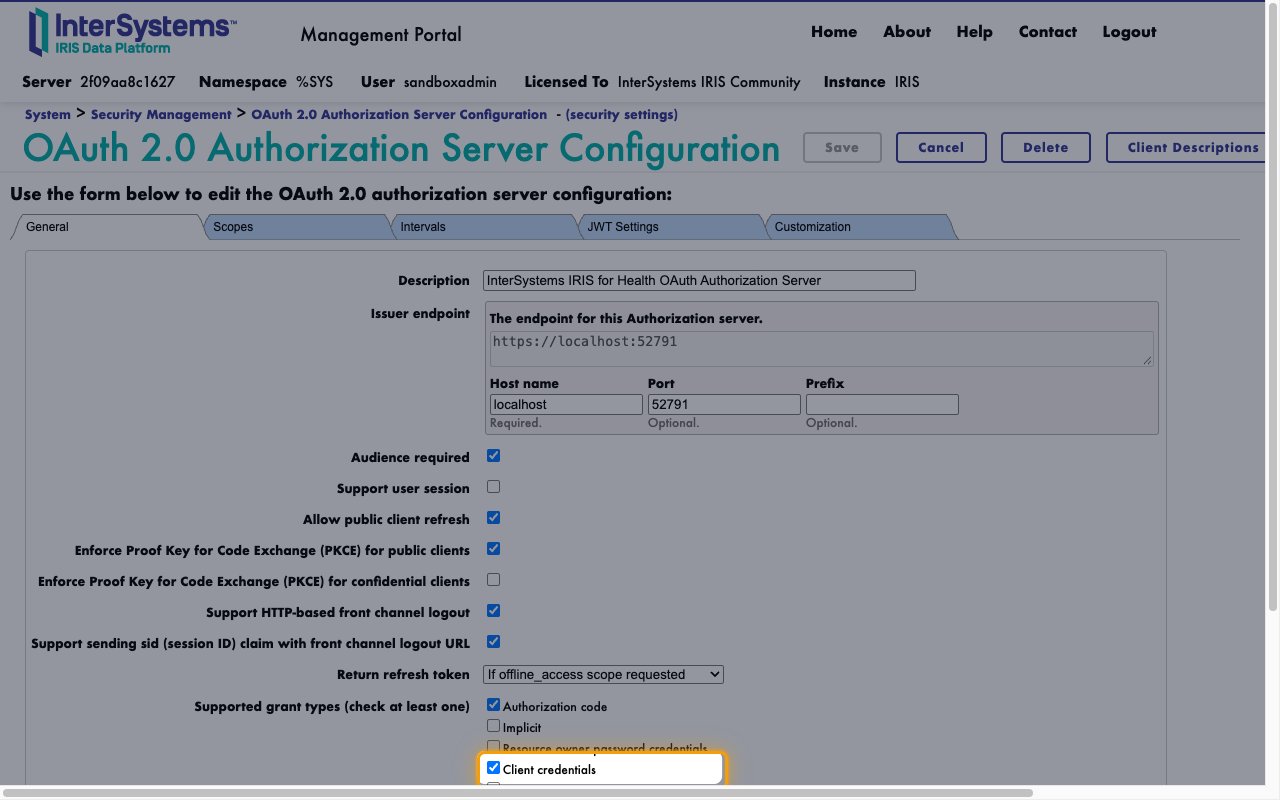
Open System Administration > Security > OAuth 2.0 > Server and read the Issuer endpoint. Leave Token URL empty when the issuer has the same host as your FHIR server.
- Format:
{Issuer endpoint}/oauth2/token - Example: if the Issuer endpoint is
https://auth.example.org, your Token URL ishttps://auth.example.org/oauth2/token - With an external authorization server, use its token endpoint.
Link the Account
Connect
- Click Connect.
- If applicable, the provider will redirect you to a sign-in or authorization page. Complete the provider’s authorization flow.
- Once authorization is successful, you will see a confirmation popup.
Use Actions