

Get a user name and password
The User Name and Password belong to a dedicated IRIS user that you create for this connection. Its roles decide what the connection can reach.
Create the user
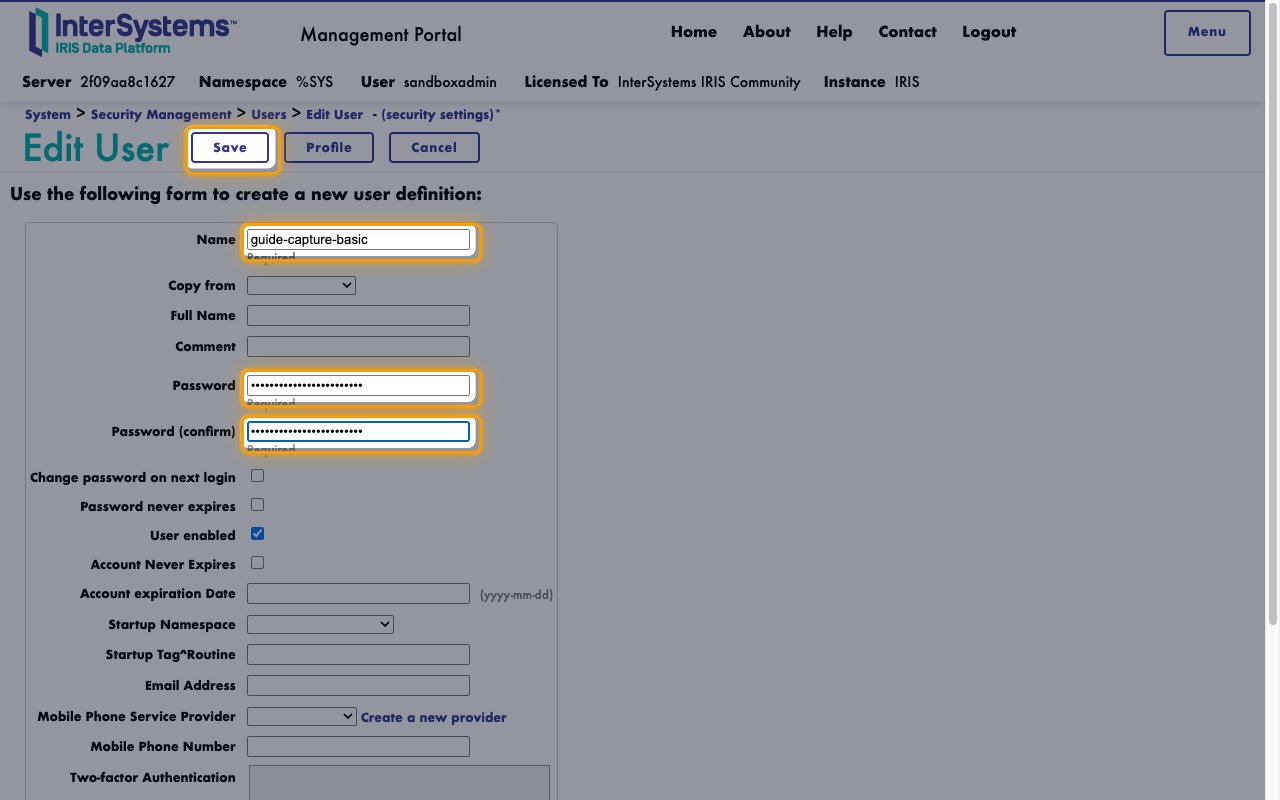
Sign in to your IRIS Management Portal and open System Administration > Security > Users.
- Click Create New User.
- Name:
stackone_fhir. Copy it across to User Name. - Password: a strong password. Copy it across.
- Password (confirm): the same password
- Click Save.
Assign the roles
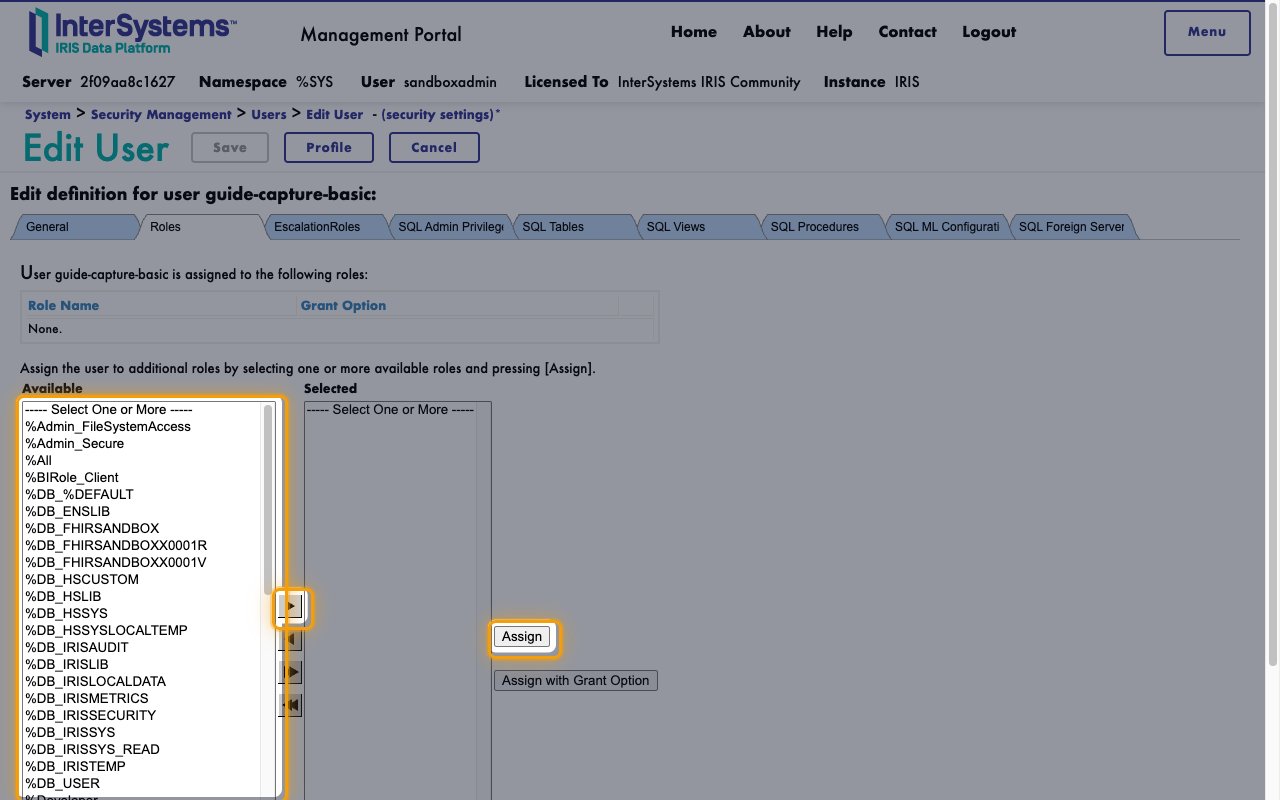
On a default FHIR server, the user reads and writes FHIR data with no roles. On the user’s Roles tab, assign the roles that apply:
- A role that holds the FHIR server’s Required Resource, when FHIR Server Authorization Settings sets one
- For the bulk export actions,
%HS_BFC_Exporter, plus a role with Use on%HS_BFC_Export_System,%HS_BFC_Export_Patient,%HS_BFC_Export_Groupand%HS_BFC_Export_Download, and Read and Write on%HS_BFC_Export_Status - Select each role in Available.
- Click the right arrow.
- Click Assign.
Find the server URLs
Both URLs start with the address of your IRIS web server.
Find the FHIR R4 Base URL
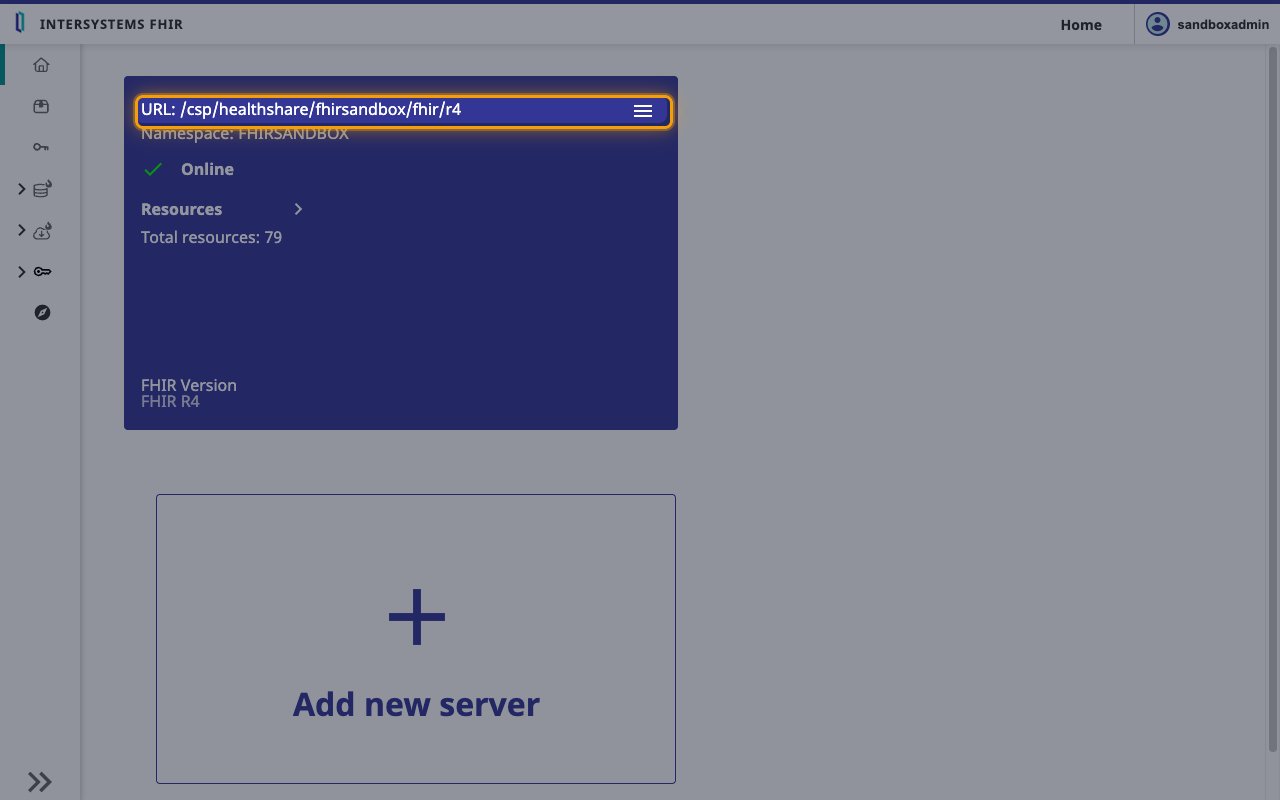
In the Management Portal, open Health > your FHIR namespace > FHIR Server Management. The server card shows the endpoint path after URL:.
- Format:
https://{IRIS web server host}{URL path} - Example: if you reach the Management Portal at
https://iris.example.org/csp/sys/UtilHome.cspand the card showsURL: /csp/healthshare/fhirserver/fhir/r4, your FHIR R4 Base URL ishttps://iris.example.org/csp/healthshare/fhirserver/fhir/r4
Find the Bulk FHIR Coordinator URL
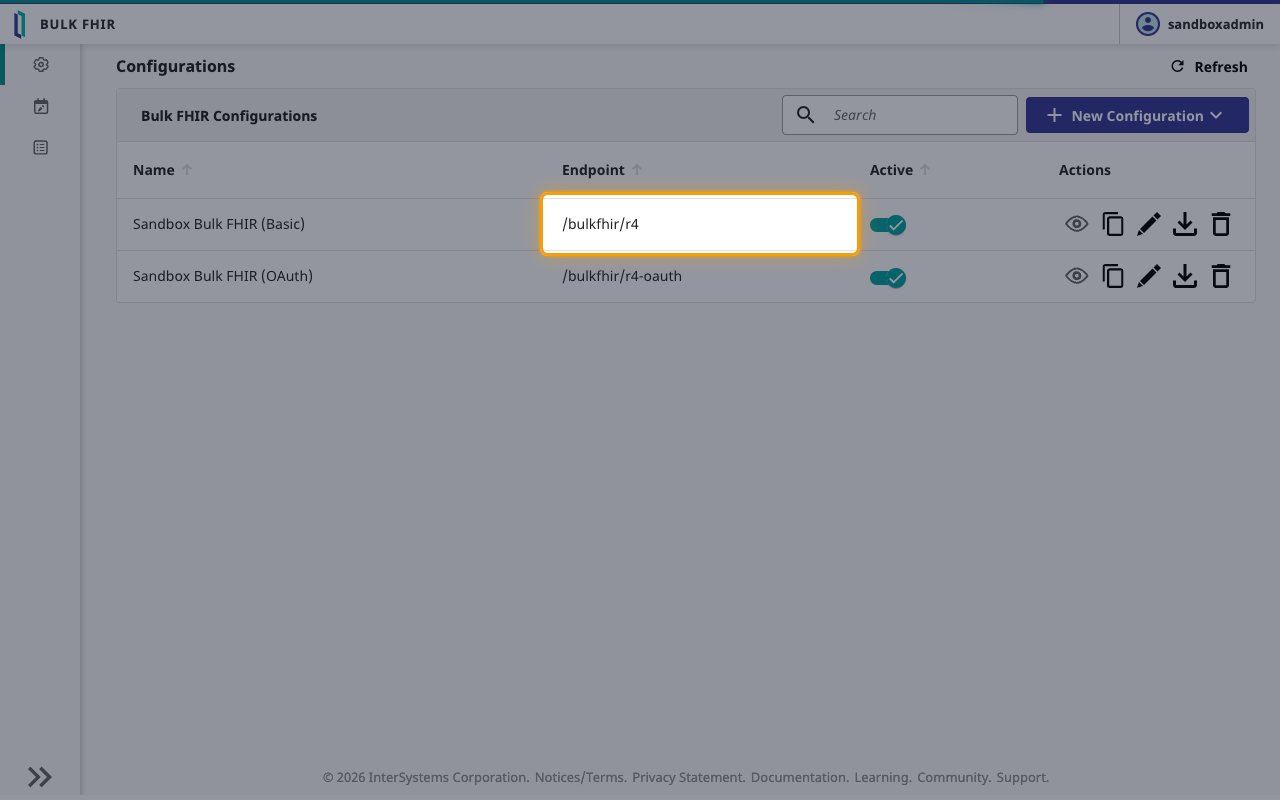
The Bulk FHIR Coordinator URL is needed only for the bulk export actions. Open Health > your FHIR namespace > Bulk FHIR Coordinator. Use the configuration that has Basic Authentication as its Auth Adapter and lists the service user under Authorized Users.
- Format:
https://{IRIS web server host}{Endpoint} - Example: if the configuration’s Endpoint is
/bulkfhir/r4, your Bulk FHIR Coordinator URL ishttps://iris.example.org/bulkfhir/r4
Link the Account
Connect
- Click Connect.
- If applicable, the provider will redirect you to a sign-in or authorization page. Complete the provider’s authorization flow.
- Once authorization is successful, you will see a confirmation popup.
Use Actions