

Log In to HR Partner
Sign in to your HR Partner account as an administrator.
Open My Login Page
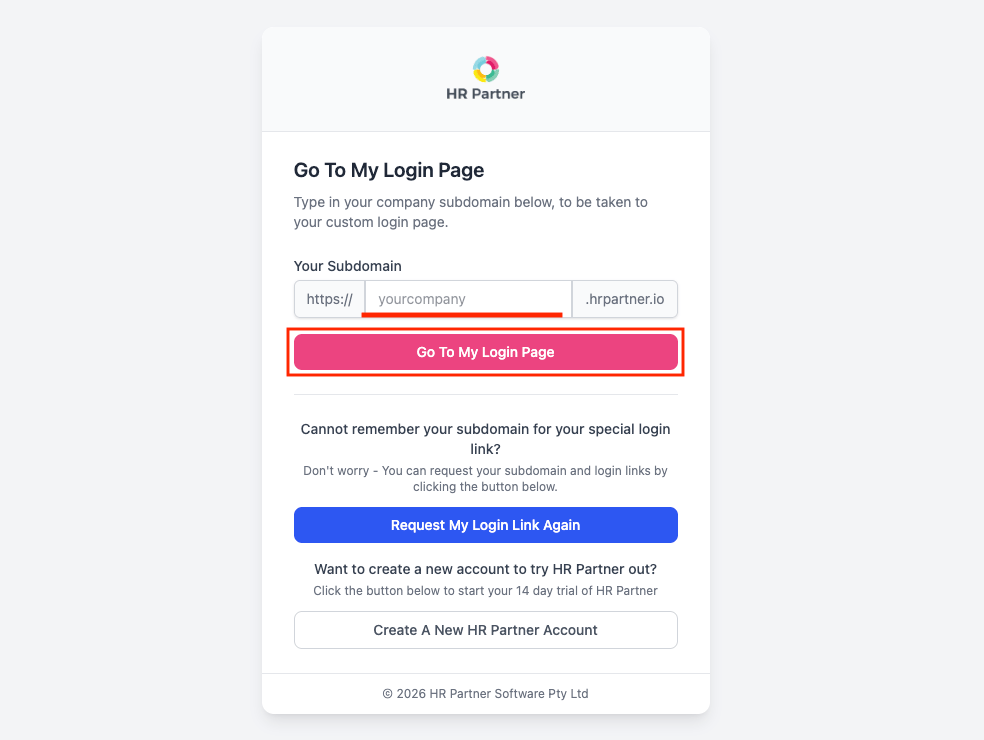
Navigate to https://app.hrpartner.io/user/mylogin in your browser. Enter your company subdomain in the Your Subdomain field and click Go To My Login Page.
- Your subdomain is assigned when your organization signs up for HR Partner. It is the first part of your HR Partner account URL — for
https://acme.hrpartner.io, the subdomain isacme.
Sign In to your HR Partner account
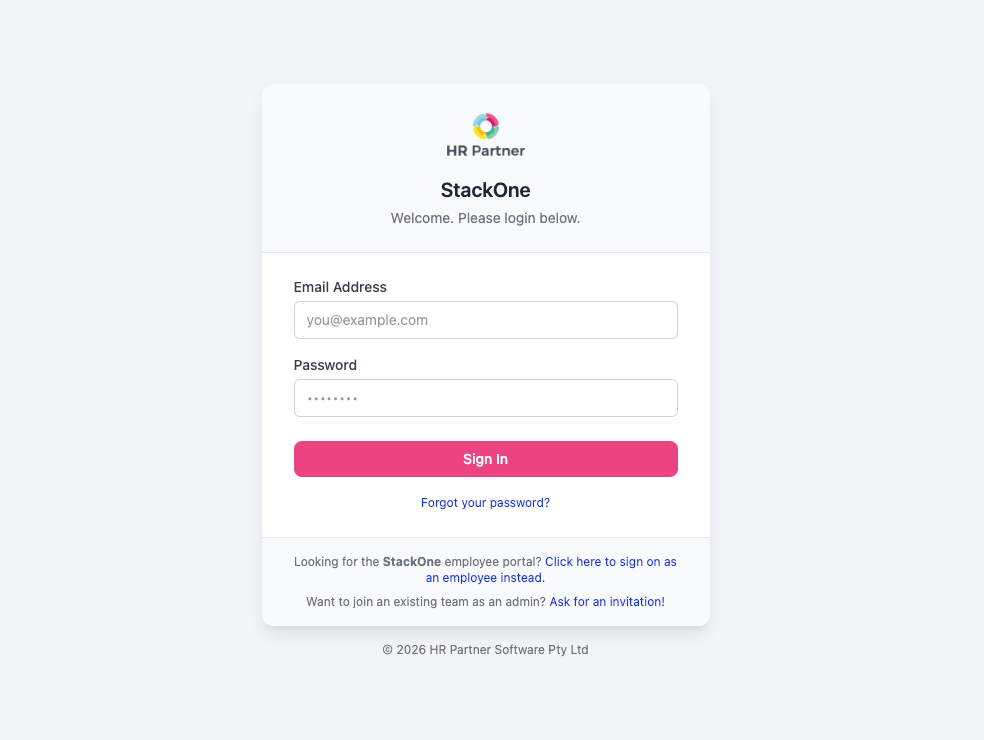
Enter your Email Address and Password, then click Sign In.
Retrieve the API Token
Locate and copy your API token from the Integrations page.
Navigate to Integrations
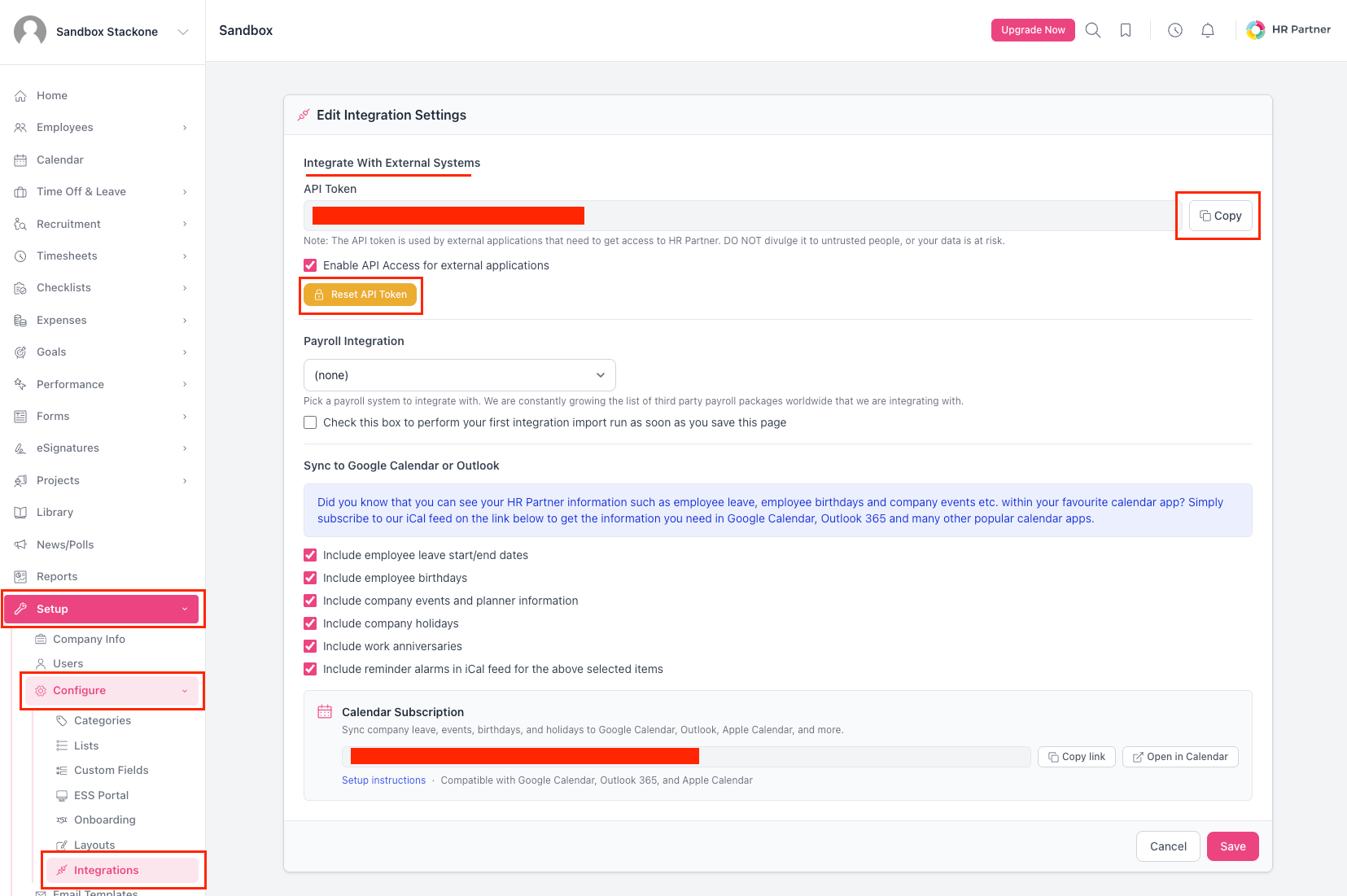
In the left sidebar, click Setup, then click Configure, and then click Integrations.
Copy the API Token
Under the Integrate With External Systems heading, make sure the Enable API Access for external applications checkbox is ticked, then locate the API Token field and click the Copy button next to it to copy the token to your clipboard.
- API access must be enabled — if the Enable API Access for external applications checkbox is not ticked, the API Token will not work.
- If the token is ever compromised, click Reset API Token on the same page to generate a new one. Any integration using the old token will need to be updated.
Paste the token into StackOne Hub
In StackOne Hub, paste the API Token you copied from HR Partner into the API Key field. HR Partner calls this credential an “API Token”, while the StackOne Hub field is labeled “API Key” — they are the same value.
Linking the Account from the Hub
Navigate to the Hub
Fill out the fields
- API Key
Connect
- Click Connect
- If applicable, the provider will redirect you to a sign-in or authorization page. Complete the provider’s authorization flow.
- Once authorization is successful, you will see a confirmation popup
If the account linking is successful, you will see the newly linked account on your Accounts page.