

Sign in to Hailey HR
Navigate to the Hailey HR login page and sign in with your credentials.

Enable API Integration
Enable the API integration for your Hailey account.
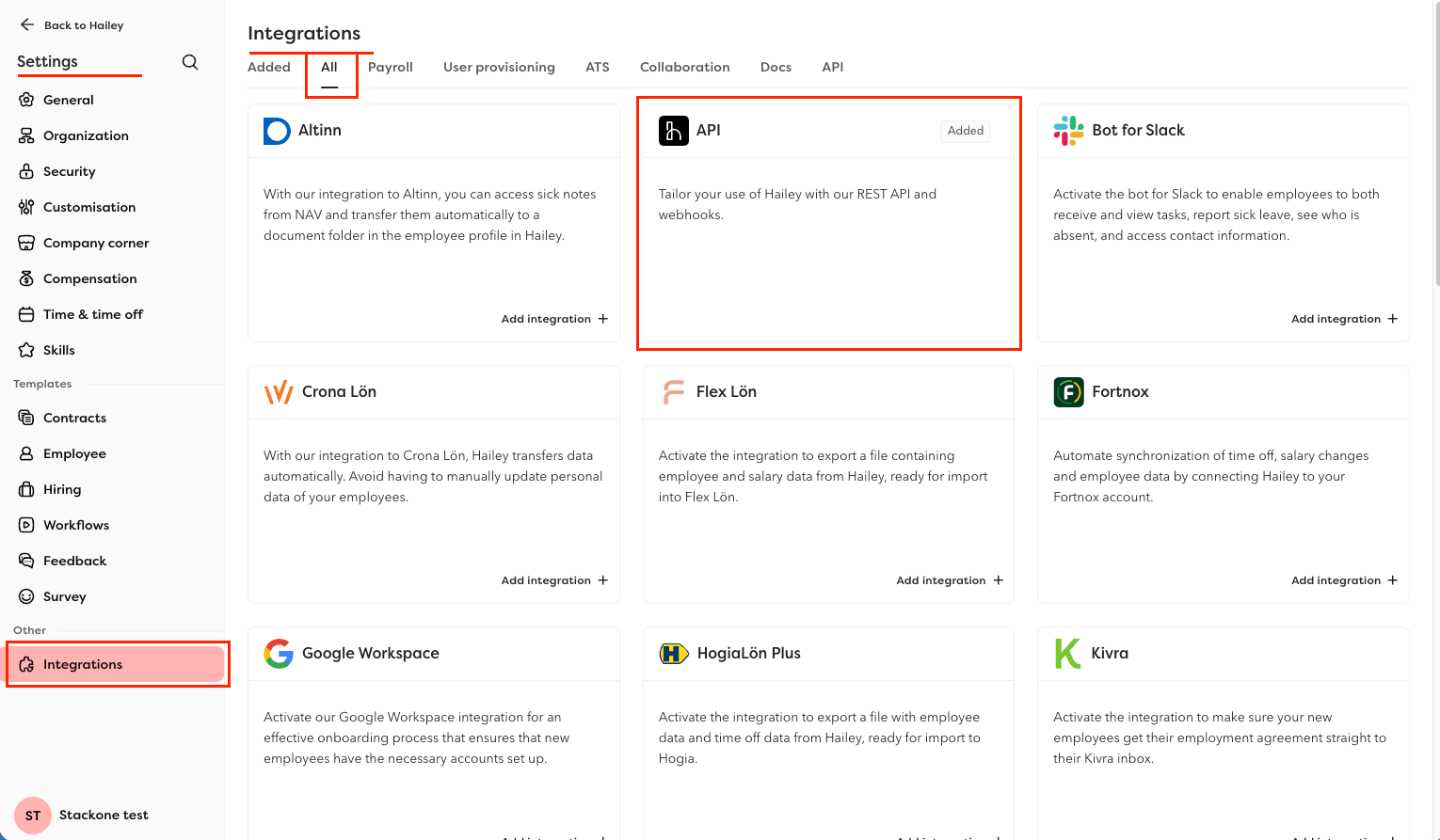
- Click the Settings gear icon in the left sidebar, then navigate to Integrations > All tab.
- Find API integration and click the Add Integration + button.
- In the side panel that opens, toggle the integration to
Active. - If a list of sub-resources is displayed, ensure you check and include the following: Titles, Company Email, Work Phone, Department, Location.
- Click Save to enable the integration.
Generate an Access Token
Create a personal access token in your Hailey account to authenticate API requests.
Open Access tokens
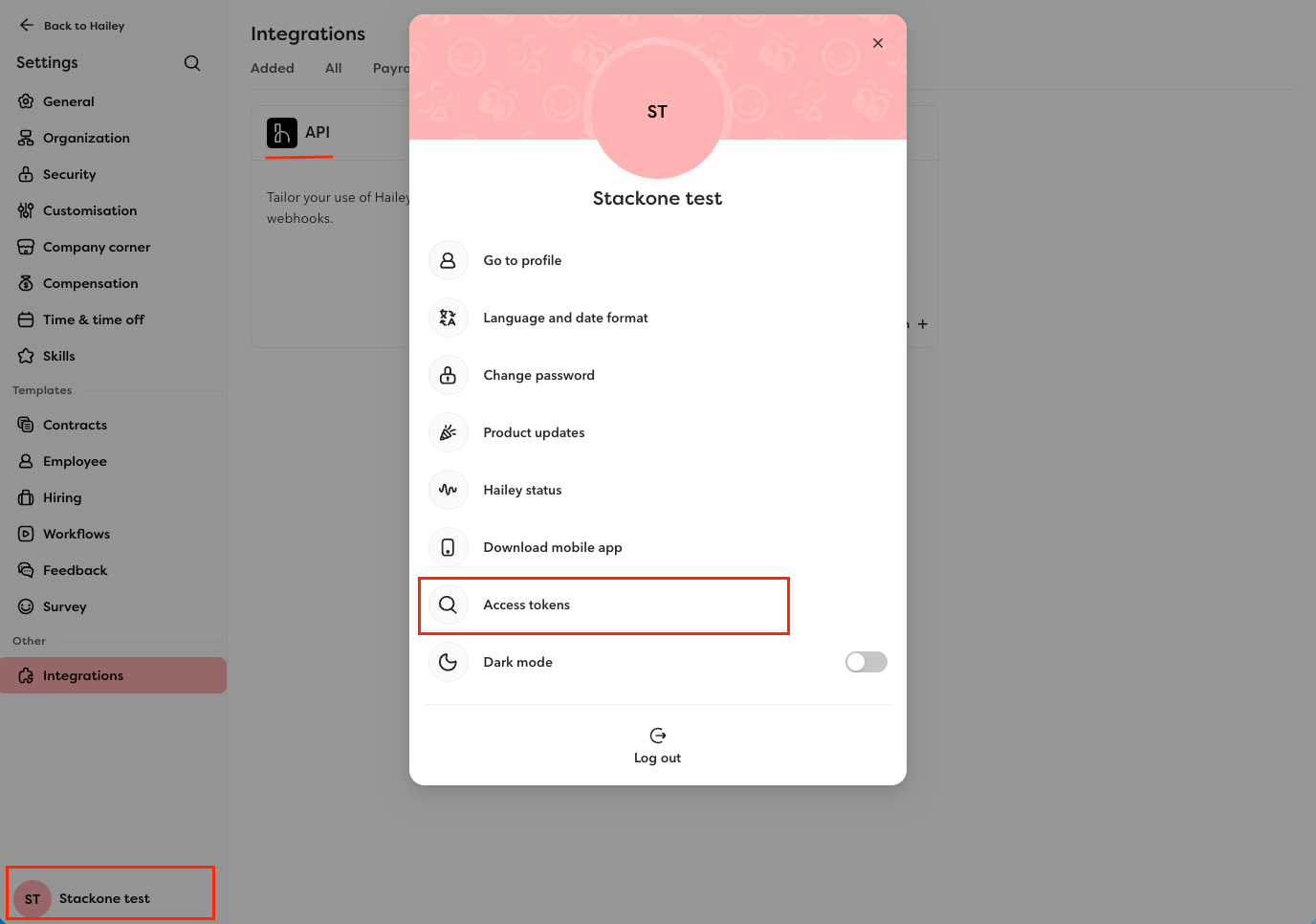
Log in to your Hailey dashboard, click your avatar/profile in the corner, then click Access tokens.
Create the token
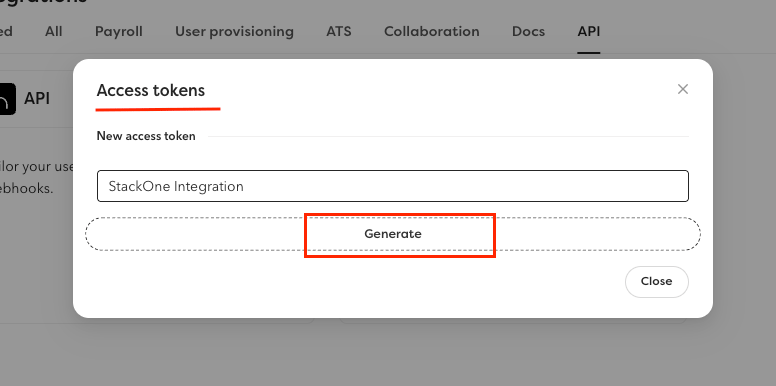
In the New access token section, enter a name (e.g. StackOne Integration) for the token and click Generate.
Copy the token
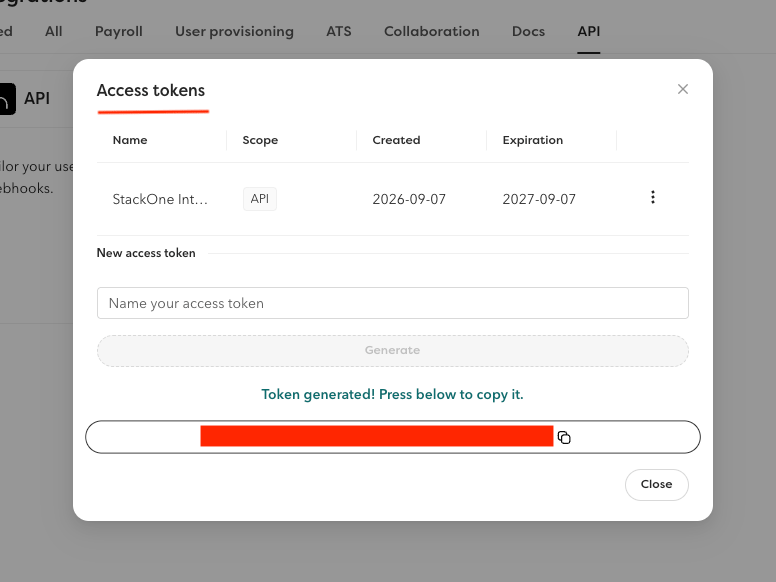
Copy the generated token and store it securely — it is only shown once.
Find Your Company ID (Optional)
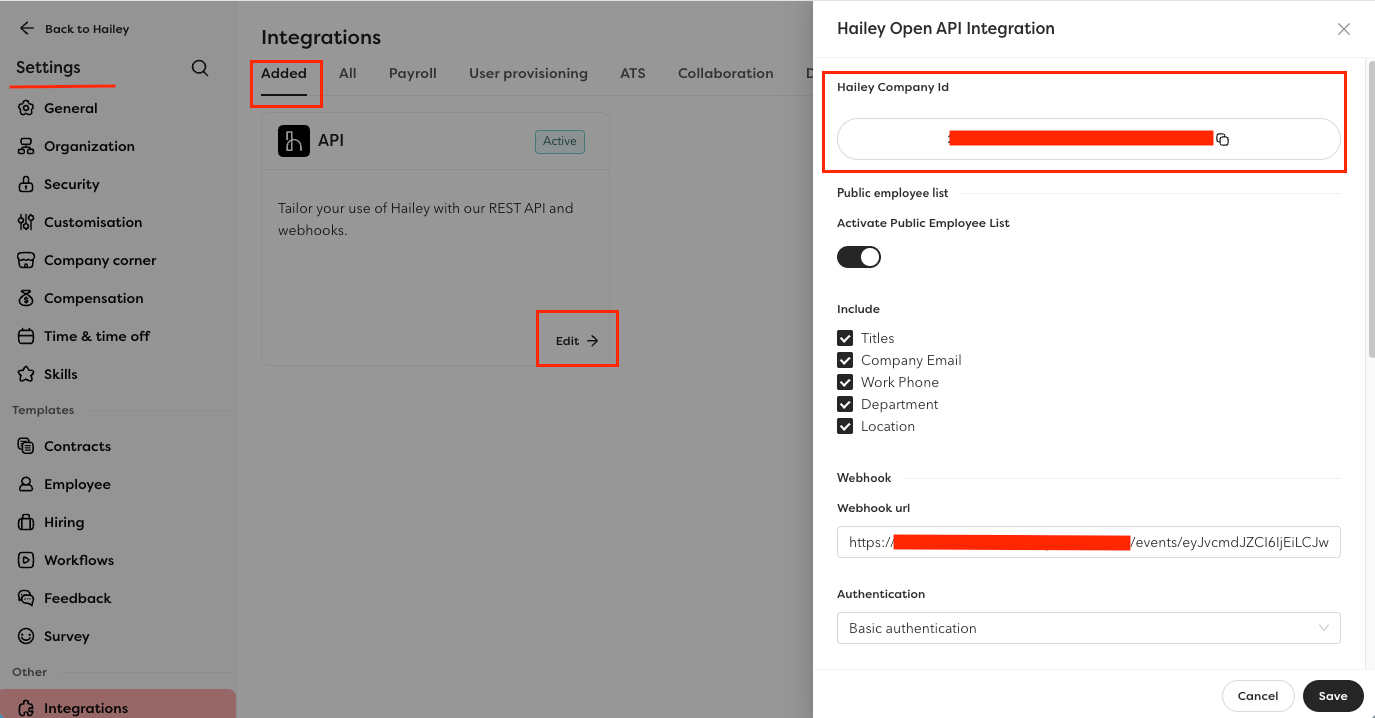
The Company ID is needed for certain actions such as listing public employees. You can find it in the API integration settings.
- Click the Settings gear icon in the left sidebar, then navigate to Integrations > Added tab.
- Click on the API integration or Edit button to open its configuration.
- Copy the Hailey Company Id (that is your Company ID, a UUID) shown in the integration settings.
Linking the Account from the Hub
Navigate to the Hub
Fill out the fields
- Access Token
- Company ID (Optional)
Connect
- Click Connect
- If applicable, the provider will redirect you to a sign-in or authorization page. Complete the provider’s authorization flow.
- Once authorization is successful, you will see a confirmation popup
If the account linking is successful, you will see the newly linked account on your Accounts page.
Next Steps
Webhooks setup
Configure receiving Events for Hailey HR into StackOne.