

Find your GCP Project ID
Actions run against this Google Cloud project unless a call passes a different project. Enter its Project ID, not the project name or number.
1
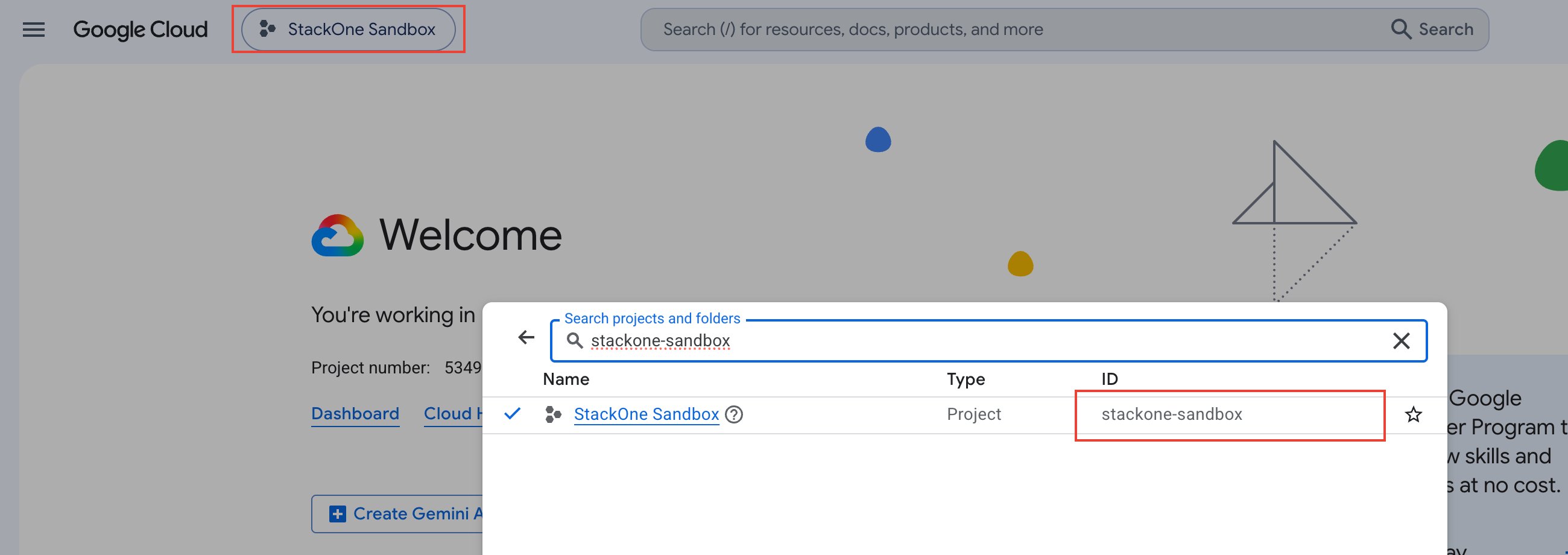
Open the project picker
Sign in to the Google Cloud Console and click the project picker in the top navigation bar.
2
Copy the Project ID
In the project list, copy the value in the ID column for your project (e.g., my-gcp-project-123).
- Alternative — on the Console Dashboard, the Project info card also shows the Project ID.
Link the Account
1
Connect
- Click Connect.
- If applicable, the provider will redirect you to a sign-in or authorization page. Complete the provider’s authorization flow.
- Once authorization is successful, you will see a confirmation popup.
2
Use Actions
Connect an AI platform to the linked account’s actions. See AI Platforms.Other ways to call actions are listed in Protocols & SDKs.