

Prerequisites
The connector should already be set up, with a Connector Profile and a Linked Account. See Getting Started on the GitBook connector page.Sign in to GitBook
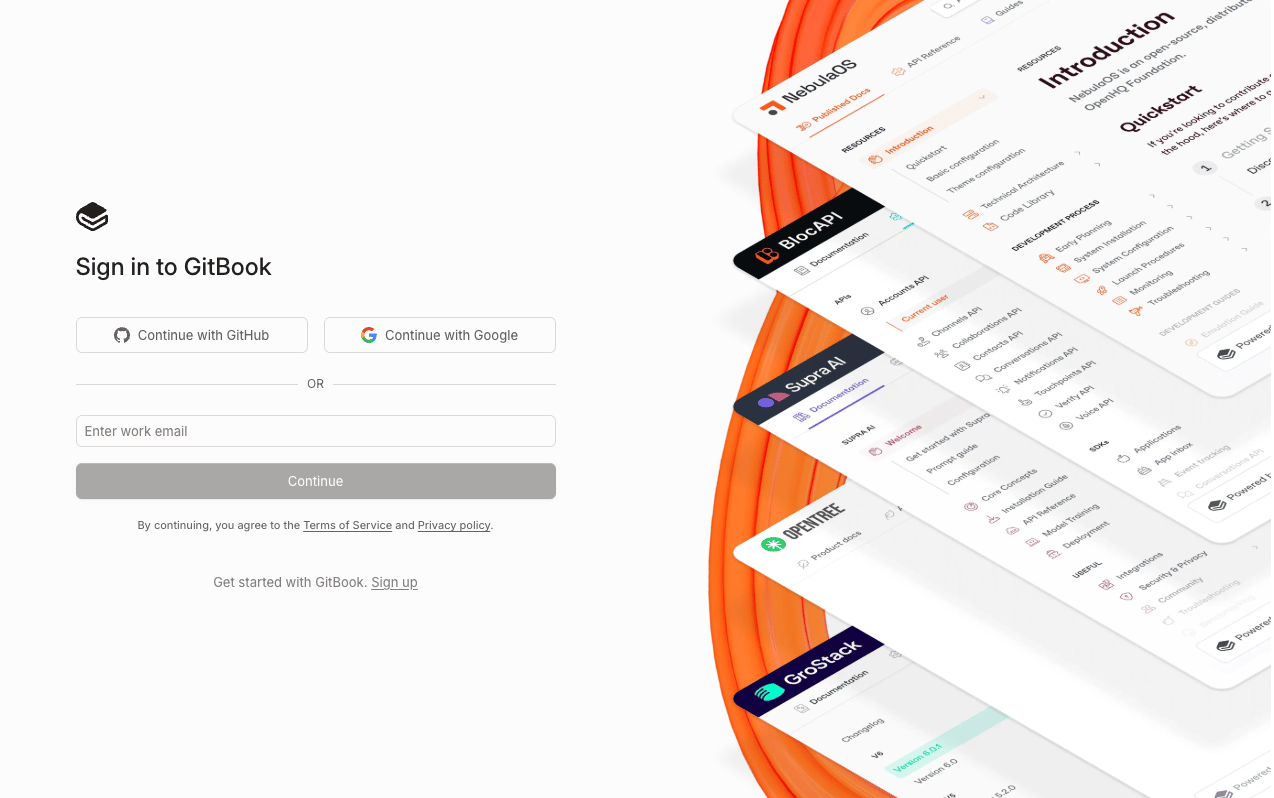
Sign in to your GitBook account.
Access Integrations
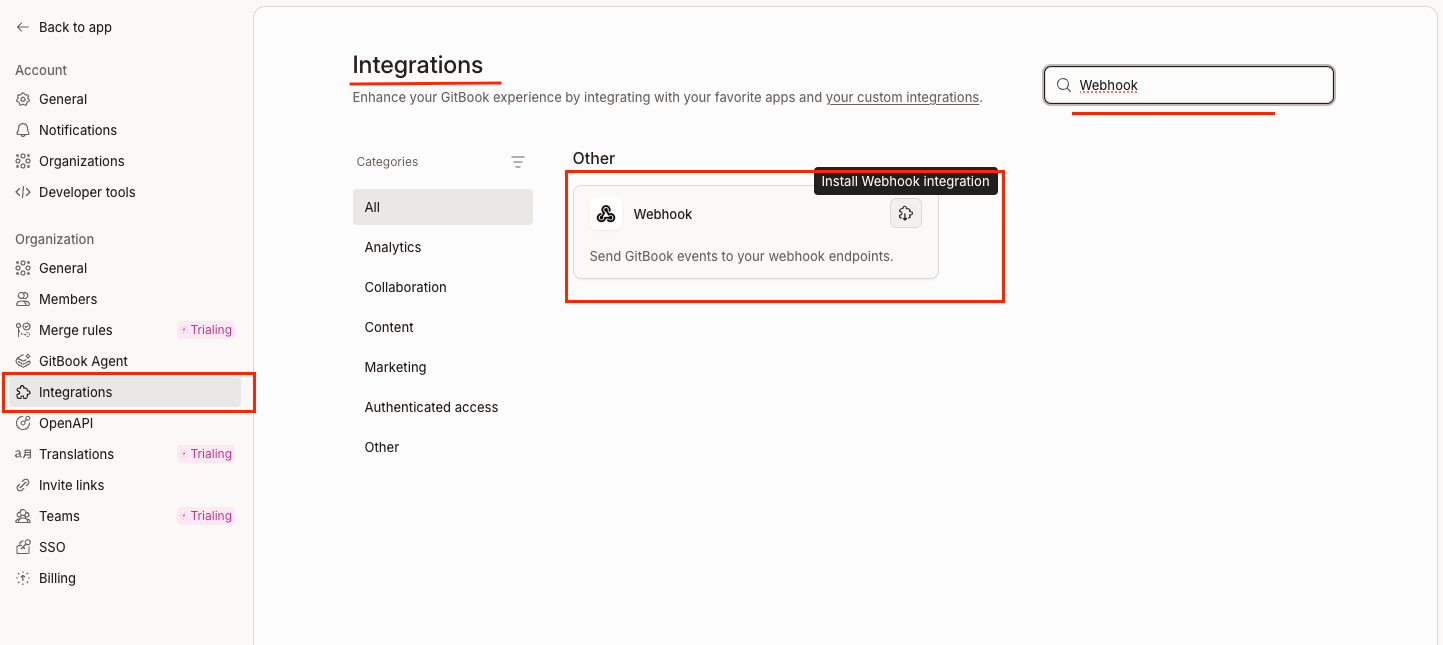
Navigate to the Integrations page.
- Click Settings in the left sidebar under Organization.
- Click Integrations in the left sidebar under Organization.
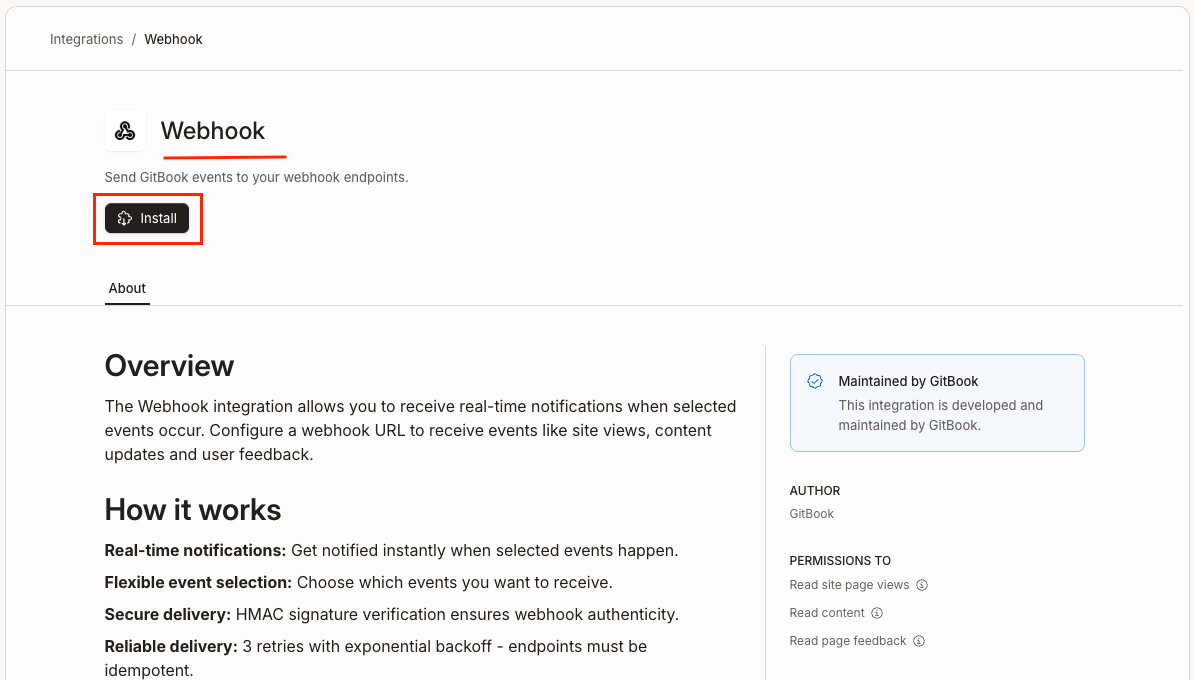
- Search for Webhook in the search bar and click the Webhook integration.
Configure the Webhook
Install and configure the Webhook integration for Space, Site, and Page Feedback events.
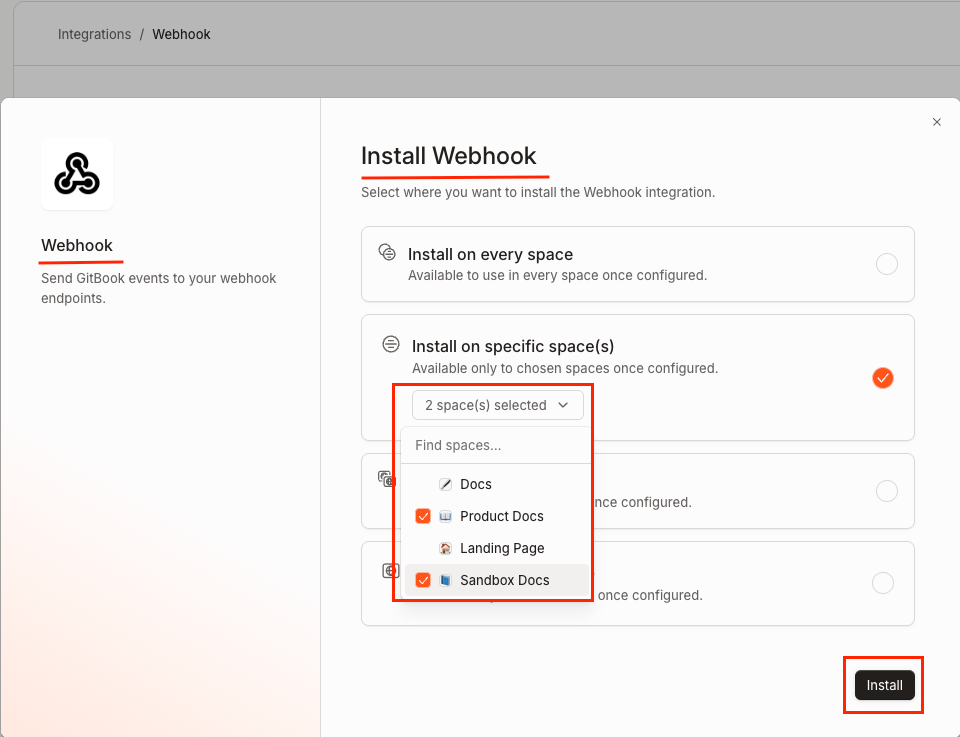
Webhook configuration for Space
On the Install Webhook modal, select Install on the specific space(s) and click the Install button.
Paste the Webhook URL
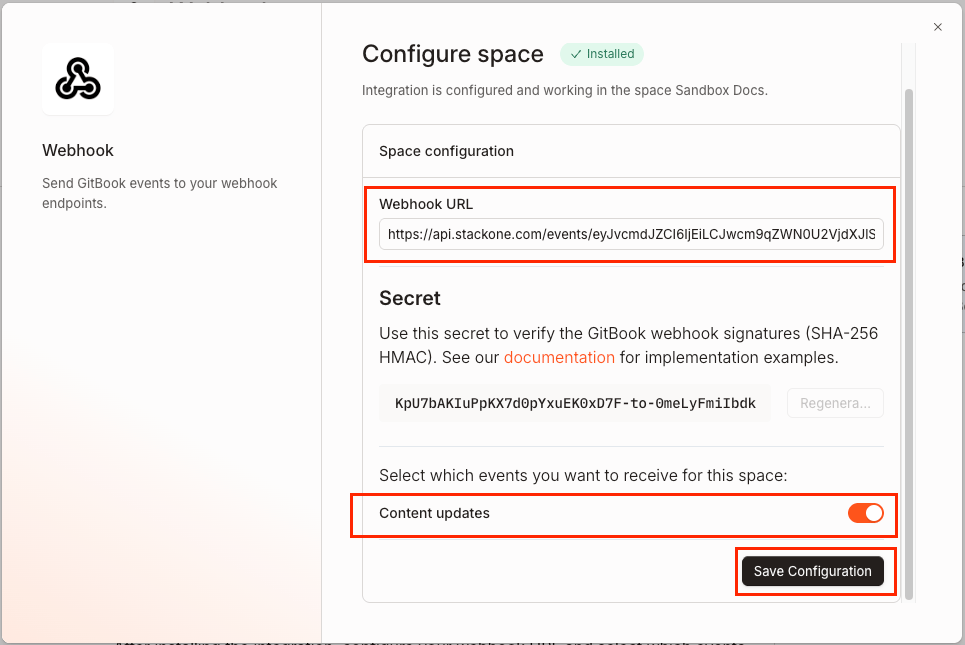
In the Configure space dialogue under Space configuration:
- Paste the Native Webhook URL you copied from StackOne Hub into the Webhook URL field.
- Enable the Content updates toggle under Select which events you want to receive for this space.
- Click Save Configuration to save.
Webhook configuration for Site and Page Feedback
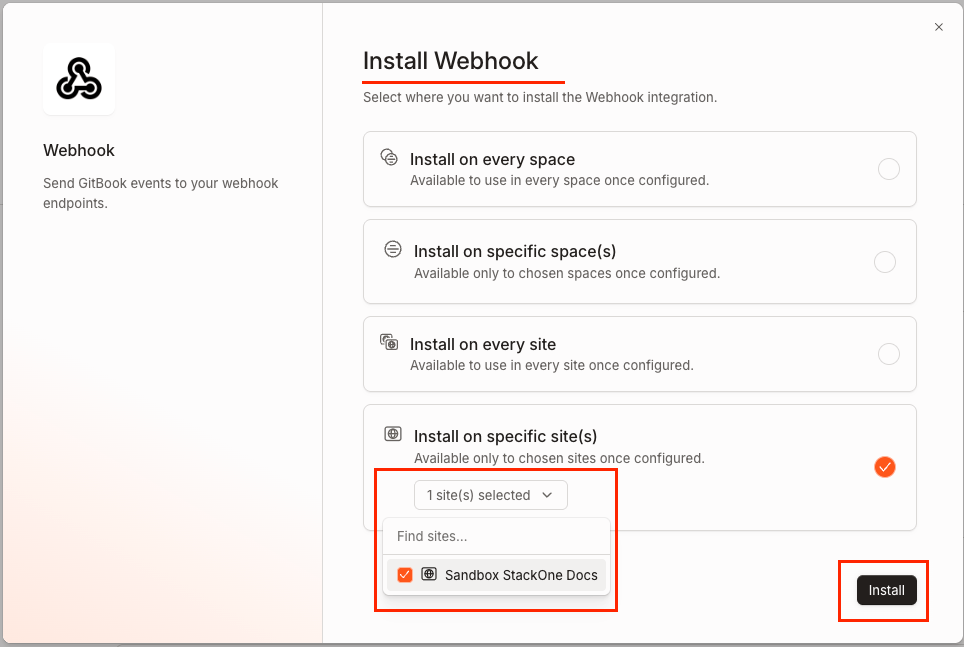
On the Install Webhook modal, select Install on the specific site(s) and click the Install button.
Enable the Site and Page Feedback events
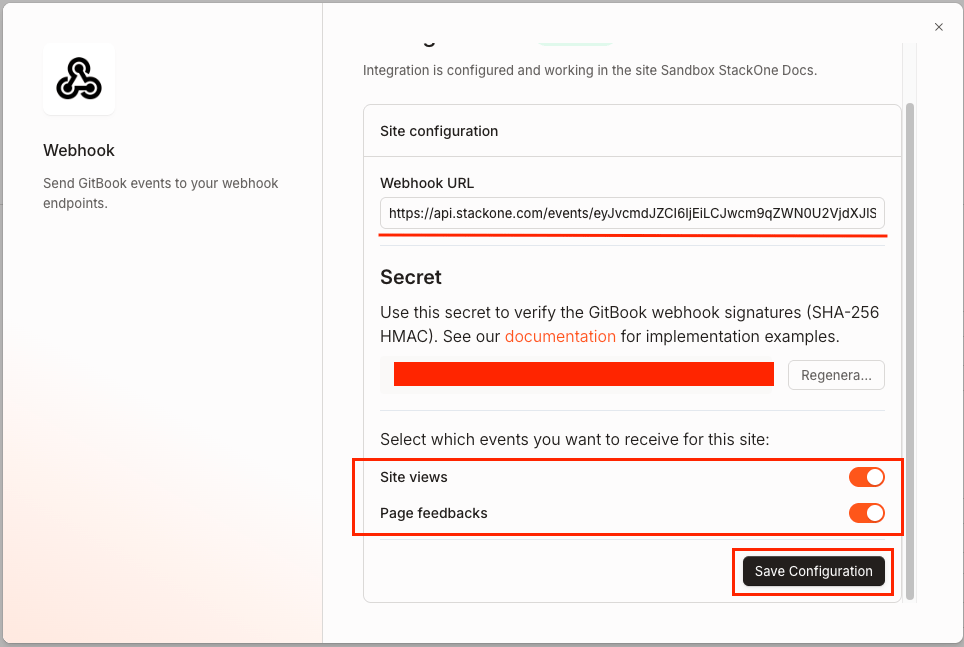
The Webhook URL field will be automatically populated. If not, paste the Native Webhook URL you copied from StackOne Hub.
- Enable the Site views and Page feedbacks toggles under Select which events you want to receive for this site.
- Click Save Configuration to save.
Complete the Webhook configuration
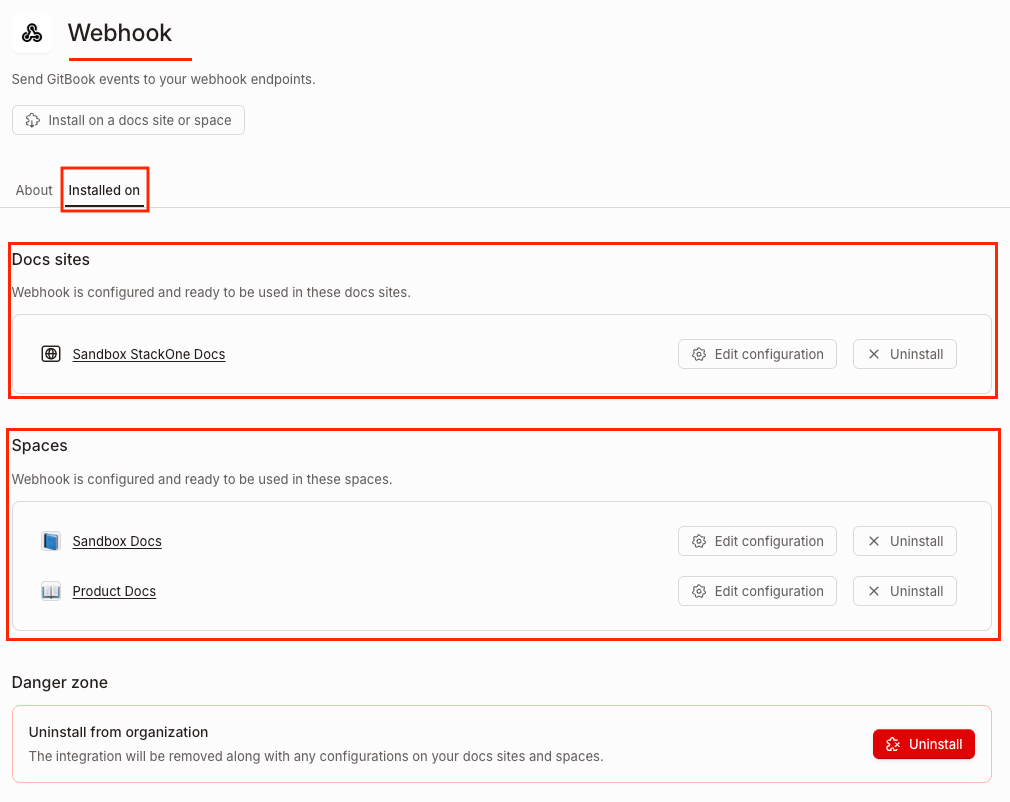
After saving the configurations for the space and sites, the webhook setup is complete.
Available webhook events
The following GitBook events can be enabled. Only events selected in StackOne are delivered — GitBook will not send events that are not subscribed. Events are configured per space or site installation.
Content events
Events related to space content changes.
- Space Content Updated (
space_content_updated) — Fired when content in a space is created or modified, including page edits and new revisions.
Analytics events
Events related to published site page views.
- Site View (
site_view) — Fired when a user visits a page on a published GitBook site.
Feedback events
Events related to user feedback on published pages.
- Page Feedback (
page_feedback) — Fired when a user submits thumbs-up or thumbs-down feedback on a published site page, optionally with a comment.