

Find your API key
FMP issues one API key per account — no app registration or OAuth is required.
1
Sign in to FMP
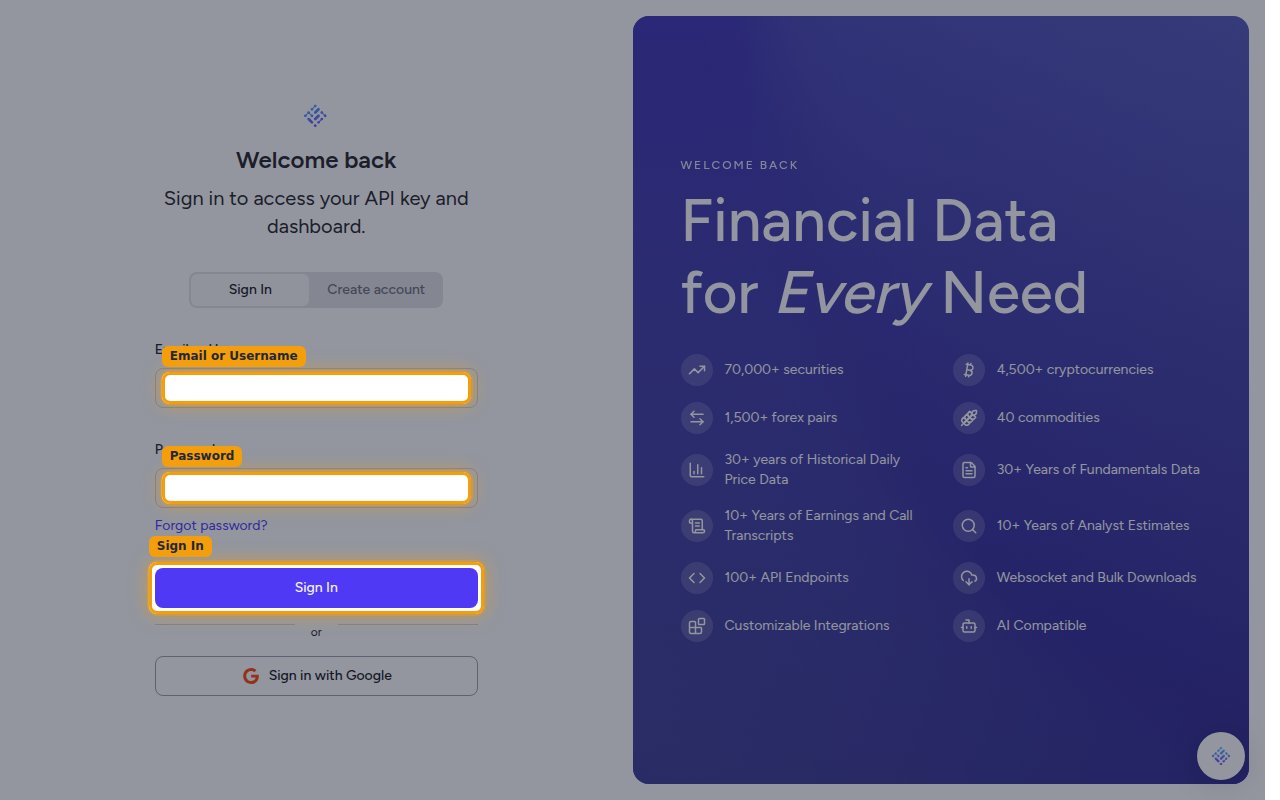
Sign in to your FMP account. Enter your Email or Username and Password, then click Sign In.
2
Open the API Keys page
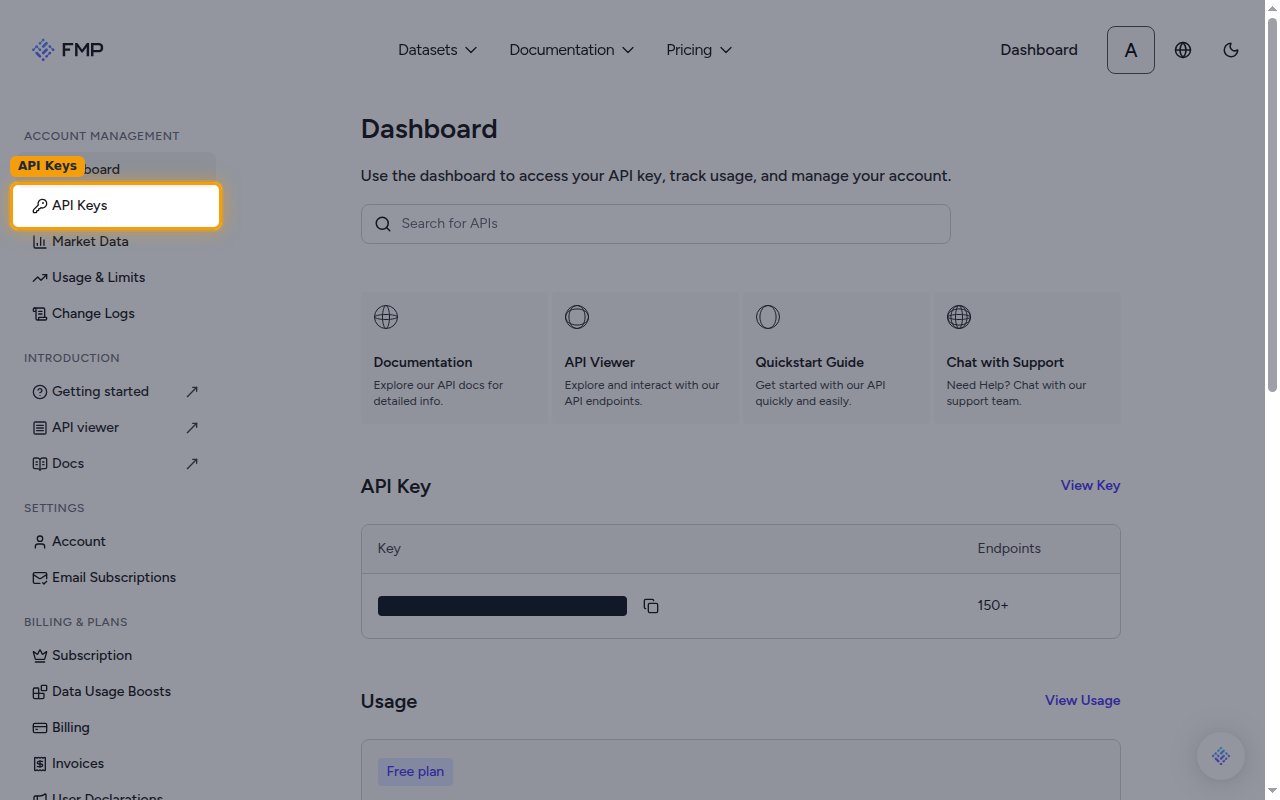
From the Dashboard, click API Keys in the sidebar.
3
Copy your API key
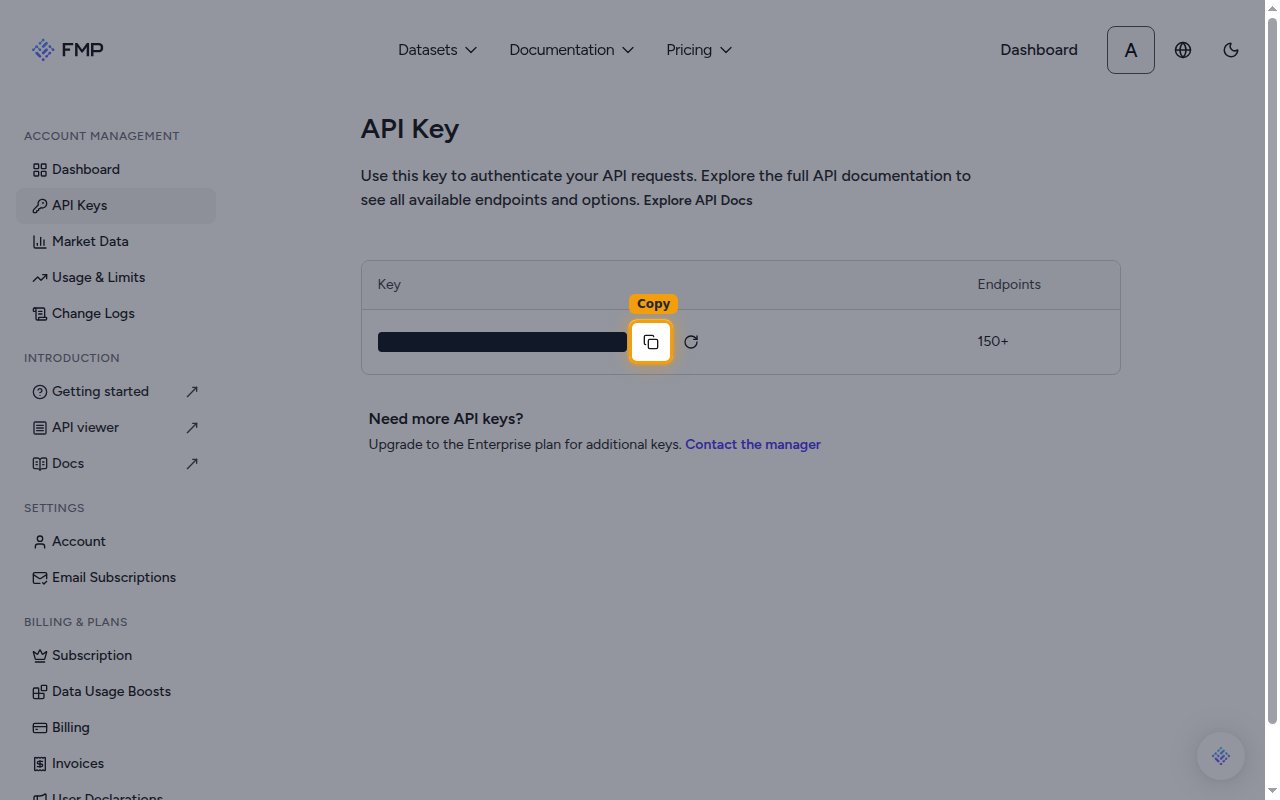
On the API Key page, click the copy icon next to your key to copy it.
- Your key is shown here on any plan, including the free Basic plan.
Link the Account
1
Connect
- Click Connect.
- If applicable, the provider will redirect you to a sign-in or authorization page. Complete the provider’s authorization flow.
- Once authorization is successful, you will see a confirmation popup.
2
Use Actions
Connect an AI platform to the linked account’s actions. See AI Platforms.Other ways to call actions are listed in Protocols & SDKs.