

Prerequisites
The connector should already be set up, with a Connector Profile and a Linked Account. See Getting Started on the Fireflies.ai connector page.Webhook setup
This connector uses Manual Webhooks. Fireflies.ai has no public webhook management API, so the webhook is configured once in the Fireflies dashboard using the StackOne webhook URL. Use the Webhooks integration page for this — the older webhook field under Settings > Developer Settings is deprecated by Fireflies in favor of this page.
Copy the StackOne webhook URL
In StackOne, open the connected account and copy the Native Webhook URL shown on the connection. This is the URL Fireflies will deliver events to.
Open the Webhooks integration page
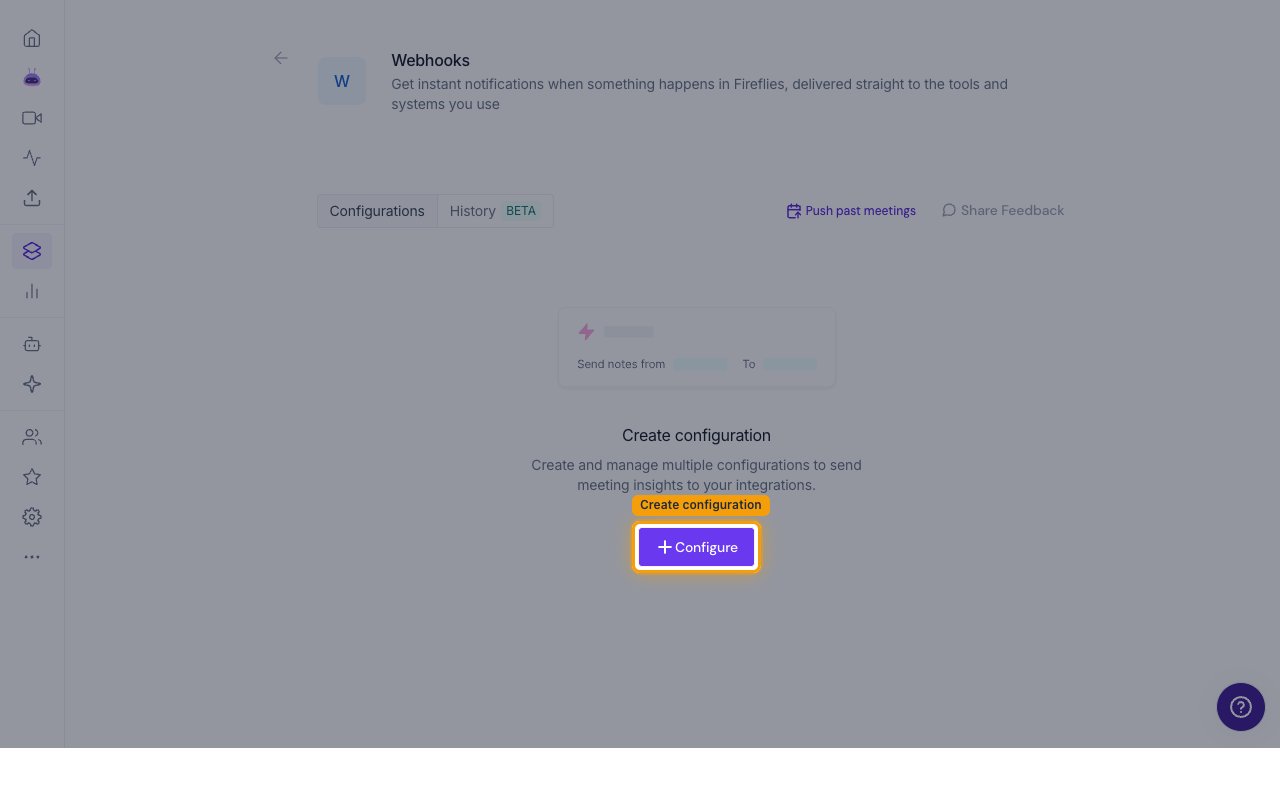
Log in to Fireflies dashboard and open the Webhooks integration page. On the Configurations tab, click + Configure.
Fill in the webhook configuration
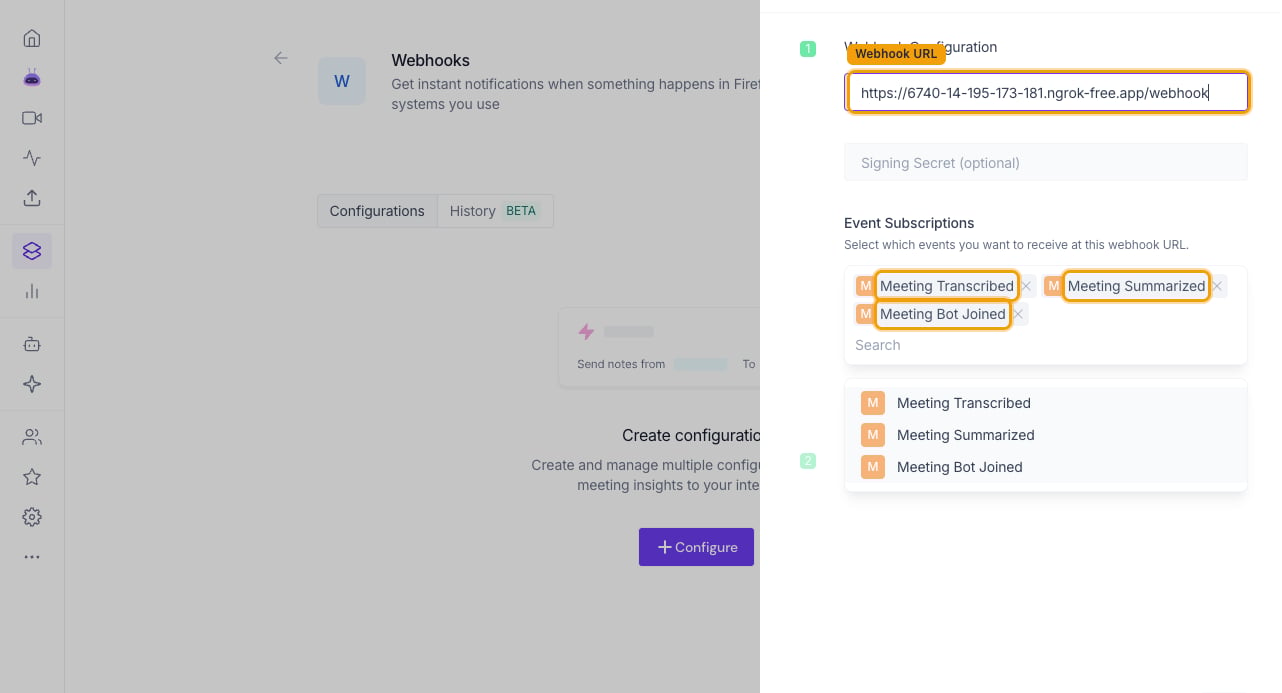
A Webhook Configuration panel opens with three fields.
- Webhook URL — paste the StackOne Native Webhook URL for this connected account
- Signing Secret (optional) — leave empty, or enter a 16-32 character secret
- Under Event Subscriptions, select Meeting Transcribed, Meeting Summarized and Meeting Bot Joined so all events are delivered
Test the webhook
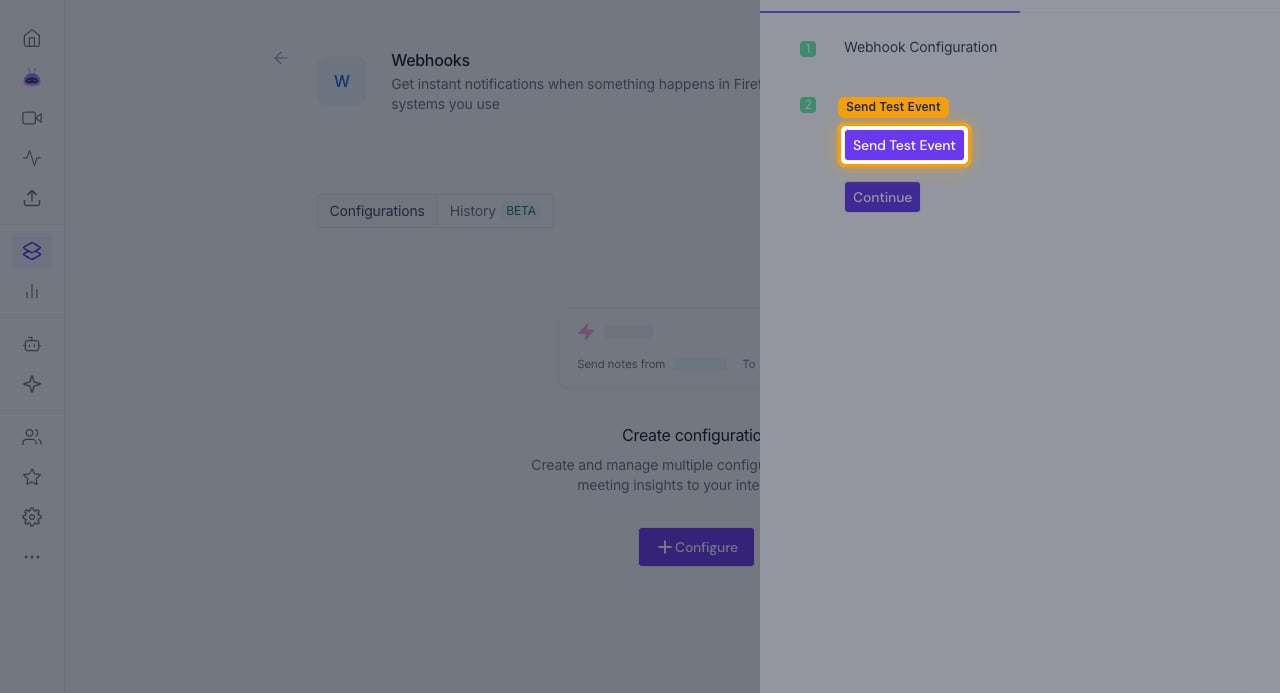
Click Continue. Under Test Webhook, click Send Test Event to fire a test delivery to the URL — StackOne acknowledges it automatically. This step is optional but confirms the URL is reachable.
Save the configuration
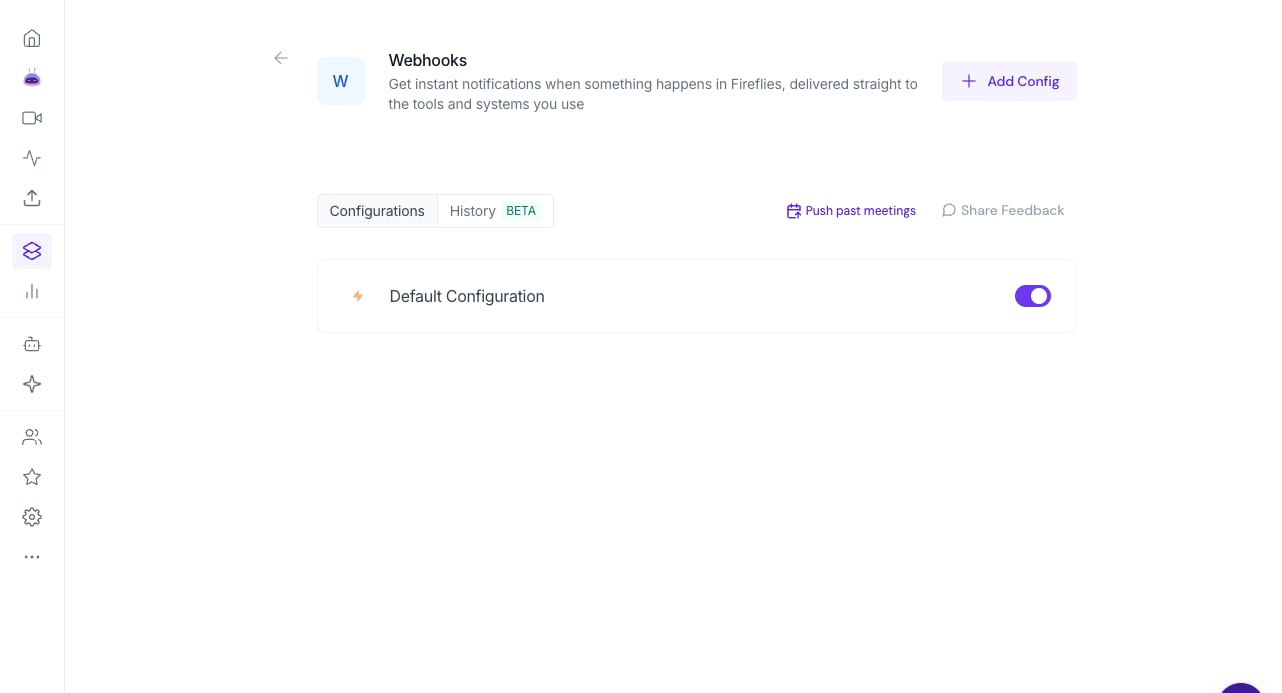
Click Save. The new configuration appears in the Configurations list with its toggle enabled — events now flow to StackOne.
Available webhook events
The following events are emitted by this connector once the webhook is configured.
Meeting events
Events describing the lifecycle of a recorded meeting.
- Transcription Completed (
transcript.completed) — Fired when a meeting finishes processing and its transcript becomes available - Meeting Summarized (
transcript.summarized) — Fired when the AI summary for a processed meeting is ready - Meeting Bot Joined (
meeting.bot_joined) — Fired when the Fireflies notetaker bot joins a live meeting
Delivery format
Fireflies sends one HTTP POST per event as a flat JSON body containing the event name, an epoch-milliseconds timestamp and the meeting identifier (usable as the transcript ID with the transcripts API). Every delivery carries an x-webhook-delivery-id header. When a Signing Secret is configured, deliveries are signed with an HMAC-SHA256 signature in the x-hub-signature header. The Send Test Event button fires a synthetic test payload, which StackOne acknowledges without emitting an event.