

Prerequisites
The connector should already be set up, with a Connector Profile and a Linked Account. See Getting Started on the ElevenLabs connector page.Register the StackOne webhook in ElevenLabs
This connector uses manual webhooks. You create one webhook endpoint in ElevenLabs that points at StackOne, subscribe it to the workspace events you need, and select it as the post-call webhook for agent events. ElevenLabs sends no verification ping; events are delivered as soon as the endpoint exists.
Retrieve the StackOne Native Webhook URL
The Native Webhook URL is generated once your ElevenLabs account has been linked in StackOne.
- Open the linked account in StackOne.
- Copy the value from Native Webhook URL. It is unique to this account, so copy it exactly.
Open Webhooks in ElevenLabs
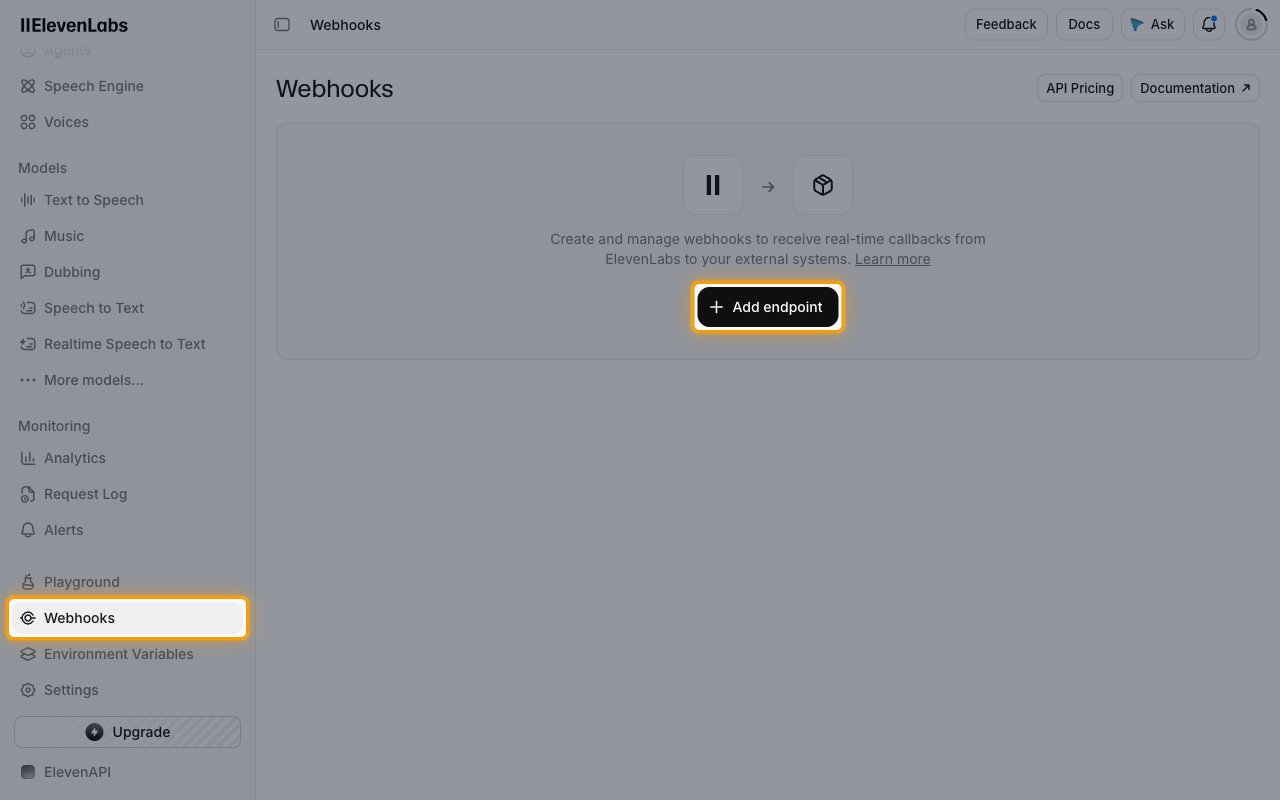
Sign in to your ElevenLabs account, switch to ElevenAPI with the platform switcher, then click Webhooks in the sidebar and click Add endpoint.
Add the endpoint and select events
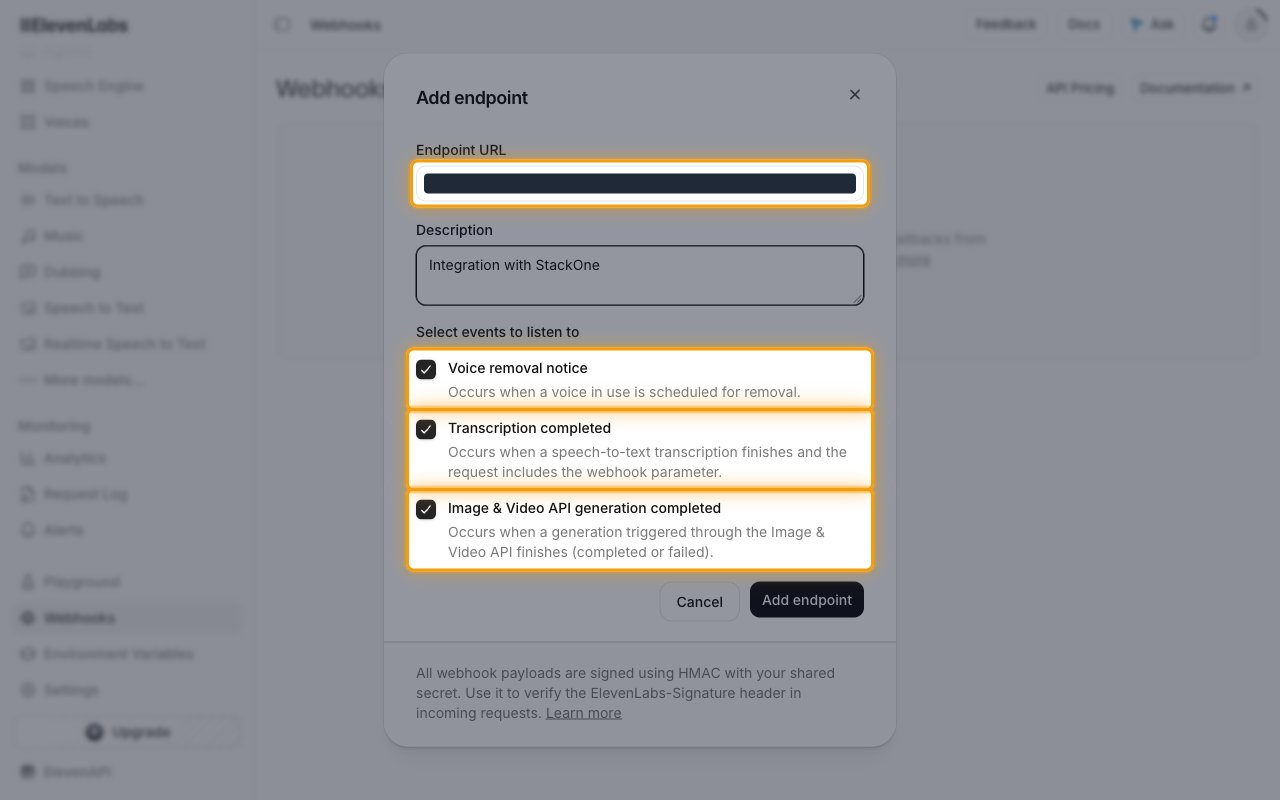
In the Add endpoint dialog, paste the StackOne Native Webhook URL into Endpoint URL and optionally add a Description. Under Select events to listen to, tick the workspace events you want delivered, then click Add endpoint.
- Voice removal notice delivers the voice removal events.
- Transcription completed delivers asynchronous speech-to-text results.
- Image & Video API generation completed delivers image and video generation results.
Save the webhook secret
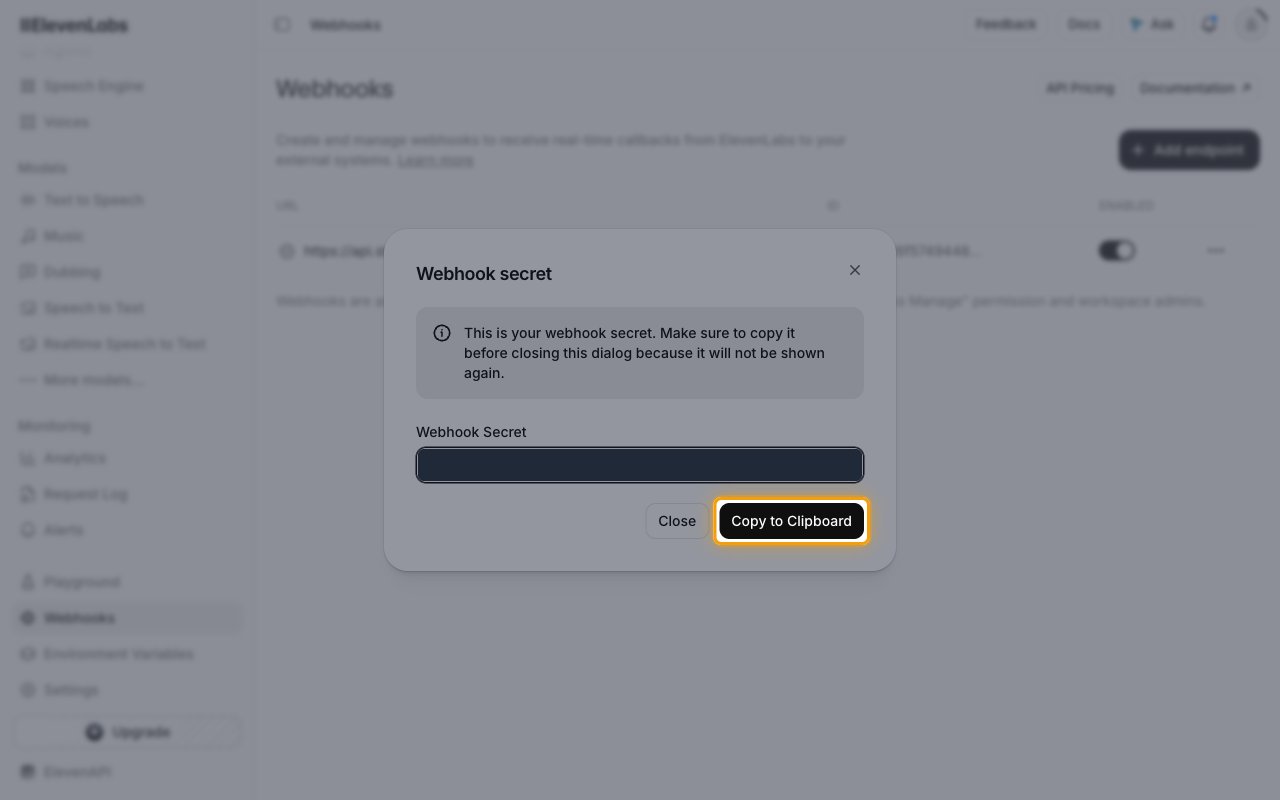
ElevenLabs then shows the Webhook secret dialog. Click Copy to Clipboard and store the secret securely for use later. ElevenLabs signs every delivery with it in the ElevenLabs-Signature header.
- The webhook secret is only displayed once and cannot be retrieved later.
Check the endpoint is enabled
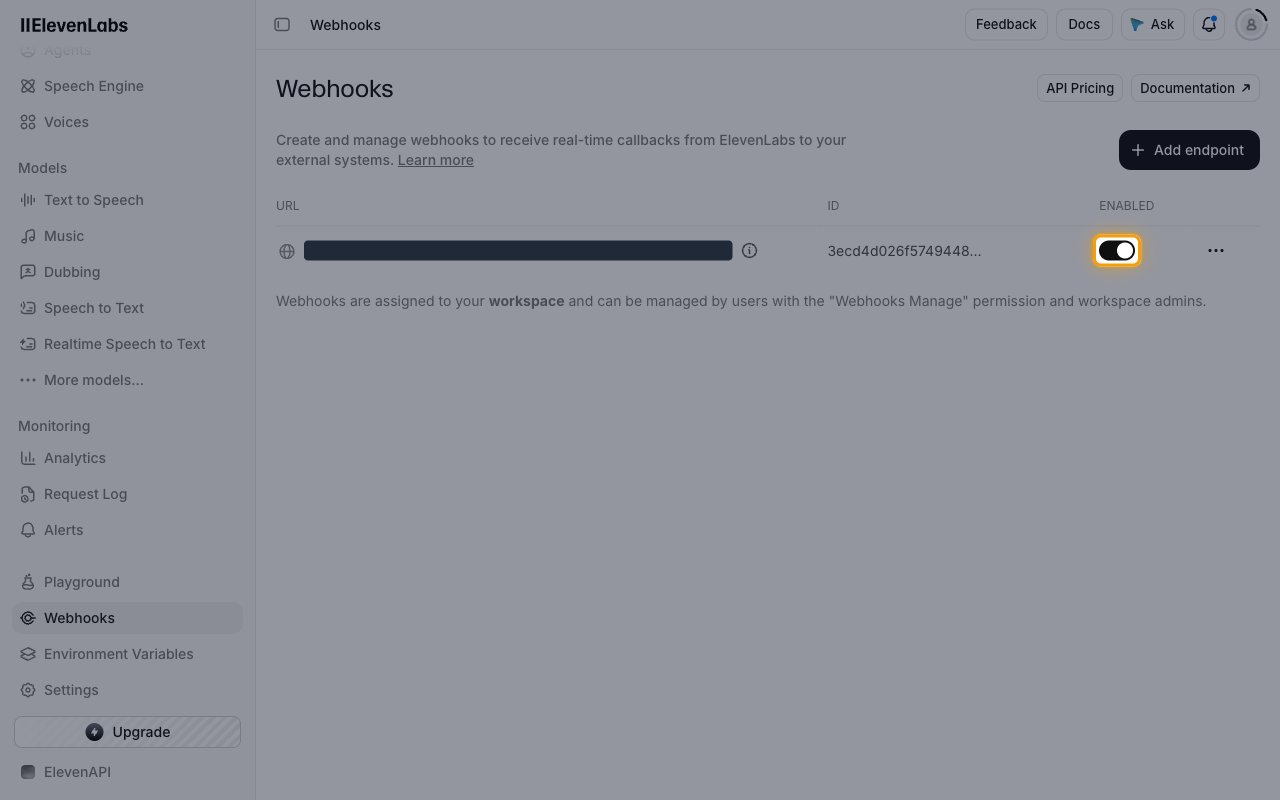
The new endpoint appears in the Webhooks list. Make sure the ENABLED toggle is on.
Send agent post-call events to StackOne
Agent call events use the workspace post-call webhook, which is set in the ElevenAgents settings rather than in the endpoint’s event list. Skip this section if you do not use ElevenLabs agents.
Open the post-call webhook setting
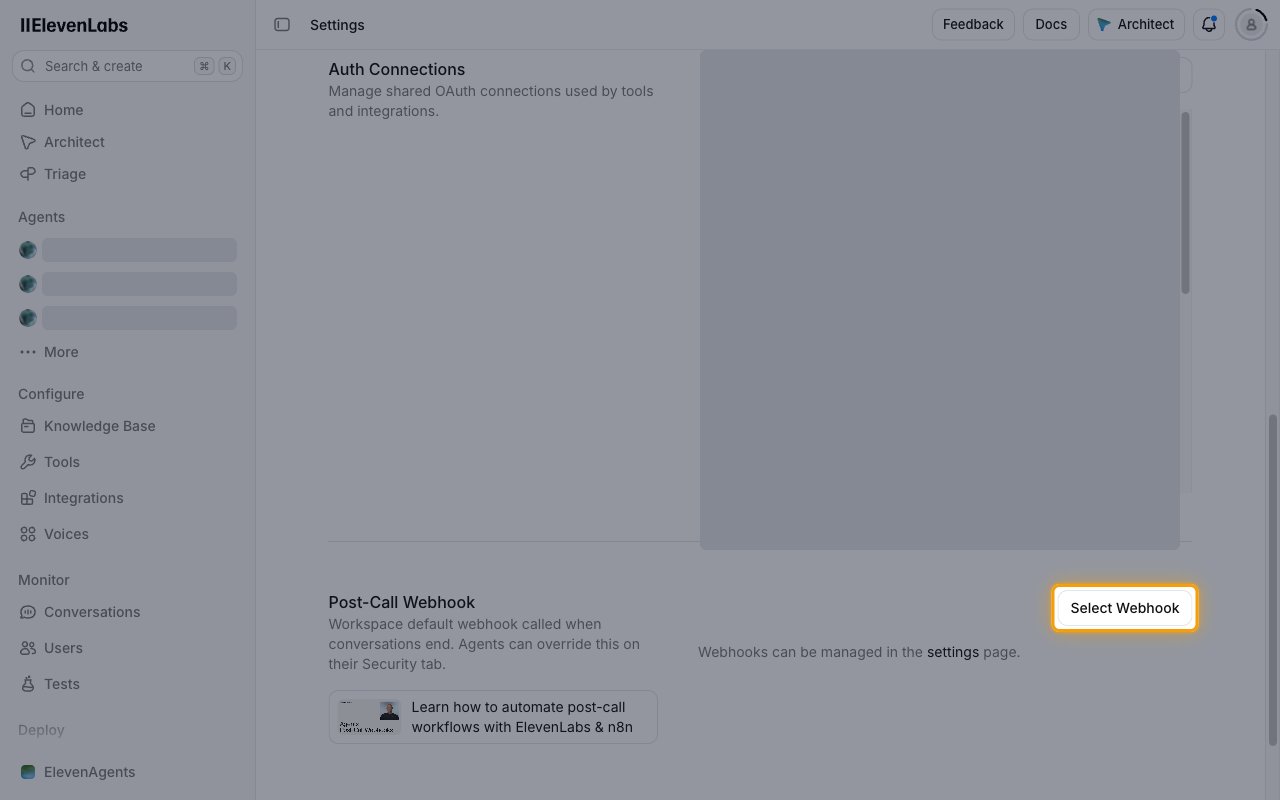
Switch to ElevenAgents with the platform switcher and open the agents Settings page. In Post-Call Webhook, click Select Webhook and choose the endpoint you created.
- Agents can override the workspace post-call webhook on their Security tab.
Select the post-call events
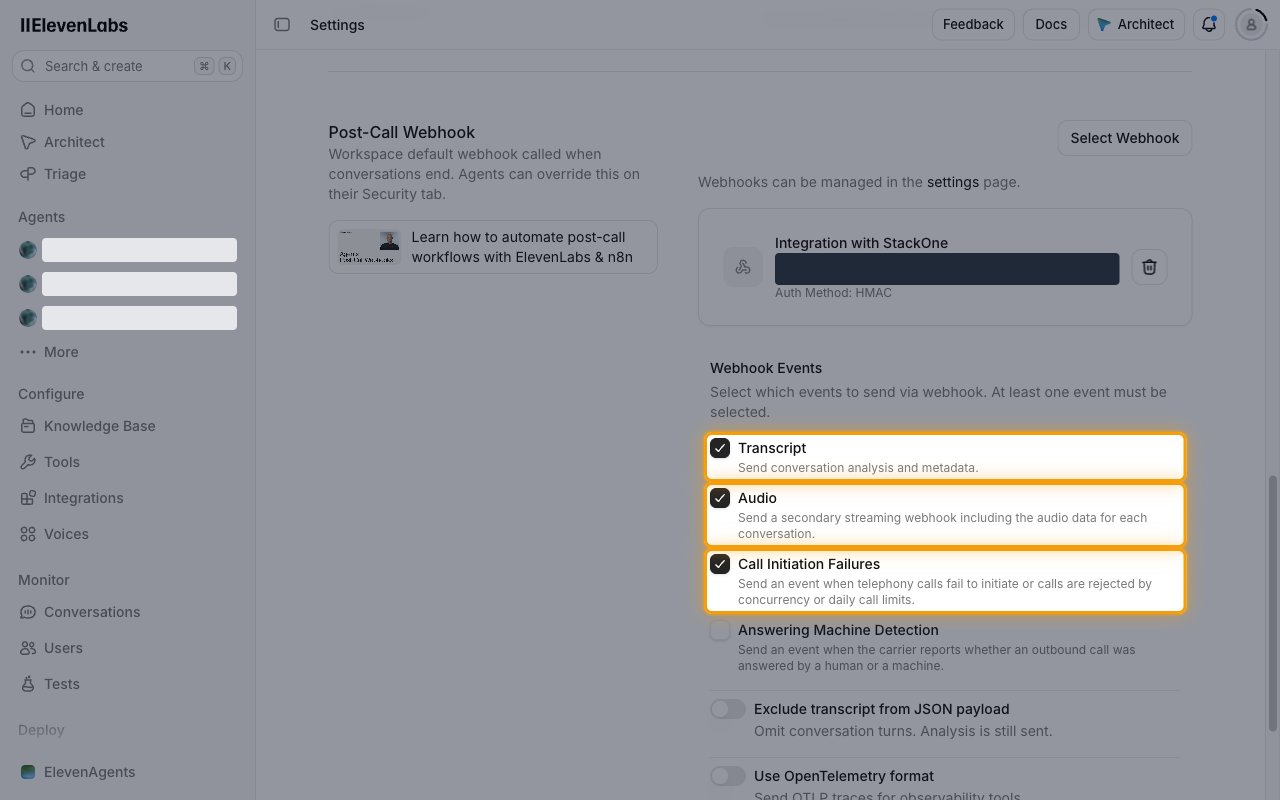
Under Webhook Events, tick the events to send. At least one event must be selected. The change saves automatically.
- Transcript sends conversation analysis and metadata.
- Audio sends a secondary webhook with the audio data for each conversation.
- Call Initiation Failures sends an event when telephony calls fail to initiate or are rejected by concurrency or daily call limits.
- Answering Machine Detection is not mapped by StackOne, so leave it unticked.
Available webhook events
The following ElevenLabs events are delivered to StackOne. Only events you select in ElevenLabs are sent; ElevenLabs does not deliver events you did not subscribe to.
Agent events
Events sent through the post-call webhook when an agent conversation ends.
- Post-Call Transcription (
post_call_transcription) — Fired when an agent call has finished and analysis is complete, with the transcript, analysis and metadata - Post-Call Audio (
post_call_audio) — Fired with the full audio of a finished agent call as base64-encoded MP3 - Call Initiation Failure (
call_initiation_failure) — Fired when an outbound agent call fails to start, with the failure reason
Voice events
Events sent when a Voice Library voice used in the workspace changes status.
- Voice Removal Notice (
voice_removal_notice) — Fired when a shared library voice you use is scheduled for removal - Voice Removal Notice Withdrawn (
voice_removal_notice_withdrawn) — Fired when a scheduled shared voice removal is canceled - Voice Removed (
voice_removed) — Fired when a shared library voice has been removed and can no longer be used
Speech to text and generation events
Events sent when asynchronous work finishes.
- Speech to Text Transcription (
speech_to_text_transcription) — Fired when an asynchronous speech-to-text request made with the webhook parameter finishes - Image and Video Generation (
flows_generation) — Fired when an Image & Video API generation completes or fails
Delivery format
Details of how ElevenLabs delivers events to StackOne.
One event per request
Each request carries a single JSON event with type, event_timestamp and data. StackOne routes it to the matching event handler by type.
Retries and auto-disable
A delivery that does not return 200 is retried with increasing delays. ElevenLabs disables a webhook after 10 or more consecutive failures when the last successful delivery was more than 7 days ago, so check the ENABLED toggle if events stop arriving.