

Creating an API key
An ElevenLabs API key authenticates every request StackOne makes to your workspace.
Sign in to ElevenLabs
Sign in to your ElevenLabs account.
- In the bottom-left corner, click the platform switcher showing ElevenCreative.
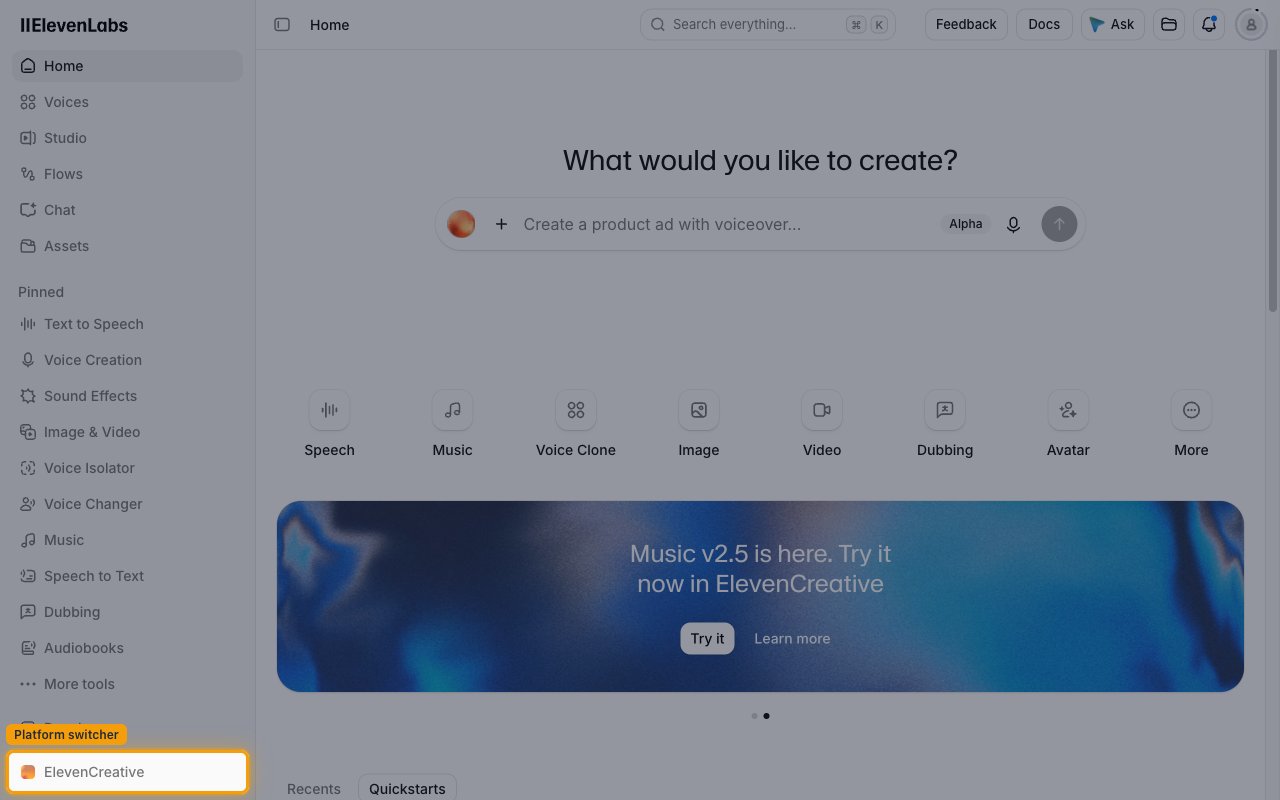
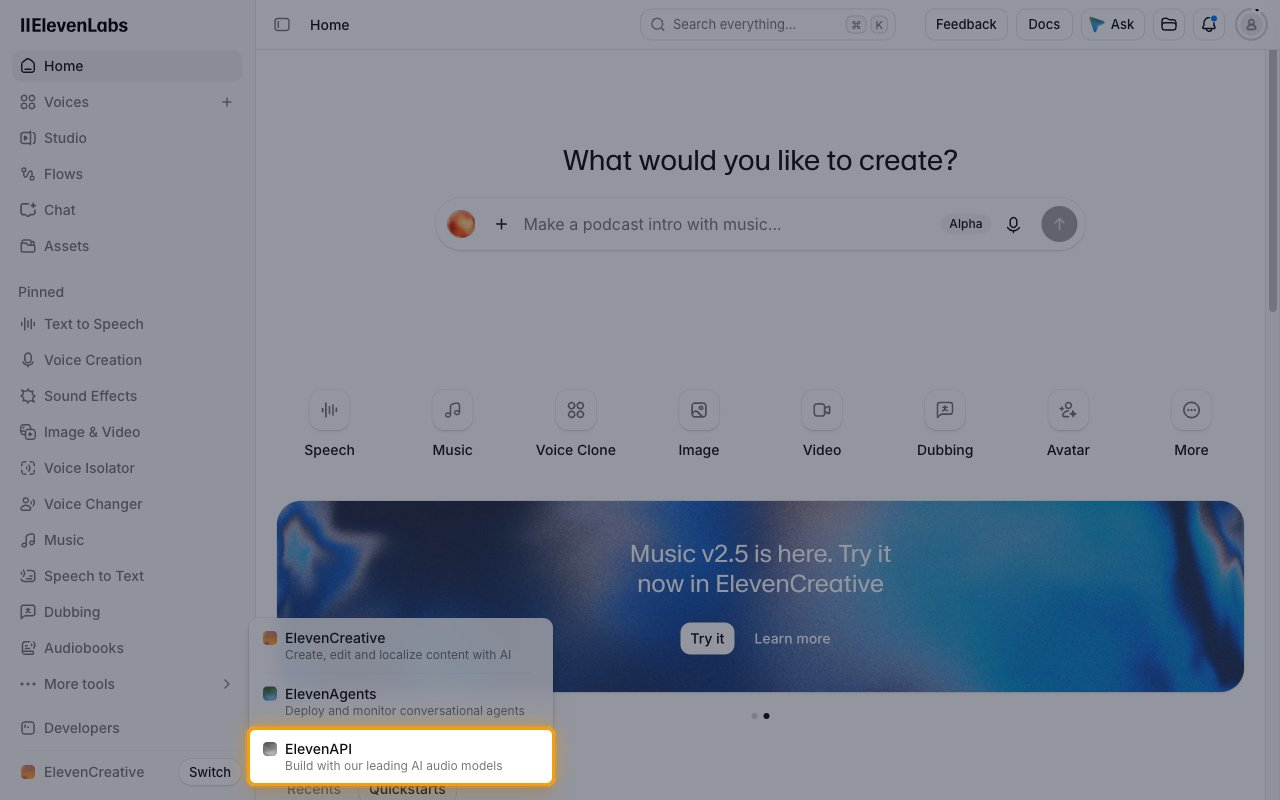
Select ElevenAPI
In the menu, select ElevenAPI.
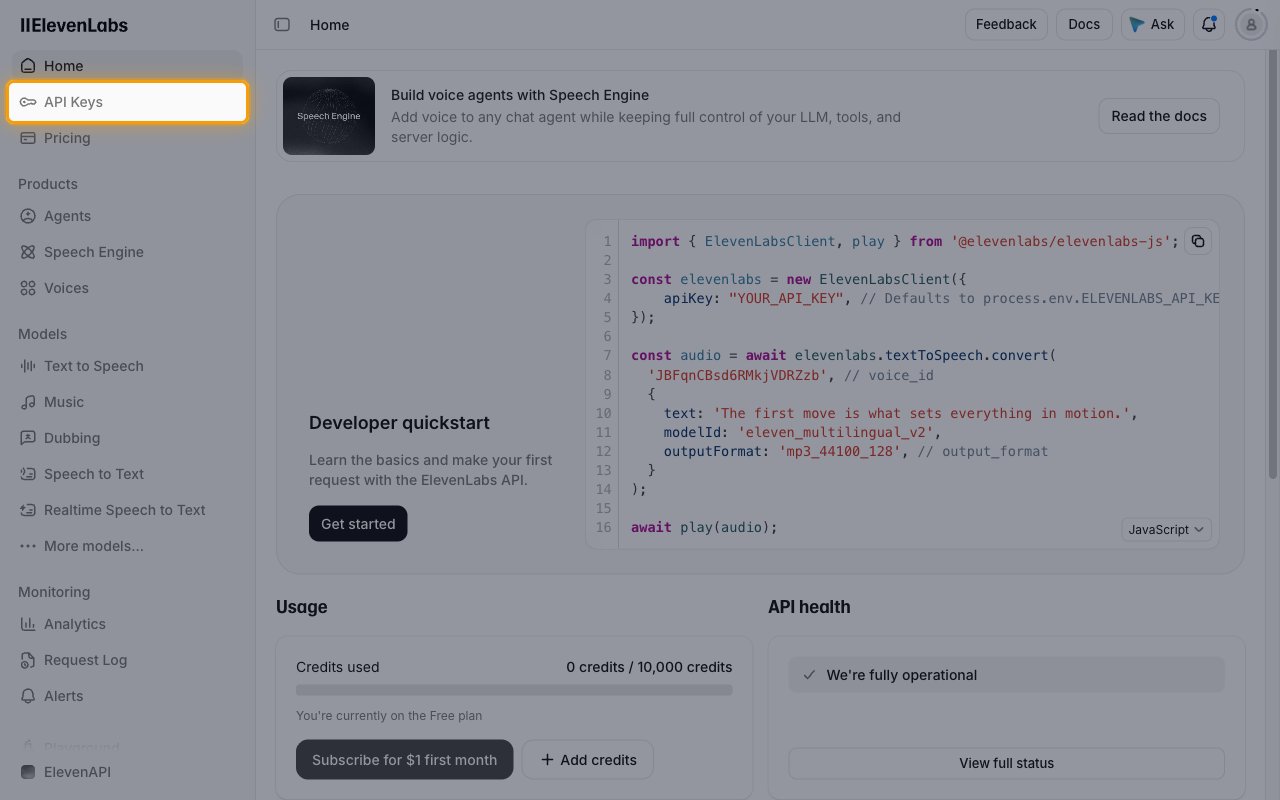
Open API keys
In the sidebar, click API Keys, then click Create Key.
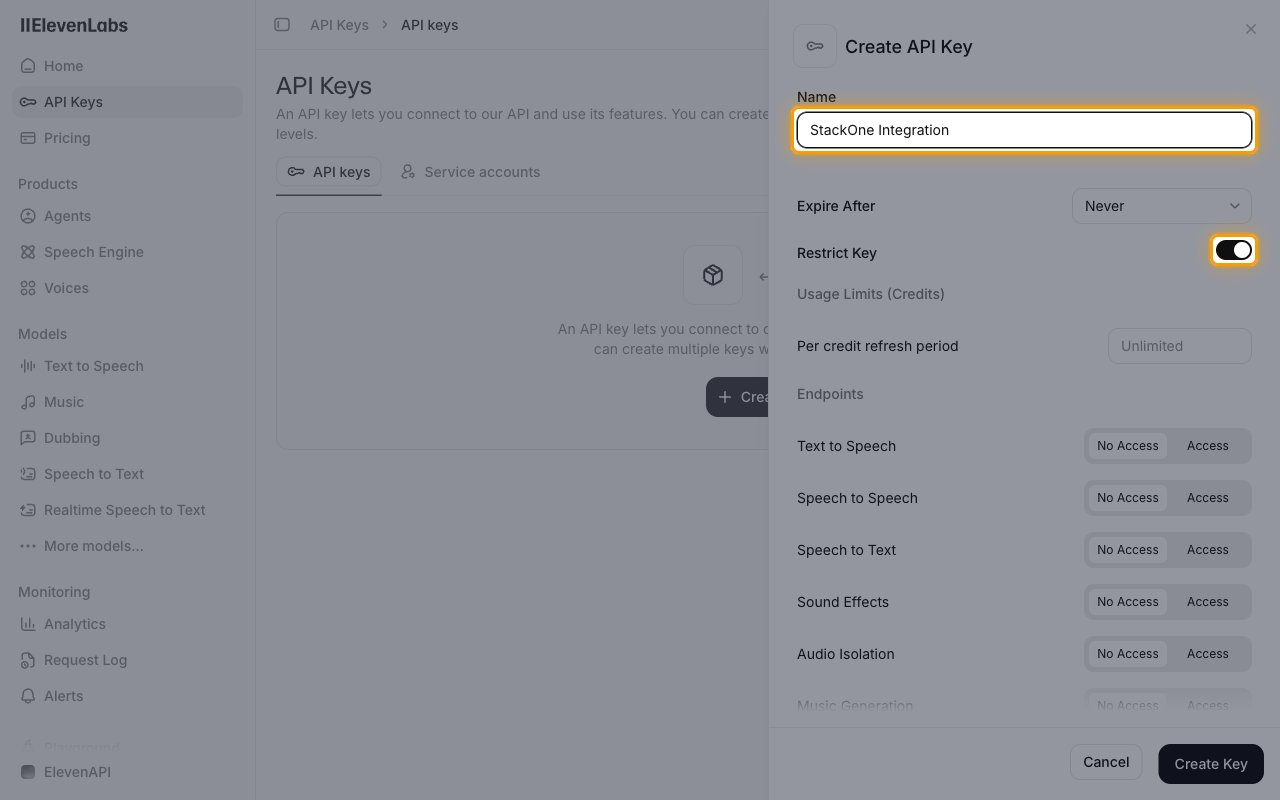
Name the key
In the Create API Key panel, enter a Name such as StackOne Integration.
- Leave Expire After set to Never. An expired key stops the connection working.
Set the key permissions
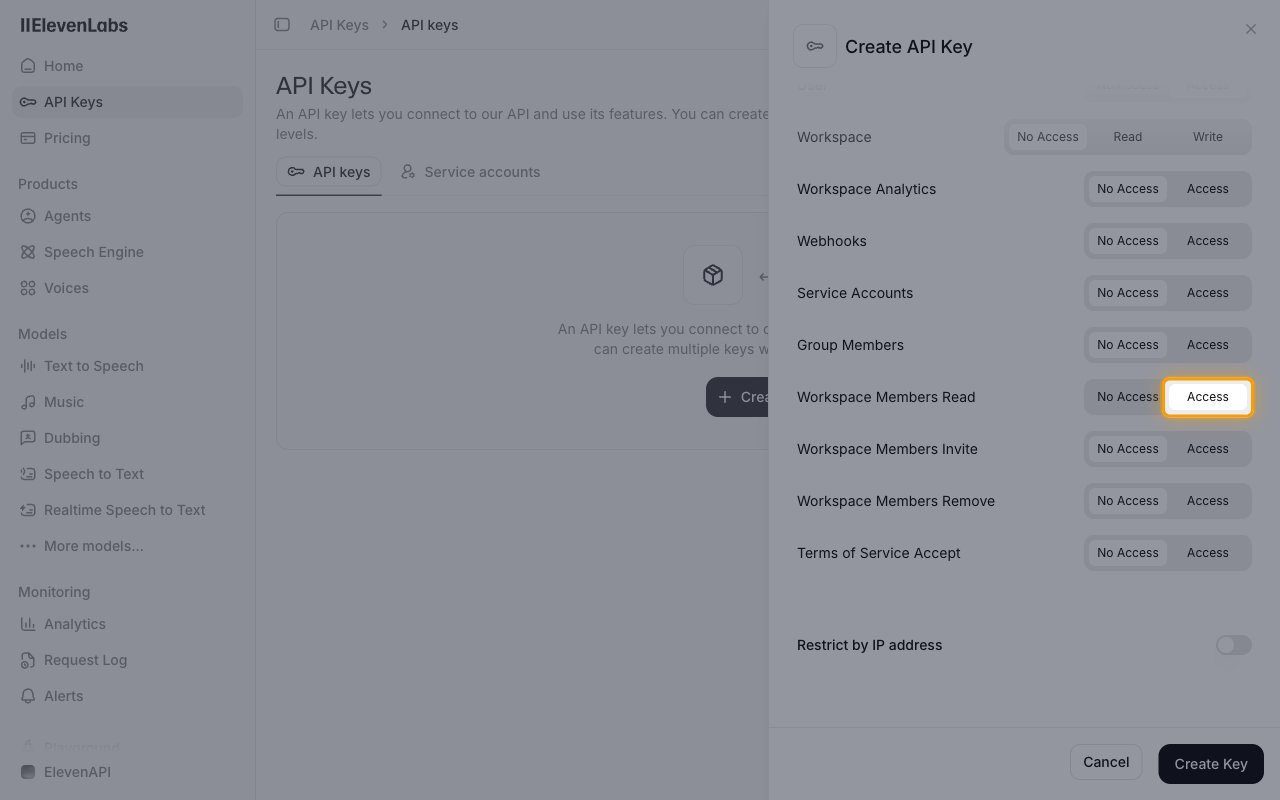
Restrict Key is on by default and sets every endpoint to No Access, so a key created with the defaults cannot call the API. Turn Restrict Key off to give the key full access, or keep it on and grant access to the areas you will use:
- Workspace Members Read and User: set to Access. StackOne verifies the connection by reading data the key has access to, so grant at least one area.
- ElevenAgents, Voices, Dubbing, History and Pronunciation Dictionaries: set to Read, or Write to create and change resources.
- Models and Text to Speech: set to Access.
- Speech to Text, Sound Effects, Voice Generation, Forced Alignment, Music Generation, Audio Native and Audio Isolation: grant these if you use the matching generation and history actions.
- Voice Collections (read or write) and Professional Voice Cloning: grant these if you use the voice collection or professional voice clone actions.
- Workspace, Service Accounts and Group Members: grant these only if you use the workspace and user management actions.
Copy the API key
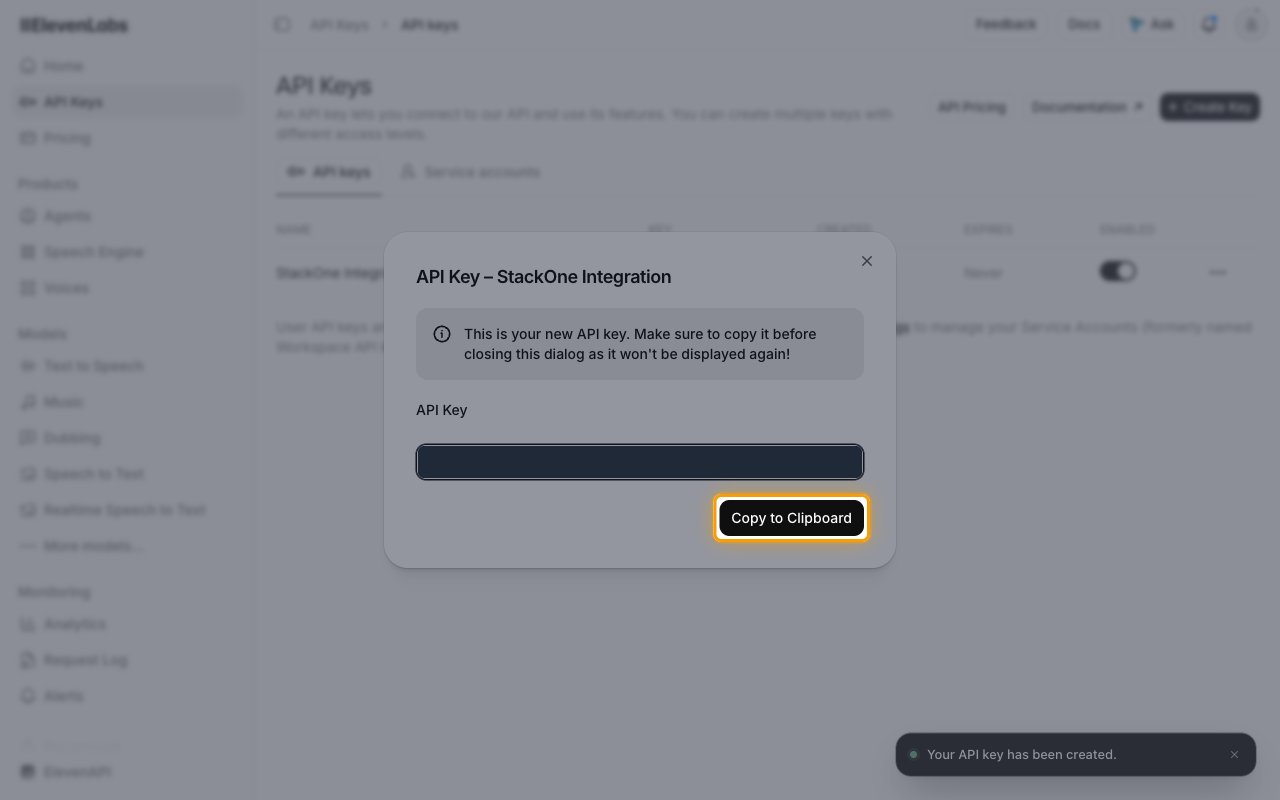
Click Create Key, then click Copy to Clipboard and store the key securely for use later.
- The API key is only displayed once and cannot be retrieved later.
- Paste it into the API Key field in StackOne Hub.
Find your API region
The API region is the ElevenLabs environment your account lives in. You can tell which one from the web address you sign in at, because each data residency environment is a separate account with its own sign-in page. Select the matching option in the API Region field in StackOne Hub.
- If you sign in at ElevenLabs, select Global (api.elevenlabs.io), or US (api.us.elevenlabs.io) to keep API traffic on US servers.
- If you sign in at ElevenLabs EU, select EU data residency (api.eu.residency.elevenlabs.io).
- If you sign in at ElevenLabs India, select India data residency (api.in.residency.elevenlabs.io).
- If you sign in at ElevenLabs Singapore, select Singapore data residency (api.sg.residency.elevenlabs.io).
- Create the API key in the same environment you select. A key from one environment does not work in another.
Link the Account
Connect
- Click Connect.
- If applicable, the provider will redirect you to a sign-in or authorization page. Complete the provider’s authorization flow.
- Once authorization is successful, you will see a confirmation popup.
Use Actions
Next Steps
Webhooks setup
Configure receiving Events for ElevenLabs into StackOne.