

Log in to the Elastic Cloud Console
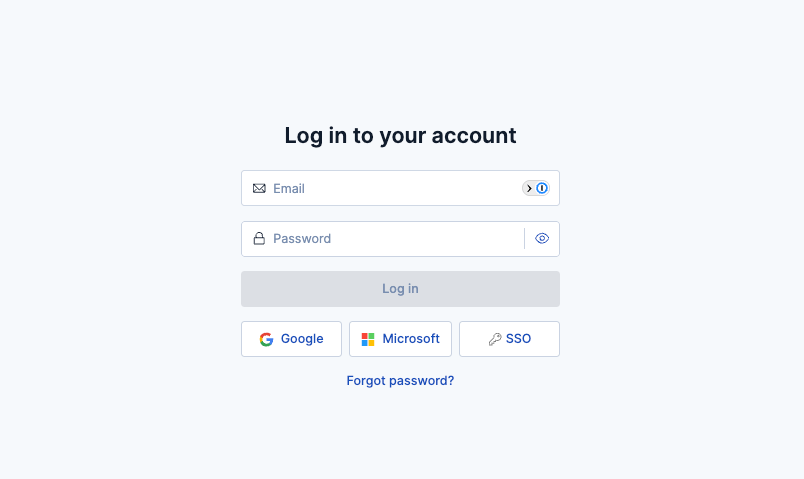
Navigate to the Elastic Cloud Console and log in with your credentials.
Generate a Cloud API key
Create an API key for authenticating with the Elastic Cloud REST API.
1
Open the Organization page
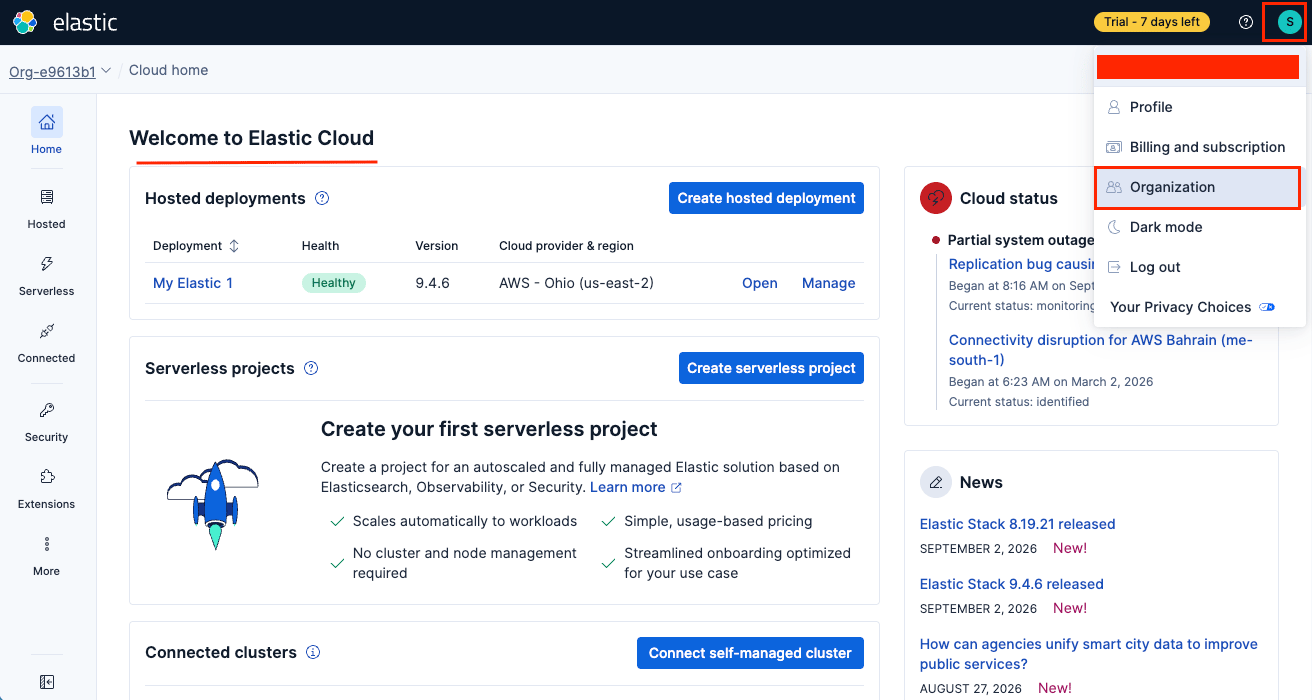
From the Cloud home page, click your avatar in the top-right corner and select Organization from the dropdown menu.
2
Navigate to the API keys tab
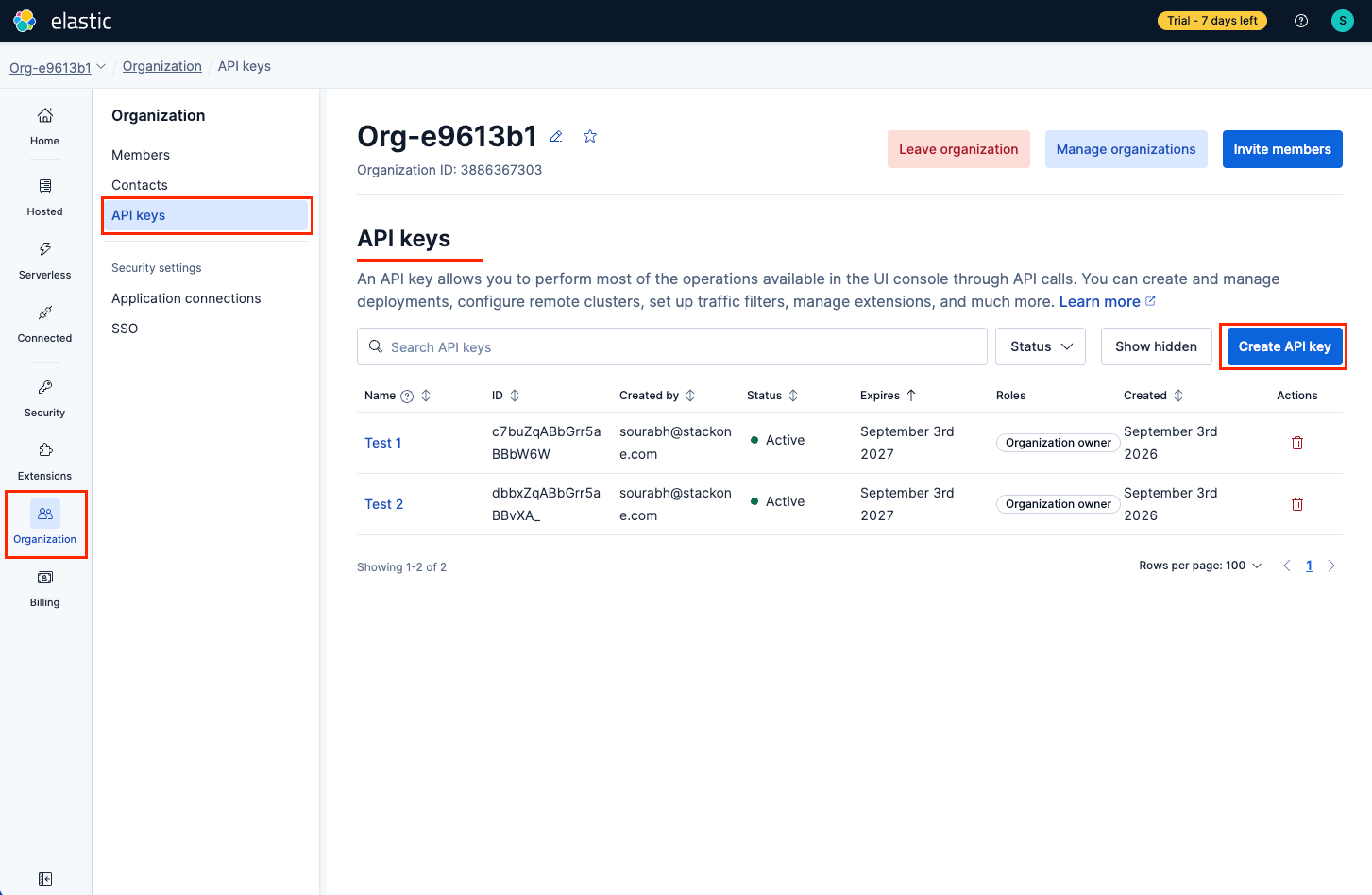
On the Organization page, select the API keys tab in the left-hand sidebar to view and manage your API keys.
3
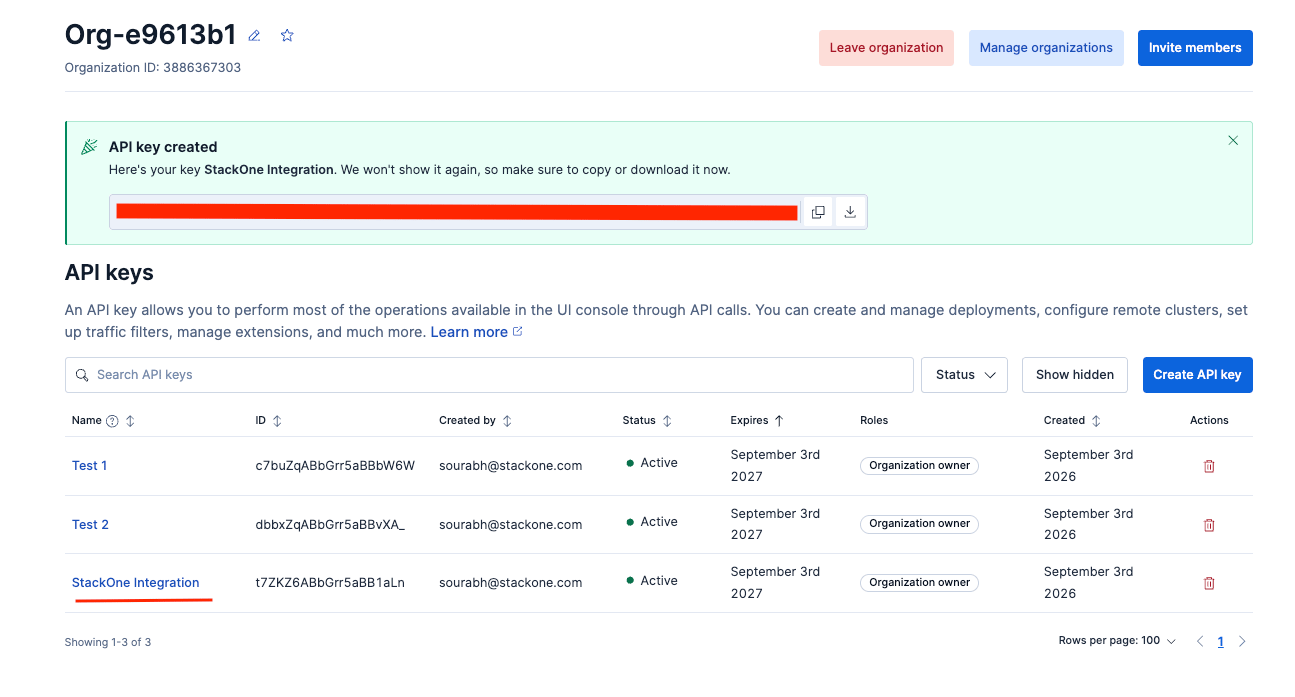
Create a new API key
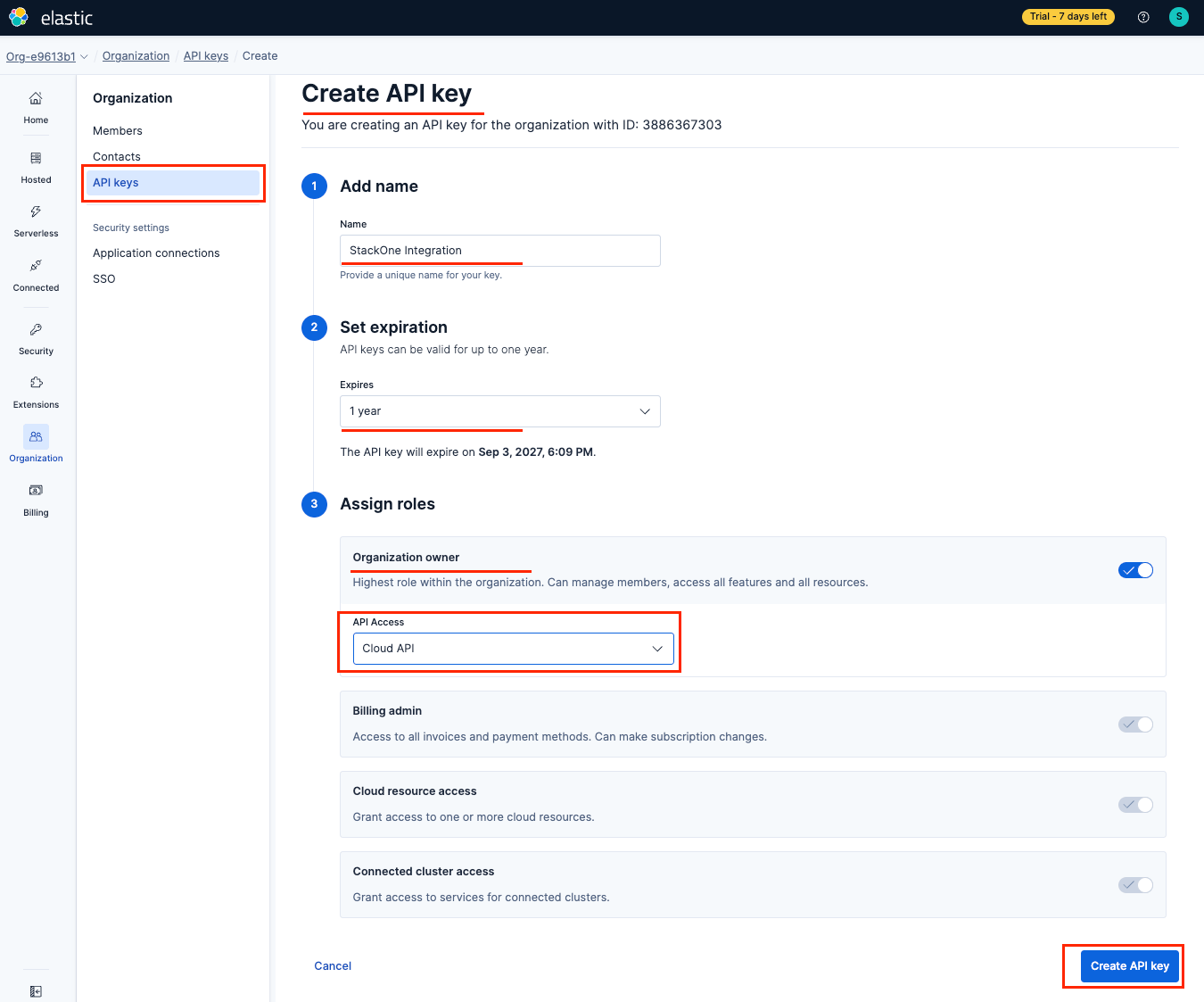
Click Create API key and fill in the required details.
- Enter a descriptive Name (e.g. “StackOne Integration”).
- Set an Expiration period (up to 1 year).
- Enable the Organization owner role and set the API Access dropdown to Cloud API.
- Click Create API key.
4
Copy the API key
The API key is displayed only once after creation. Copy it immediately and store it securely.
- If you lose the key, you must create a new one.
- Use the copy icon next to the key value to copy it to your clipboard.
Linking the Account from the Hub
1
Navigate to the Hub
Use one of the three Linking Account Methods to access the Hub.
2
Fill out the fields
Fill out the following fields using details from your provider:
- API Key
3
Connect
- Click Connect
- If applicable, the provider will redirect you to a sign-in or authorization page. Complete the provider’s authorization flow.
- Once authorization is successful, you will see a confirmation popup
If the account linking is successful, you will see the newly linked account in your Accounts page.