

Find your Discourse domain
Your Discourse domain is the address of your forum, without the protocol or any path.
- Sign in to your forum and copy the domain from your browser address bar.
- Format:
{your-forum}.discourse.groupfor Discourse-hosted sites, or your own domain for a self-hosted instance - Example: if your address bar shows
https://community.example.com/latest, your domain iscommunity.example.com - Do not include the protocol prefix or a trailing slash.
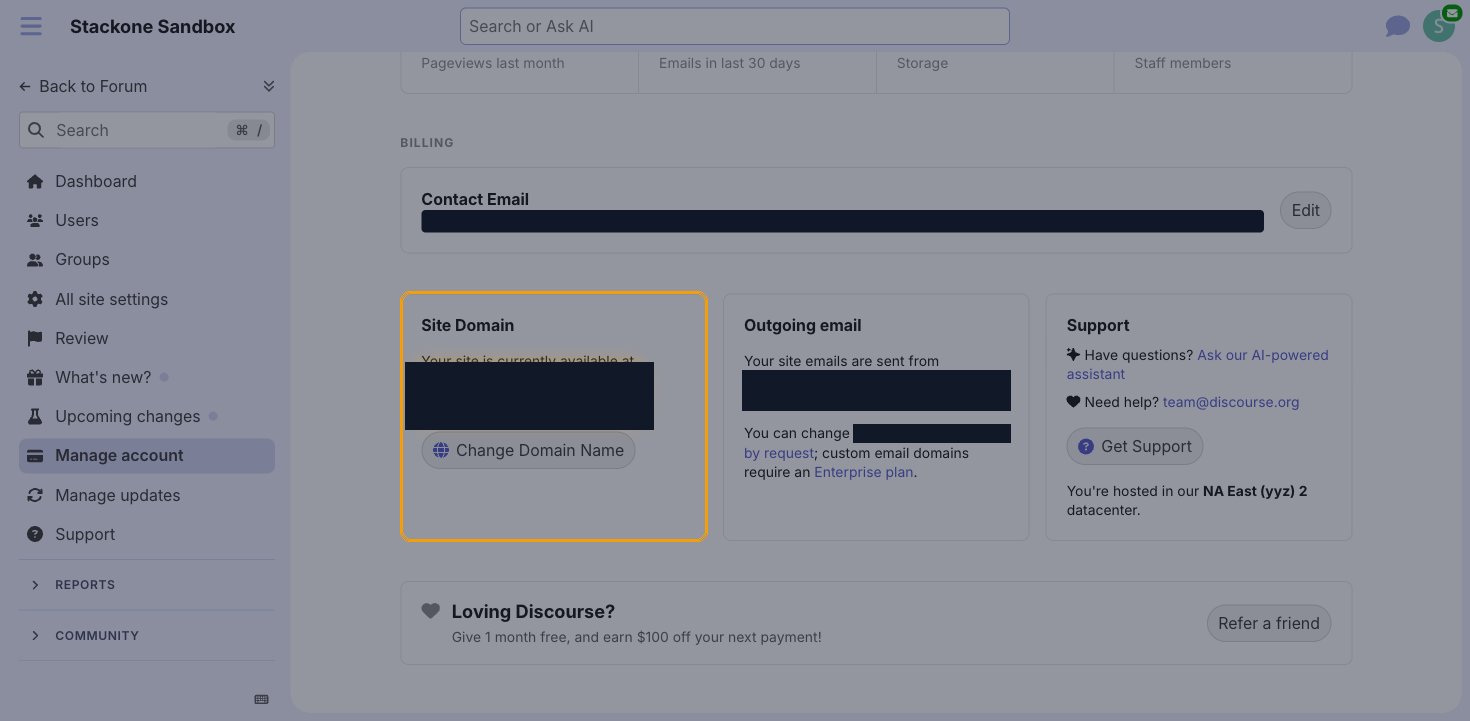
- On Discourse-hosted sites you can also confirm it under Admin > Manage account, in the Site Domain panel.
- Enter this value in the Domain field in StackOne Hub.
Generate an API key
API keys are created from the admin area of your Discourse instance and are shown only once.
Sign in to Discourse
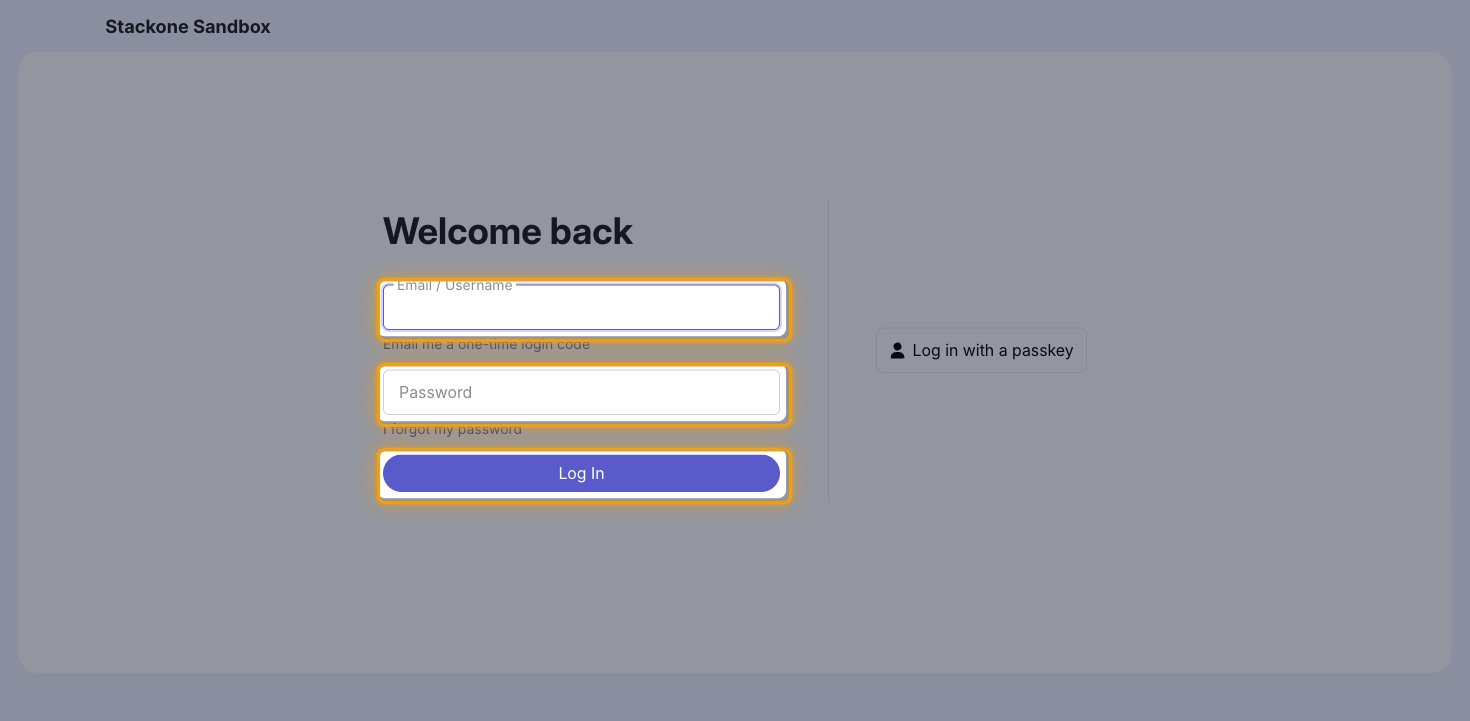
Sign in to your Discourse instance in a browser as a user with administrator access.
- Discourse-hosted sites:
https://{your-forum}.discourse.group/login - Self-hosted sites:
https://{your-domain}/login— for examplehttps://community.example.com/login - Enter your Email / Username and Password, then click Log In.
Open the admin area
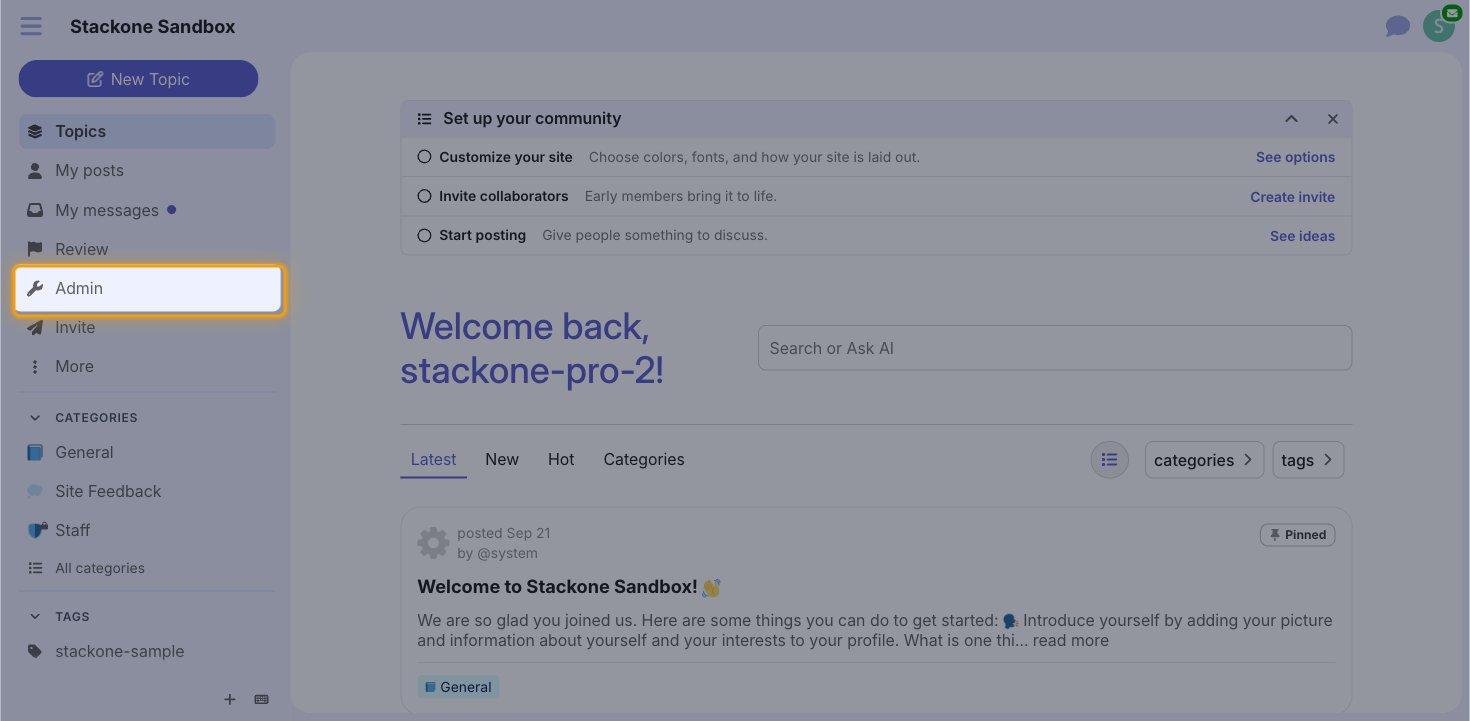
In the sidebar, click Admin.
Open the API keys page
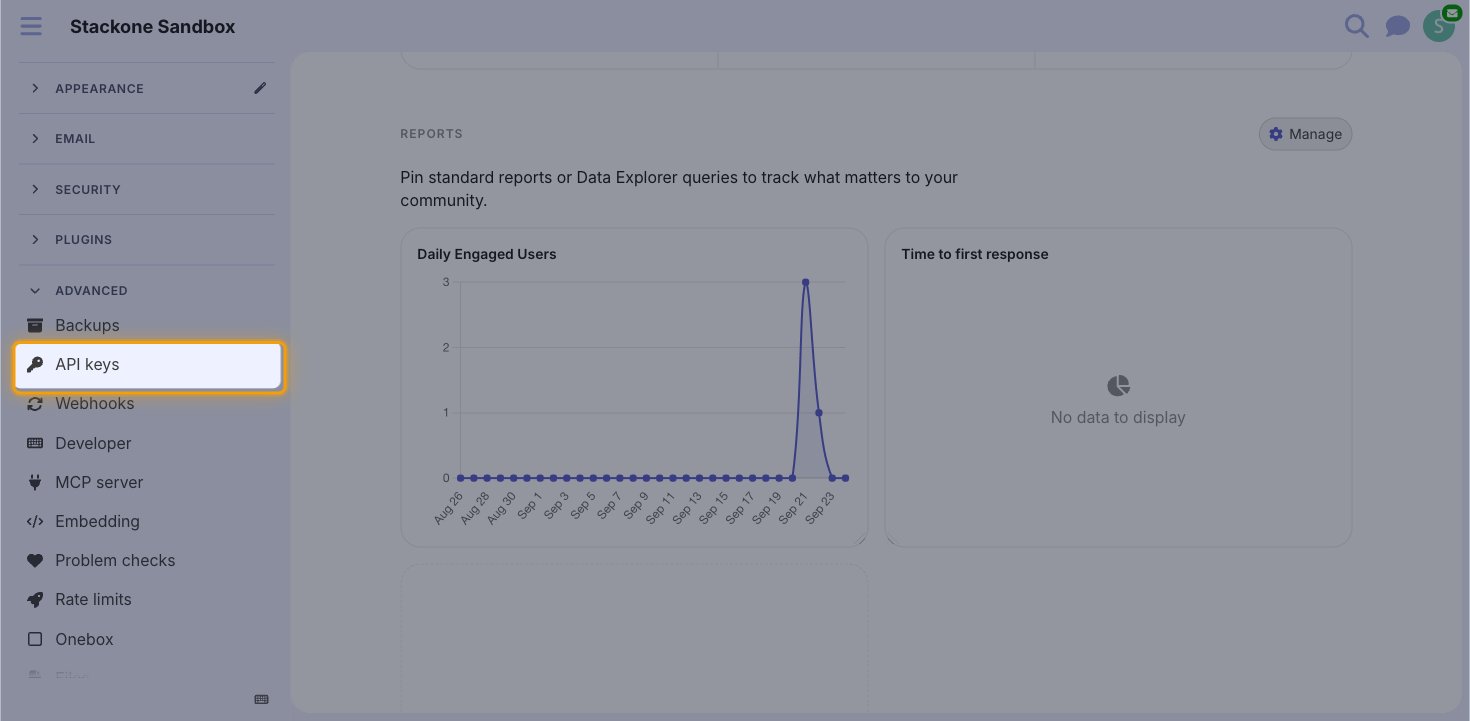
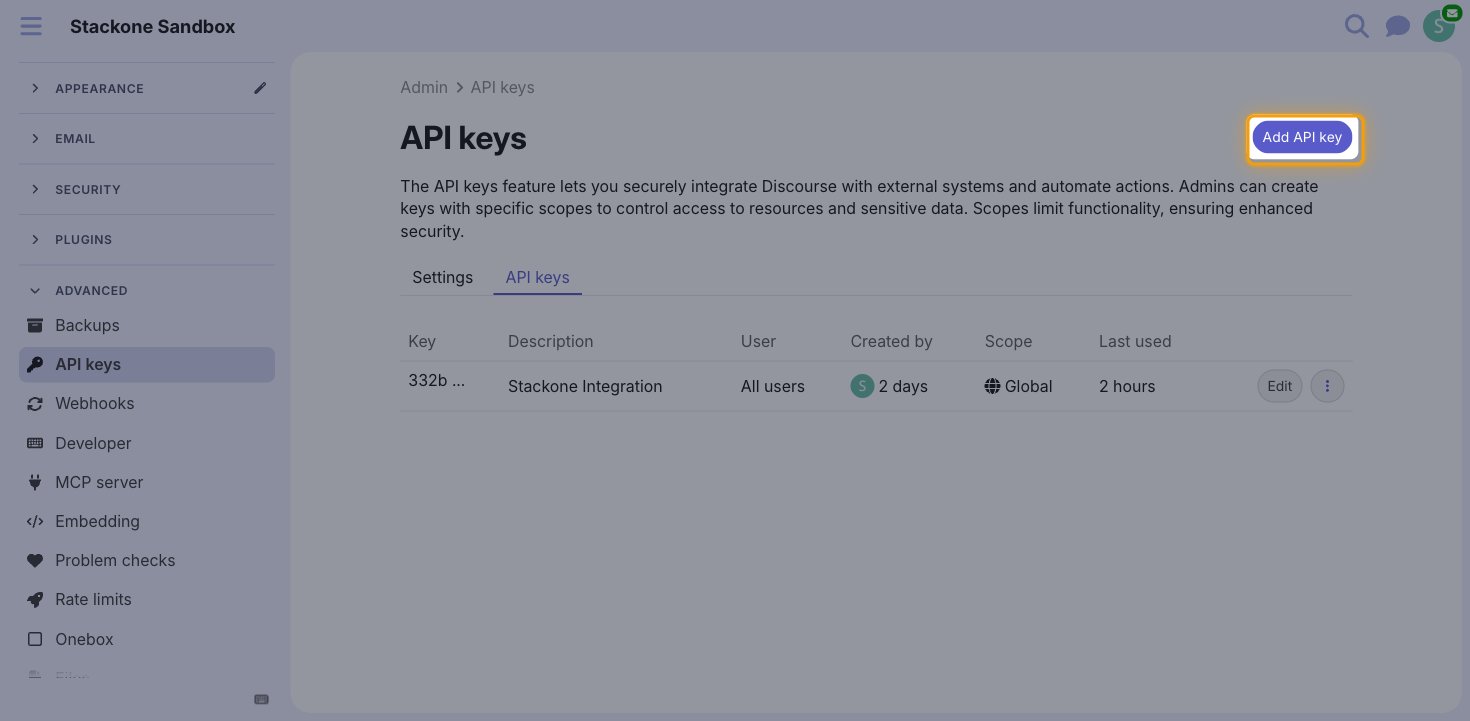
In the admin sidebar, expand Advanced and select API keys.
- You can also go directly to
/admin/api/keyson your instance.
Add a new key
On the API keys page, click Add API key.
Configure and save the key
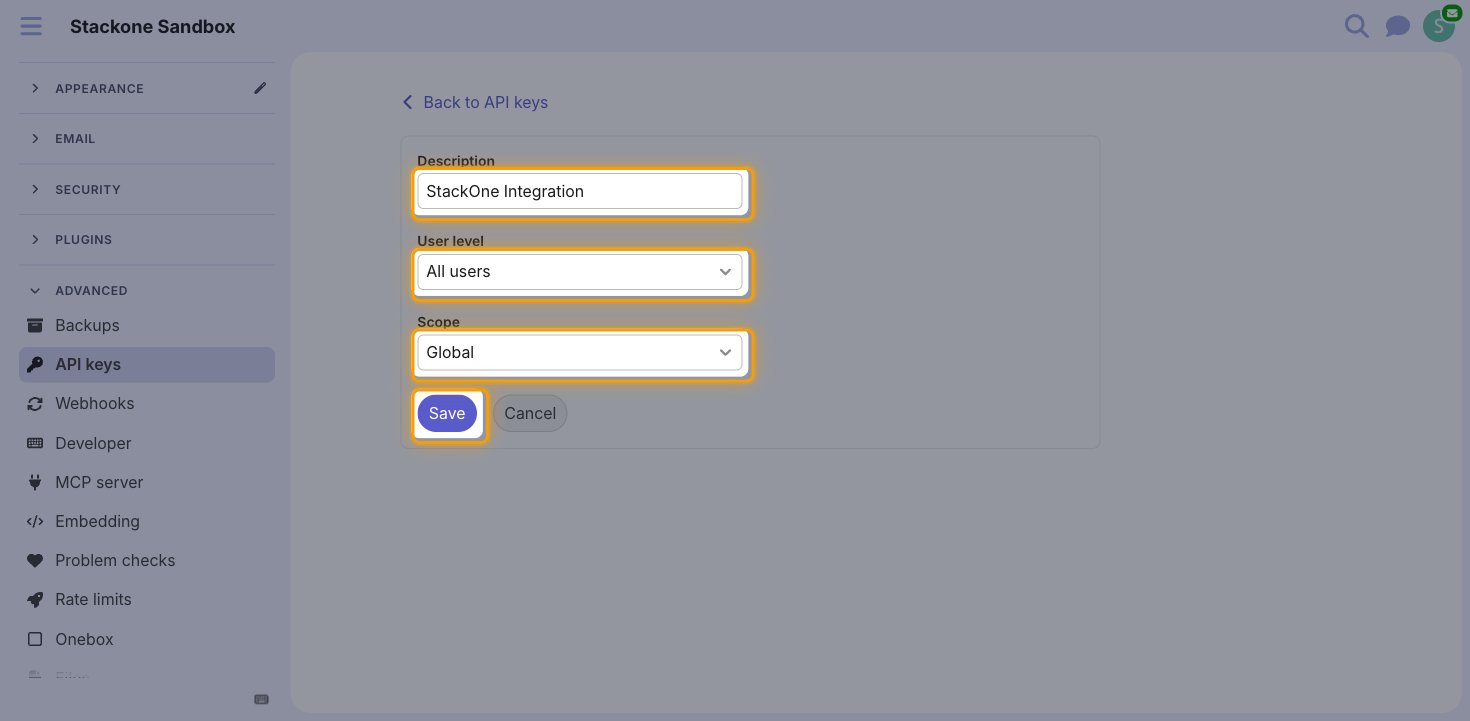
Enter a Description that identifies the integration, then click Save.
- Description:
StackOne Integration - Leave User level set to All users and Scope set to Global — these are the defaults and no change is needed.
Copy the key
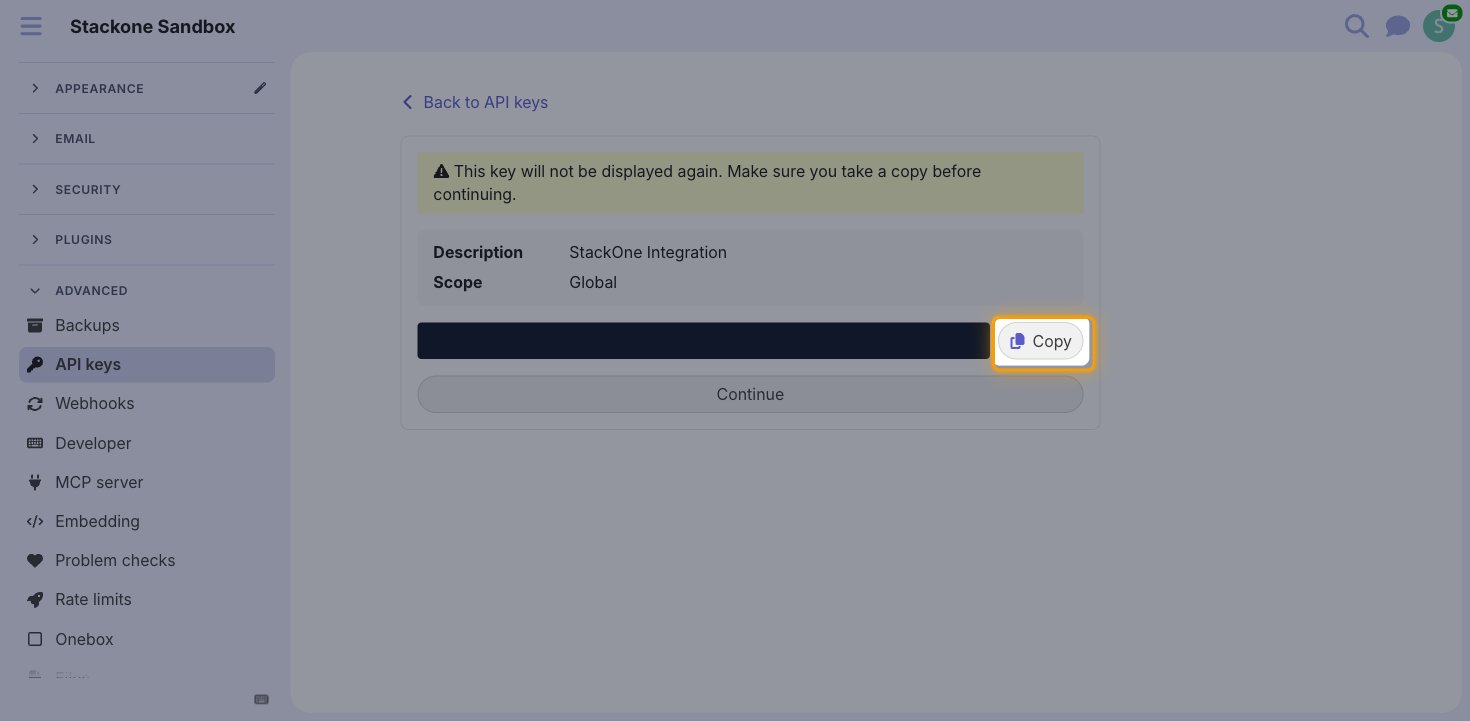
Click Copy to copy the generated key, then click Continue.
- The key is only displayed once and cannot be retrieved later.
- Paste it into the API Key field in StackOne Hub, and store it securely for use later.
Find your API username
The API username is the Discourse user that requests are made on behalf of. The user must have permission for the actions you intend to perform, so an administrator account is recommended.
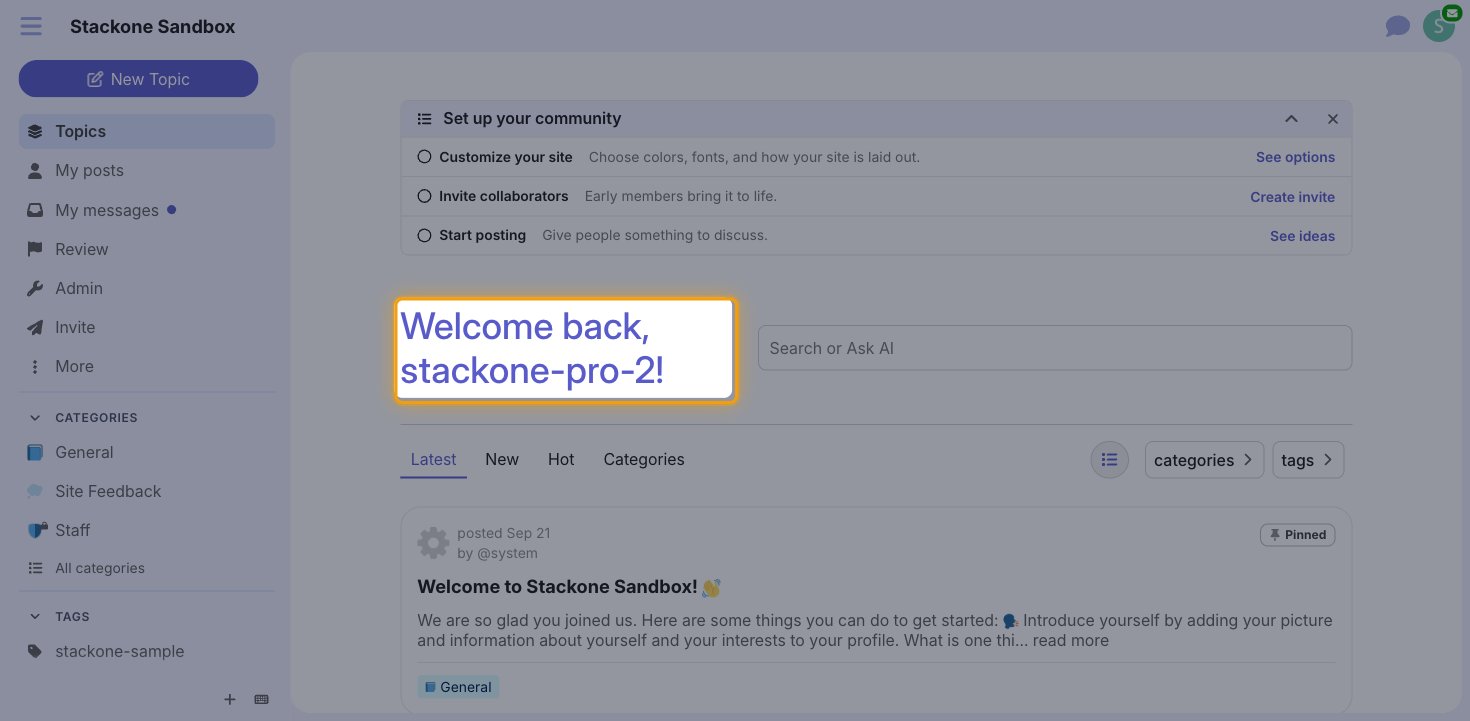
- Your username is shown in the welcome message on your forum home page, for example
Welcome back, jane_admin! - You can also use
systemfor system-level administrator access. - Enter this value in the API Username field in StackOne Hub.
Link the Account
Connect
- Click Connect.
- If applicable, the provider will redirect you to a sign-in or authorization page. Complete the provider’s authorization flow.
- Once authorization is successful, you will see a confirmation popup.
Use Actions
Next Steps
Webhooks setup
Configure receiving Events for Discourse into StackOne.