

Generate API Credentials
To connect Demio with StackOne, you need to generate API credentials from your Demio account. Both the API Key and API Secret are found on the API Details page in your account settings.
Sign in to Demio
Sign in to your Demio account with Owner credentials.
Open your account settings
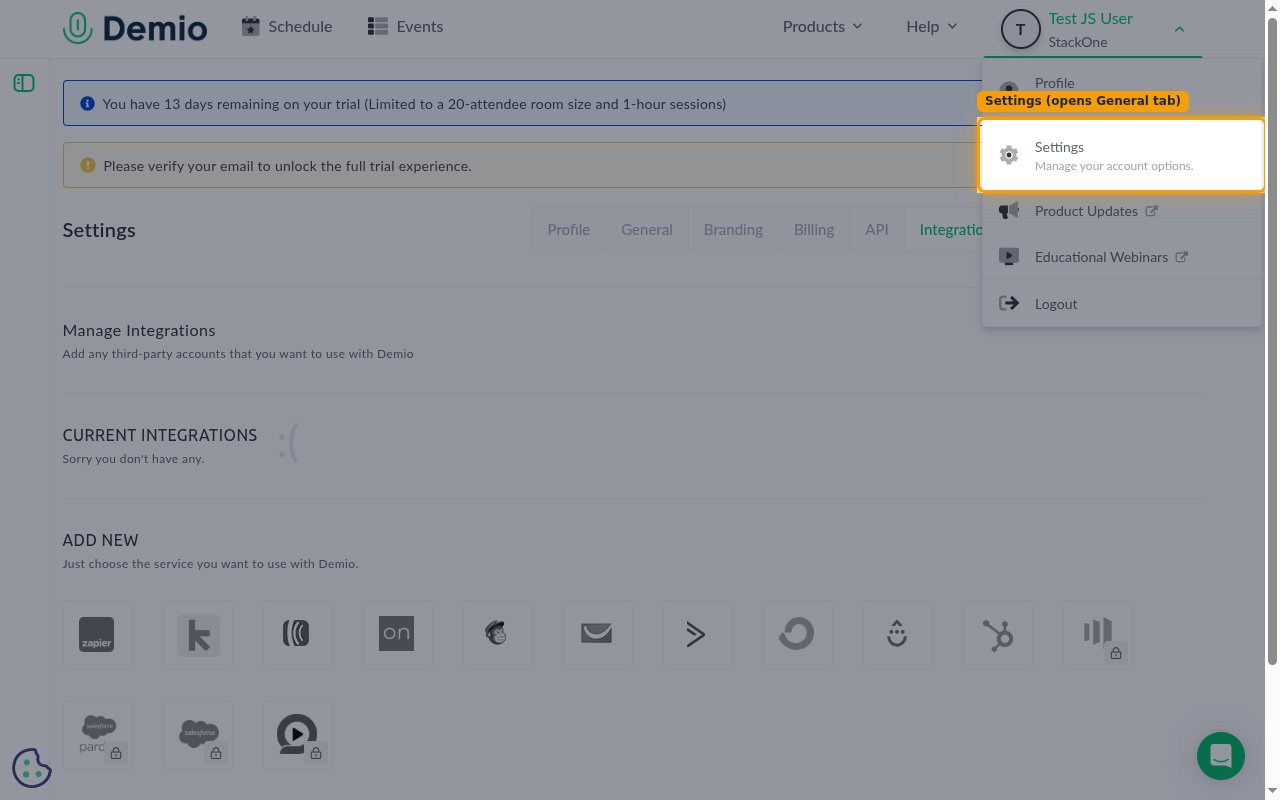
Click your profile icon in the top-right corner (showing your name and company) and select Settings from the dropdown menu.
- Selecting Settings opens the General tab by default.
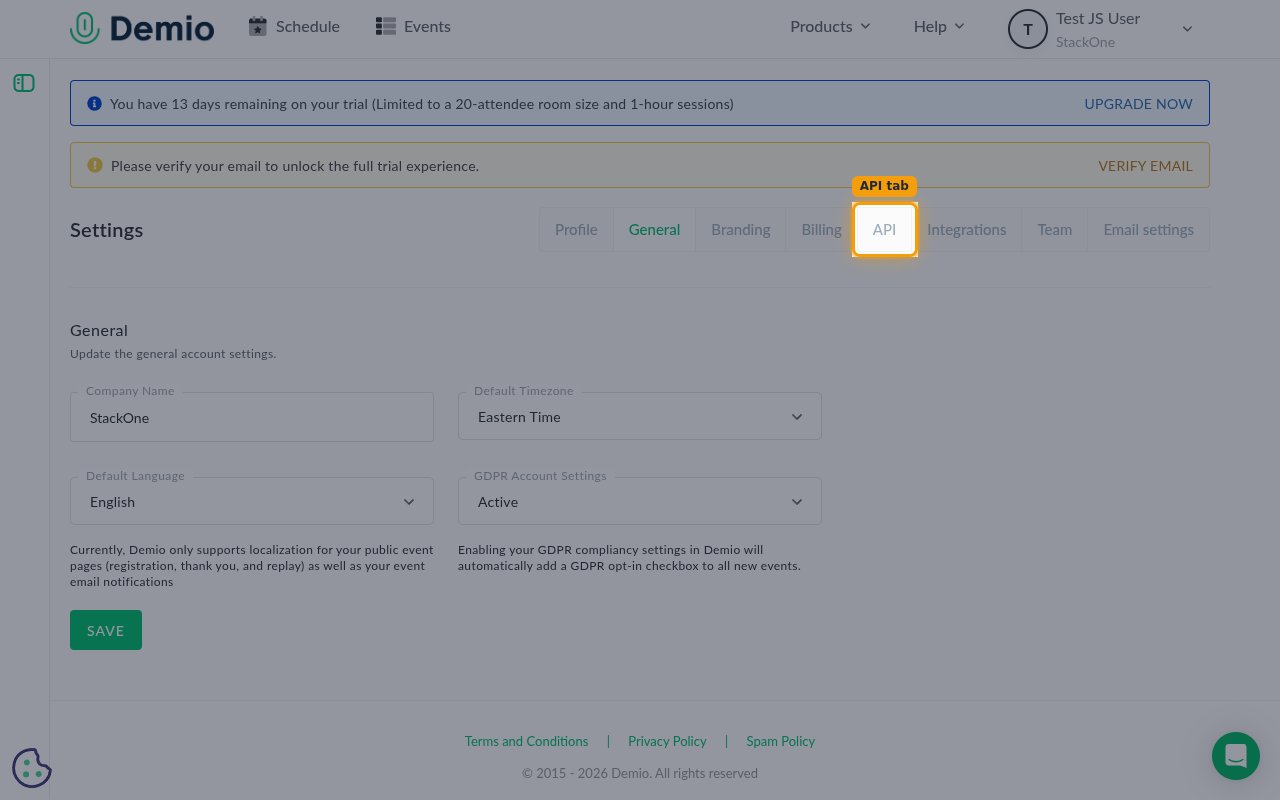
Open the API tab
On the Settings page, the General tab is shown first. Click the API tab to open the API Details page.
Copy your API credentials
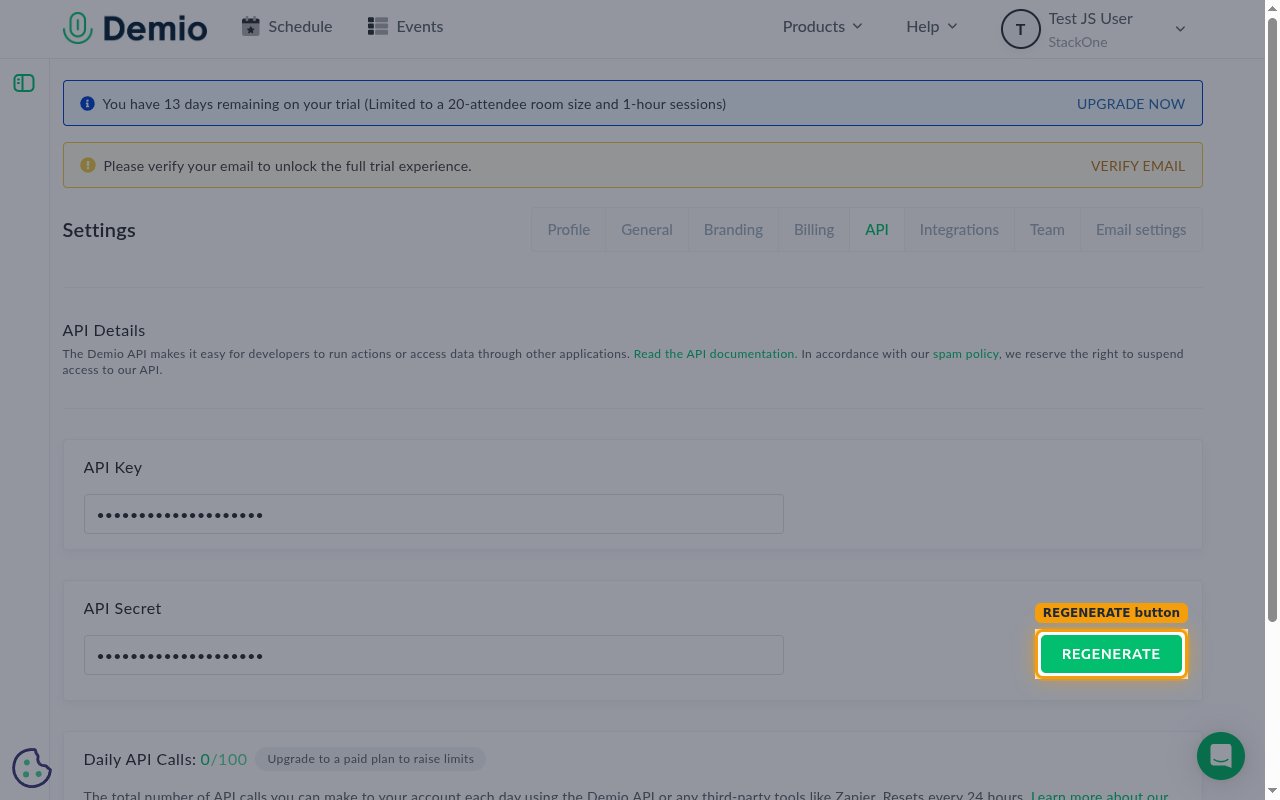
On the API Details page, copy the API Key and API Secret values and store them securely for use later.
- Copy the API Key value and paste it into the API Key field in StackOne Hub.
- Copy the API Secret value and paste it into the API Secret field in StackOne Hub.
- You can generate a new secret at any time using the REGENERATE button next to the API Secret field. Regenerating replaces the existing secret, so update StackOne with the new value afterwards.
- Both values are required for API authentication.
Linking the Account from the Hub
Navigate to the Hub
Fill out the fields
- API Key
- API Secret
Connect
- Click Connect
- If applicable, the provider will redirect you to a sign-in or authorization page. Complete the provider’s authorization flow.
- Once authorization is successful, you will see a confirmation popup
If the account linking is successful, you will see the newly linked account in your Accounts page.