

Generate a Personal Access Token
Personal Access Tokens (PATs) authenticate against the Contentful Content Management API.
The token inherits the permissions of the user who creates it and starts with CFPAT-.
Navigate to CMA tokens
Sign in to your Contentful account. Click your profile
avatar in the top-right corner, select Account settings, then click CMA tokens
in the top navigation.
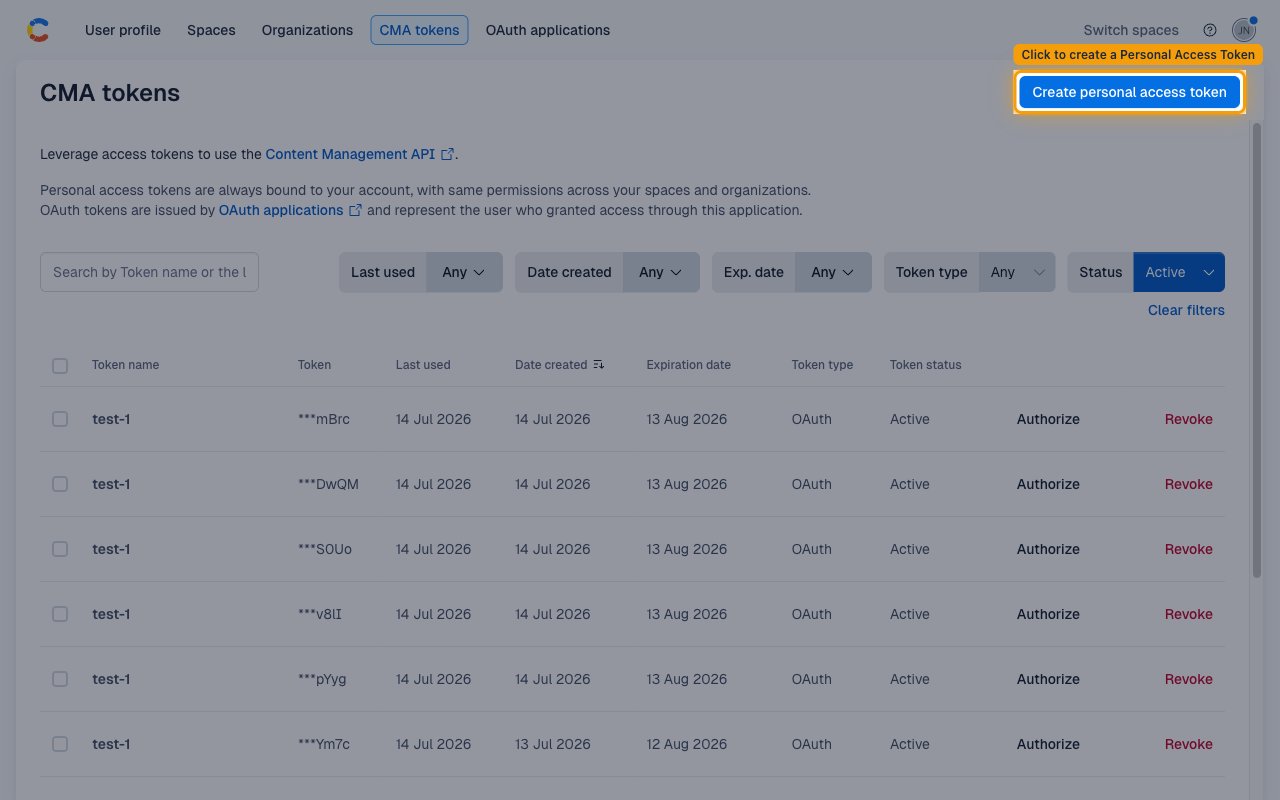
Create a new token
Click Create personal access token (top right of the CMA tokens page).
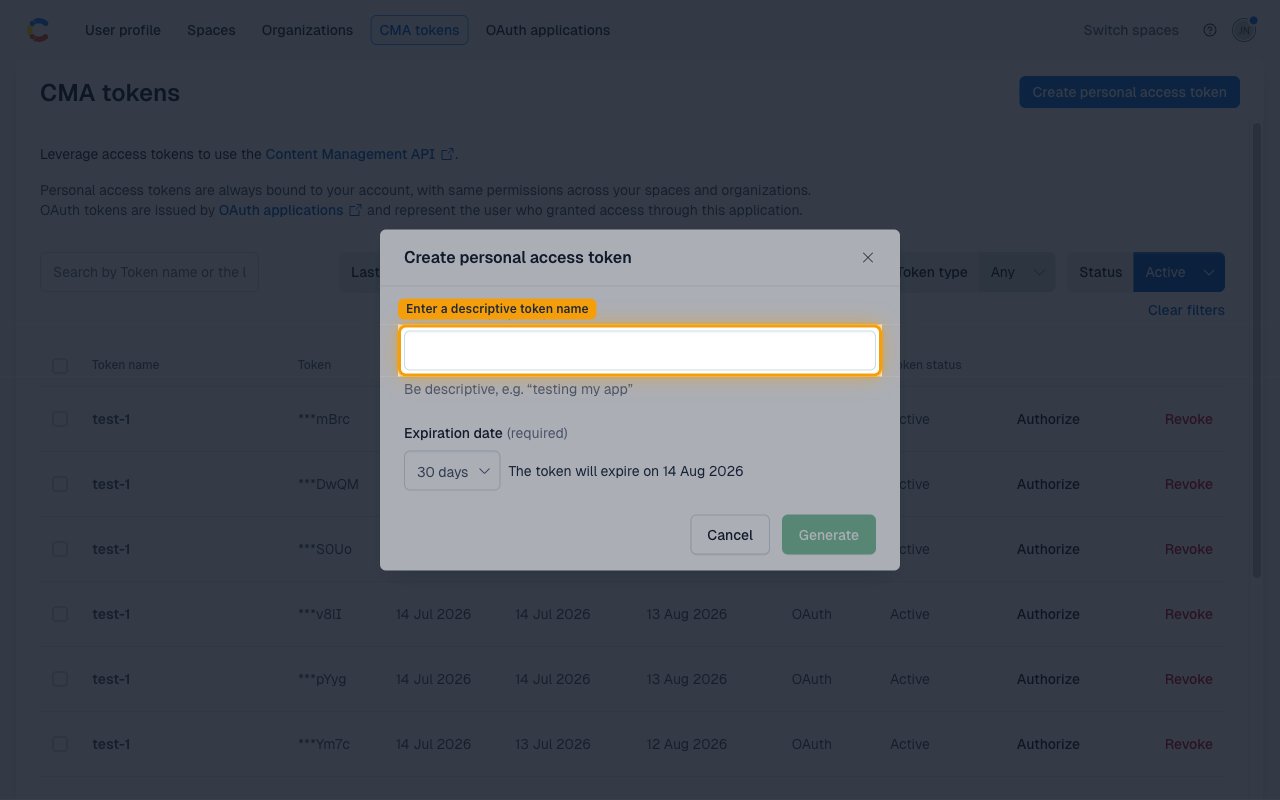
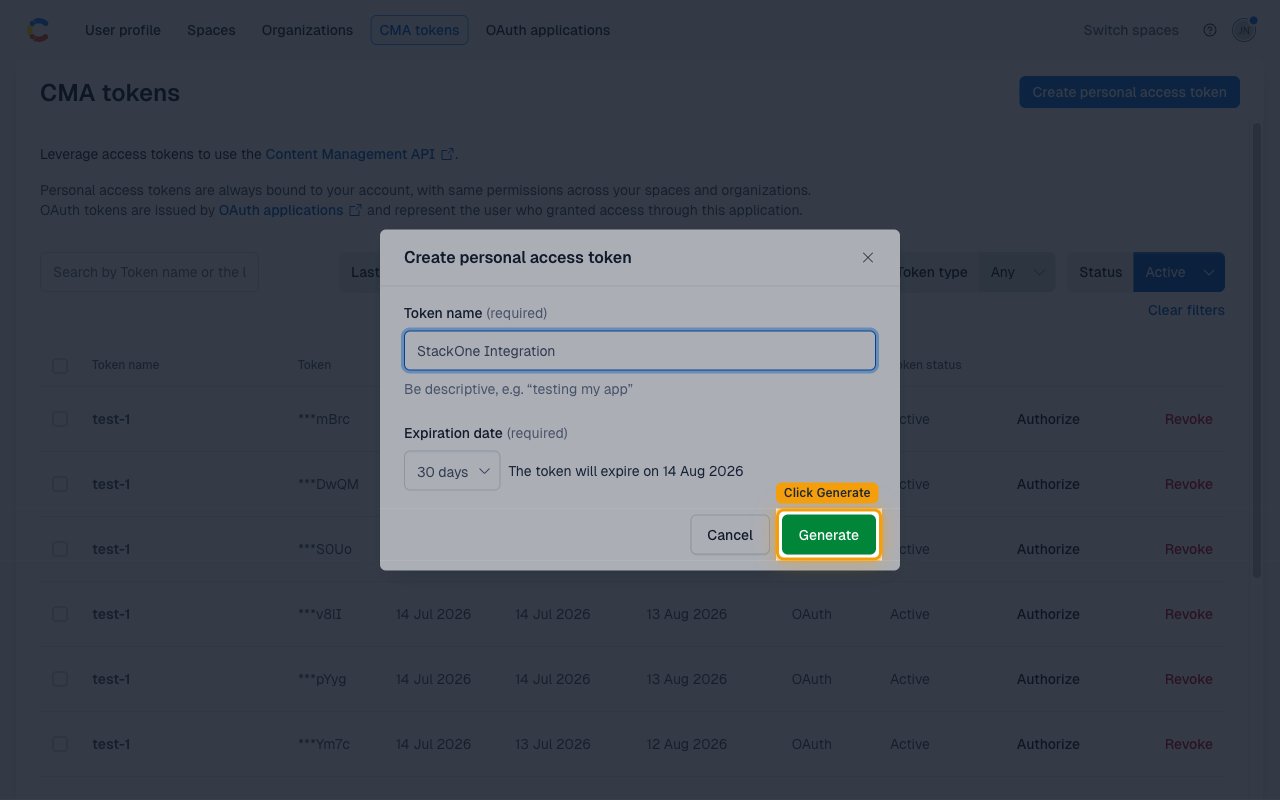
Fill in the token details and generate
Enter a descriptive Token name (e.g., StackOne) and choose an Expiration date
(default: 30 days). Click Generate.
- Token name: Enter a descriptive name — e.g.,
StackOne. - Expiration date: Required — defaults to 30 days. Adjust to match your integration’s needs.
- Click Generate.
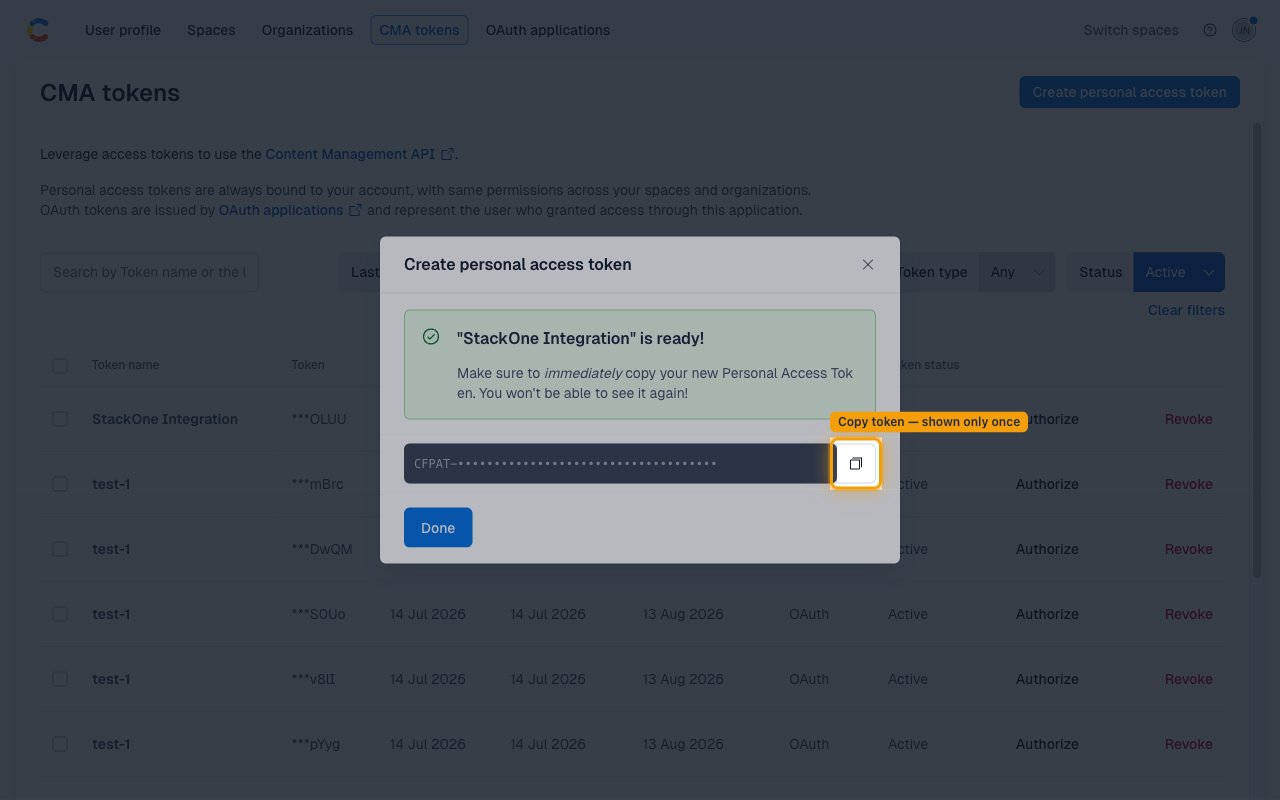
Copy the token immediately
Contentful displays the token only once. Click Copy to clipboard and store it securely —
you will need it for the Personal Access Token field in StackOne.
- Click the copy icon next to the token value.
- Store the token securely — it starts with
CFPAT-and cannot be retrieved again.
Find your Space ID
Space IDs are passed as an input parameter on each space-scoped CMS action call
(entries, assets, content types). For webhook event delivery, enter one or more
space IDs in the Webhook Space IDs field (comma-separated).
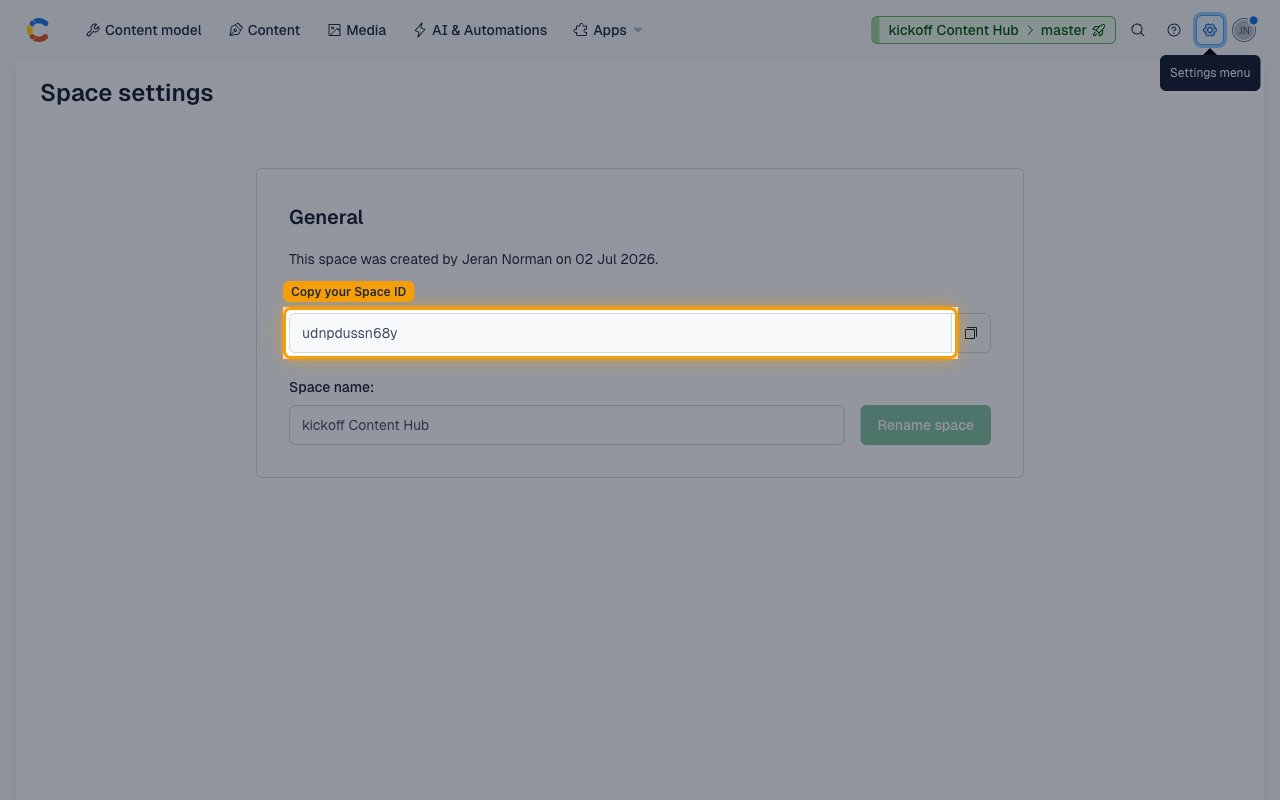
Open Space General settings
From inside any space, click the Settings gear icon in the top-right navigation bar
and select General settings under the Space settings section.
- Click the Settings menu (gear icon, top-right of the space navigation bar).
- Under Space settings, click General settings.
- Copy the value shown in the Space ID field. It is a 12-character alphanumeric string (e.g.,
abc123xyz789). Use this value as thespace_idinput when calling CMS actions, or paste it into Webhook Space IDs for webhook event delivery.
Linking the Account from the Hub
Navigate to the Hub
Fill out the fields
- Personal Access Token
- Webhook Space IDs (Optional)
Connect
- Click Connect
- If applicable, the provider will redirect you to a sign-in or authorization page. Complete the provider’s authorization flow.
- Once authorization is successful, you will see a confirmation popup
If the account linking is successful, you will see the newly linked account in your Accounts page.
Next Steps
Webhooks setup
Configure receiving Events for Contentful into StackOne.