

Find your Space ID
Space IDs are passed as an input parameter on each space-scoped CMS action call
(entries, assets, content types). For webhook event delivery, enter one or more
space IDs in the Webhook Space IDs field (comma-separated).
1
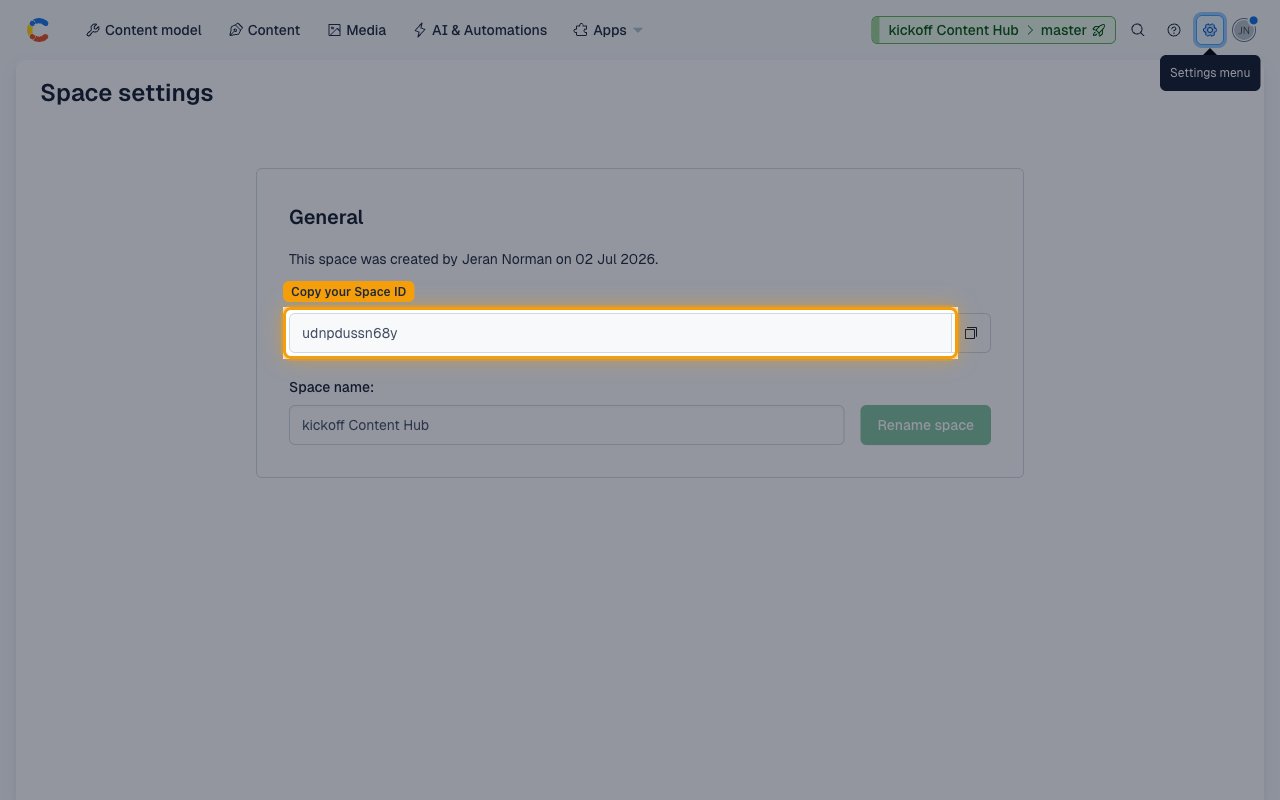
Open Space General settings
From inside any Contentful space, click the Settings gear icon in the top-right
navigation bar and select General settings under the Space settings section.
- Click the Settings menu (gear icon, top-right of the space navigation bar).
- Under Space settings, click General settings.
- Copy the value shown in the Space ID field. It is a 12-character alphanumeric string (e.g.,
abc123xyz789). Use this value as thespace_idinput when calling space-scoped CMS actions (entries, assets, content types), or enter it in Webhook Space IDs (comma-separated, e.g.abc123xyz789,def456uvw012) to receive webhook events from that space.
Link the Account
1
Connect
- Click Connect.
- If applicable, the provider will redirect you to a sign-in or authorization page. Complete the provider’s authorization flow.
- Once authorization is successful, you will see a confirmation popup.
2
Use Actions
Connect an AI platform to the linked account’s actions. See AI Platforms.Other ways to call actions are listed in Protocols & SDKs.
Next Steps
Webhooks setup
Configure receiving Events for Contentful into StackOne.