

Generate an API key
An API key authenticates requests to the Close API on behalf of your user account.
1
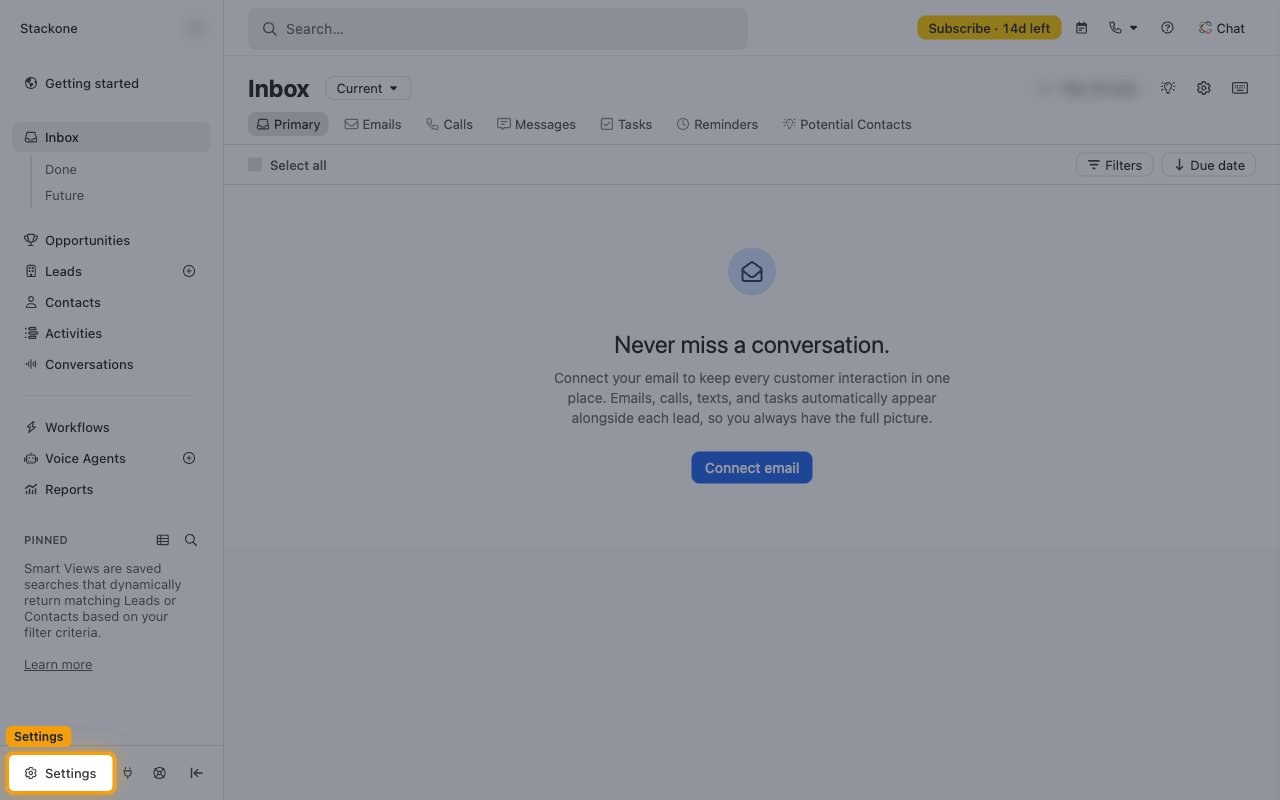
Sign in to Close
2
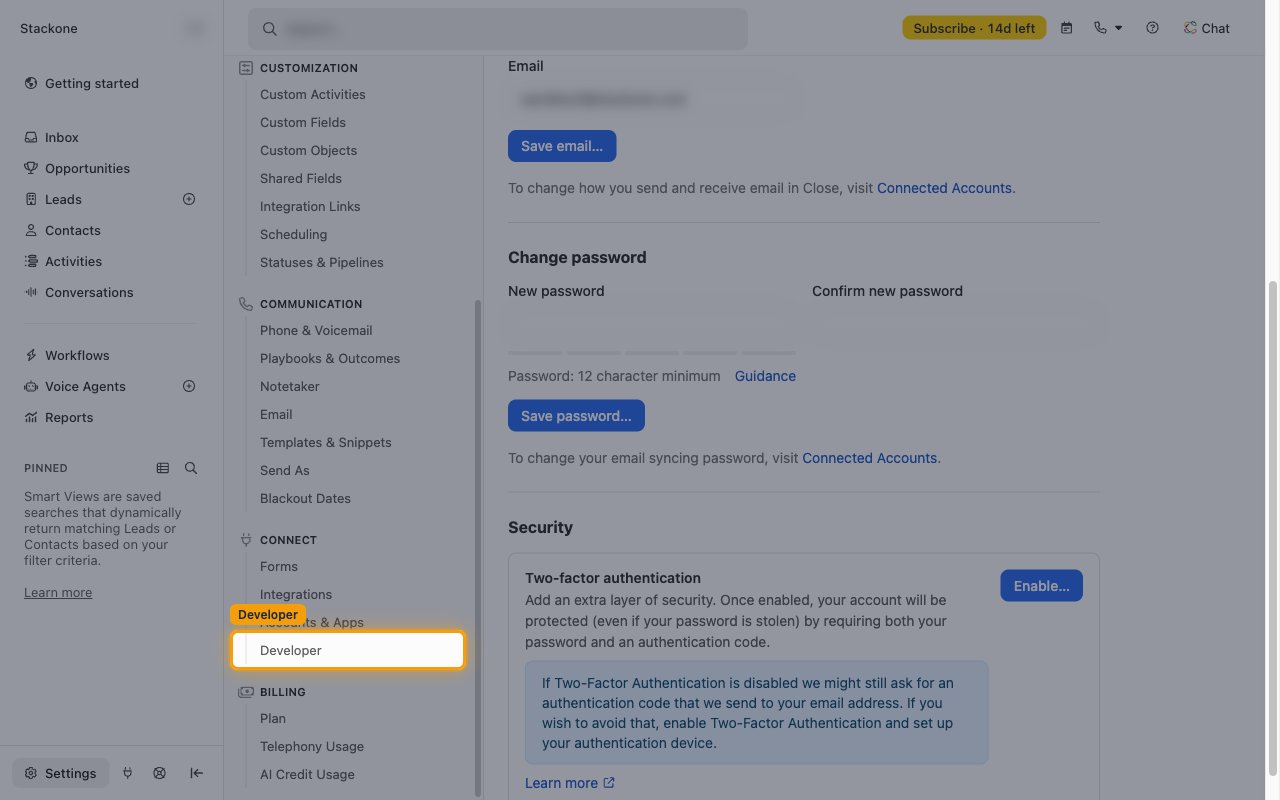
Open Developer settings
In the Settings menu, under CONNECT, click Developer. The API Keys tab opens.
3
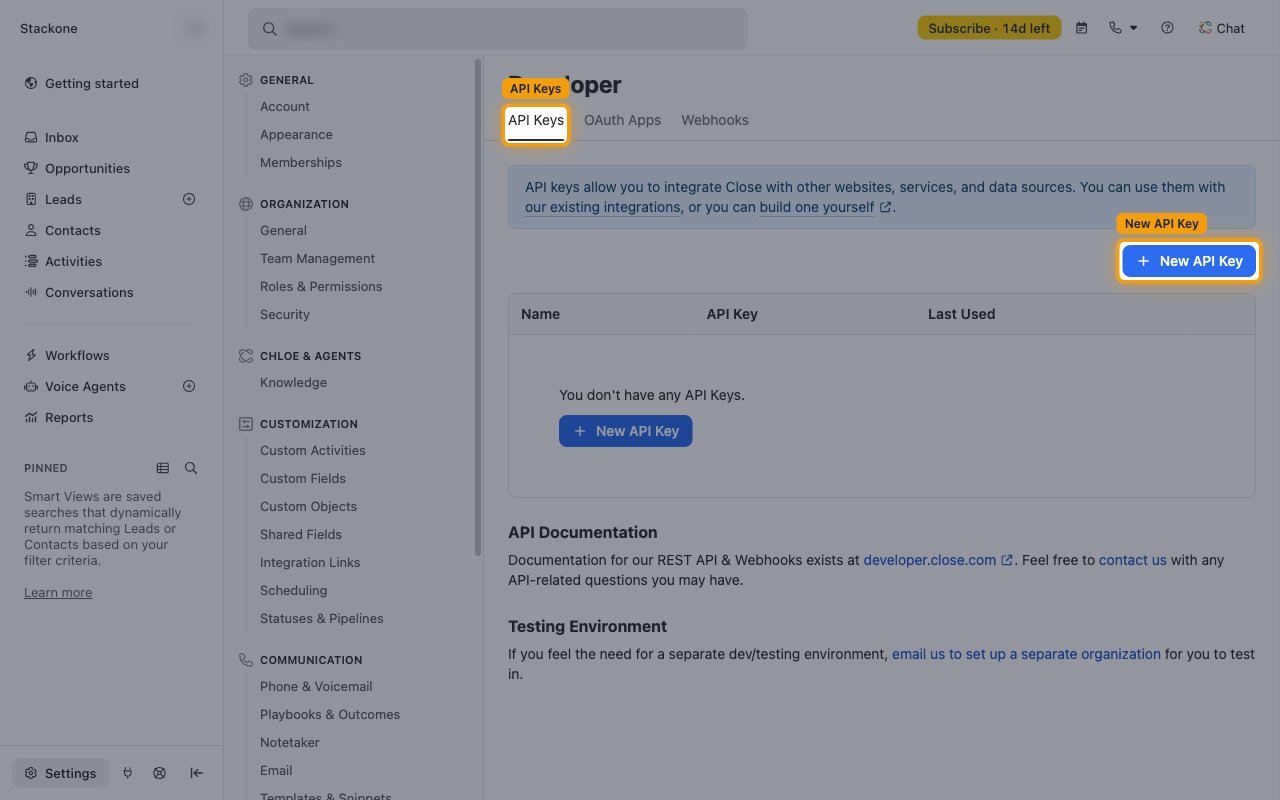
Create a new API key
On the API Keys tab, click + New API Key.
4
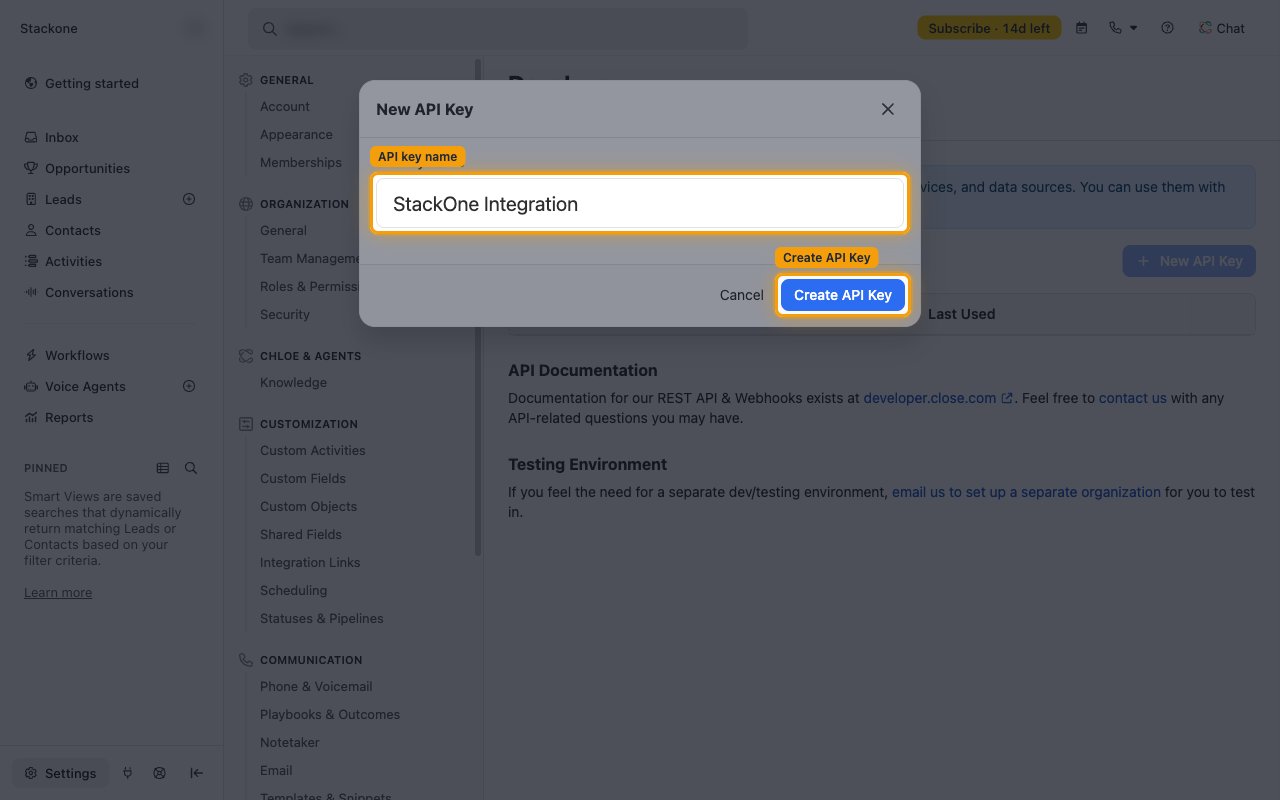
Enter a name for the key
In the New API Key dialog, enter a descriptive name in API key name (e.g., StackOne Integration), then click Create API Key.
5
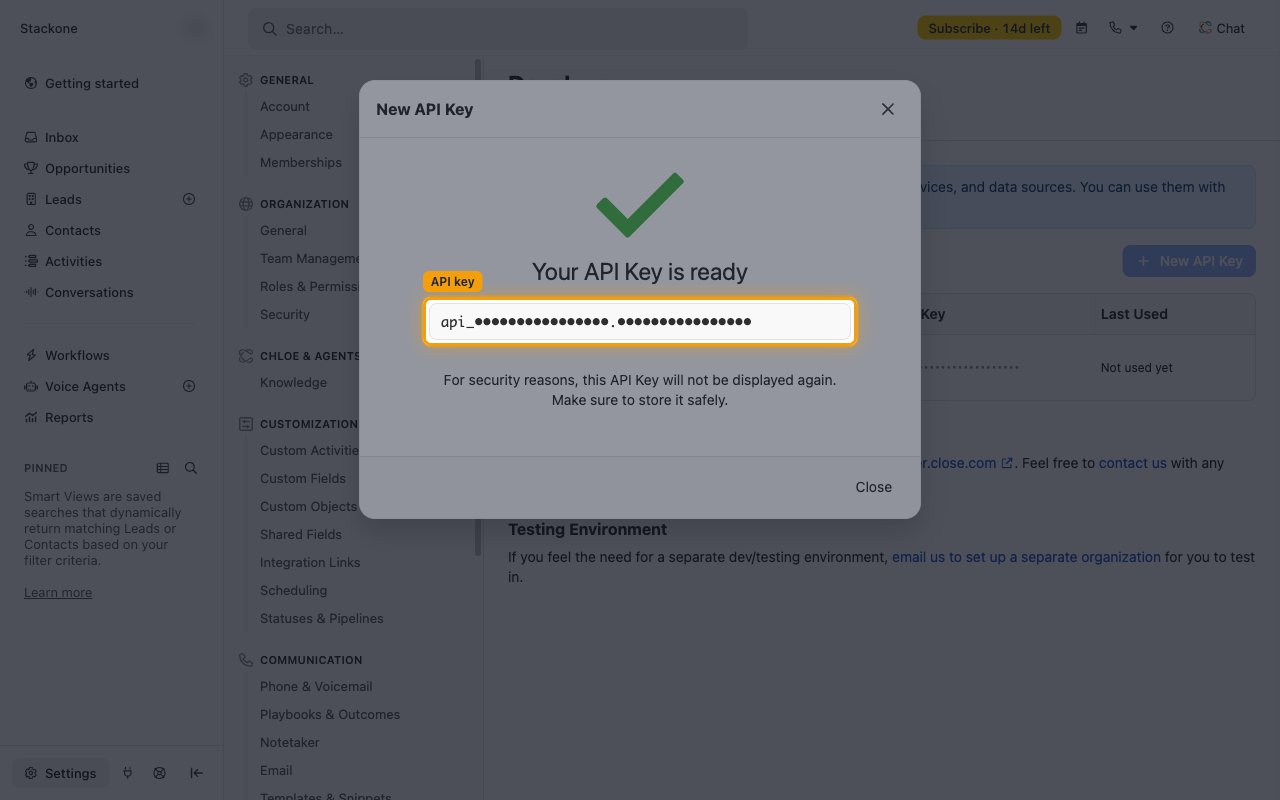
Copy the API key
Hover over the key and click the Copy to clipboard icon at the right end of the field, then store the key securely for use later.
- The key is shown only once — it cannot be displayed again after closing the dialog.
- Format:
api_XXXXXXXXXXXXXXXX.XXXXXXXXXXXXXXXX(the key contains the ID and a secret part separated by a period)
Link the Account
1
Connect
- Click Connect.
- If applicable, the provider will redirect you to a sign-in or authorization page. Complete the provider’s authorization flow.
- Once authorization is successful, you will see a confirmation popup.
2
Use Actions
Connect an AI platform to the linked account’s actions. See AI Platforms.Other ways to call actions are listed in Protocols & SDKs.
Next Steps
Webhooks setup
Configure receiving Events for Close into StackOne.