

Generating an API key
An API key belongs to one ClickHouse Cloud organization, and the roles you give it decide which actions can run.
1
Create the API key
Sign in to the ClickHouse Cloud console, click your organization name at the bottom of the left sidebar, then select API keys.
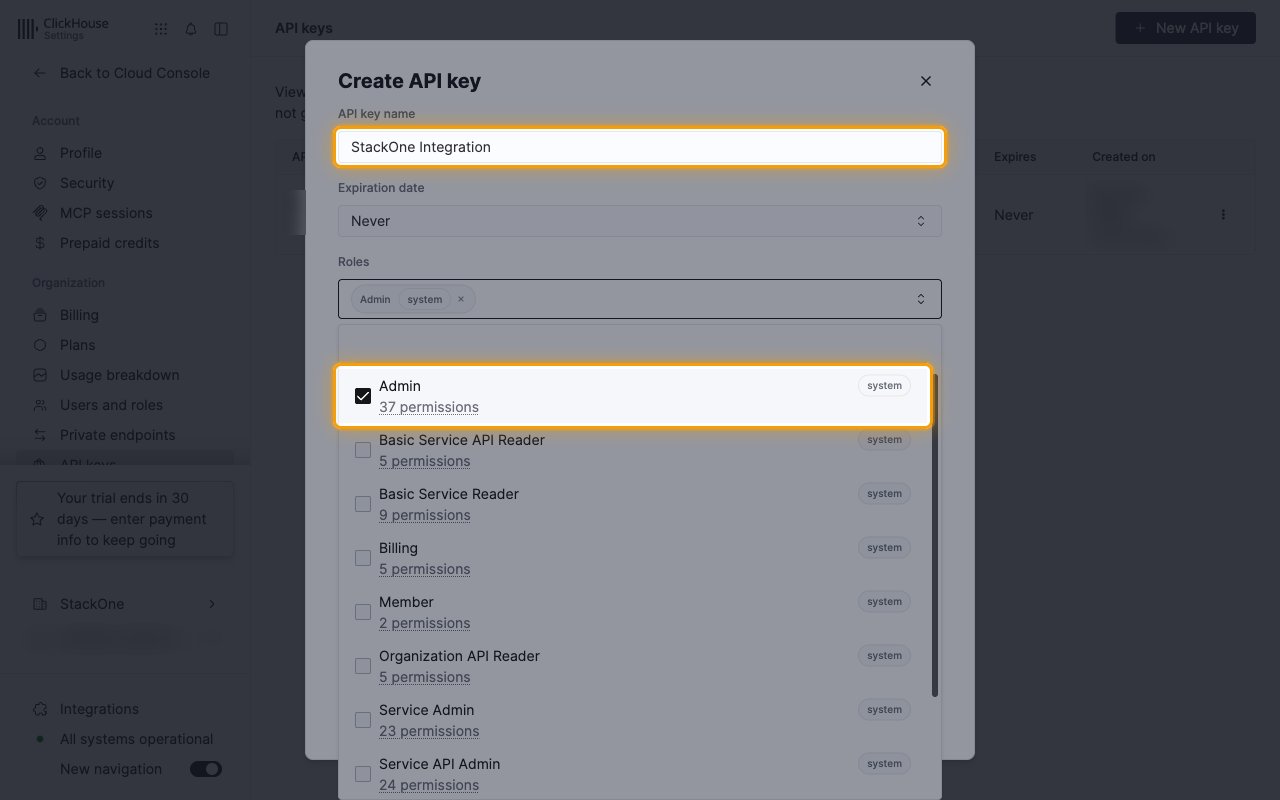
- Click New API key.
- API key name:
StackOne Integration - Roles: Admin, so every action can run. A narrower role such as Service Reader limits the connection to what that role allows
- Allow access to this API key from: Anywhere
- Click Generate API key.
2
Copy the Key ID and Key Secret
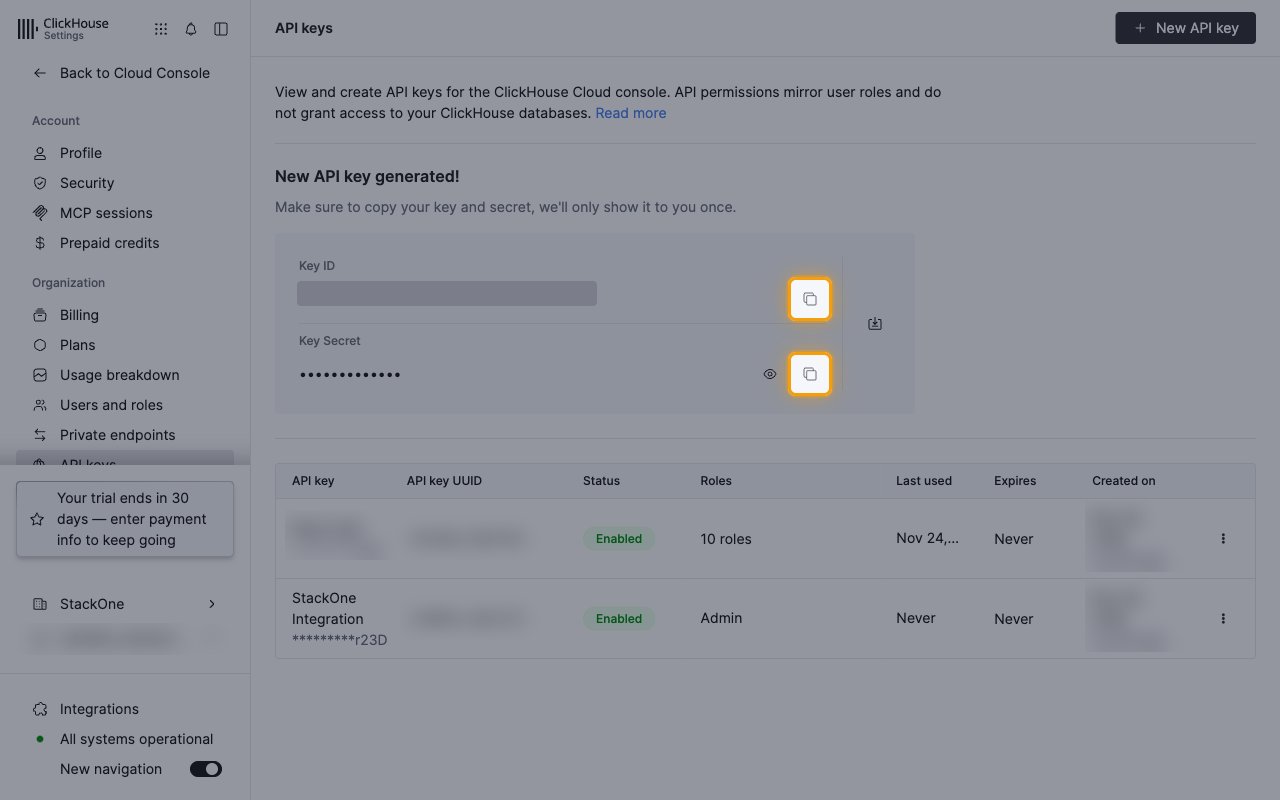
Copy the Key ID and Key Secret across.
- Click the copy icon beside each value.
- The Key Secret is only displayed once and cannot be retrieved later.
Link the Account
1
Connect
- Click Connect.
- If applicable, the provider will redirect you to a sign-in or authorization page. Complete the provider’s authorization flow.
- Once authorization is successful, you will see a confirmation popup.
2
Use Actions
Connect an AI platform to the linked account’s actions. See AI Platforms.Other ways to call actions are listed in Protocols & SDKs.