

Prerequisites
The connector should already be set up, with a Connector Profile and a Linked Account. See Getting Started on the Clerk connector page.Get the Native Webhook URL
StackOne generates a unique Native Webhook URL once the account is connected. Find it on the Native Webhook URL field in the Linked account.
Copy the Native Webhook URL
Open the connected account’s details in StackOne Hub and copy the value of the Native Webhook URL field. This is the address Clerk will send events to.
Add the endpoint in Clerk
Clerk has no API to create a webhook endpoint — it must be added by hand in the Clerk Dashboard, using the Add Endpoint form.
Open the Webhooks page
Sign in to your Clerk Dashboard, select your application and the environment you are connecting, then open Configure → Developers → Webhooks.
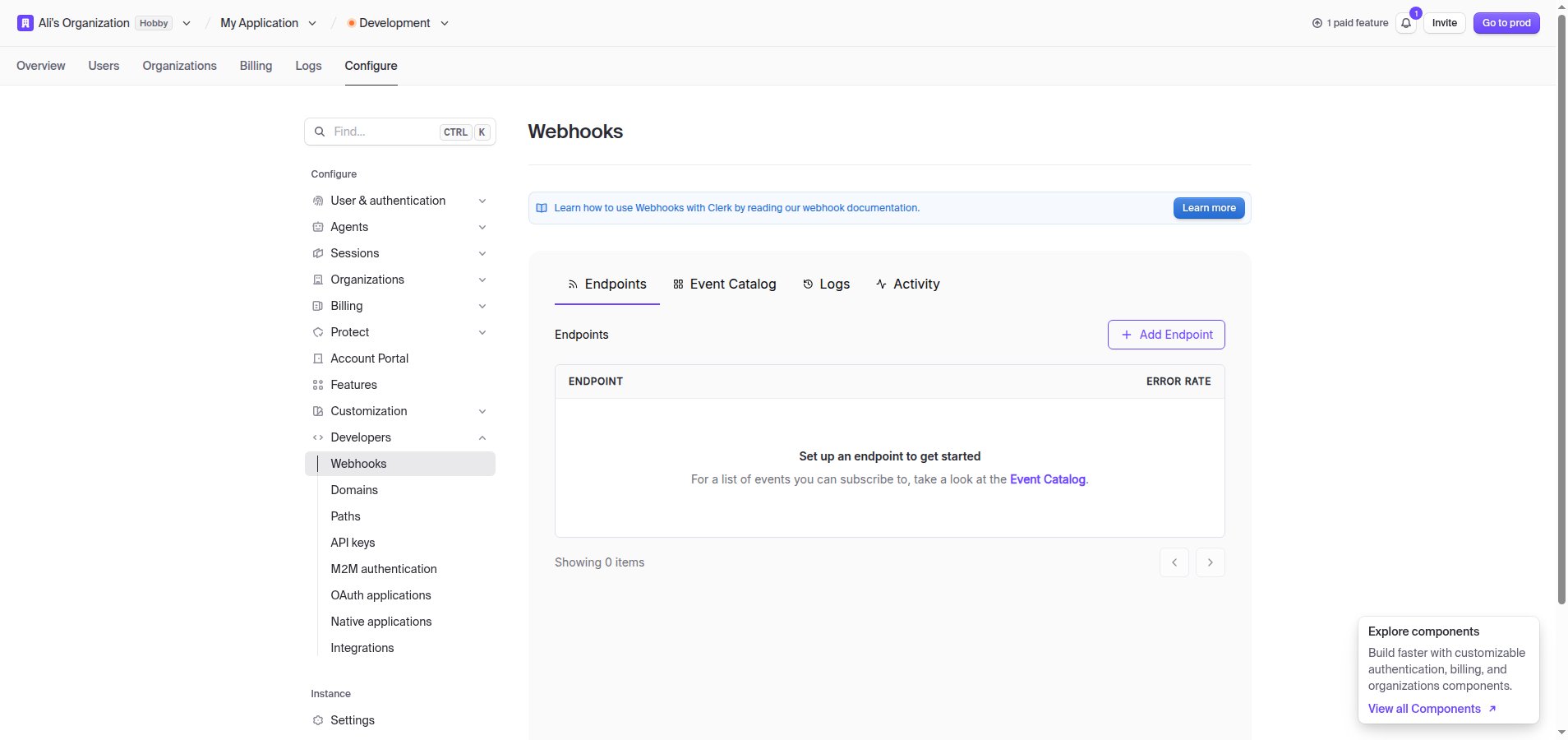
Create the endpoint
Click + Add Endpoint. Paste the Native Webhook URL you copied into the Endpoint URL field.
- An optional Description can be added to identify the endpoint.
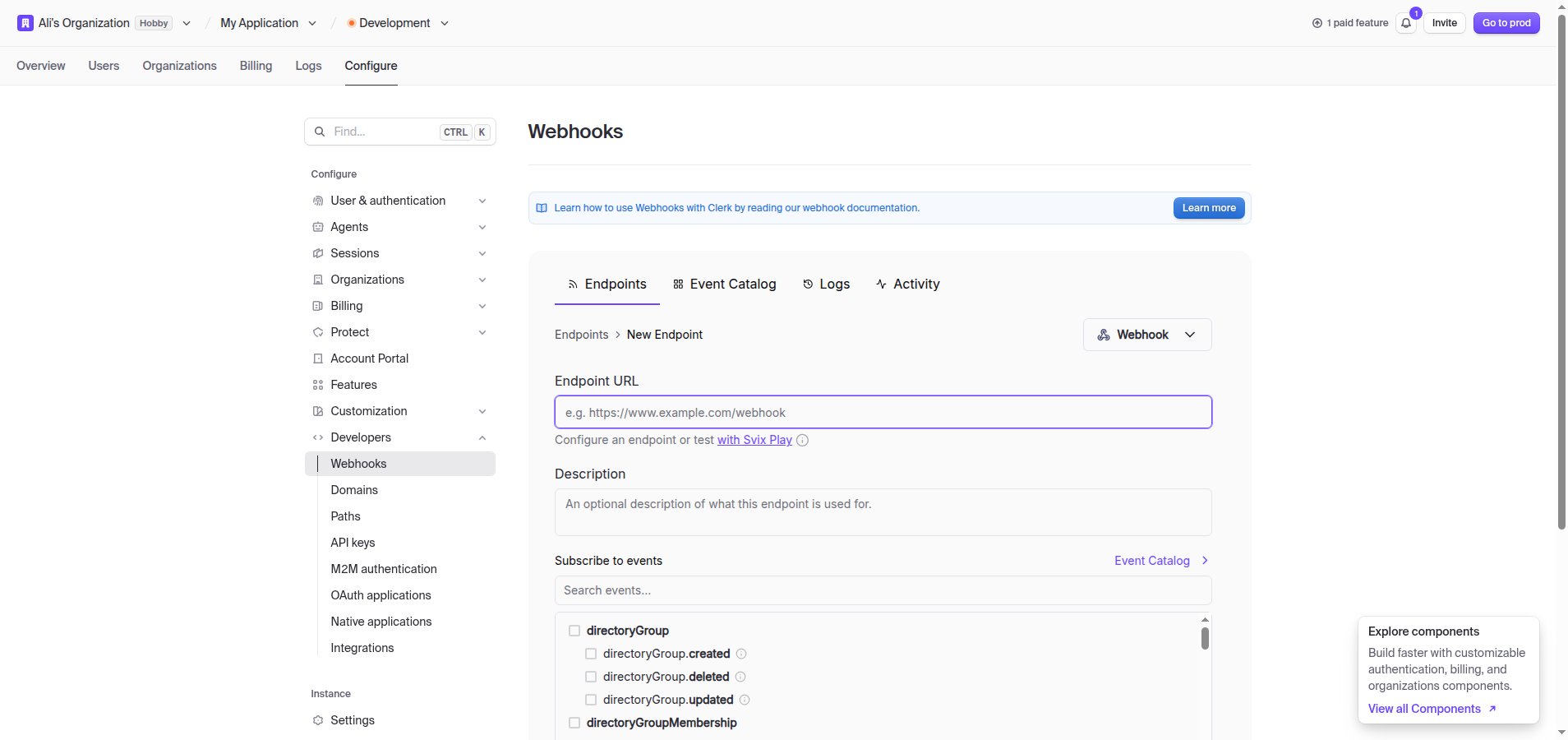
Subscribe to events and save
Under Subscribe to events, select every event you want StackOne to receive (see Available webhook events below), then click Create.
- Only events selected here are delivered — Clerk does not send events you have not subscribed to.
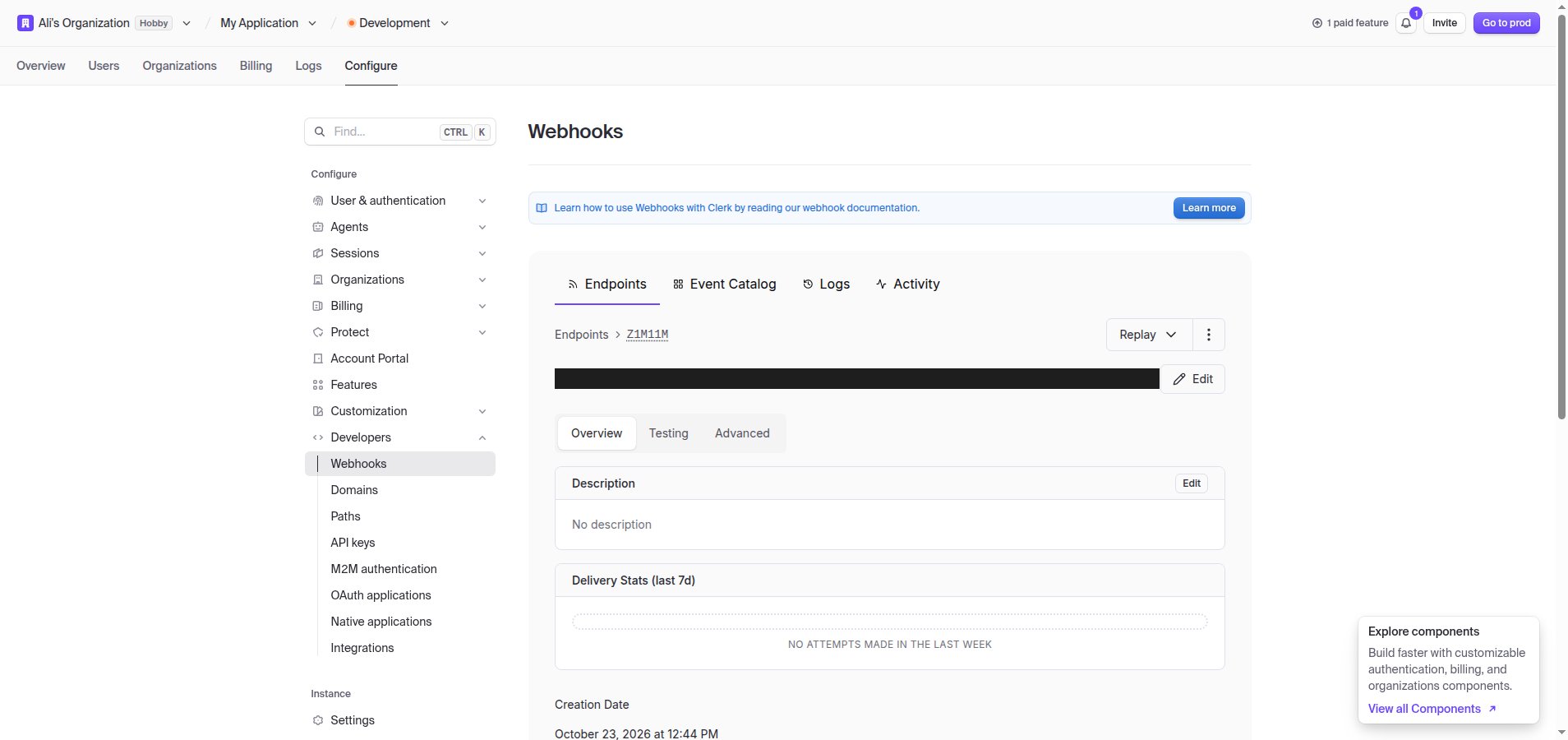
- The endpoint’s Signing Secret is used by StackOne to verify each delivery; you do not need to copy it yourself.
Available webhook events
The following Clerk events can be enabled. Only events selected in the Clerk Dashboard are delivered — Clerk will not send events that are not subscribed.
User events
Events related to user accounts.
- User Created (
user.created) — Fired when a new user signs up or is created - User Updated (
user.updated) — Fired when a user’s profile data changes - User Deleted (
user.deleted) — Fired when a user account is removed
Session events
Events related to user sign-in sessions.
- Session Created (
session.created) — Fired when a user successfully signs in - Session Ended (
session.ended) — Fired when a user signs out or their session expires - Session Removed (
session.removed) — Fired when a session is removed after its sign-ins have ended or expired - Session Revoked (
session.revoked) — Fired when a session is forcefully terminated
Organization events
Events related to organizations.
- Organization Created (
organization.created) — Fired when a new organization is created - Organization Updated (
organization.updated) — Fired when an organization’s settings change - Organization Deleted (
organization.deleted) — Fired when an organization is deleted
Organization domain events
Events related to verified domains on an organization.
- Organization Domain Created (
organizationDomain.created) — Fired when a domain is added to an organization - Organization Domain Updated (
organizationDomain.updated) — Fired when a domain’s verification status or enrollment mode changes - Organization Domain Deleted (
organizationDomain.deleted) — Fired when a domain is removed from an organization
Organization membership events
Events related to organization members.
- Organization Membership Created (
organizationMembership.created) — Fired when a user joins an organization - Organization Membership Updated (
organizationMembership.updated) — Fired when a membership’s role changes - Organization Membership Deleted (
organizationMembership.deleted) — Fired when a user is removed from an organization
Organization invitation events
Events related to invitations to join an organization.
- Organization Invitation Created (
organizationInvitation.created) — Fired when a user is invited to join an organization - Organization Invitation Accepted (
organizationInvitation.accepted) — Fired when an invited user accepts the invitation - Organization Invitation Revoked (
organizationInvitation.revoked) — Fired when a pending invitation is revoked
Role events
Events related to organization roles.
- Role Created (
role.created) — Fired when a new organization role is created - Role Updated (
role.updated) — Fired when a role’s name, key, description or permissions change - Role Deleted (
role.deleted) — Fired when an organization role is deleted
Permission events
Events related to custom permissions.
- Permission Created (
permission.created) — Fired when a new custom permission is created - Permission Updated (
permission.updated) — Fired when a custom permission’s name, key or description changes - Permission Deleted (
permission.deleted) — Fired when a custom permission is deleted
Delivery format
Details of how Clerk delivers events to StackOne.
One event per request
Each request body is a single event object (not batched). Clerk signs every request with Svix (svix-id, svix-timestamp, svix-signature headers), which StackOne verifies before routing the event to its handler.