

Prerequisites
The connector should already be set up, with a Connector Profile and a Linked Account. See Getting Started on the CezanneHR connector page.Copy your Native Webhook URL
In StackOne, copy the read-only Native Webhook URL from this connection’s configuration. This is the per-connection HTTPS endpoint CezanneHR posts events to. It already includes the security token that authorizes deliveries — paste it exactly as shown.
Open Integrations in CezanneHR
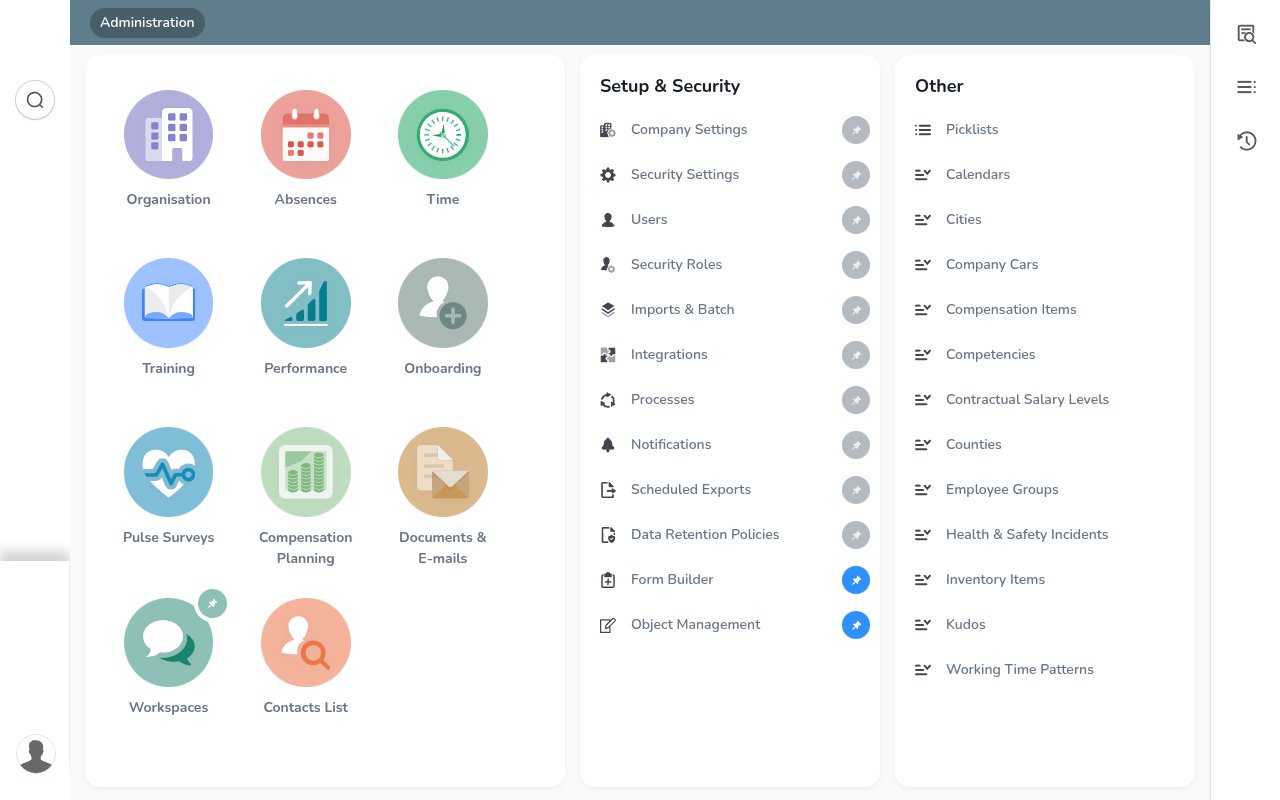
Sign in to CezanneHR as an administrator, open Administration, and under the Setup & Security column click Integrations.
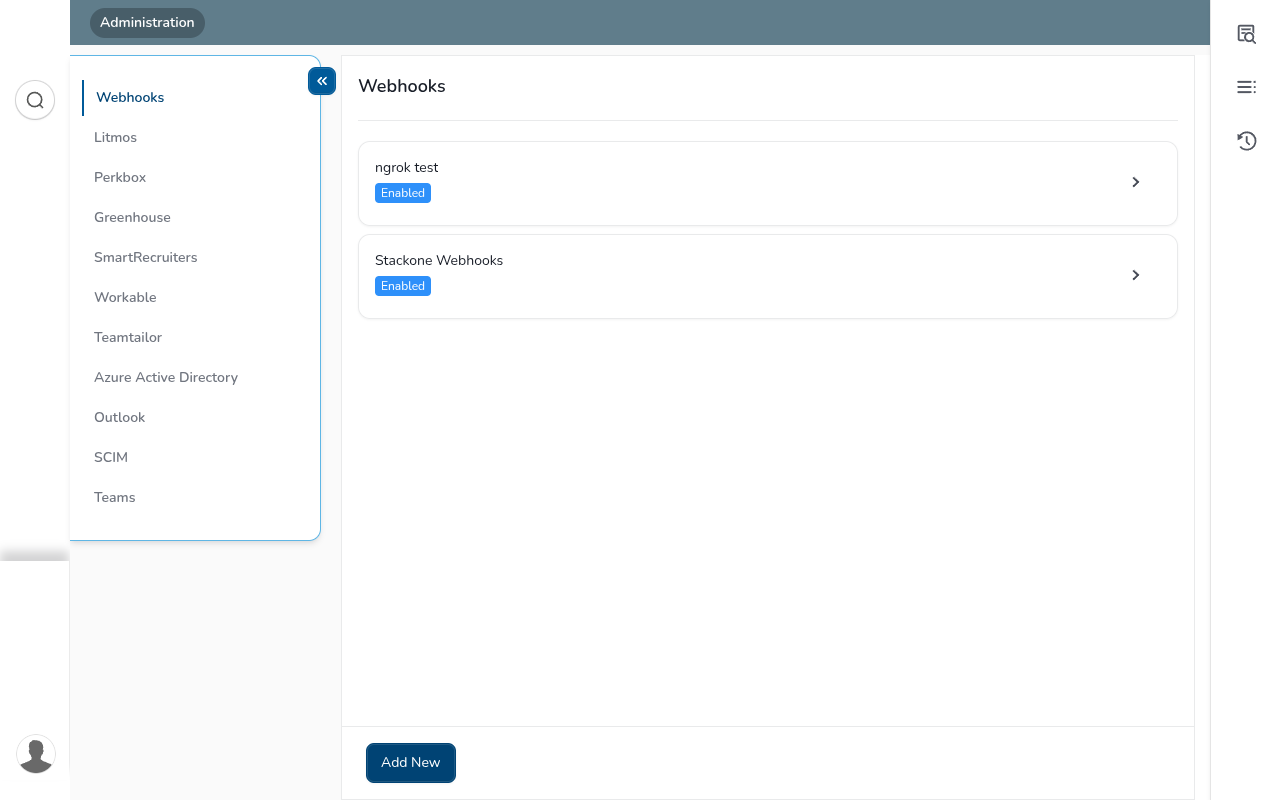
Open the Webhooks tab and click Add New
Integrations opens on the Webhooks tab, which lists your existing webhooks. Click Add New at the bottom to create one.
Create the webhook
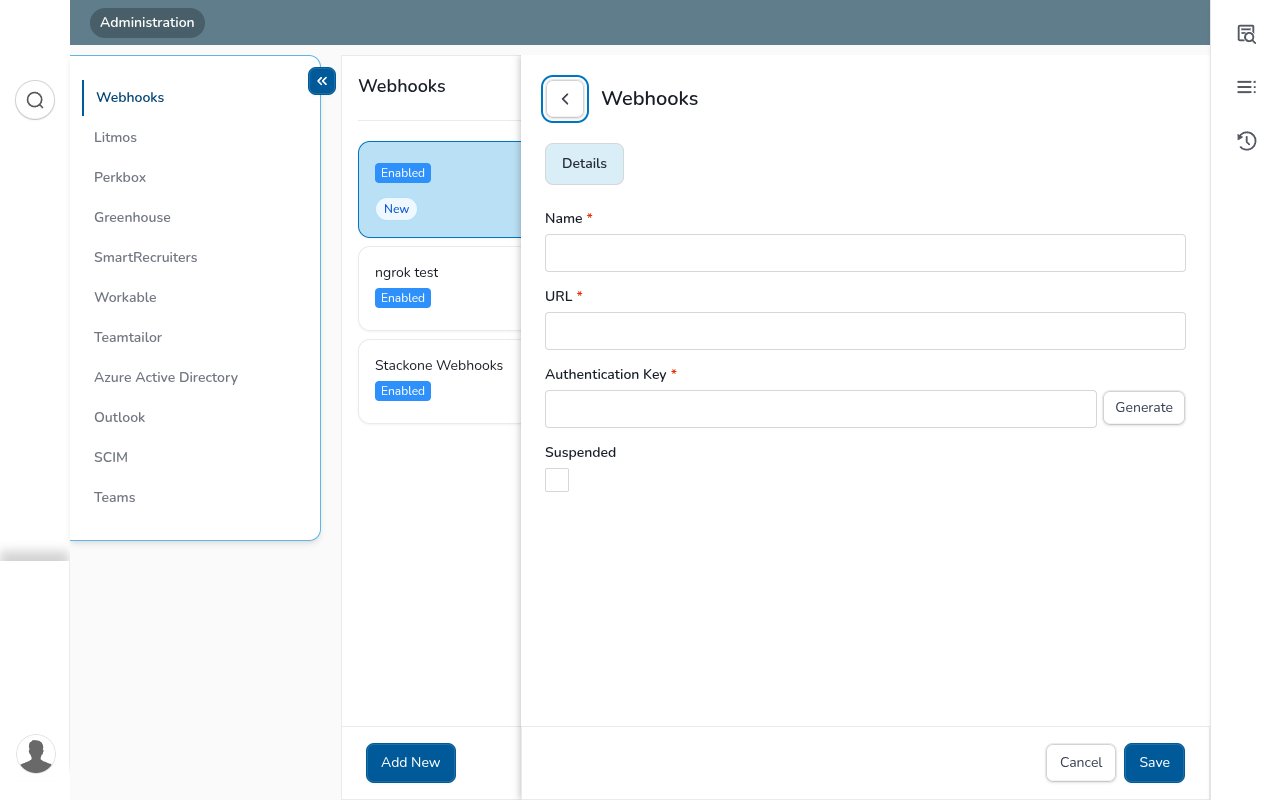
In the Add New panel, complete the details and click Save.
Enter the webhook details
Complete the required fields, then Save.
- Name — a label for this integration (e.g. StackOne).
- URL — paste the StackOne Native Webhook URL (must be an HTTPS link).
- Authentication Key — optional shared secret; type a value or click Generate. CezanneHR sends it with every delivery (as the
X-Api-Keyheader and in the body), but StackOne authenticates deliveries via the token embedded in the Native Webhook URL, so this value does not need to be entered anywhere in StackOne. - Leave Suspended unticked, then click Save.
Enable the triggers you need
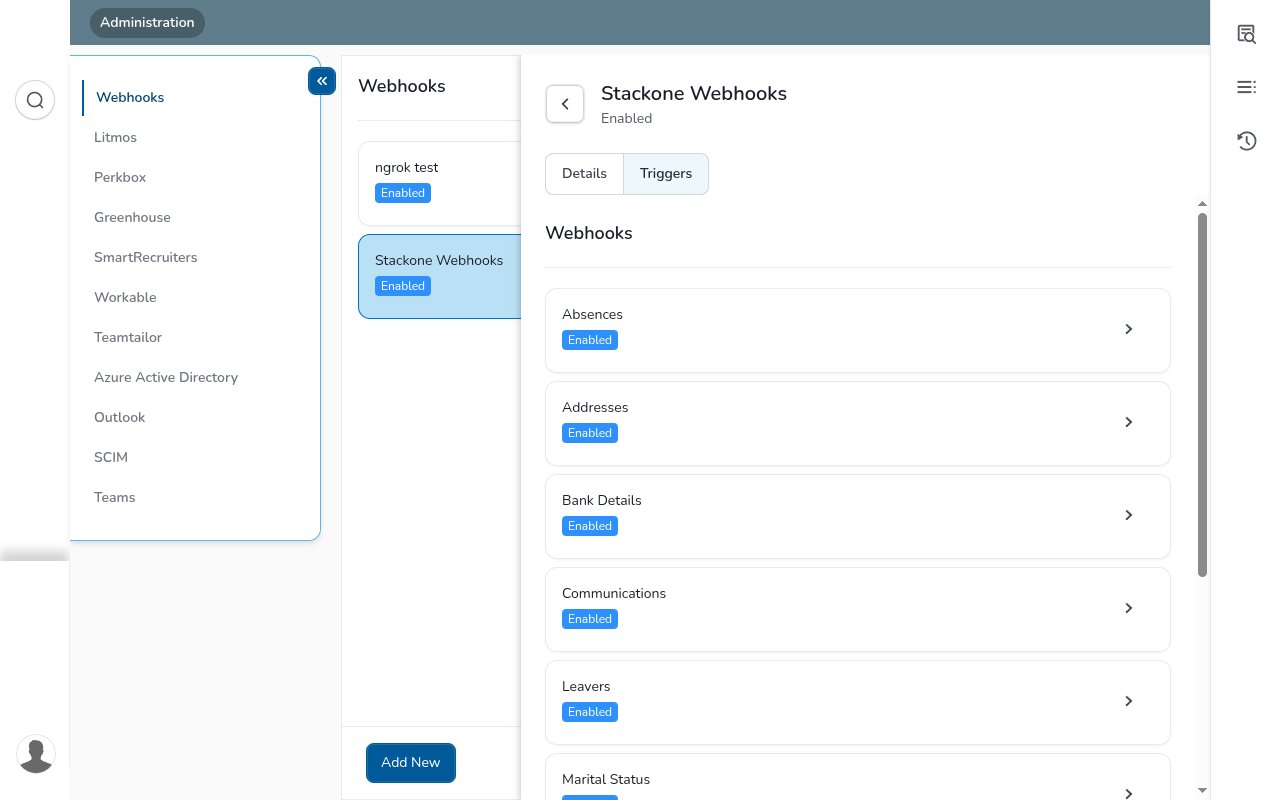
After saving, open the Triggers tab. There are 9 record-type triggers, each firing when its record is inserted, updated, or deleted. Click a trigger, tick Enable, then Save and Close. Only enabled triggers are delivered.
Enable the standard triggers
Enable any of these directly — click the trigger, tick Enable, then Save and Close.
- Addresses, Bank Details, Communications, Marital Status, Person Details, Person Development Activities.
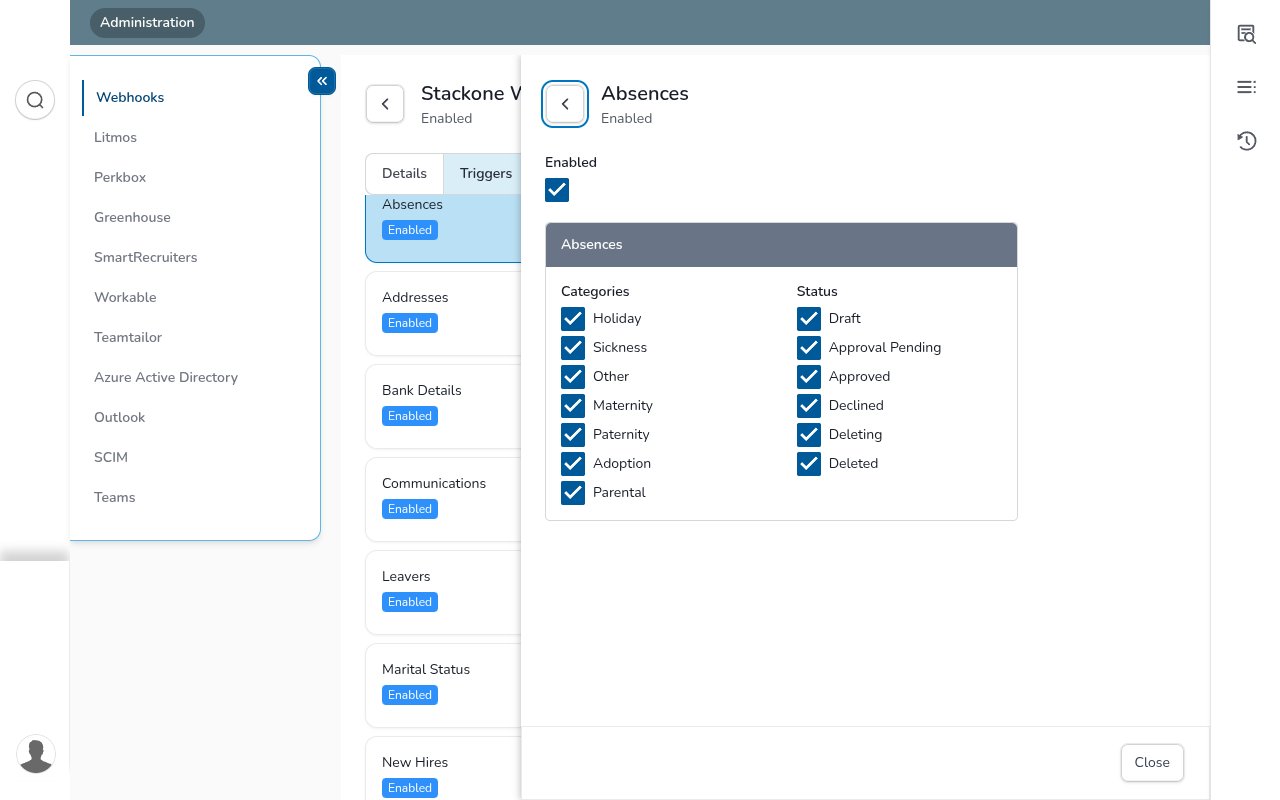
Configure Absences (categories and statuses)
Tick Enabled, then select at least one Category (Holiday, Sickness, Maternity, Paternity, Adoption, Parental, Other) and at least one Status (Draft, Approval Pending, Approved, Declined, Deleting, Deleted). Tick every box to receive all absences — saving with no category or status selected is rejected.
Set Leavers and New Hires delivery (real-time or overnight)
Tick Enabled, then choose Trigger Real-time (sent as soon as the record is added, changed, or deleted) or Trigger Overnight (all of that day’s changes sent together overnight). Select exactly one.
Available webhook events
StackOne maps each enabled trigger to an event. Every delivery carries GroupID (the change group) and State (Added, Modified, or Deleted), and StackOne emits an event type of GroupID.State. Only the triggers you enable are delivered.
Review person, hire, leaver, address and contact events
New hires and leavers are person changes — a new hire arrives as PEOPLECHANGED/Added and a leaver as PEOPLECHANGED/Modified.
- Person Details / New Hires / Leavers (
PEOPLECHANGED) — a person record is added, updated, or deleted. - Addresses (
ADDRESSCHANGED) — a person’s address is added, updated, or deleted. - Communications (
COMMUNICATIONSCHANGED) — phone, email, or contact details change. - Marital Status (
MARITALSTATUSECHANGED) — a marital status record changes.
Review banking, development and absence events
Fired for the remaining record types.
- Bank Details (
BANKDETAILSCHANGED) — a bank account record is added, updated, or deleted. - Person Development Activities (
PERSONDEVACTIVITYCHANGED) — a development activity changes. - Absences (
PERSONABSENCECHANGED) — an absence changes, per the categories and statuses you selected.
Understand the delivery format
CezanneHR POSTs a JSON body whenever an enabled trigger fires, containing GroupID (the change group, e.g. PEOPLECHANGED), State (Added, Modified, or Deleted), TenantID, the AuthKey you set (also sent as the X-Api-Key header), and MessageContent.DataSet with the changed record(s). StackOne routes on GroupID, resolves the account from the token embedded in the Native Webhook URL, and emits an event of type GroupID.State carrying the record id and full payload.