Personal access tokens should only be used for one-off integrations or development purposes. If you are a developer sharing your application with other people, use the OAuth 2 flow instead.

Generating a Personal Access Token

Capsule CRM calls its API key a Personal Access Token. You generate it from your own Capsule user account, and it inherits that user’s access to the account’s data.

1

Sign in to Capsule CRM

Sign in to your Capsule CRM account.

  • Capsule signs you in per account, so the page asks for your site address first — type it into Enter your Capsule site address, then click Go to Login.
  • Format: {site-address}.capsulecrm.com
  • Example: if you sign in at https://acme.capsulecrm.com, your site address is acme
  • If you do not know your site address, click Forgotten your site address?.
  • If you do not have a Capsule account yet, click Sign up here to create one.
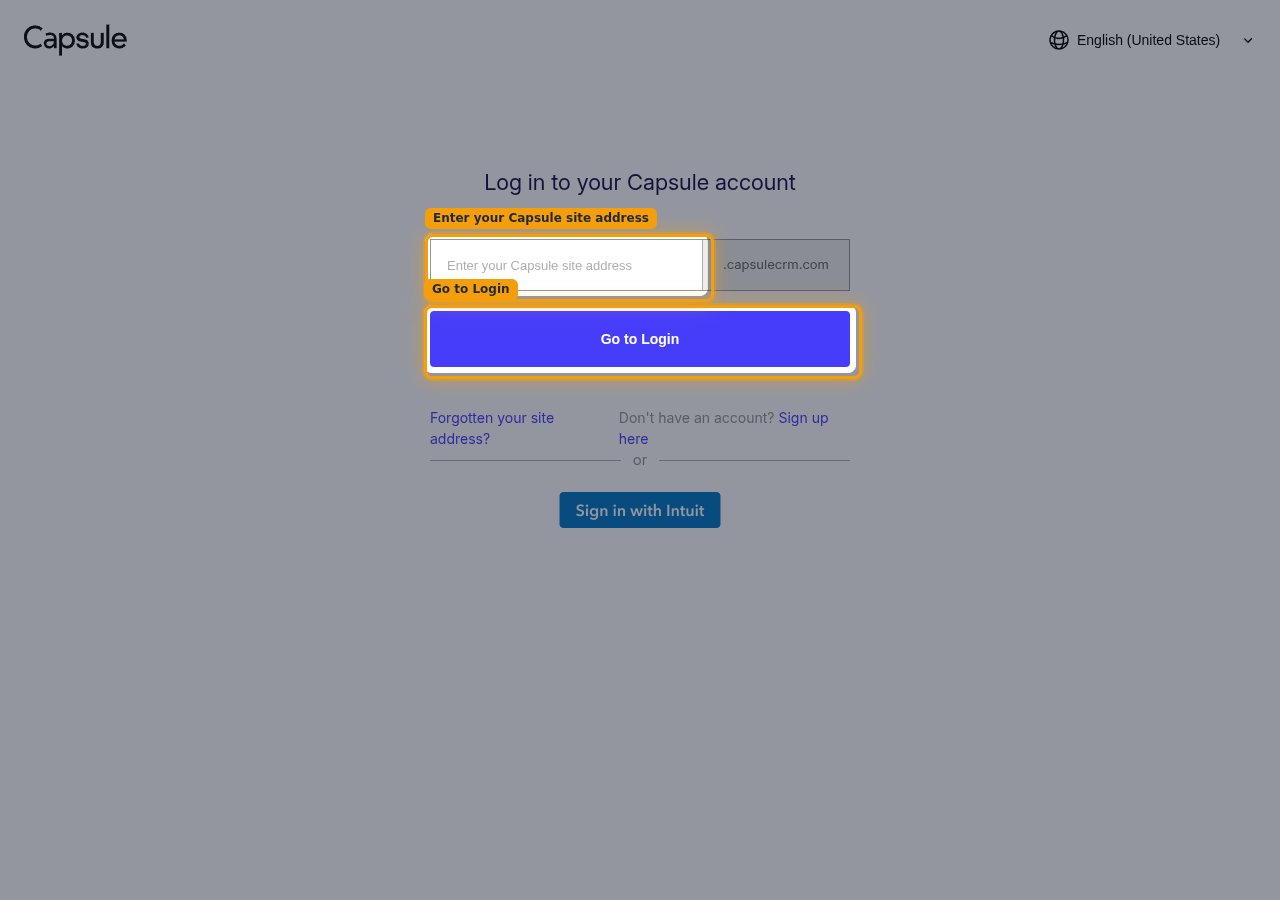
The Capsule log in page with the site address field and the Go to Login button highlighted
2

Open My Preferences

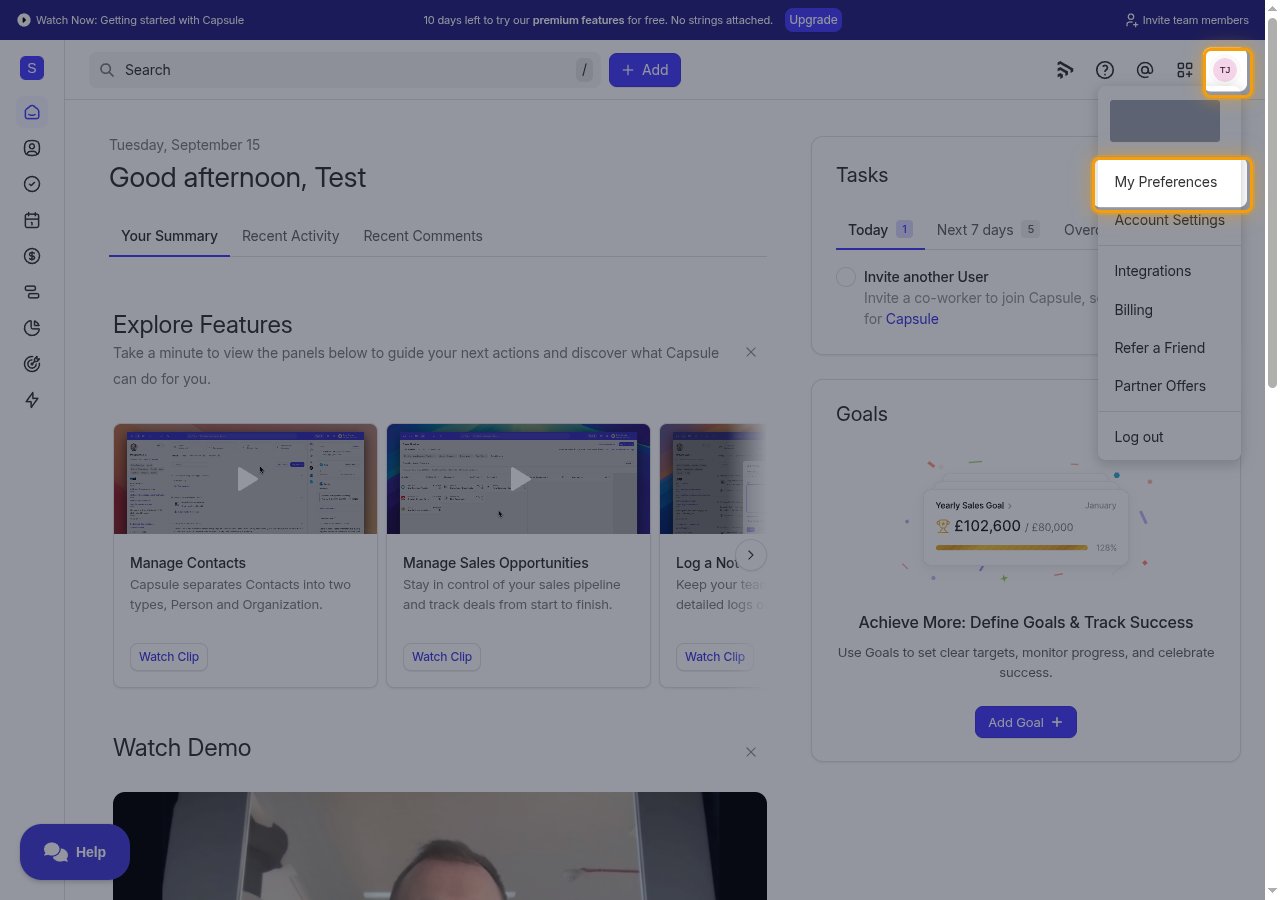
Click your profile icon in the top right corner to open the account menu.

  • Select My Preferences.
The Capsule account menu open with My Preferences highlighted
3

Open API Authentication

On the My Preferences page, click API Authentication.
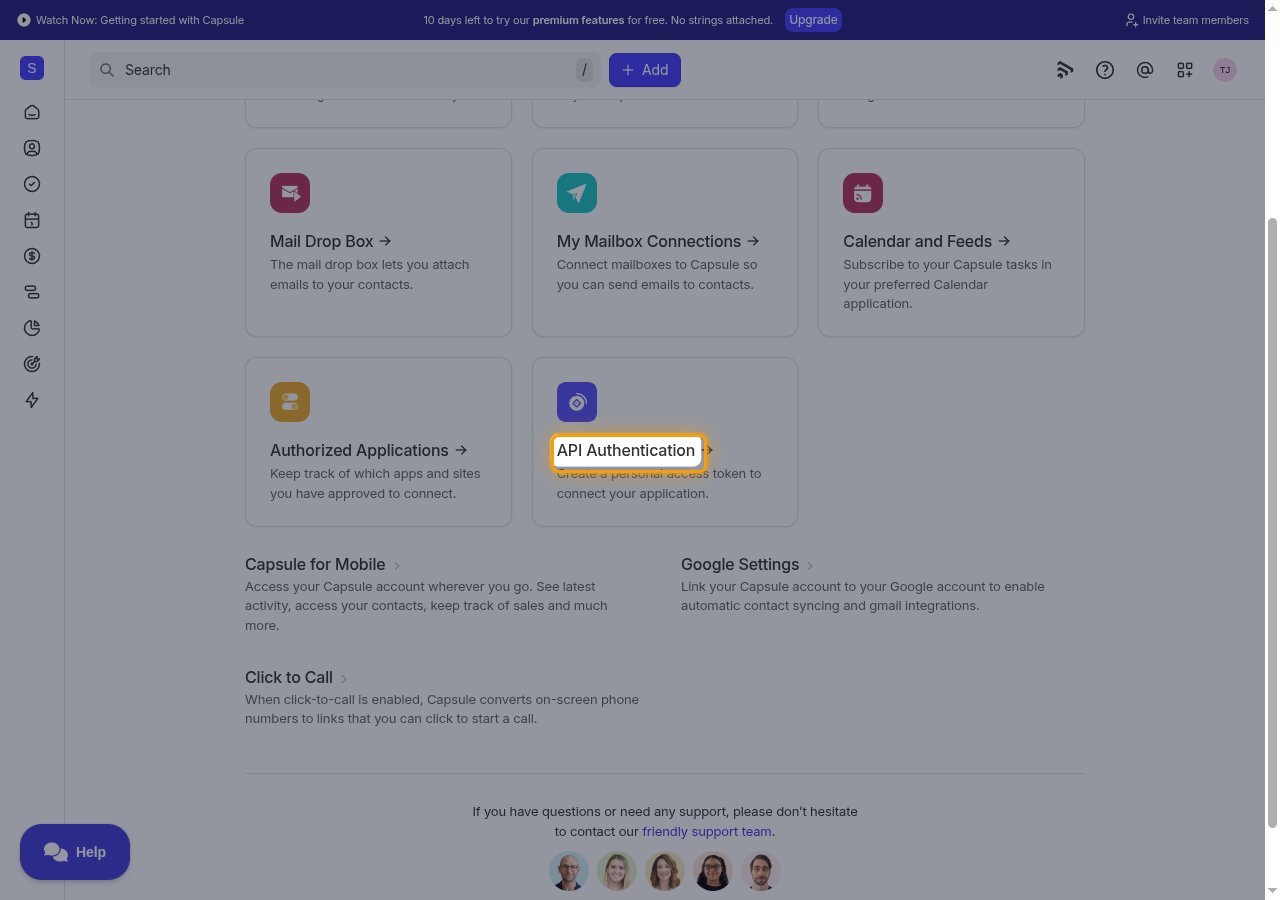
The My Preferences page with the API Authentication card highlighted
4

Generate a new token

Click Generate New API Token to open the Generate Token dialog.
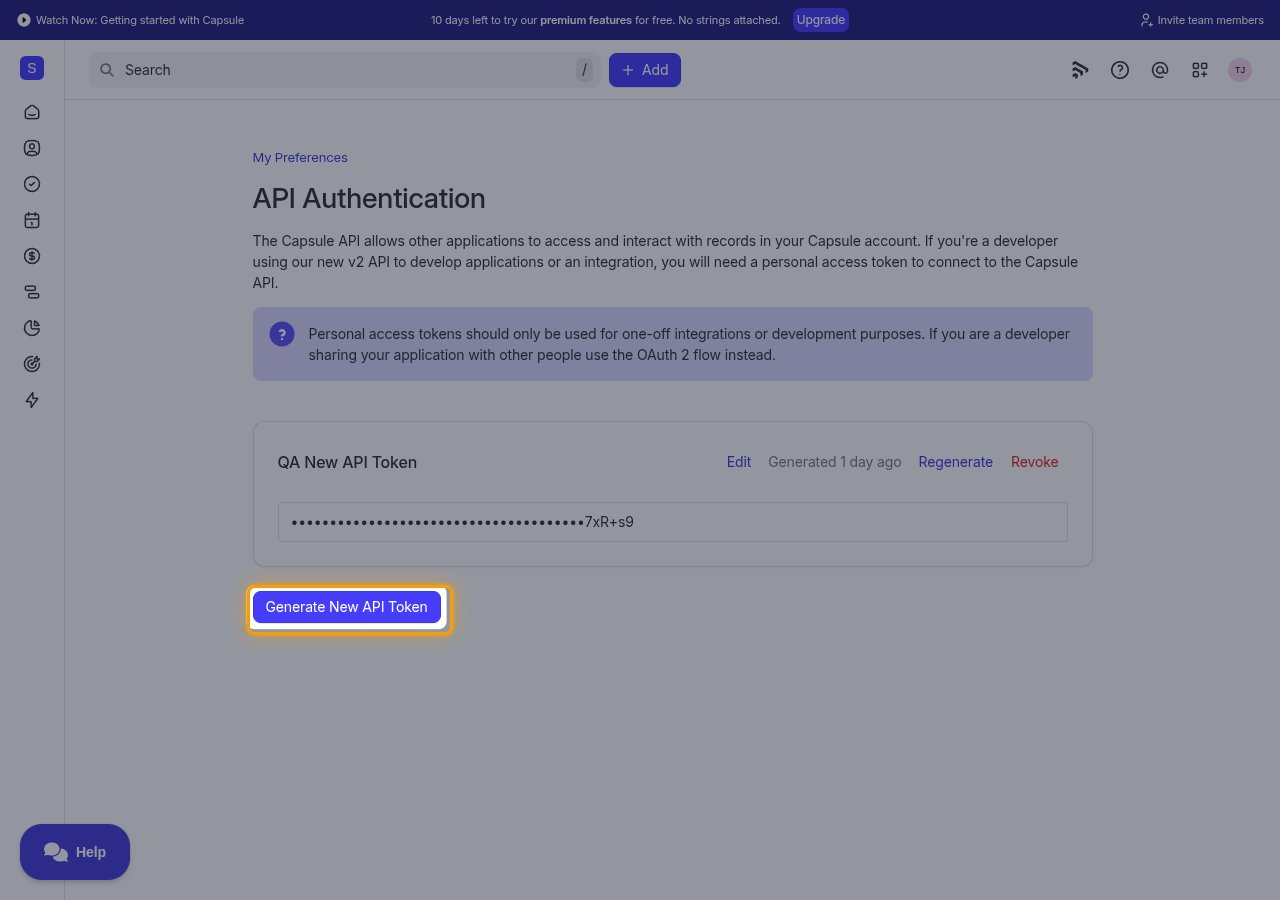
The API Authentication page with the Generate New API Token button highlighted
5

Enter a token description

In the Generate Token dialog, type a name into Description that identifies this integration, such as StackOne Integration.
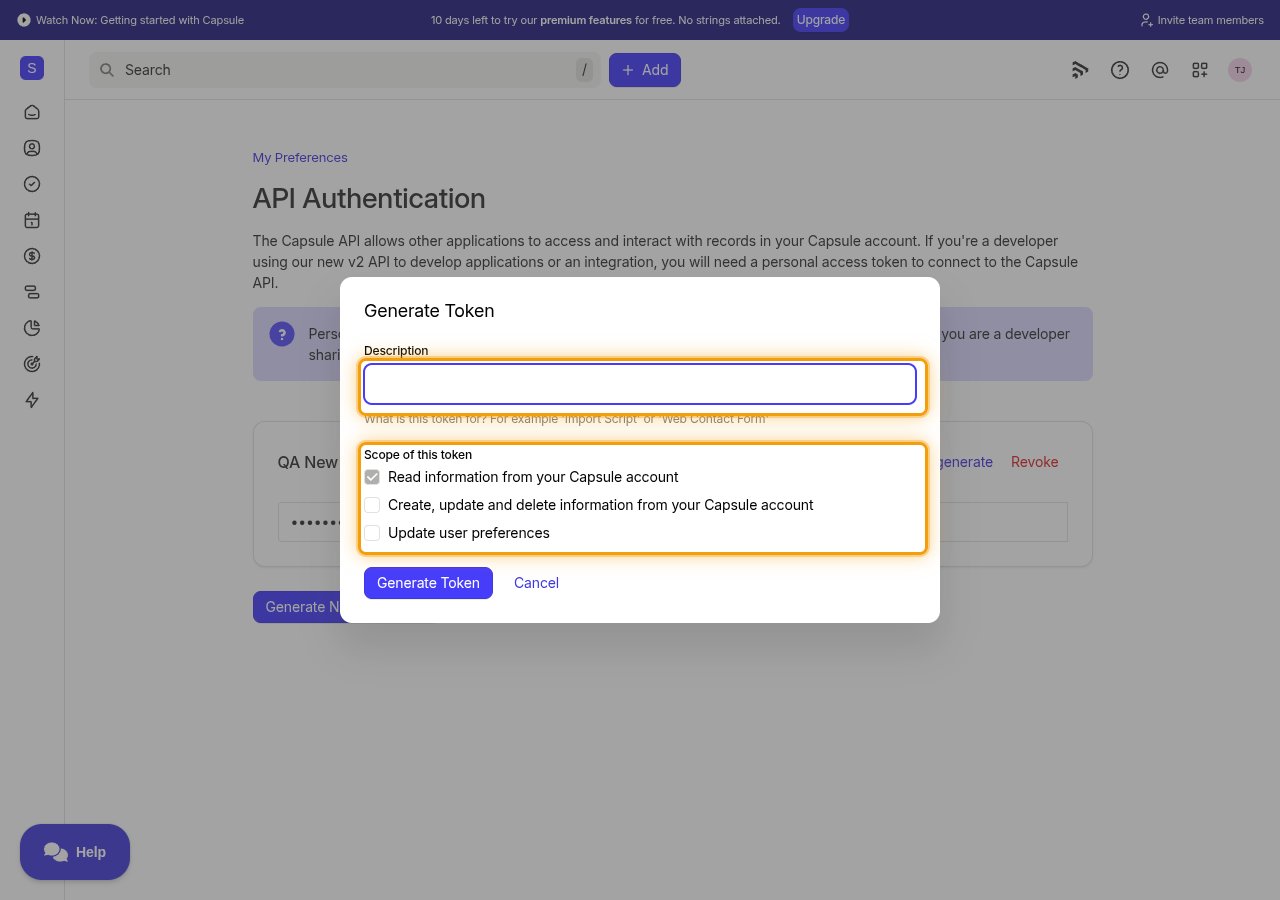
The Generate Token dialog with the Description field and the Scope of this token checkboxes highlighted
6

Select the scope of this token

Enables actions: Add Party To Opportunity, Add Party To Project, Archive Board, Archive Pipeline, Create Board, Create Entry, Create Milestone, Create Opportunity, Create Opportunity Custom Field, Create Opportunity Tag, Create Party, Create Party Custom Field, Create Party Tag, Create Pipeline, Create Project, Create Project Custom Field, Create Project Tag, Create Stage, Create Task, Create Task Category, Create Track Definition, Delete Entry, Delete Milestone, Delete Opportunity, Delete Opportunity Custom Field, Delete Opportunity Tag, Delete Party, Delete Party Custom Field, Delete Party Tag, Delete Project, Delete Project Custom Field, Delete Project Tag, Delete Stage, Delete Task, Delete Task Category, Delete Track Definition, Duplicate Pipeline, Filter Opportunities, Filter Parties, Filter Projects, Get Attachment, Get Board, Get Current User, Get Entry, Get Milestone, Get Multiple Opportunities, Get Multiple Parties, Get Multiple Pipelines, Get Multiple Projects, Get Opportunity, Get Opportunity Custom Field, Get Opportunity Tag, Get Party, Get Party Custom Field, Get Party Tag, Get Pipeline, Get Project, Get Project Custom Field, Get Project Tag, Get Site, Get Stage, Get Task, Get Task Category, Get Team, Get Track Definition, Get Unified Credentials, Get Unified Group, Get Unified Organization, Get Unified User, Get User, List Activity Types, List Board Stages, List Boards, List Deleted Opportunities, List Deleted Parties, List Deleted Projects, List Entries, List Lost Reasons, List Milestones, List Opportunities, List Opportunity Custom Fields, List Opportunity Entries, List Opportunity Parties, List Opportunity Projects, List Opportunity Tags, List Parties, List Party Custom Fields, List Party Employees, List Party Entries, List Party Opportunities, List Party Projects, List Party Tags, List Pipeline Milestones, List Pipelines, List Project Custom Fields, List Project Entries, List Project Parties, List Project Tags, List Projects, List Stages, List Task Categories, List Tasks, List Teams, List Track Definitions, List Unified Groups, List Unified Organizations, List Unified Users, List Users, Remove Party From Opportunity, Remove Party From Project, Restore Board, Restore Pipeline, Search Opportunities, Search Parties, Search Projects, Update Board, Update Entry, Update Milestone, Update Opportunity, Update Opportunity Custom Field, Update Opportunity Tag, Update Party, Update Party Custom Field, Update Party Tag, Update Pipeline, Update Project, Update Project Custom Field, Update Project Tag, Update Stage, Update Task, Update Task Category, Update Track Definition, Update User, Upload Attachment

Under Scope of this token, select the permissions this integration needs. Read information from your Capsule account is always enabled and cannot be turned off. Select Create, update and delete information from your Capsule account to write data, and Update user preferences only if you need to change a user’s own settings, such as locale, currency, or time zone.

7

Generate the token

Click Generate Token.
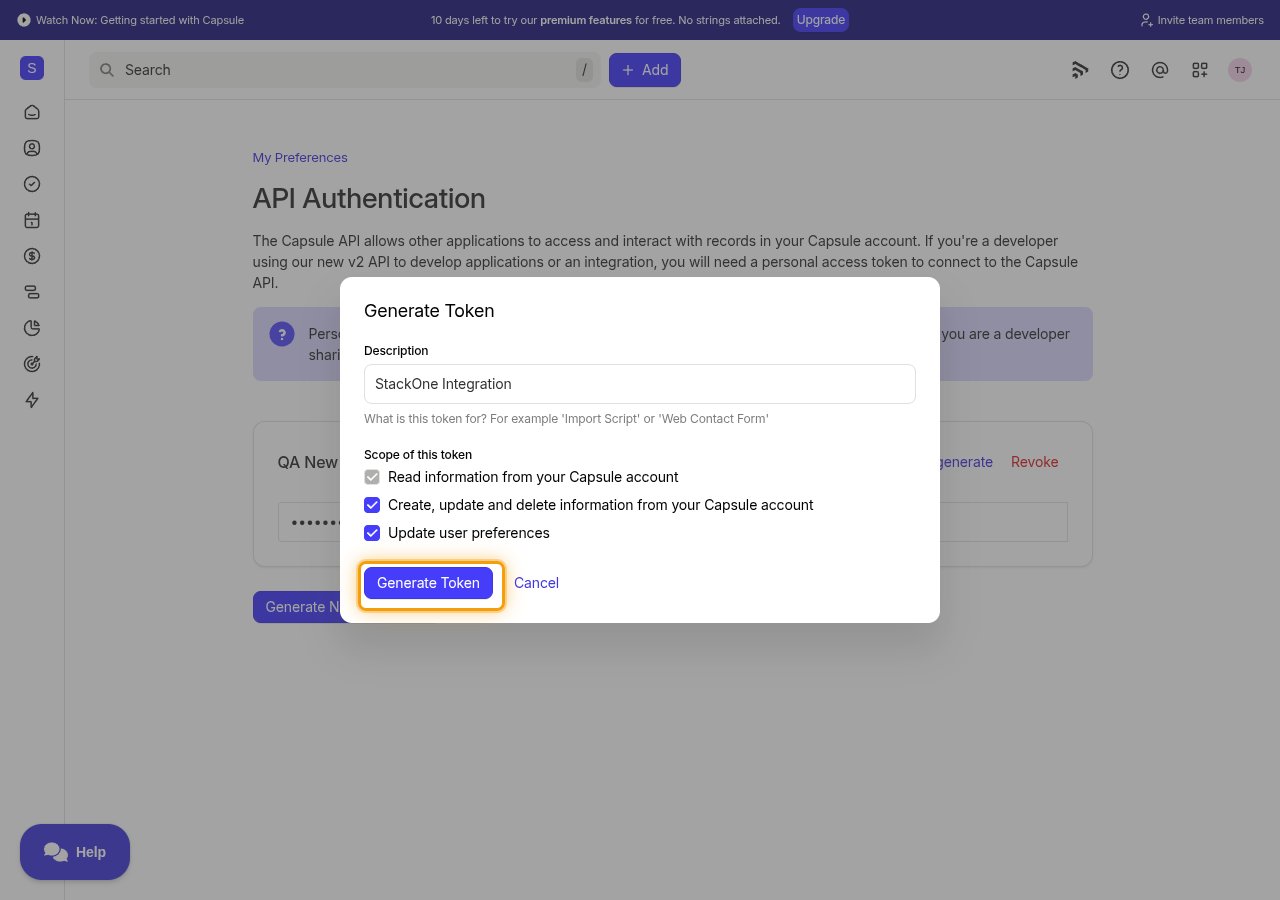
The completed Generate Token dialog with the Generate Token button highlighted
8

Copy the personal access token

Click Copy next to the new token, then paste it into the Personal Access Token field in StackOne Hub.

  • Format: a 64-character string of letters, digits and /
  • The token is only displayed once and cannot be retrieved later — store it securely for use later.
  • If you lose it, click Regenerate on the token to issue a new value, or Revoke to remove it.
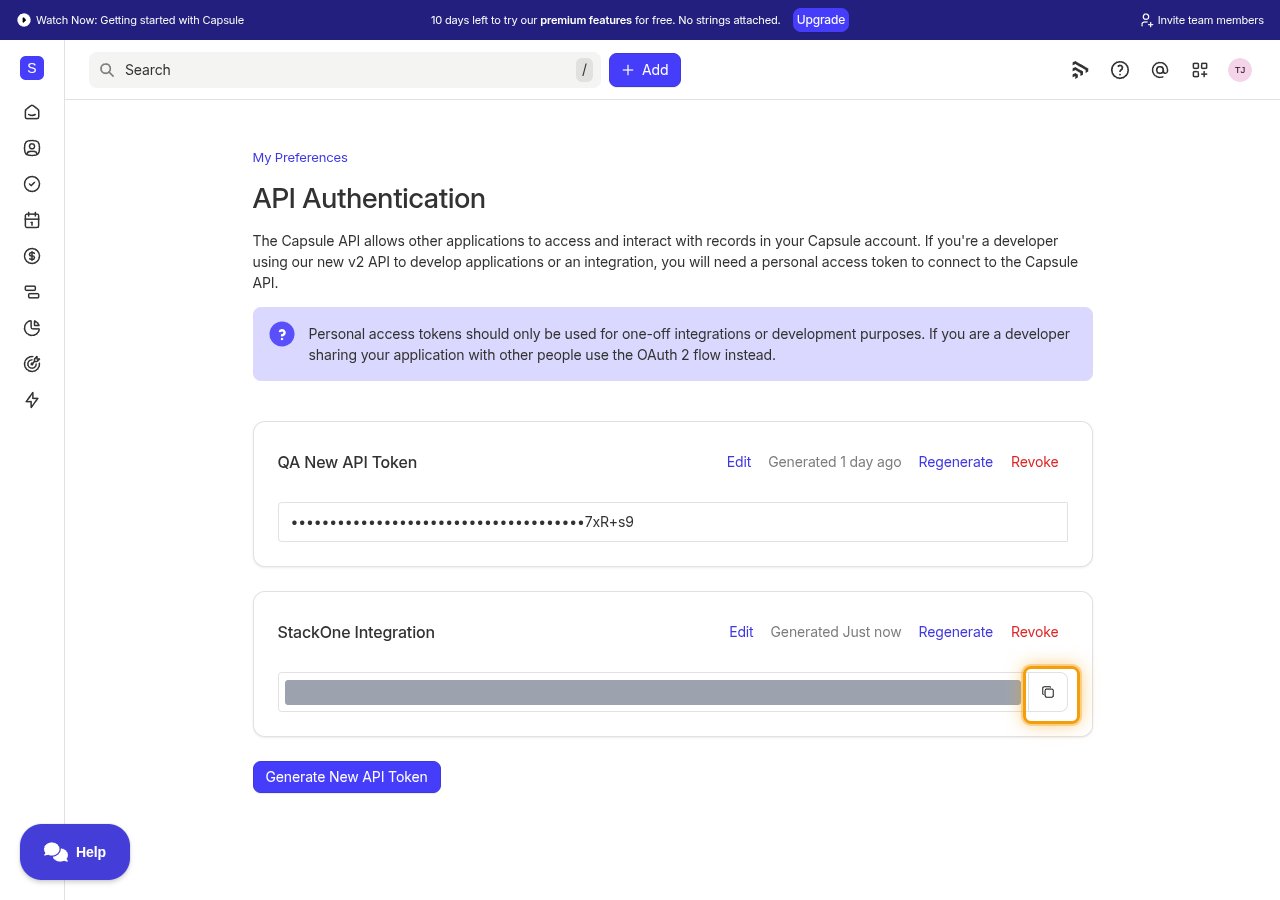
The API Authentication page showing the new token with its value hidden and the Copy button highlighted

Linking the Account from the Hub

1

Navigate to the Hub

Use one of the three Linking Account Methods to access the Hub.
2

Fill out the fields

Fill out the following fields using details from your provider:
  • Personal Access Token
3

Connect

  • Click Connect
  • If applicable, the provider will redirect you to a sign-in or authorization page. Complete the provider’s authorization flow.
  • Once authorization is successful, you will see a confirmation popup

If the account linking is successful, you will see the newly linked account in your Accounts page.

Next Steps

Webhooks setup

Configure receiving Events for Capsule CRM into StackOne.