

Generate an API key
An API key authenticates your requests to the Brevo API.
1
Sign in to Brevo
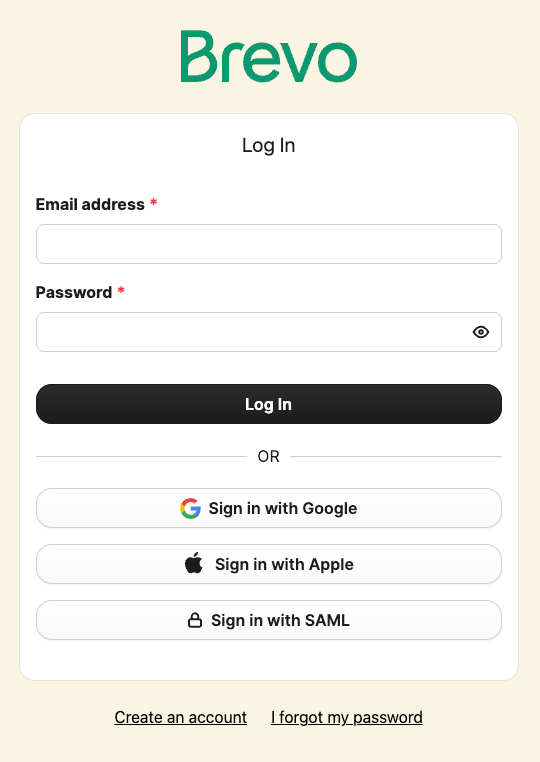
Sign in to your Brevo account.
2
Open the Settings page
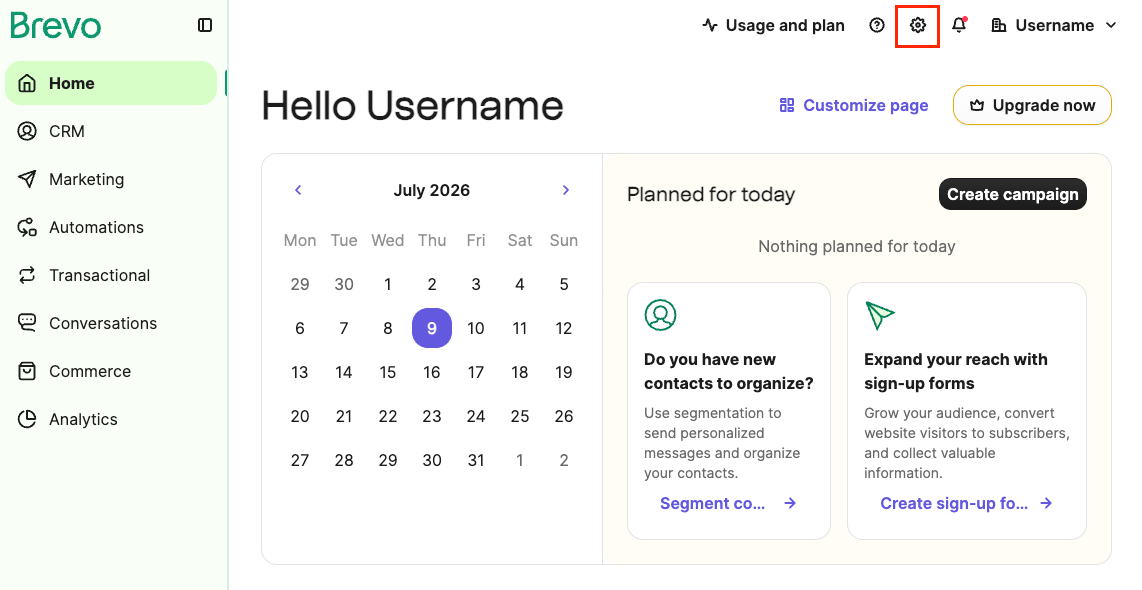
Navigate to the settings page where API keys are managed.
- Click your organisation’s name in the top-right corner and select Settings.
3
Navigate to the API keys page
Locate the API key management section within your organisation settings.
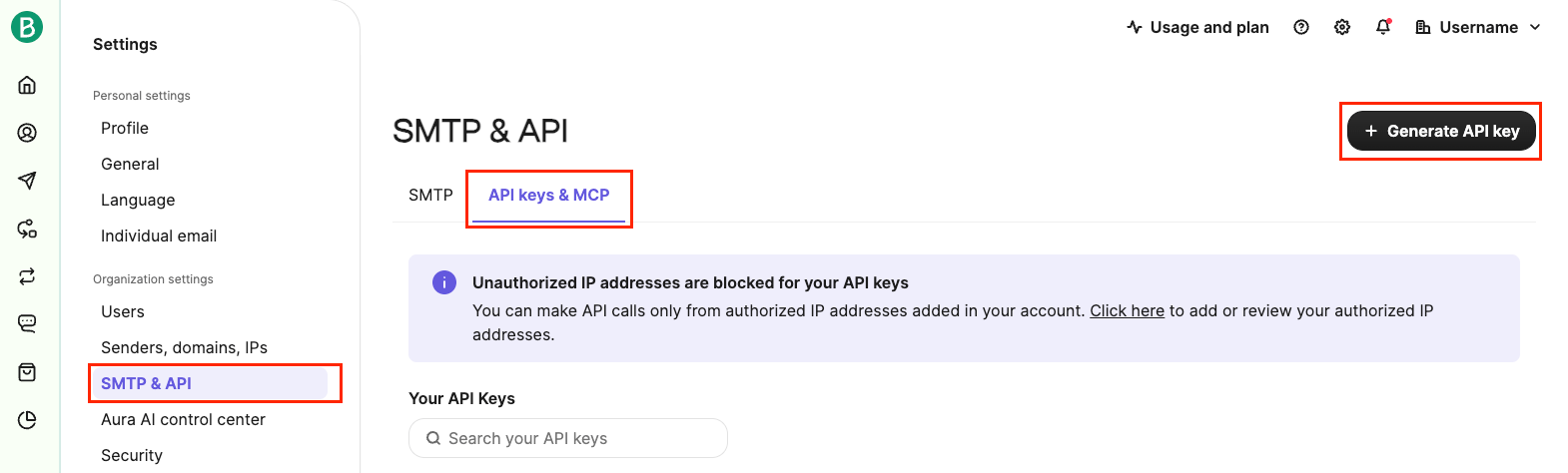
- Under Organisation settings in the left sidebar, click SMTP & API.
- Select the API keys & MCP tab.
- Click + Generate API key to open the key creation dialog.
4
Fill in the key details and generate
Enter the required details to create a new API key.
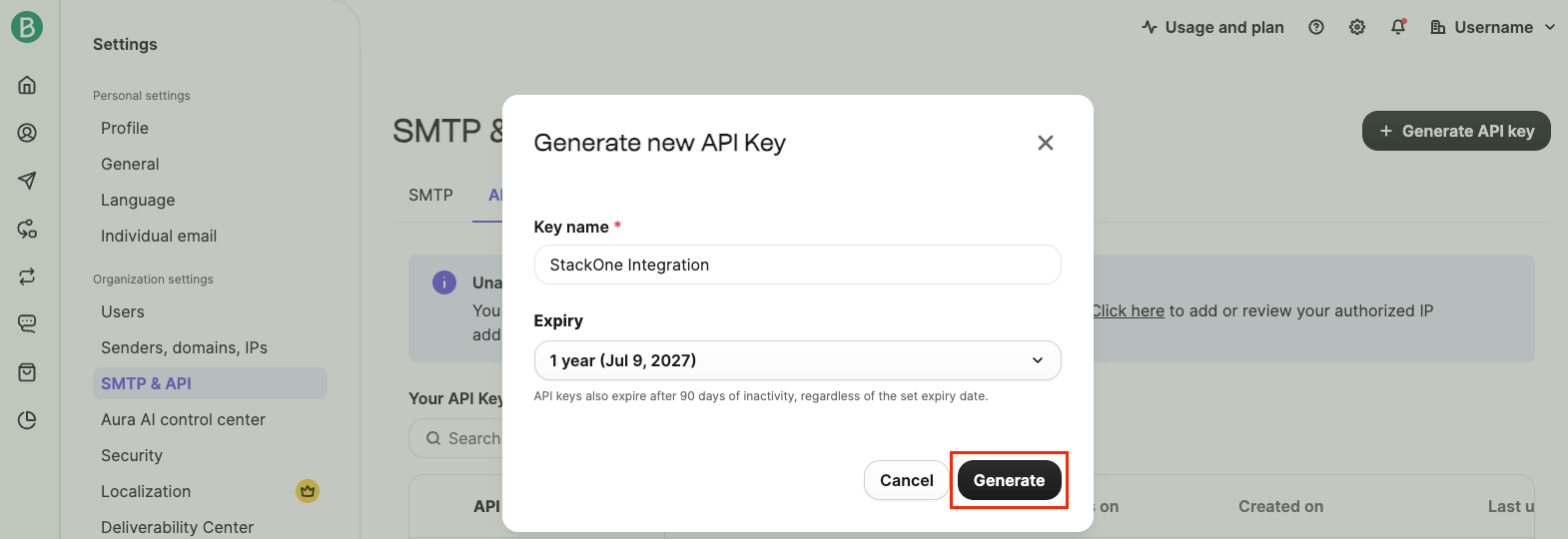
- In the Generate new API Key dialog, enter a Key name (e.g.,
StackOne Integration) and select an Expiry period. - Click Generate to create the key.
5
Copy the API key
Save the generated API key before closing the dialog.
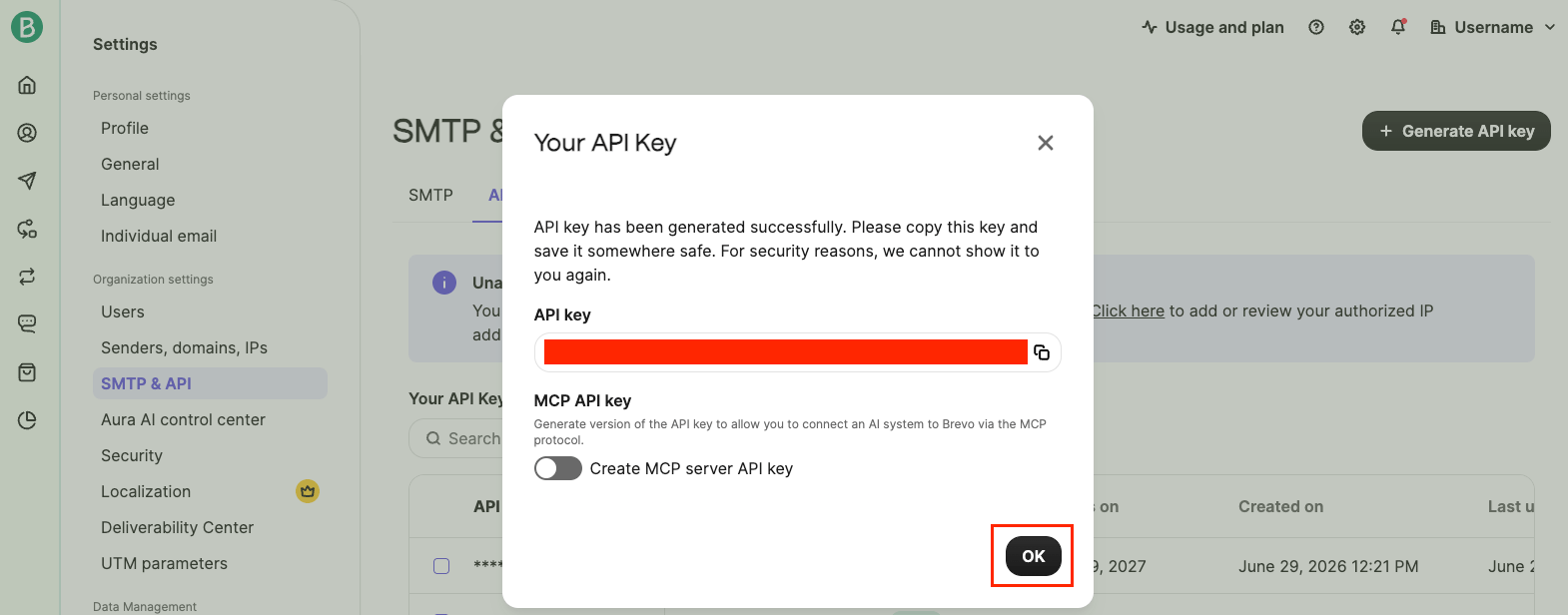
- The Your API Key dialog displays the generated key. Copy the API key immediately and store it securely.
- Click OK to close the dialog.
- Note: The API key is only shown once. If you close the dialog without copying it, you will need to generate a new one.
Linking the Account from the Hub
1
Navigate to the Hub
Use one of the three Linking Account Methods to access the Hub.
2
Fill out the fields
Fill out the following fields using details from your provider:
- API Key
3
Connect
- Click Connect
- If applicable, the provider will redirect you to a sign-in or authorization page. Complete the provider’s authorization flow.
- Once authorization is successful, you will see a confirmation popup
If the account linking is successful, you will see the newly linked account in your Accounts page.
Next Steps
Webhooks setup
Configure receiving Events for Brevo into StackOne.