

Generating a REST API key
A REST API key authenticates requests to Braze and must be scoped to the specific endpoints you want to use.
Sign in to Braze
Sign in to your Braze dashboard for the instance your workspace is hosted on (for example https://dashboard-03.braze.com).
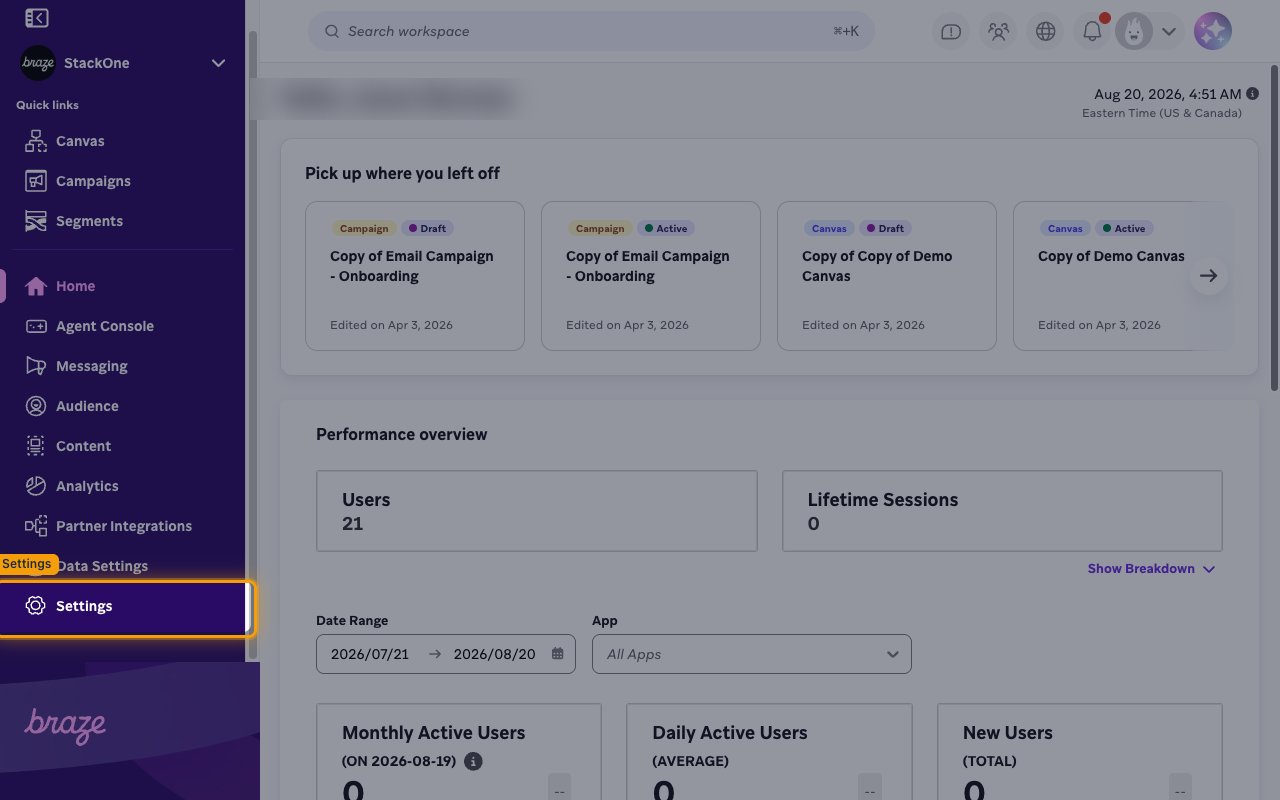
Open Settings
Click the Settings gear icon at the bottom of the left navigation sidebar.
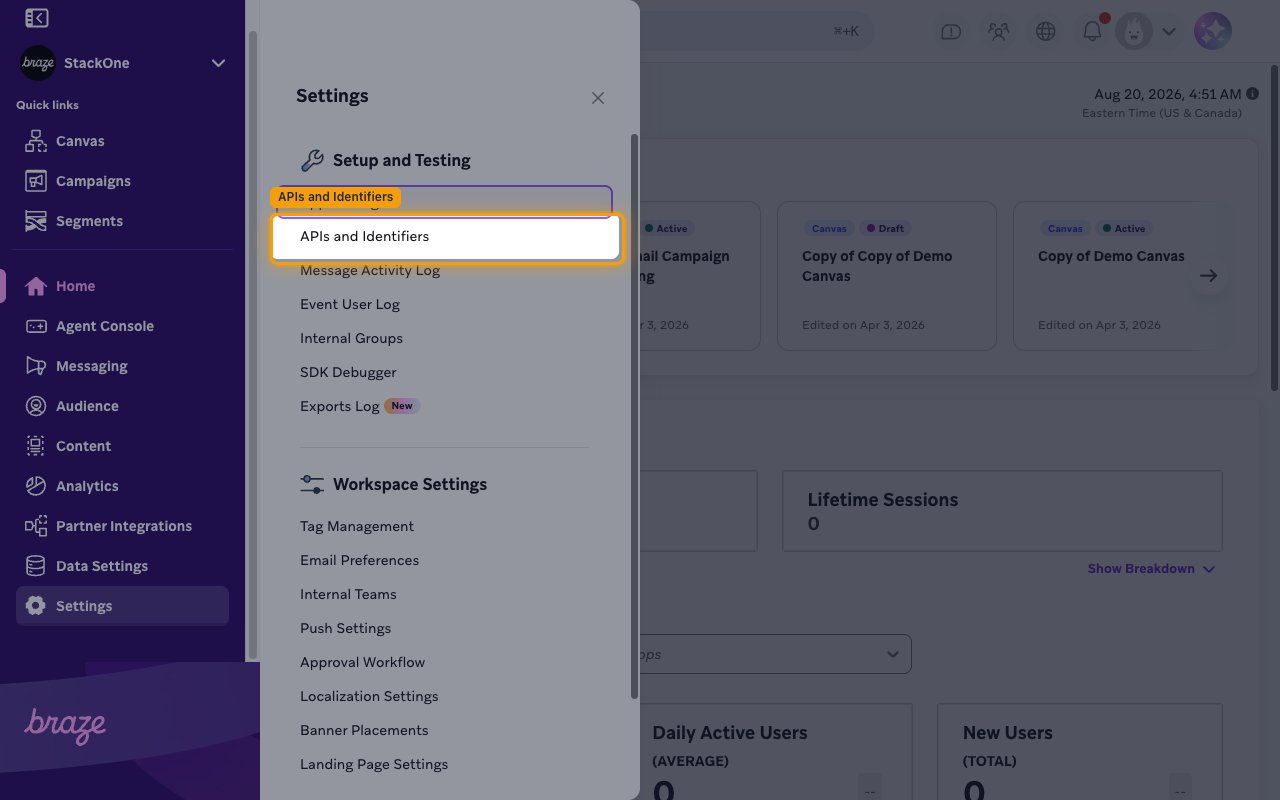
Open APIs and Identifiers
In the Settings panel, under Setup and Testing, select APIs and Identifiers.
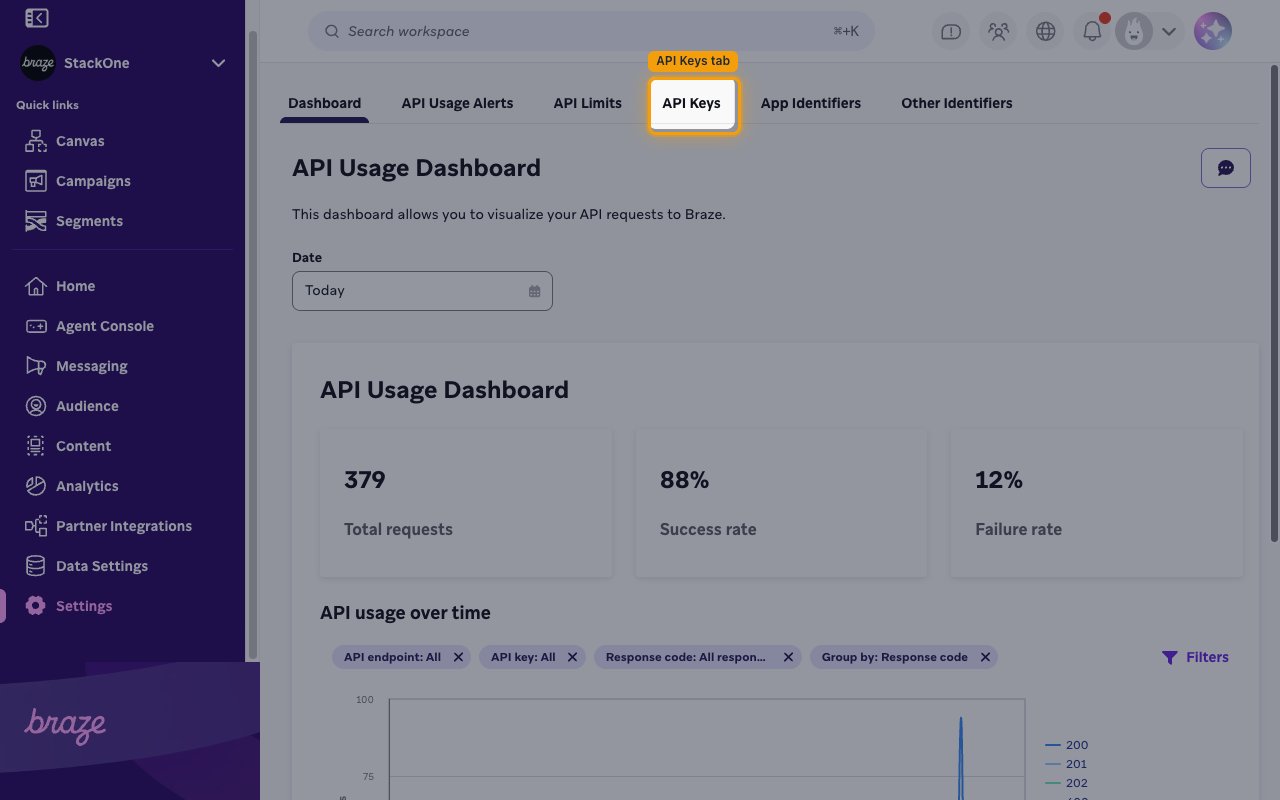
Open the API Keys tab
On the APIs and Identifiers page, click the API Keys tab to reach the REST API Keys section.
- The page opens on the Dashboard tab by default — the other tabs are API Usage Alerts, API Limits, API Keys, App Identifiers, and Other Identifiers.
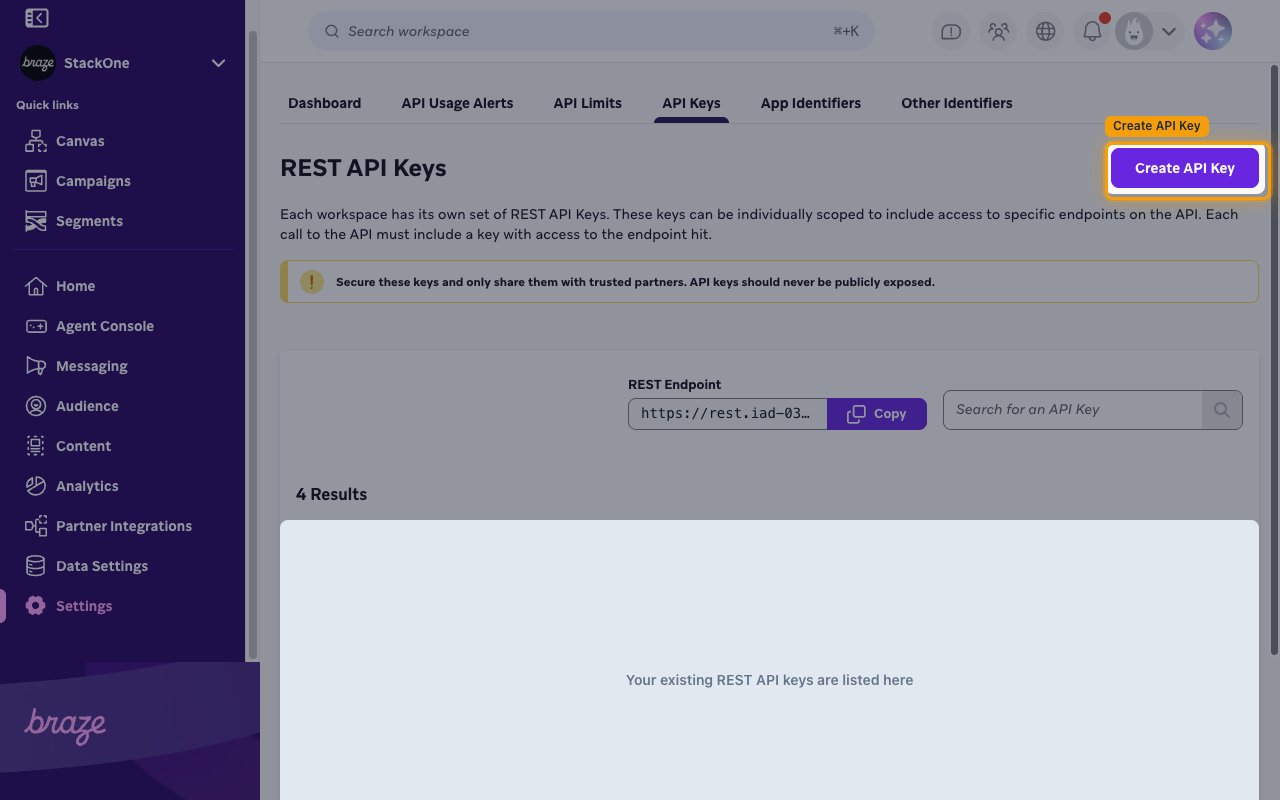
Create the API key
In the REST API Keys section, click Create API Key (the button in the top-right of the page).
Configure the key
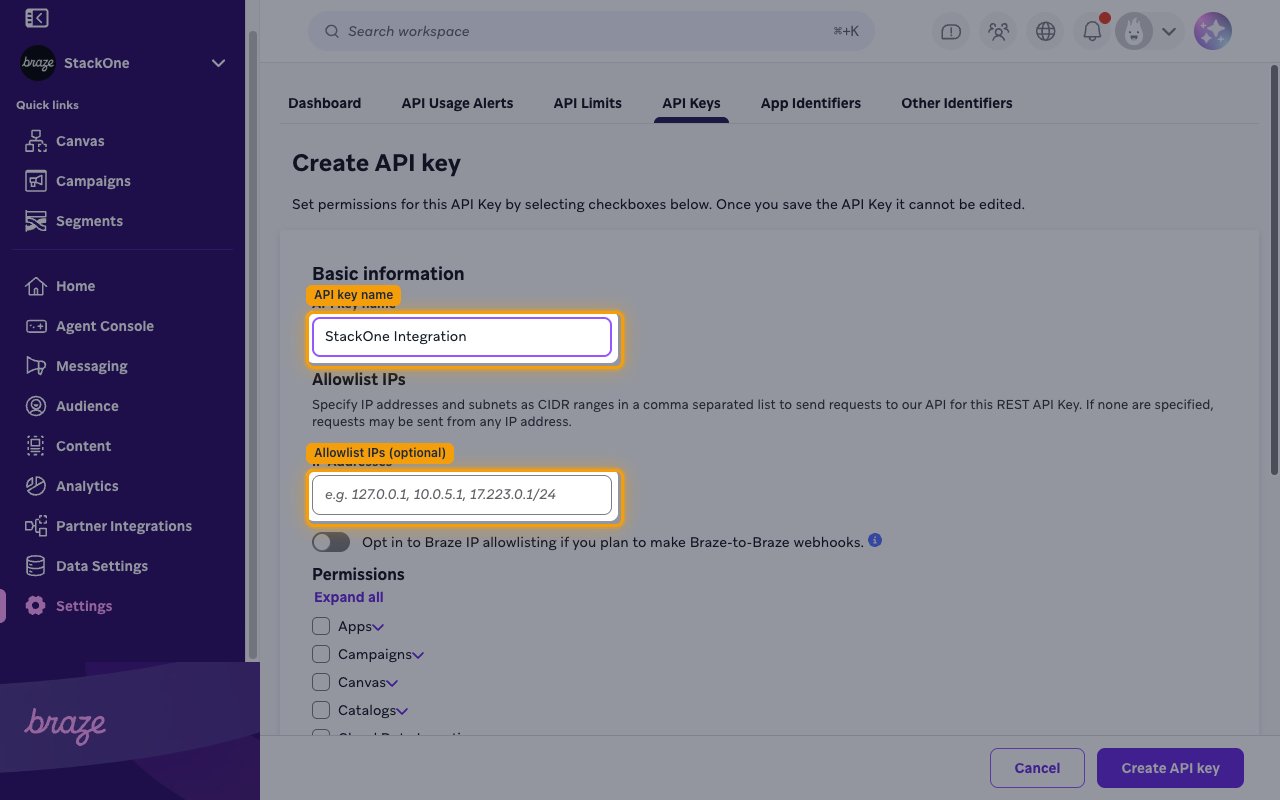
On the Create API key page, fill in the key details. Once you save the API key, it cannot be edited.
- API key name: e.g.
StackOne Integration(or any descriptive name you prefer). - Allowlist IPs (optional): leave the IP Addresses field blank to allow requests from any IP, or enter specific IP addresses / CIDR ranges (comma-separated) to restrict access.
Select permissions
Under Permissions, select the endpoint permissions for the actions you plan to use. Each Braze permission unlocks one REST endpoint, so a key without a permission returns an error for the matching action. Include kpi.dau.data_series so StackOne can verify your App API Key when the account is linked.
Save the key
Click Create API key to save.
Copy the API key
Copy the generated API key immediately and store it securely — you will paste it into the REST API Key field in StackOne Hub.
- Format: a UUID,
xxxxxxxx-xxxx-xxxx-xxxx-xxxxxxxxxxxx - The key can be viewed again later from the same API Keys tab.
Find your REST instance URL
Your REST instance URL identifies your Braze data center and is the base URL for API requests.
Copy the REST Endpoint
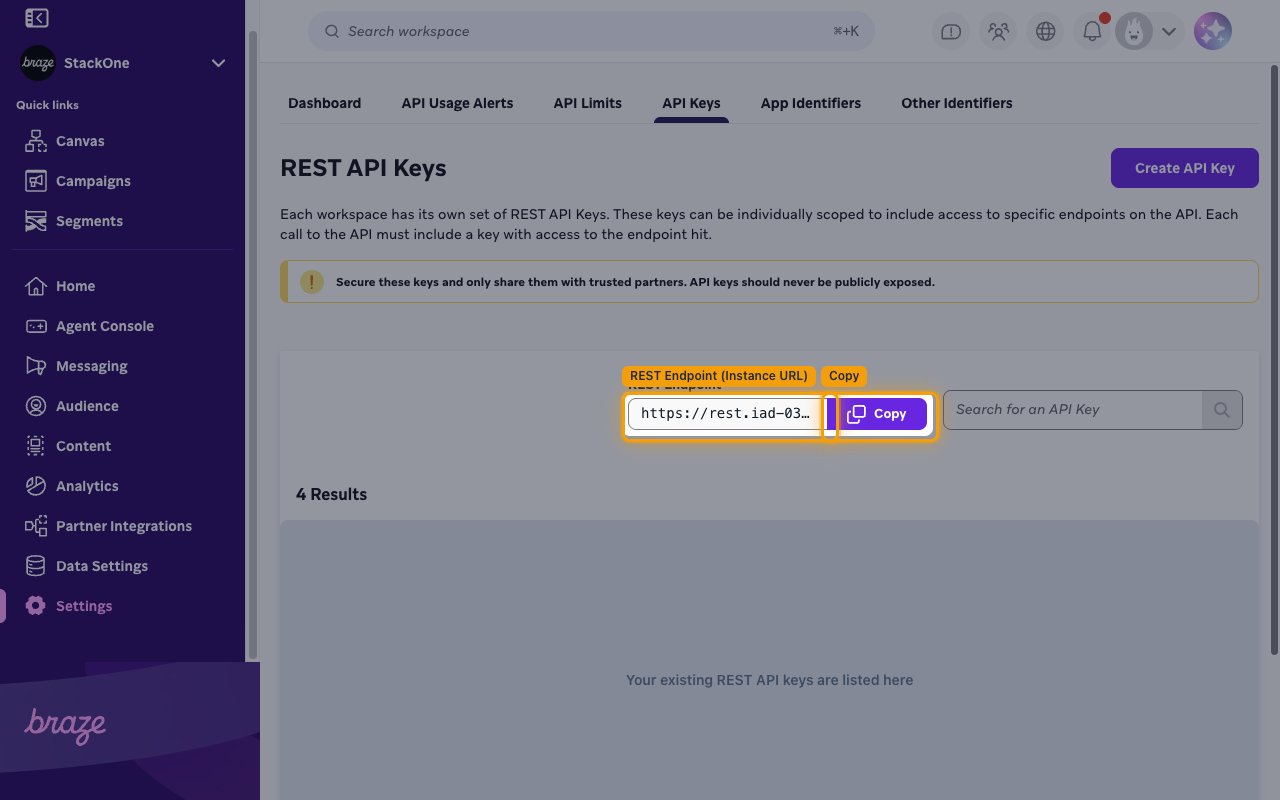
On the API Keys tab, find the REST Endpoint field near the top of the page and click Copy. Paste this value into the REST Instance URL field in StackOne Hub.
- Format:
https://rest.{instance}.braze.com(US) orhttps://rest.{instance}.braze.eu(EU) - Example:
https://rest.iad-03.braze.com
Find your App API Key (optional)
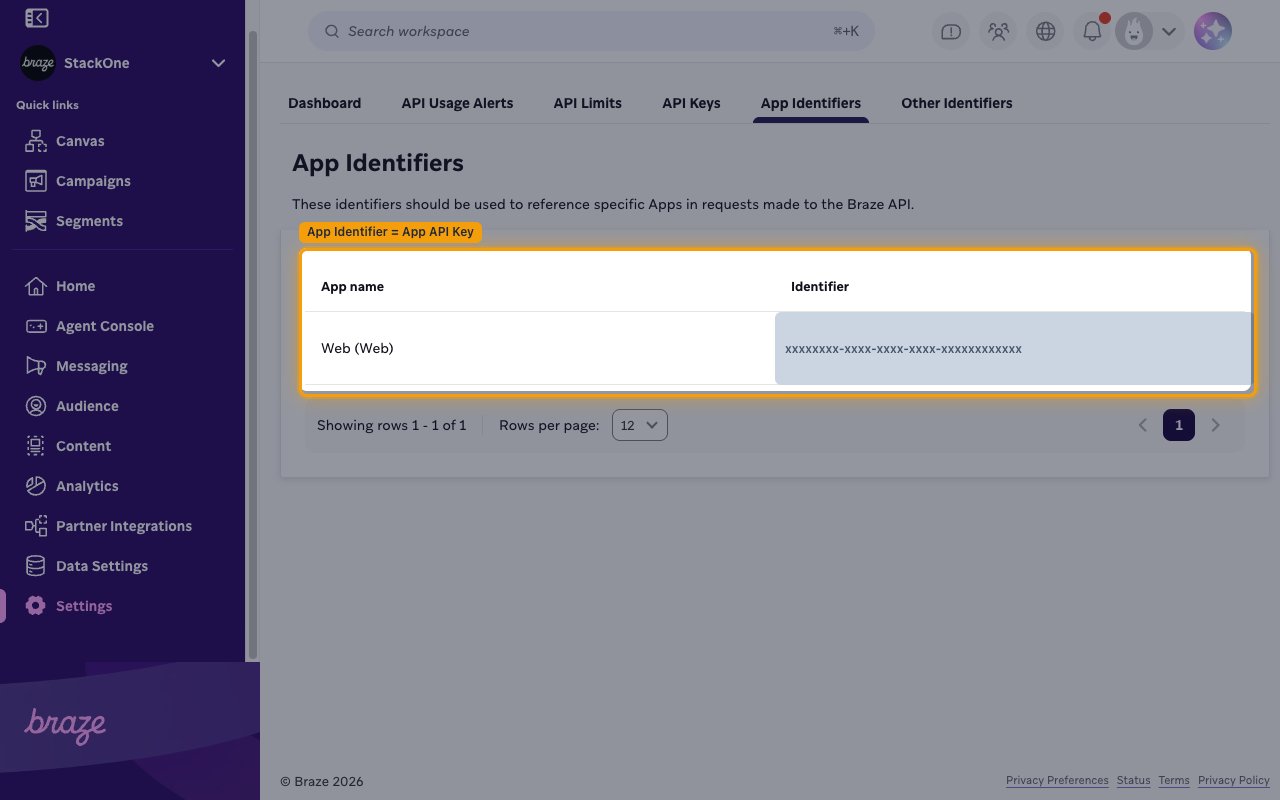
The App API Key (Braze calls it an App Identifier) identifies a specific app in your workspace. It is optional — you only need it for the KPI and analytics actions (daily/monthly active users, new users, uninstalls, sessions, custom event, purchases, and revenue analytics). Leave it blank if you only use campaigns, canvas, users, catalogs, templates, or messaging.
Open App Identifiers
On the APIs and Identifiers page, open the App Identifiers tab. Copy the value in the Identifier column for the app you want to use, and paste it into the App API Key field in StackOne Hub.
- A workspace can have one App Identifier per app (iOS, Android, Web, etc.).
Linking the Account from the Hub
Navigate to the Hub
Fill out the fields
- REST API Key
- REST Instance URL
- App API Key (Optional)
Connect
- Click Connect
- If applicable, the provider will redirect you to a sign-in or authorization page. Complete the provider’s authorization flow.
- Once authorization is successful, you will see a confirmation popup
If the account linking is successful, you will see the newly linked account in your Accounts page.
Next Steps
Webhooks setup
Configure receiving Events for Braze into StackOne.