

Prerequisites
The connector should already be set up, with a Connector Profile and a Linked Account. See Getting Started on the Braintree connector page.Copy your Native Webhook URL
The Native Webhook URL is generated once a Braintree account has been linked. Braintree sends every notification to this URL.
- Open the linked account in StackOne.
- Copy the value from Native Webhook URL.
- Treat this URL as a secret. Anyone holding it can post notifications to your account.
Creating the webhook in Braintree
Braintree webhooks are created in the Control Panel. One webhook covers every notification you select.
Open the settings menu
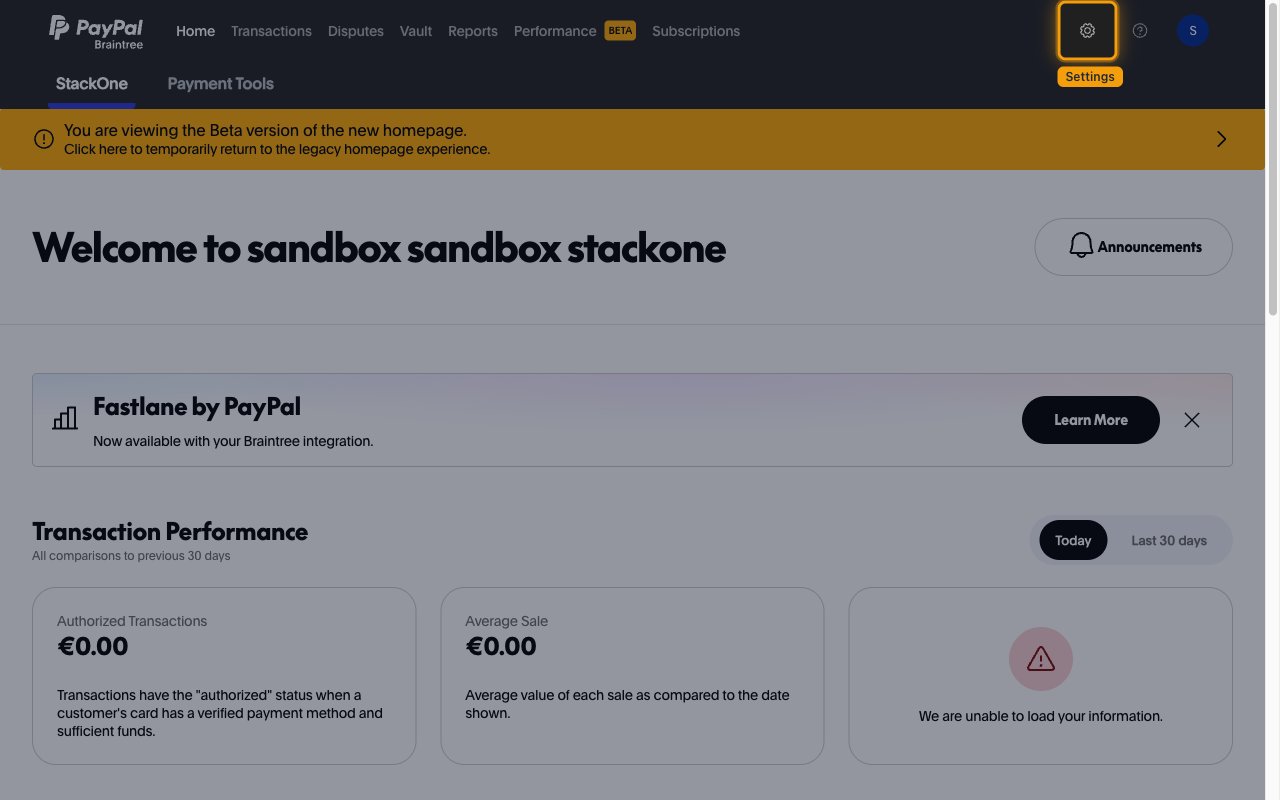
Sign in to the Braintree Control Panel for your environment (Braintree production Control Panel or Braintree sandbox Control Panel), then click the settings gear icon in the top-right corner.
Open the API settings
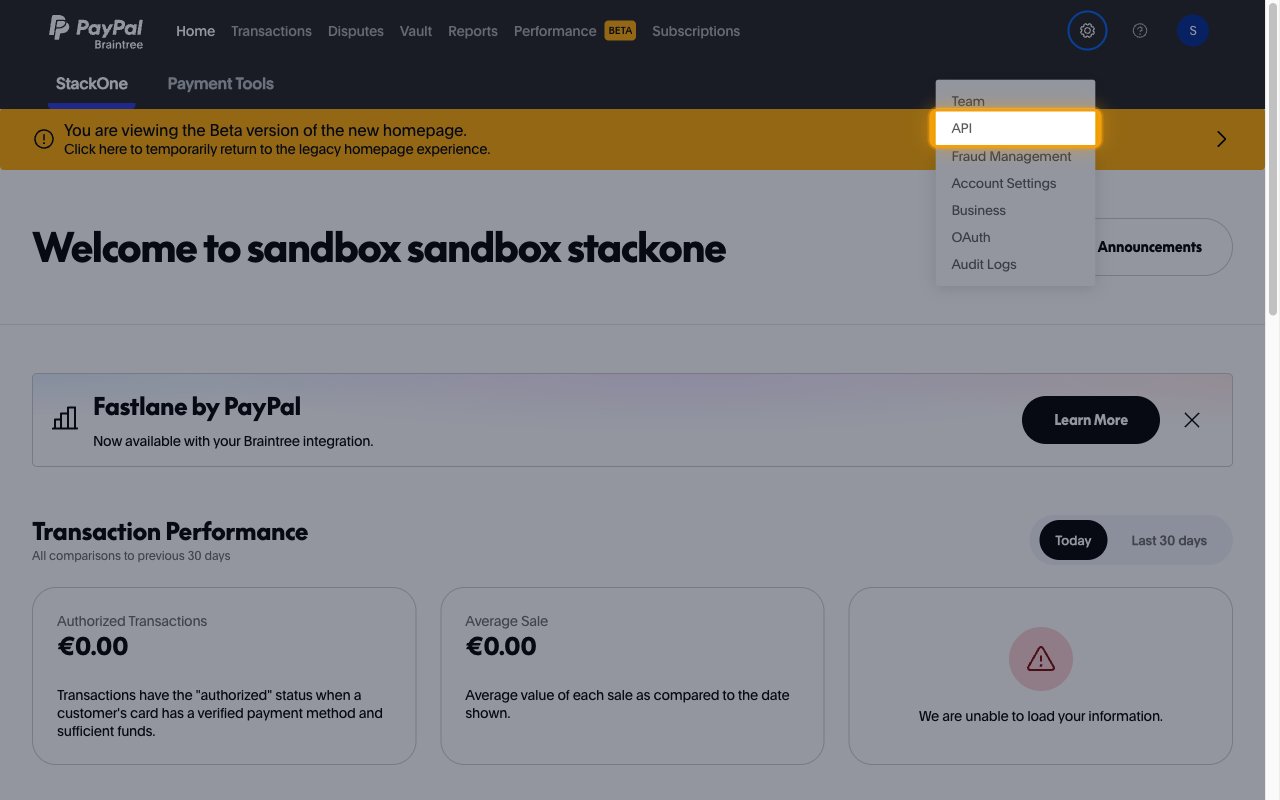
In the settings menu, select API.
Open the Webhooks tab
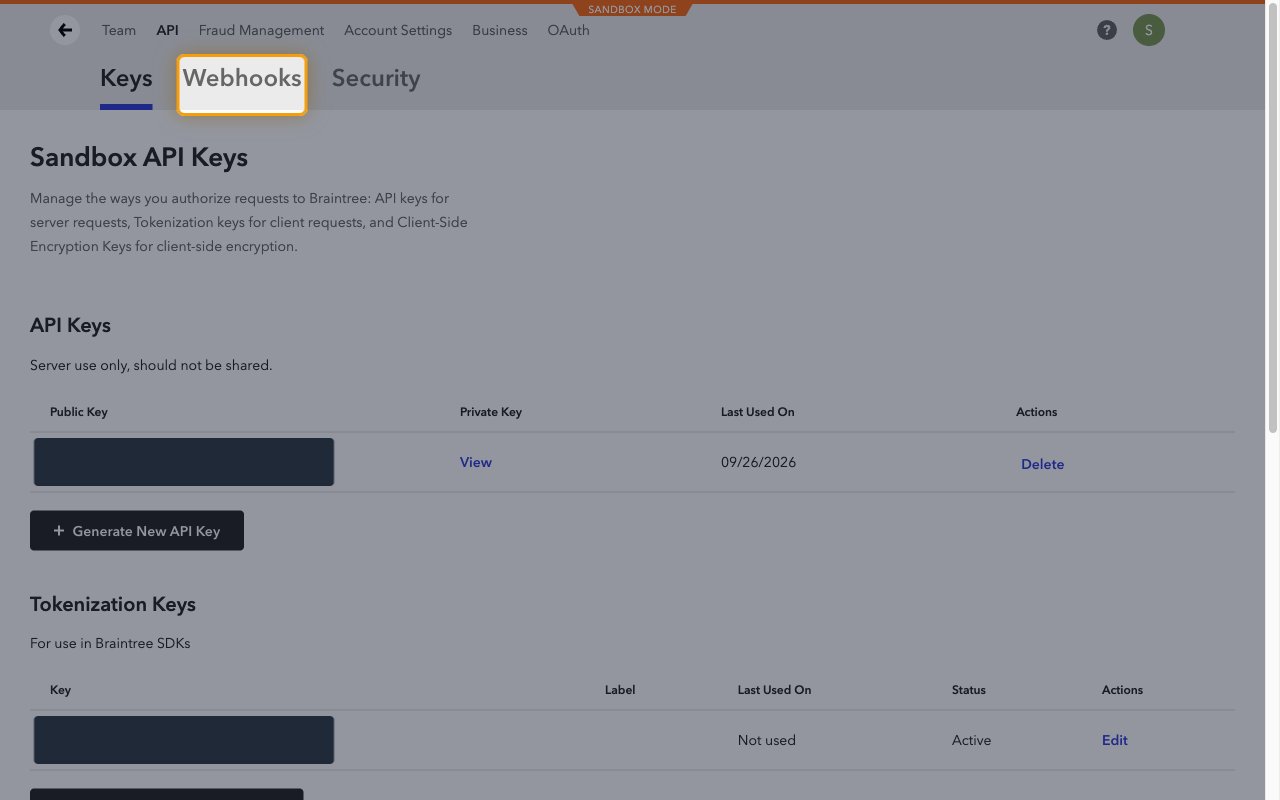
On the API page, click the Webhooks tab next to Keys.
Create a new webhook
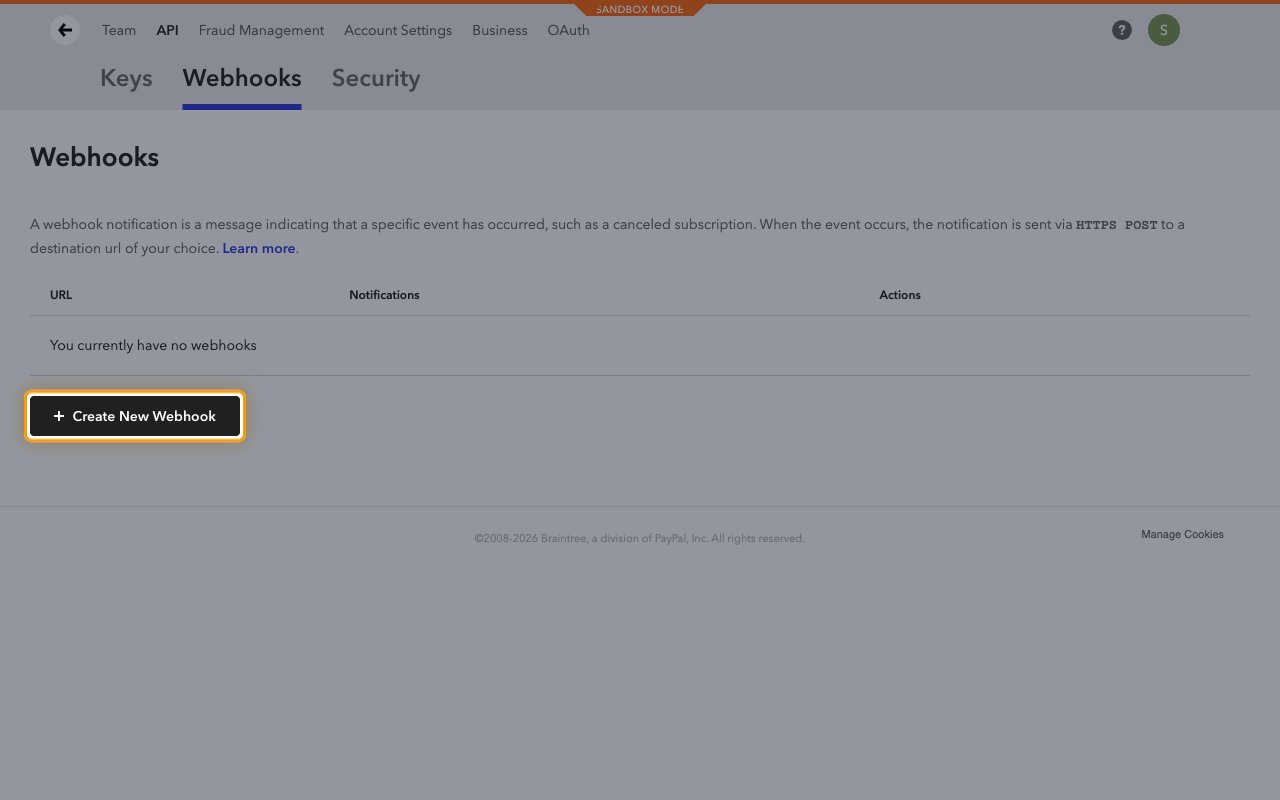
Click + Create New Webhook.
Paste the Native Webhook URL
Paste the Native Webhook URL into Destination URL (HTTPS only).
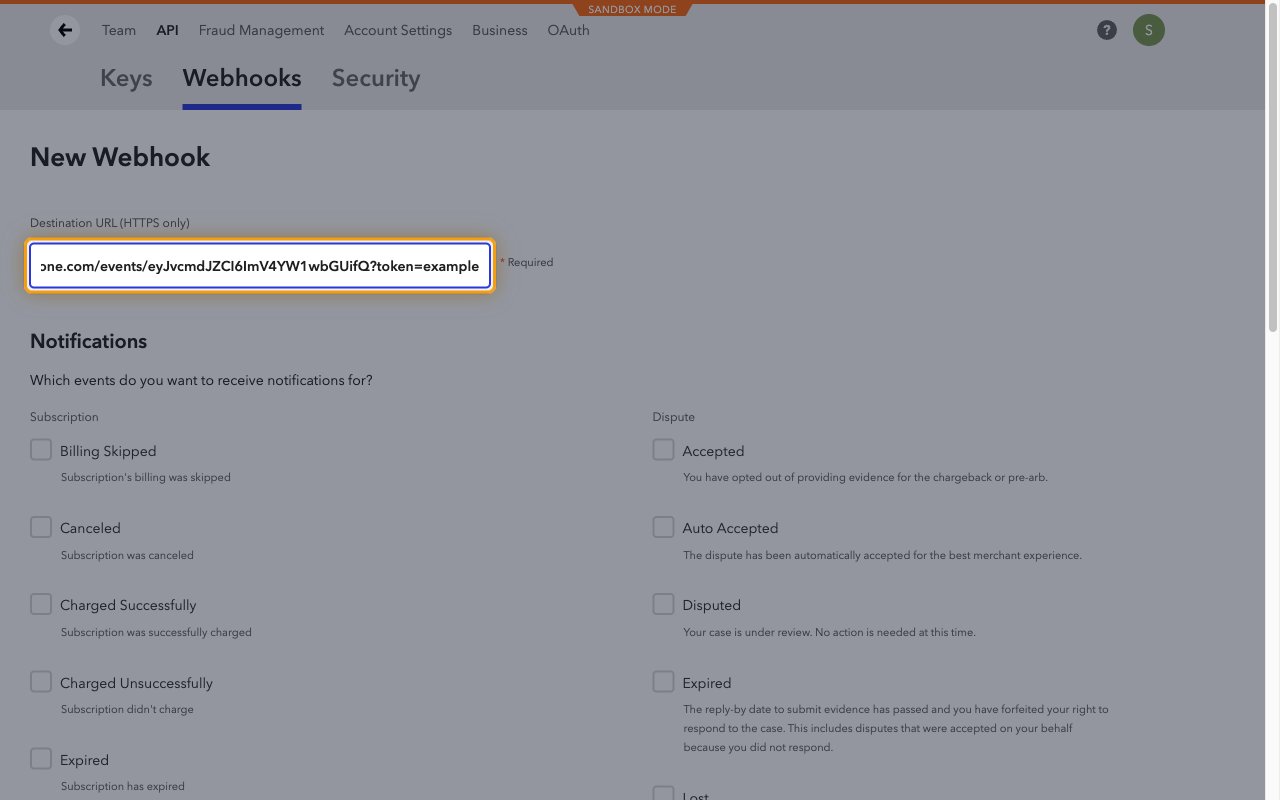
Select the notifications
Under Notifications, tick every event you want StackOne to receive. The list is grouped into Subscription, Dispute, Disputed Transaction, Disbursement, Payment Method and Refund.
- Braintree only sends the notifications ticked here, so tick every event you plan to enable in StackOne.
- Some groups appear only when the related feature is enabled on your gateway.
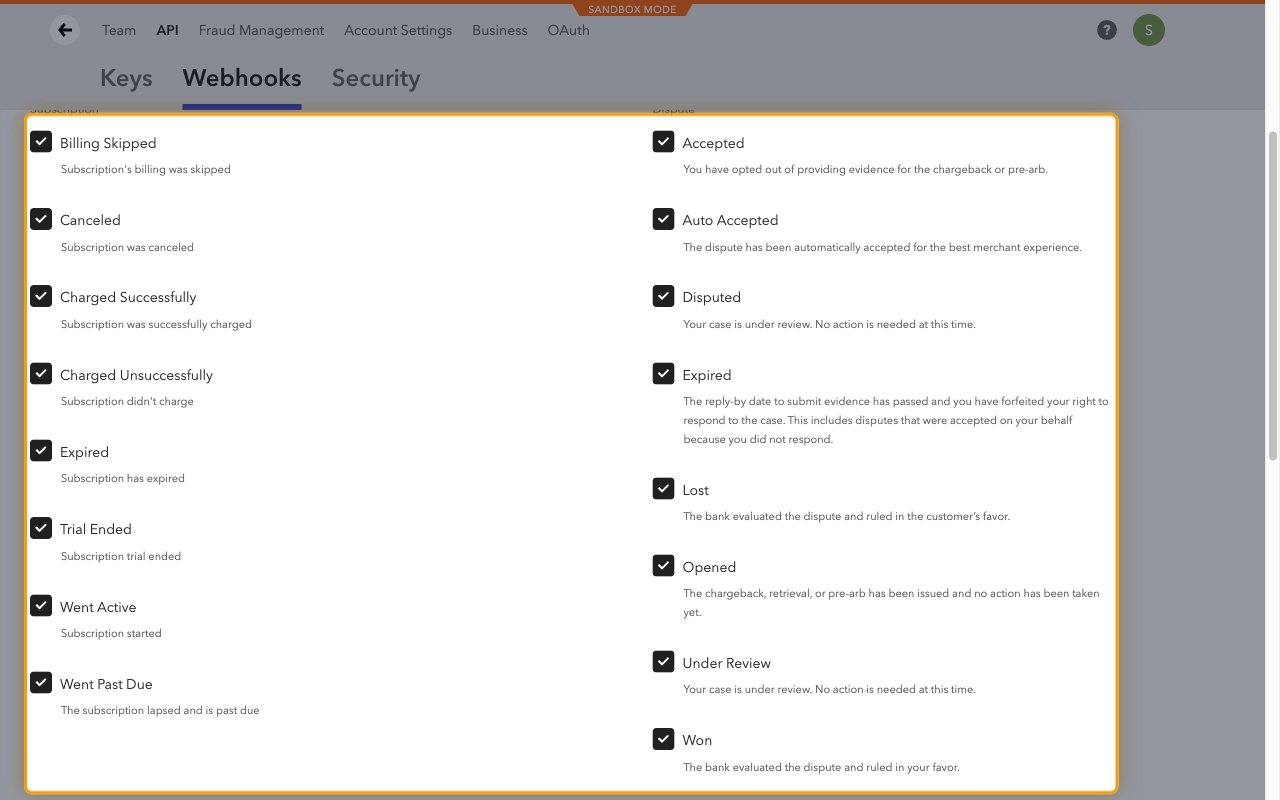
Save the webhook
Scroll to the bottom of the form and click Create Webhook.
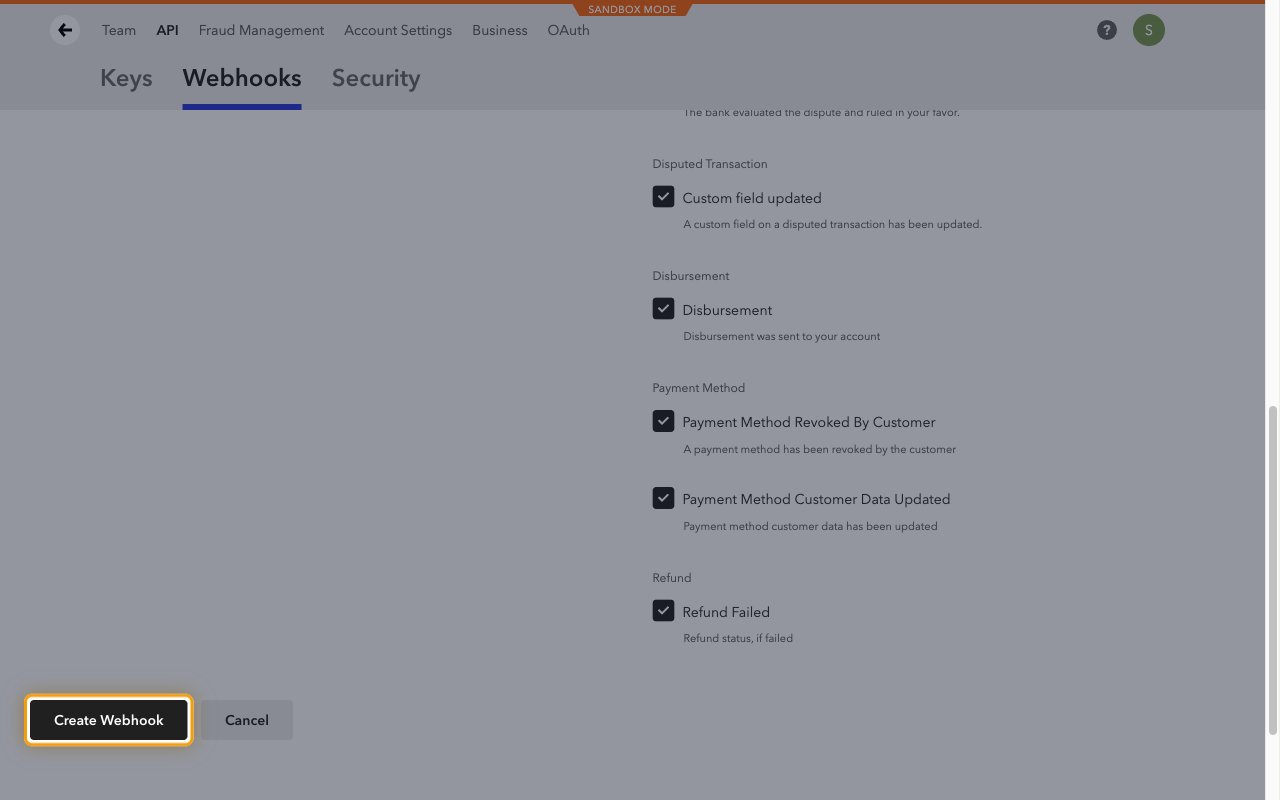
Check the destination URL
The webhook is listed as (ENABLED). Click Check URL to send a test notification.
- StackOne acknowledges the test notification without creating an event.
- Use Edit later to change the selected notifications.
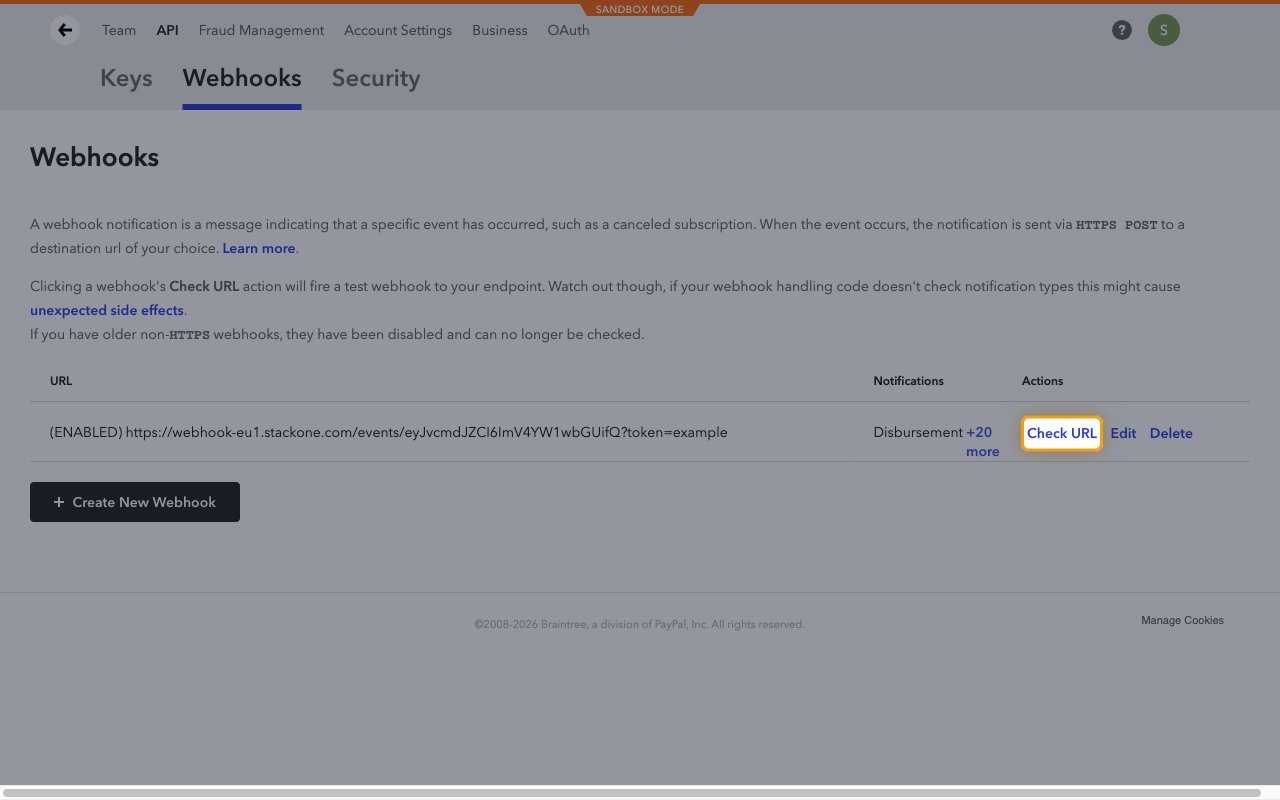
Available webhook events
The following Braintree events can be enabled. Only events selected in StackOne and ticked on the Braintree webhook are delivered.
Subscription events
Events related to recurring billing subscriptions. Braintree lists these under Subscription.
- Subscription Billing Skipped (
subscription_billing_skipped) — Fired when a subscription billing cycle is skipped - Subscription Canceled (
subscription_canceled) — Fired when a subscription is canceled - Subscription Charged Successfully (
subscription_charged_successfully) — Fired when a recurring charge succeeds - Subscription Charged Unsuccessfully (
subscription_charged_unsuccessfully) — Fired when a recurring charge fails - Subscription Expired (
subscription_expired) — Fired when a subscription reaches the end of its billing cycles - Subscription Trial Ended (
subscription_trial_ended) — Fired when a subscription’s trial period ends - Subscription Went Active (
subscription_went_active) — Fired when a subscription becomes Active, on its first authorized charge or on recovery from Past Due - Subscription Went Past Due (
subscription_went_past_due) — Fired when a subscription moves to Past Due after a failed charge
Dispute events
Events related to chargebacks, retrievals and pre-arbitrations. Braintree lists these under Dispute and Disputed Transaction.
- Dispute Opened (
dispute_opened) — Fired when a new dispute is opened - Dispute Under Review (
dispute_under_review) — Fired when a dispute moves to under review - Dispute Accepted (
dispute_accepted) — Fired when you accept a dispute instead of providing evidence - Dispute Auto Accepted (
dispute_auto_accepted) — Fired when Braintree accepts a dispute automatically - Dispute Disputed (
dispute_disputed) — Fired when you finalize evidence and contest a dispute - Dispute Expired (
dispute_expired) — Fired when the reply-by date passes without a response - Dispute Won (
dispute_won) — Fired when the bank rules in your favor - Dispute Lost (
dispute_lost) — Fired when the bank rules in the customer’s favor - Disputed Transaction Custom Fields Updated (
disputed_transaction_custom_fields_updated) — Fired when a custom field on a disputed transaction is updated
Transaction, refund and disbursement events
Events related to settlement and payouts. Braintree lists these under Disbursement and Refund; the transaction events appear only when the related feature (such as ACH, Fraud Protection Advanced or transaction retries) is enabled on your gateway.
- Transaction Disbursed (
transaction_disbursed) — Fired when a transaction is disbursed to your bank account - Transaction Settled (
transaction_settled) — Fired when a transaction settles, for ACH, US bank account and some local payment methods - Transaction Settlement Declined (
transaction_settlement_declined) — Fired when settlement of an ACH or US bank account transaction is declined - Transaction Reviewed (
transaction_reviewed) — Fired when a Fraud Protection Advanced decision on a transaction is reviewed - Transaction Retried (
transaction_retried) — Fired when Braintree retries a declined transaction - Refund Failed (
refund_failed) — Fired when a refund fails - Disbursement (
disbursement) — Fired when a disbursement of settled funds is sent to your account
Payment method events
Events related to vaulted payment methods. Braintree lists these under Payment Method; Local Payment, Account Updater and Grant API events appear only when those features are enabled on your gateway.
- Payment Method Revoked By Customer (
payment_method_revoked_by_customer) — Fired when a customer revokes a vaulted payment method, such as a PayPal billing agreement or Venmo account - Payment Method Customer Data Updated (
payment_method_customer_data_updated) — Fired when customer data behind a vaulted payment method changes - Local Payment Completed (
local_payment_completed) — Fired when a buyer completes a local payment method flow - Local Payment Expired (
local_payment_expired) — Fired when a local payment expires before it is funded - Local Payment Funded (
local_payment_funded) — Fired when a local payment is funded - Local Payment Reversed (
local_payment_reversed) — Fired when a local payment is reversed - Account Updater Daily Report (
account_updater_daily_report) — Fired when the daily Account Updater report of updated vaulted cards is ready - Granted Payment Instrument Update (
granted_payment_instrument_update) — Fired when a payment instrument shared through the Grant API is updated - Granted Payment Method Revoked (
granted_payment_method_revoked) — Fired when a payment method shared through the Grant API is revoked - Grantor Updated Granted Payment Method (
grantor_updated_granted_payment_method) — Fired when the grantor updates a payment method shared through the Grant API - Recipient Updated Granted Payment Method (
recipient_updated_granted_payment_method) — Fired when the recipient updates a payment method shared through the Grant API
Delivery format
Details of how Braintree delivers notifications to StackOne.
Encoded notifications
Each request carries one notification as a form-encoded bt_signature and bt_payload, where bt_payload is base64-encoded XML. StackOne decodes it and routes it to the matching event. The event data holds the kind, timestamp, the decoded notification_xml and the original bt_signature and bt_payload.
- StackOne does not verify the Braintree signature. To confirm a notification is authentic, pass
bt_signatureandbt_payloadto the Braintree SDK webhook parse method. - Braintree retries a notification that is not acknowledged. A retried notification keeps the same event ID.