

Generating a Generic Access Token
To connect Bitly with StackOne, you’ll need to generate a Generic Access Token from your Bitly account settings.
1
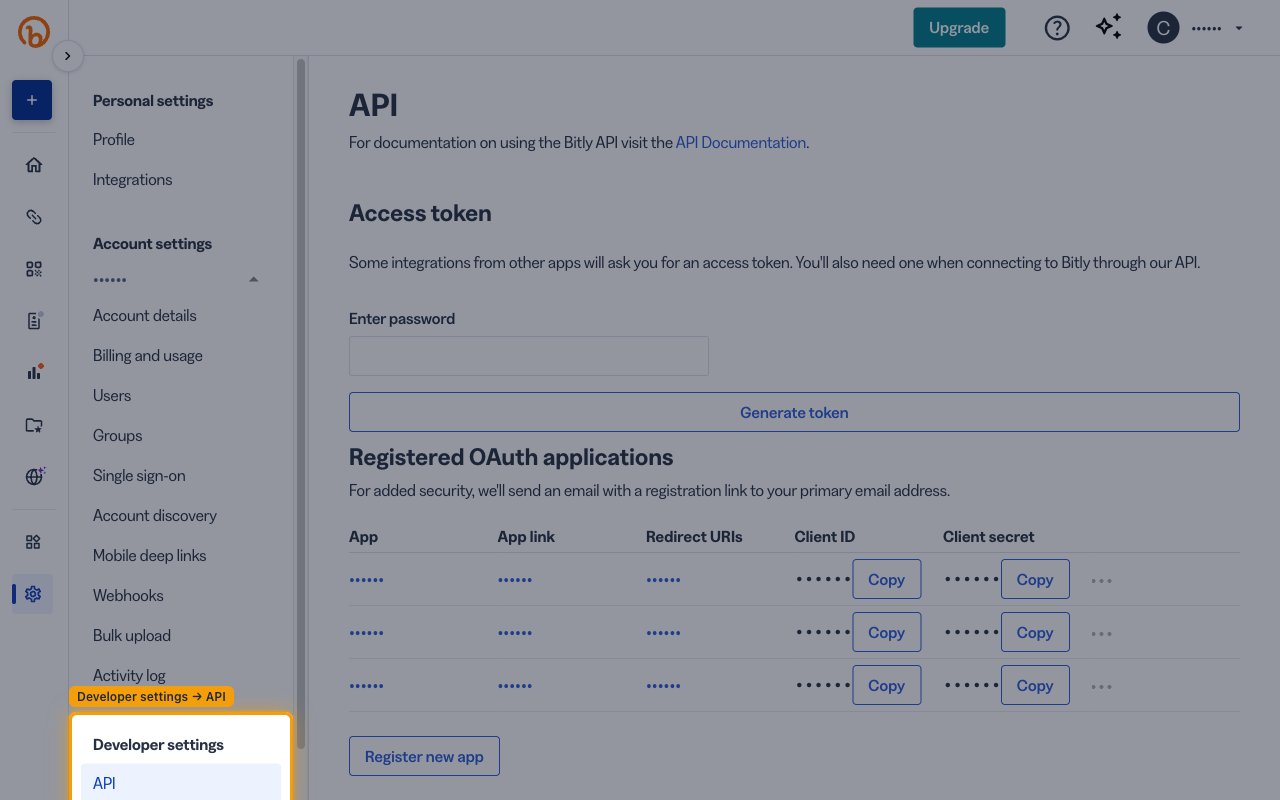
Open Developer settings
Sign in to your Bitly account.
- In the left sidebar, click Settings.
- Under the Developer settings section, click API.
2
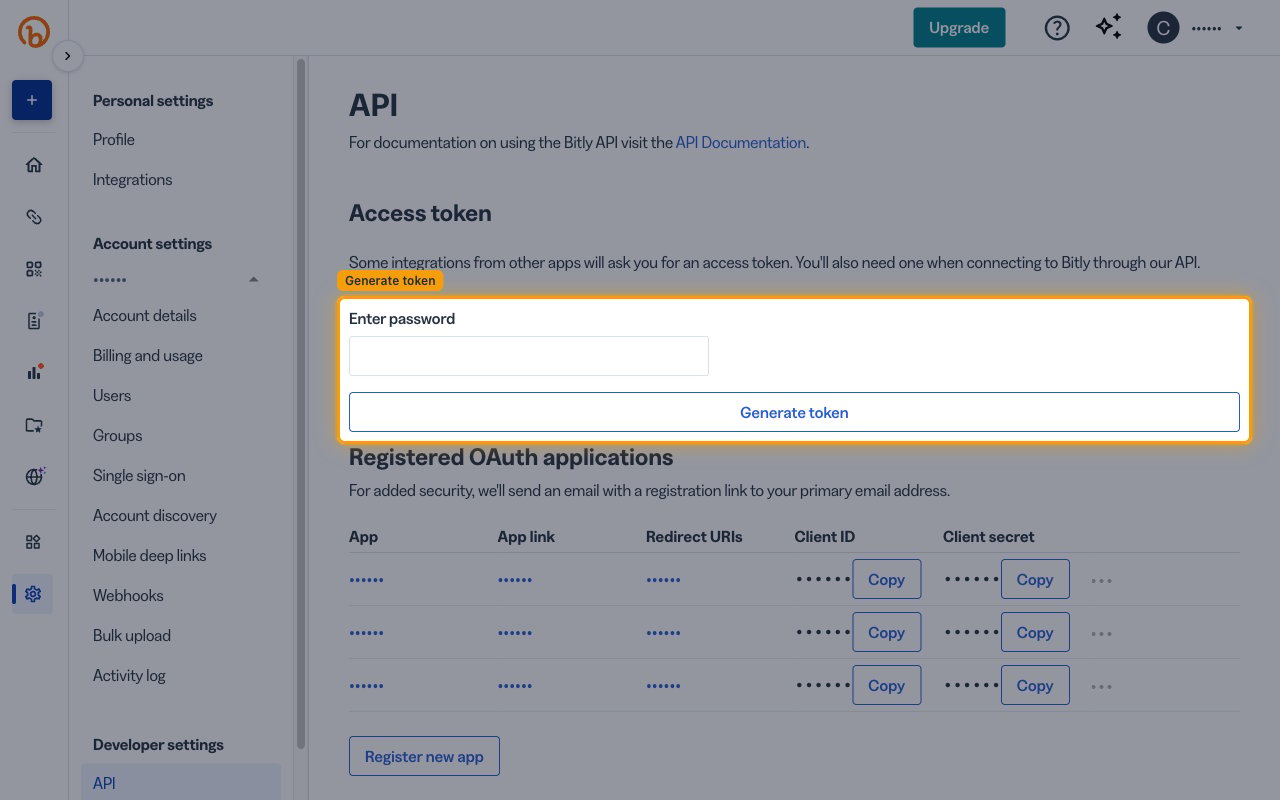
Generate an Access Token
In the Access token section, enter your Bitly account password and click Generate token.
- Your new Generic Access Token will appear on the page.
- Copy the token and store it securely for use later.
Linking the Account from the Hub
1
Navigate to the Hub
Use one of the three Linking Account Methods to access the Hub.
2
Fill out the fields
Fill out the following fields using details from your provider:
- Access Token
3
Connect
- Click Connect
- If applicable, the provider will redirect you to a sign-in or authorization page. Complete the provider’s authorization flow.
- Once authorization is successful, you will see a confirmation popup
If the account linking is successful, you will see the newly linked account in your Accounts page.