

Generating an API key
Your API key authenticates every request StackOne makes to Bigdata.com. It inherits the data packages and the credit balance of the Bigdata.com account that creates it.
1
Create the API key
Sign in to the Bigdata.com Developer Platform, then in the left menu under Management, select API Keys.
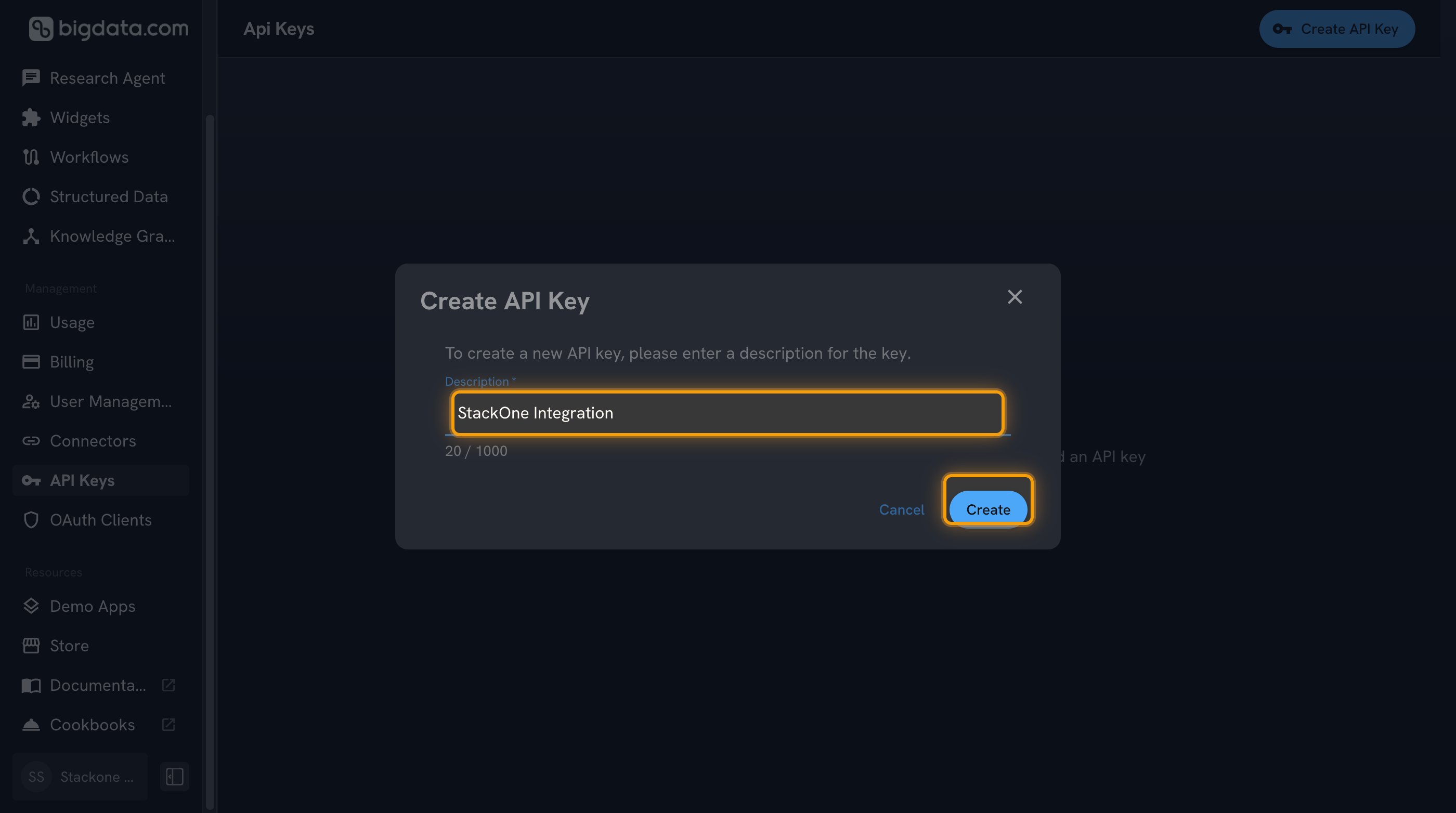
- Click Create API Key.
- Description:
StackOne Integration - Click Create.
2
Copy the API key
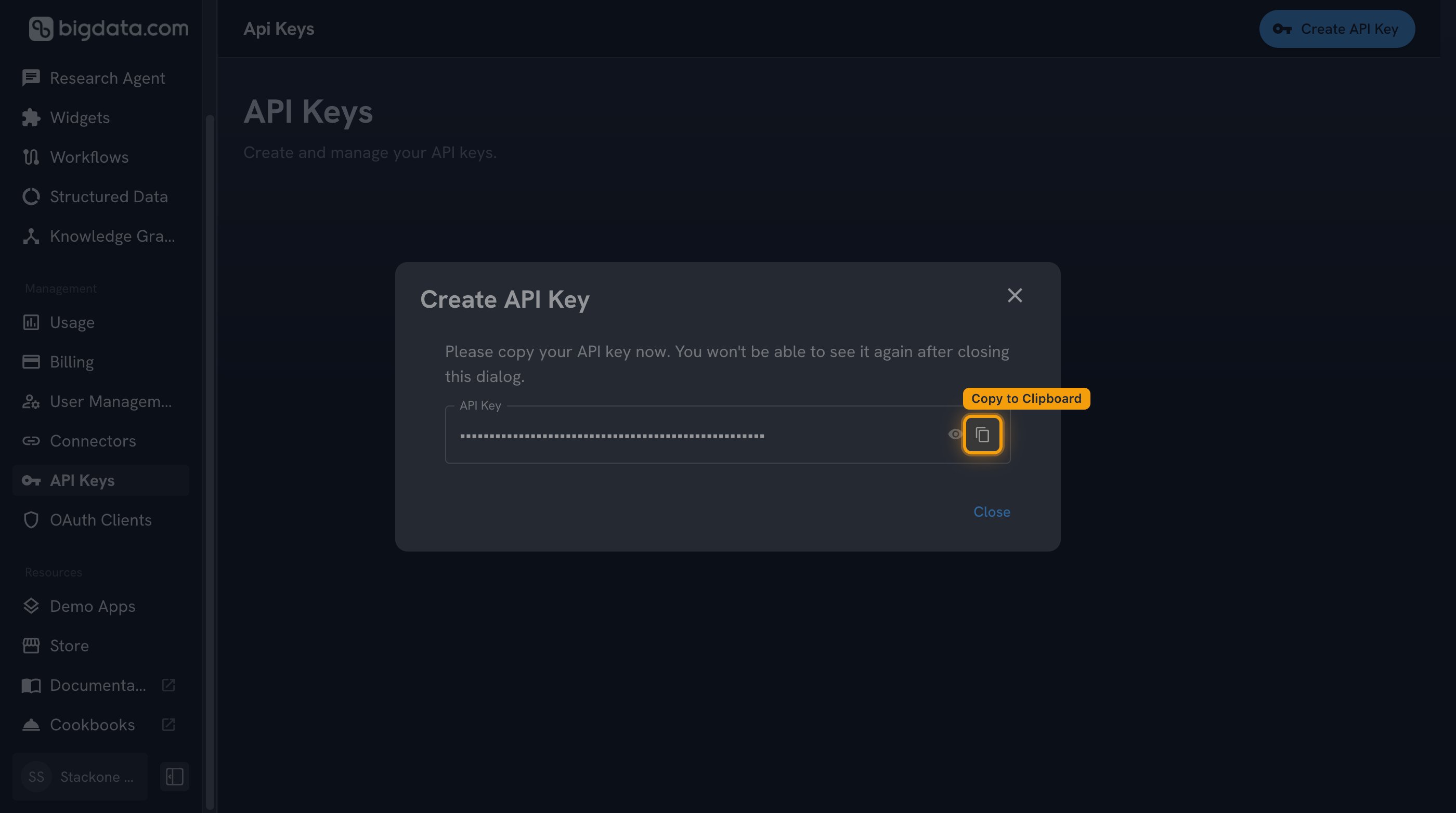
Click Copy to Clipboard beside the API Key value, then copy the API Key across.
- The key is shown only once and cannot be retrieved after you click Close.
- The key begins with
bd_v2_.
Link the Account
1
Connect
- Click Connect.
- If applicable, the provider will redirect you to a sign-in or authorization page. Complete the provider’s authorization flow.
- Once authorization is successful, you will see a confirmation popup.
2
Use Actions
Connect an AI platform to the linked account’s actions. See AI Platforms.Other ways to call actions are listed in Protocols & SDKs.