

Create a Incidents API token
An Incidents API token works with monitors, heartbeats, status pages and incidents for a single team.
1
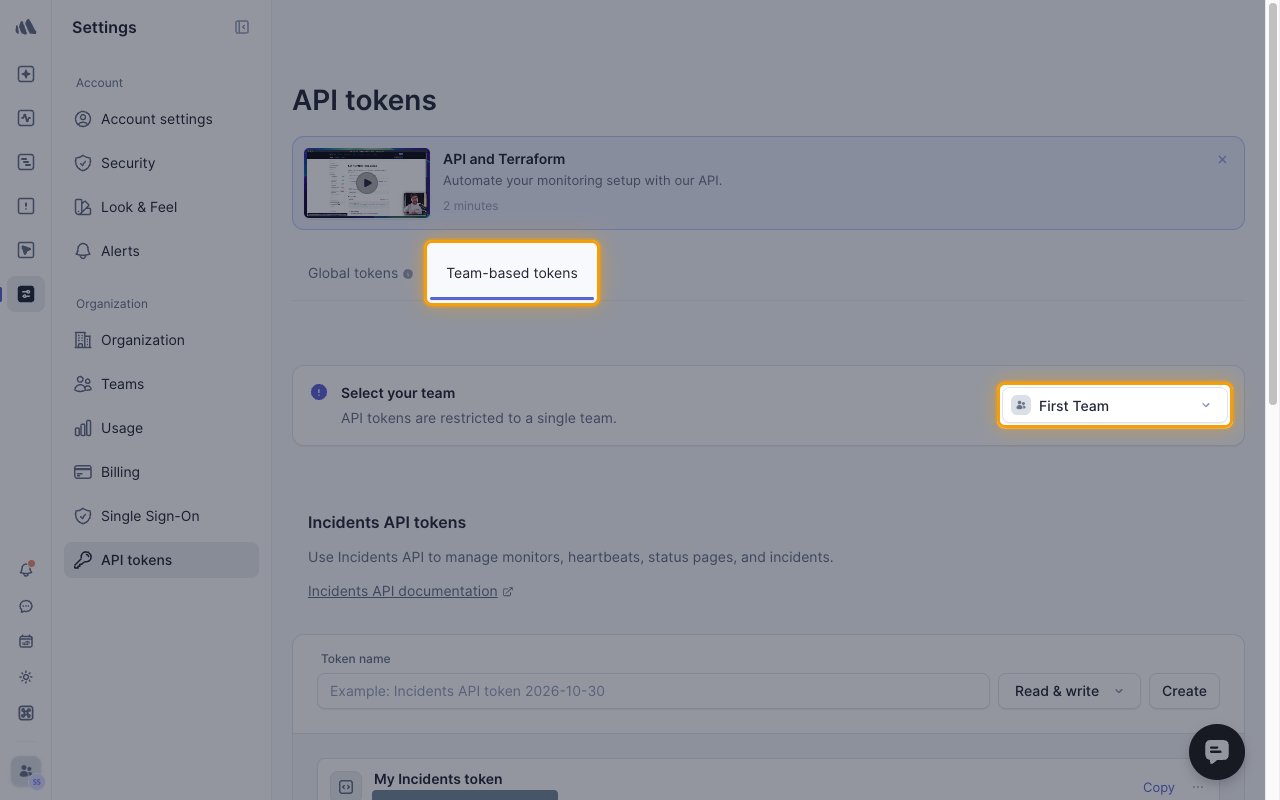
Choose the team
Sign in to your Better Stack account, then go to Settings > API tokens > Team-based tokens.
- Under Select your team, pick the team to connect.
- Webhook events come from this team’s incidents and monitors.
2
Create the token
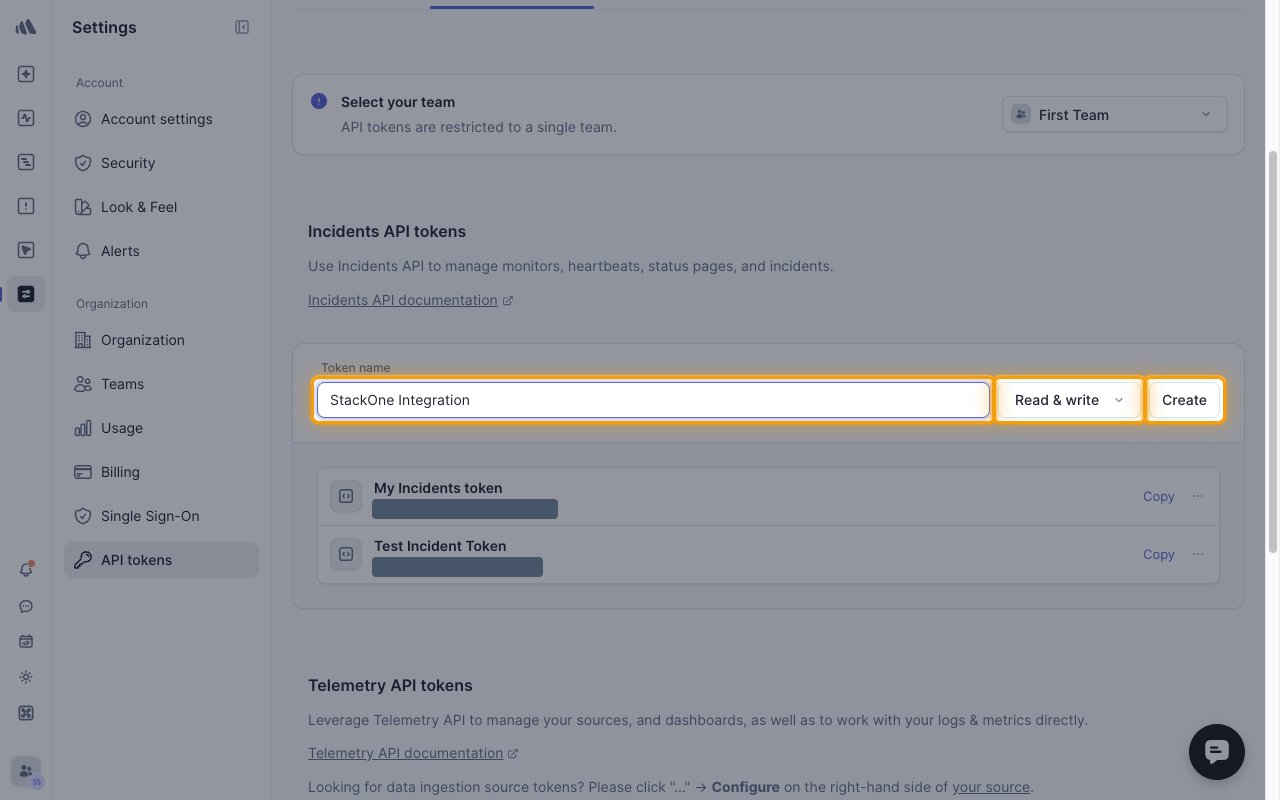
In the Incidents API tokens section, fill in the token form.
- Token name:
StackOne Integration - Select Read & write, or Read only for a read-only connection. Webhook events need Read & write.
- Click Create.
3
Copy the token
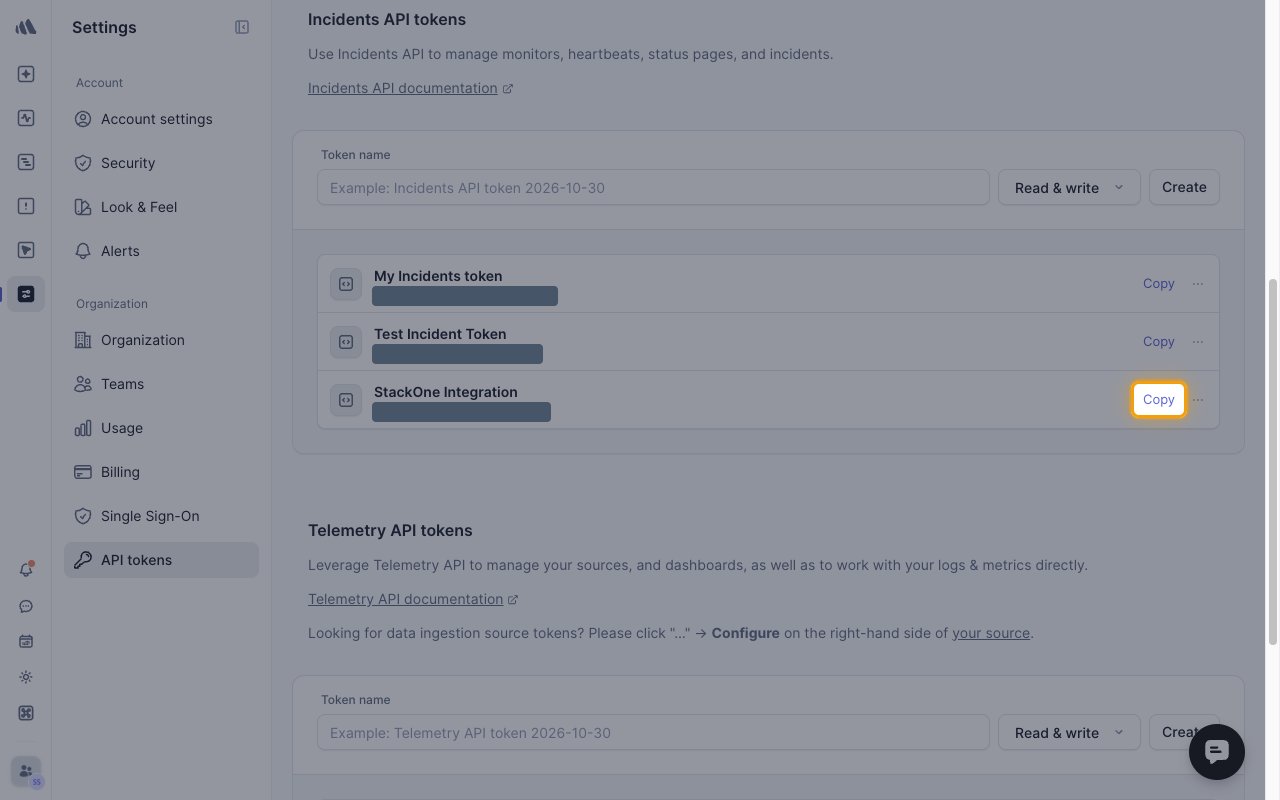
In the StackOne Integration row under Incidents API tokens, click Copy, then paste the API Token into StackOne Hub.
Linking the Account from the Hub
1
Navigate to the Hub
Use one of the three Linking Account Methods to access the Hub.
2
Fill out the fields
Fill out the following fields using details from your provider:
- API Token
3
Connect
- Click Connect
- If applicable, the provider will redirect you to a sign-in or authorization page. Complete the provider’s authorization flow.
- Once authorization is successful, you will see a confirmation popup
If the account linking is successful, you will see the newly linked account on your Accounts page.
Next Steps
Webhooks setup
Configure receiving Events for Better Stack into StackOne.