

Finding Your Company Domain
Your company domain identifies your BambooHR instance.
Locate Your Company Domain
Your company domain is the text before .bamboohr.com in your BambooHR URL. For example, if you access BambooHR at https://mycompany.bamboohr.com, your company domain is mycompany.
Generating an API Key
Your API key is generated from your BambooHR account settings and grants the integration access to your data.
Sign in to BambooHR
Sign in to your BambooHR account using your company domain and credentials.
Navigate to API Keys
From your BambooHR dashboard:
- Click your name/avatar in the lower-left corner.
- Select API Keys from the dropdown menu.
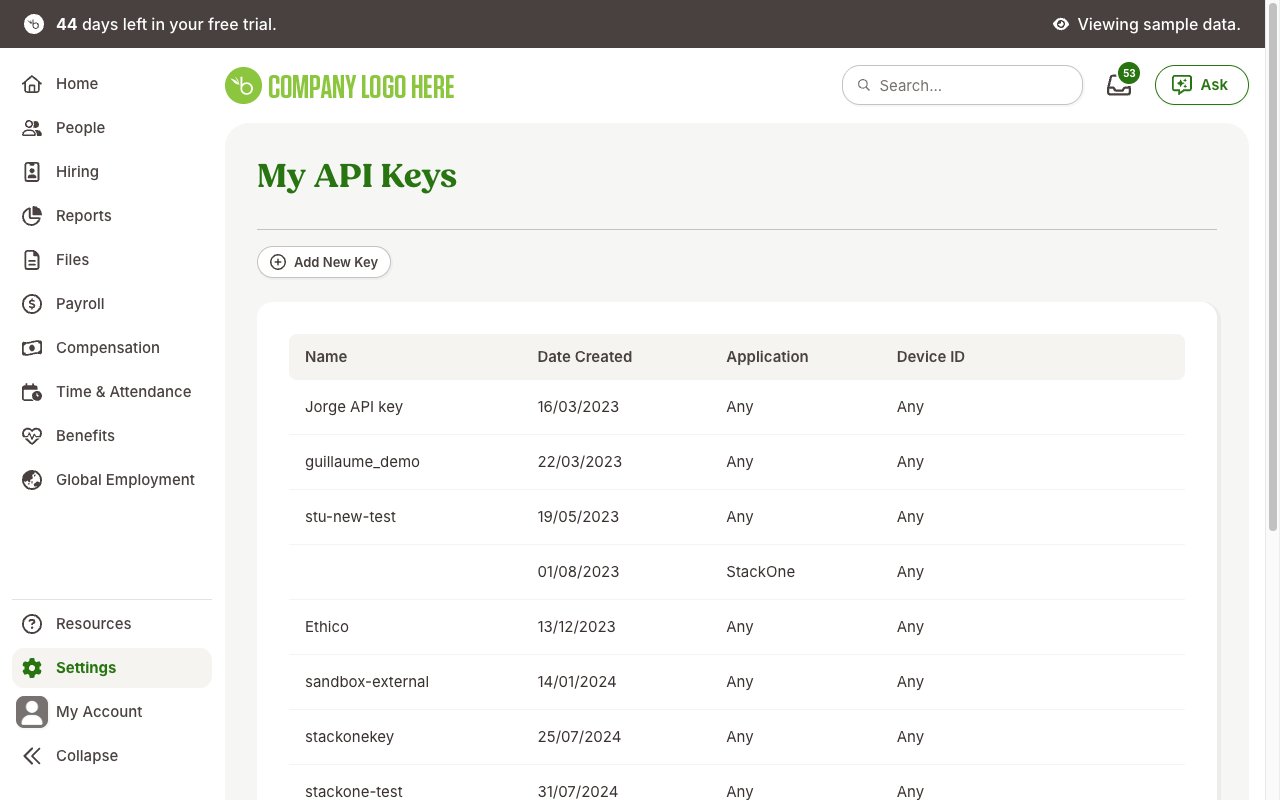
Create a New API Key
From the API Keys page:
- Click Add New Key.
- Enter a descriptive name for the key (e.g., “StackOne Integration”).
- Click Generate Key.
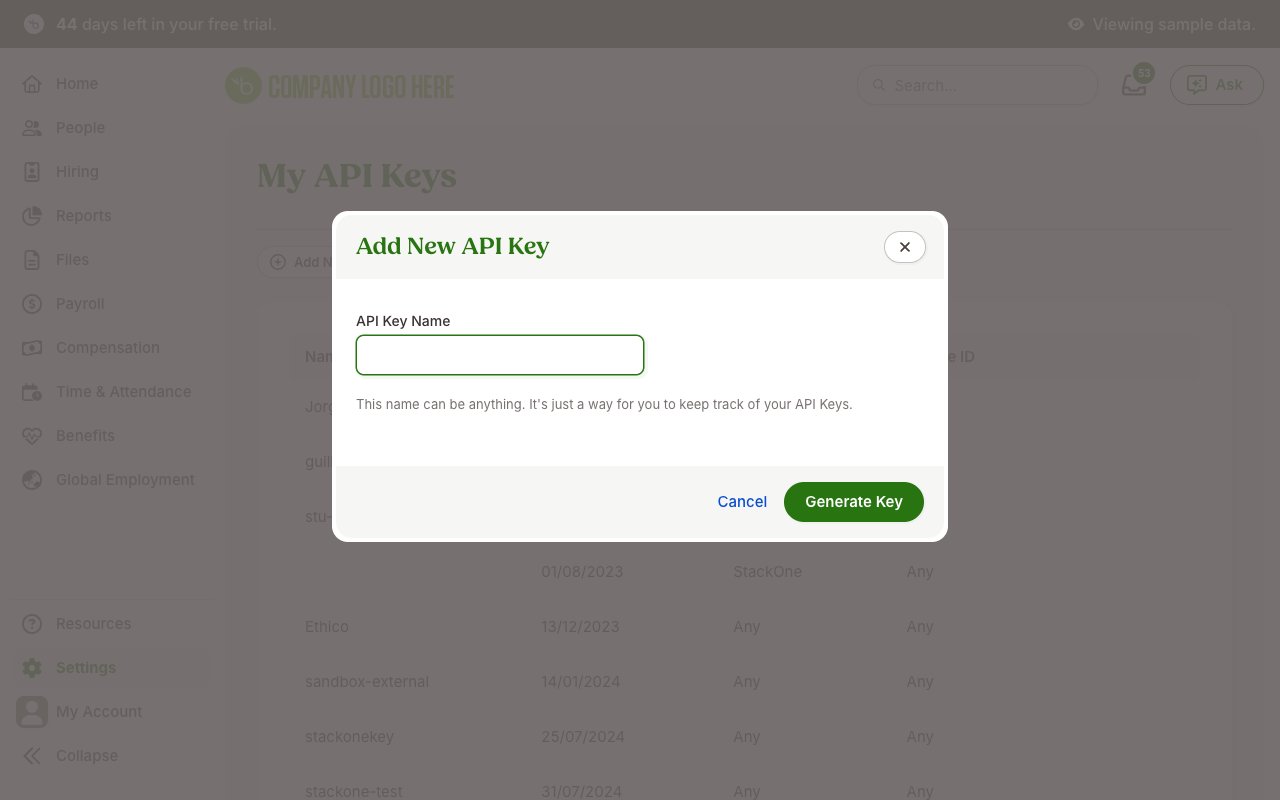
Copy the API Key
Copy the API key immediately and store it securely for use later. The key is only displayed once and cannot be retrieved later.
Linking the Account from the Hub
Navigate to the Hub
Fill out the fields
- Company Domain
- API Key
Connect
- Click Connect
- If applicable, the provider will redirect you to a sign-in or authorization page. Complete the provider’s authorization flow.
- Once authorization is successful, you will see a confirmation popup
If the account linking is successful, you will see the newly linked account in your Accounts page.
Next Steps
Webhooks setup
Configure receiving Events for BambooHR into StackOne.