

Register an OAuth Application
Register an application in the BambooHR Developer Portal to enable OAuth 2.0 authentication.
Sign into Developer Portal
Go to the BambooHR Developer Portal and create a free account if you don’t have one.
Create an Application
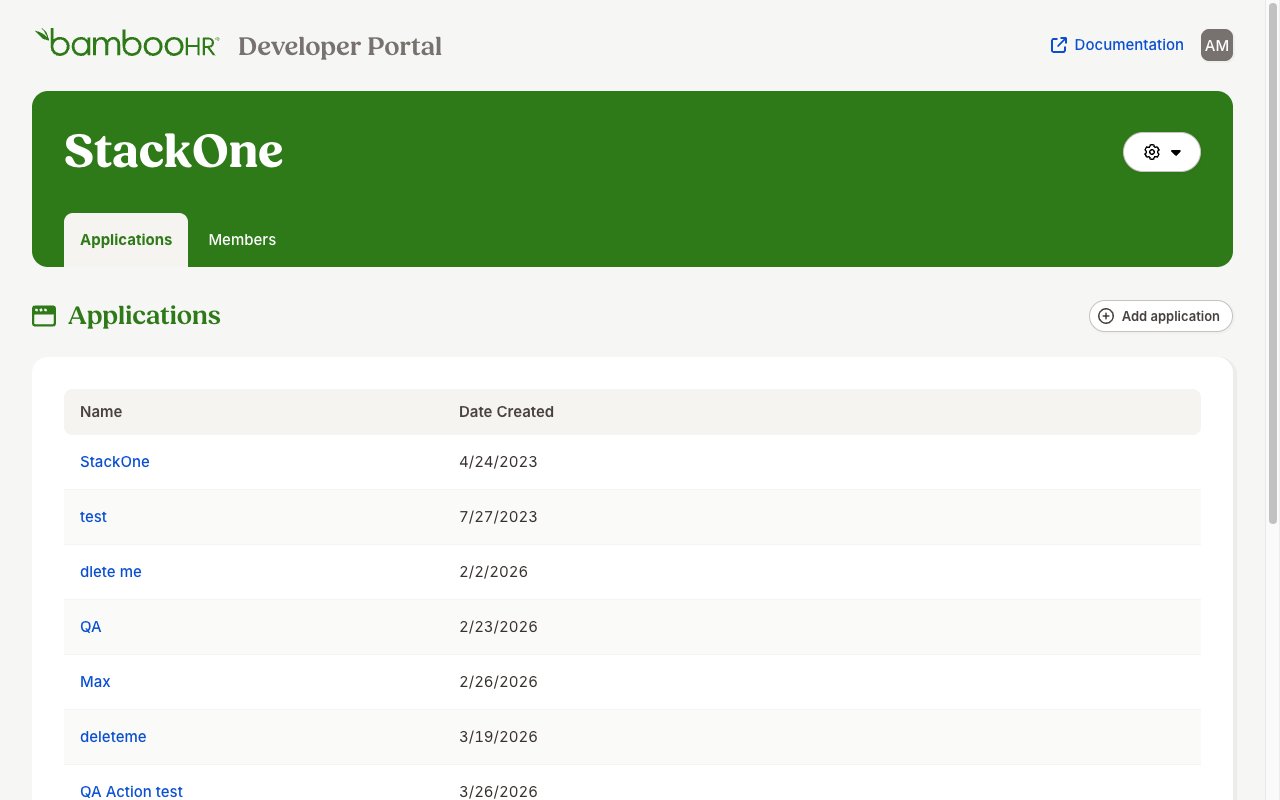
On your Developer Portal dashboard, create a new application:
- Click the Add application button in the top-right corner of the Applications list page
- Provide your application name (e.g.,
StackOne Integration— you can choose any name) - Click Create Application
Configure Redirect URI
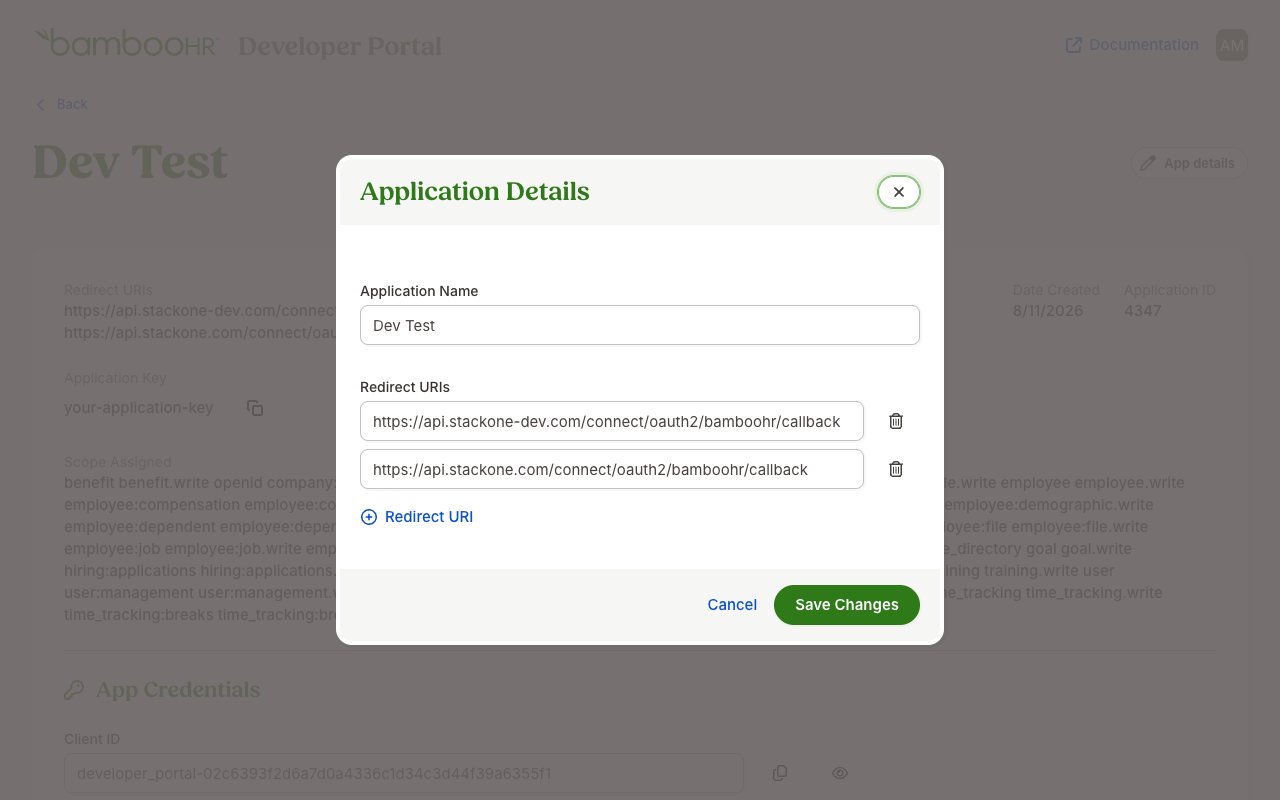
After being redirected to the app, click App details
- Set the redirect URI as
https://api.stackone.com/connect/oauth2/bamboohr/callback - Click Save Changes
Copy App Credentials
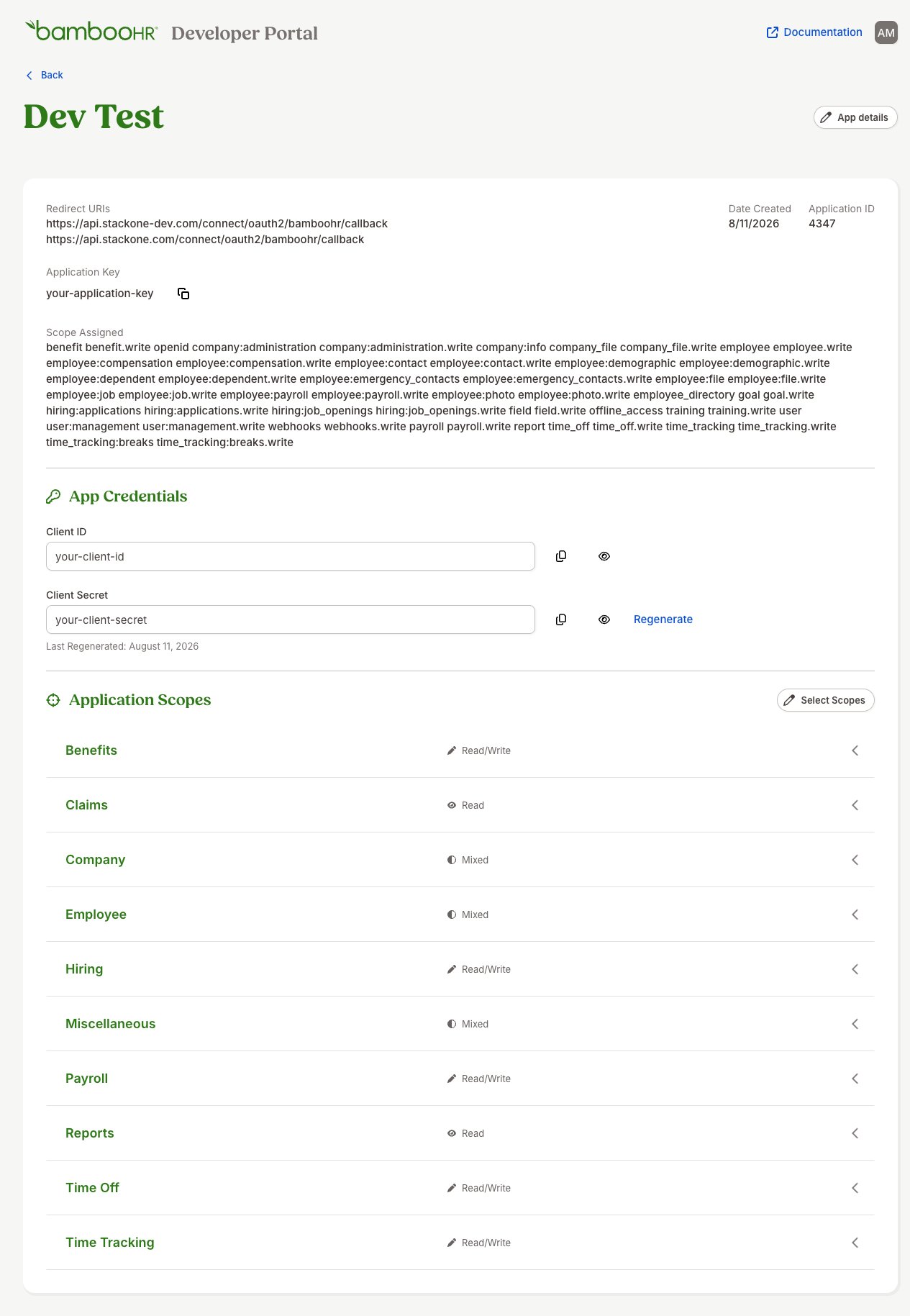
Under App Credentials, the Client ID and Client Secret are masked by default — click the eye icon next to each value to reveal it, then copy both and store them securely for use later.
Select Application Scopes
On the App details page, scroll down to the Application Scopes section and select the scopes for your use case. You must also enable openid (required for authentication) and offline_access (required to issue refresh tokens) — if either is missing on the app, the connection fails with an invalid_scope / “An unsupported scope was requested” error. Note: within a resource family a .write scope grants read on that same resource, but BambooHR gates several endpoints behind their own read-only scopes (for example company:info for company properties, holidays for company holidays, time_tracking:project for time-tracking projects/tasks, time_tracking:shift_differentials for shift differentials, and public.user for changed-employee sync). Enable every scope listed below. Note: BambooHR rejects requesting both public.integration and public.user at once, so only public.user is requested — but both may be enabled on the app:
Auth Config Scopes
When providing scopes in the Auth Config, list only the resource scopes for your use case, space-separated. openid and offline_access are required and are added automatically — you do not need to include them.
Creating the StackOne Connector Profile
To create the Connector Profile in StackOne for BambooHR:Open the connector
Choose actions and events
- Click Add Profile.
- If the connector offers more than one authentication method, set the Auth Method filter to OAuth 2.0.
- Select the actions, and any events, to enable for this Connector Profile.
- Click Continue.
Set up authentication
- Select Authentication Type as OAuth 2.0.
- Fill out the fields using details retrieved from your provider:
- Client ID
- Client Secret
- OAuth Scopes (Optional)
- Click Create Profile.